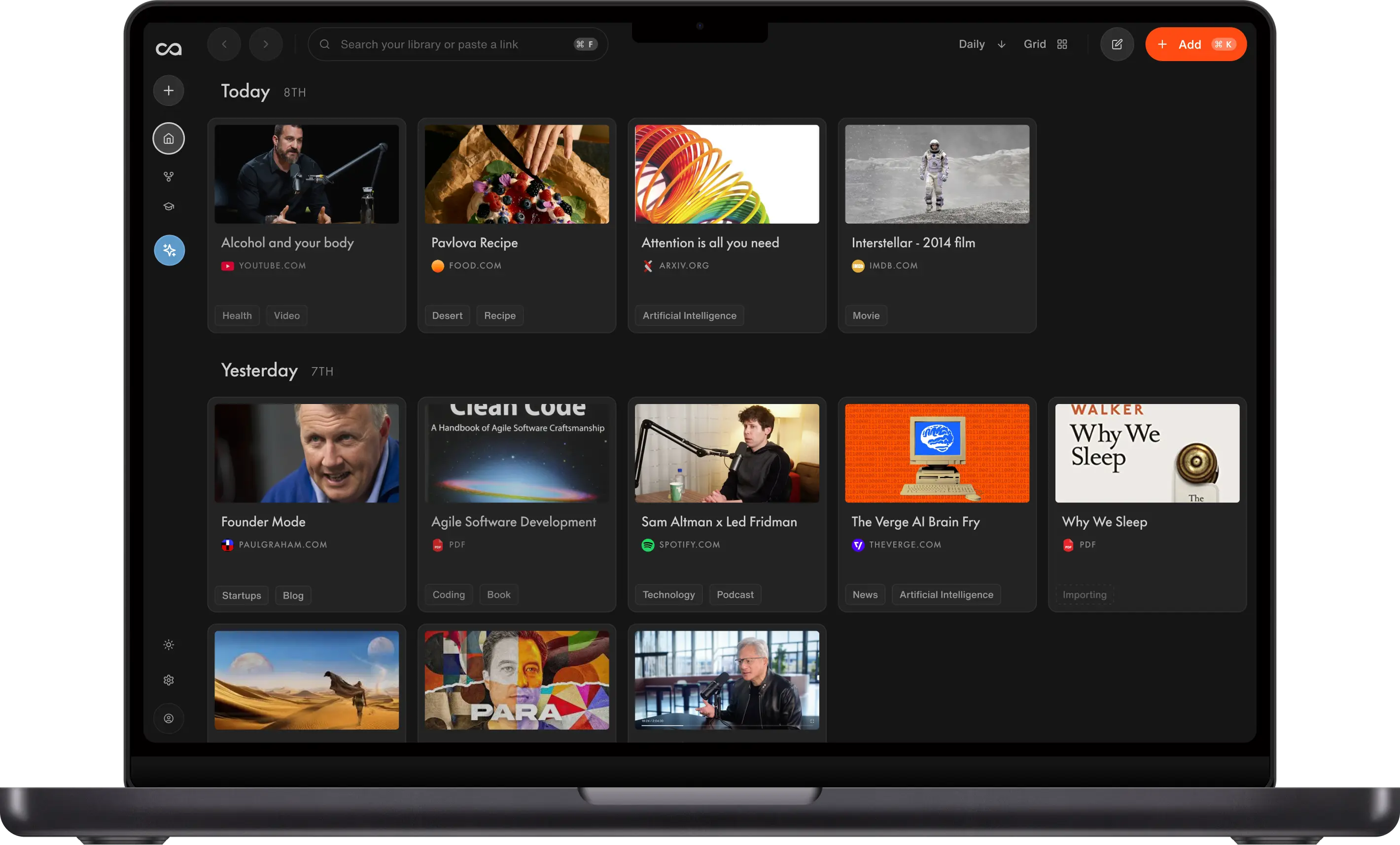
Andrej Karpathy's LLM wiki is a five-step workflow (ingest, compile, browse, query, lint) that turns articles, papers, and videos into a compounding personal knowledge base. Recall reproduces it with no code: one-click save, auto-summaries, smart tags, chat across your library, and a knowledge graph. This guide covers Karpathy's method, a 6-step Recall setup, Obsidian + Claude vs Recall, and how an LLM wiki differs from RAG.
Andrej Karpathy's LLM wiki is a personal knowledge workflow where an LLM ingests sources, compiles summaries and cross-links, lets you browse that layer, queries it over weeks, and maintains it with health checks (Karpathy calls that linting). Unlike one-off file uploads in chat (RAG), the wiki compounds as you save and ask more questions.
Want the same pattern with no code and no maintenance? Install the Recall browser extension, save anything in one click, and let Recall auto-summarize, auto-tag, and auto-connect it into a personal wiki. Same workflow Karpathy described in his viral X thread and LLM wiki gist, without scripts, Obsidian plugins, or hand-maintained markdown folders.
This guide explains what the LLM wiki pattern is, how to set it up in Recall in minutes (no code, no maintenance), how a DIY setup (Obsidian + Claude) compares to Recall step by step, and how a knowledge base, RAG, and an LLM wiki differ.
Table of Contents
- What Is Andrej Karpathy's LLM Wiki, and Why Does It Matter?
- Karpathy's Method: Ingest, IDE, Q&A, Output, and Linting
- How to Set Up Karpathy's LLM Wiki in Recall (6 Steps)
- What Can You Ask Your Recall Wiki?
- Automatic Organization and Connections in Recall
- DIY LLM Wiki (Obsidian + Claude) vs. Recall
- Knowledge Base, RAG, and LLM Wiki Explained
- FAQs: Recall and the LLM Wiki Pattern
What Is Andrej Karpathy's LLM Wiki, and Why Does It Matter?
Who is Andrej Karpathy?
Andrej Karpathy is one of the most credible voices in modern AI:
- Founding member of OpenAI
- Former Director of AI and Autopilot Vision at Tesla
- Independent educator focused on neural networks and LLMs
When Karpathy says "this is how I personally manage knowledge in the age of LLMs," engineers and researchers pay attention. In a thread that reached millions of readers on X, he described using LLMs to manage knowledge, not only code. In his words: "a large fraction of my recent token throughput is going less into manipulating code, and more into manipulating knowledge."
What is the LLM wiki pattern?
In short: An LLM wiki is a linked layer of AI-written summaries and concept pages on top of your raw sources, not a one-time document upload to chat.
His gist is not "upload PDFs to chat." It is a persistent wiki (knowledge base) the LLM writes and maintains between you and your raw sources: you ingest raw material, the model compiles summaries and cross-linked concept pages, you browse that layer, ask complex questions against it, file useful outputs back in, and run health checks as the wiki grows.
Why does it matter?
The goal is to get answers from your knowledge, not only from the internet. That flips how most AI chatbots work today: they pull from the web, from chat memory, or from files you uploaded for one session, but they do not reflect your full accumulated knowledge.
The concept he introduces puts your knowledge at the center of the conversation.
Within days of his thread, people rebuilt the idea on YouTube, LinkedIn, and personal digital gardens because it names a real problem: learning the same topic for weeks should get easier, not require re-uploading everything every time.
He closed with: "I think there is room here for an incredible new product instead of a hacky collection of scripts."
Recall is built around that product shape. Recall started in 2022 and has been carefully building toward a system that lets you save your knowledge, summarize it, have it organized for you, chat with it, find connections between content, and explore it in a visual knowledge graph. We'll walk you through his method and how to achieve the same in Recall without code or maintenance.
Karpathy's Method: Ingest, IDE, Q&A, Output, and Linting
The following summarizes Karpathy's setup as he describes it in his gist. The wording here is condensed; the gist remains the source of truth.
1. Data ingest: Save content
Karpathy indexes source documents (articles, papers, repos, datasets, images, and more) into a raw/ directory. He then uses an LLM to incrementally compile a wiki: a collection of .md files in a directory structure.
That compiled wiki includes:
- Summaries of everything
- Backlinks between pages
- Categorization into concepts, with articles written for each concept and cross-linked
For web articles he uses the Obsidian Web Clipper to turn pages into markdown so the LLM can reference them easily.
2. IDE: The frontend / visual interface
Karpathy uses Obsidian as the IDE-style frontend where he views raw data, the compiled wiki, and derived visualizations. Important detail: the LLM writes and maintains almost all wiki data; he rarely edits markdown directly.
3. Q&A: Chat with your knowledge
Once the wiki is large enough (he cites a recent research wiki at roughly 100 articles and 400K words), he asks his LLM agent complex questions against the wiki. The agent researches answers across the compiled layer.
He notes he thought he would need fancy RAG, but at this ~small scale the LLM has been strong at auto-maintaining index files and brief summaries of documents, then reading the important related pages when answering.
4. Output: Writing back to the knowledge base
Instead of answers living only in a terminal, Karpathy has the agent render markdown files, slide decks (Marp), or matplotlib images, then view them in Obsidian. Other visual formats are possible depending on the query.
He often files those outputs back into the wiki, so explorations and queries add up in the knowledge base for the next question.
5. Linting: Maintenance
He runs LLM health checks over the wiki to:
- Find inconsistent claims
- Impute missing data (sometimes with web search)
- Surface interesting connections and candidates for new articles
- Suggest further questions to investigate
The goal is incremental cleanup and stronger data integrity as the wiki grows.
How to Set Up Karpathy's LLM Wiki in Recall (6 Steps)
These steps mirror Karpathy's five parts: ingest → compile → browse (IDE) → Q&A → output → lint. Six steps keep the setup scannable; steps 5 and 6 split output and linting, which he treats as distinct habits.
Step 1: Install the Recall browser extension (ingest: Web Clipper equivalent)
Karpathy clips web articles with the Obsidian Web Clipper. In Recall, the browser extension is the one-click ingest path for articles, YouTube, PDFs, and more.
- Sign up at recall.it
- Install the Chrome extension or Firefox add-on.
- Pin the icon so saving stays frictionless.
Step 2: Save sources into your library (ingest: raw/ equivalent)
Karpathy drops files into raw/. You save into Recall:
- Desktop: click the extension on any page or YouTube tab.
- Phone: share to the Recall app (iOS | Android).
- Web app: paste URLs, upload PDFs, or bulk import up to 10,000 Markdown notes from an existing Obsidian vault.
Save YouTube videos, podcasts, PDFs, TikToks, and your own notes. See the full list of supported content.
Step 3: Let Recall compile the wiki (ingest: LLM writes .md)
On each save, Recall incrementally compiles your wiki layer:
- Summary of the source (detailed or concise; listenable as audio on cards)
- Smart tags (categorization without folder debates)
- Key mentions and backlinks (concept-style links across cards)
That matches Karpathy's compiled wiki (summaries, backlinks, concept links) without batch prompts to rewrite entity pages. Smart tags assign categories automatically so you spend less time filing than learning. Ingest one topic at a time when learning a new domain, same as he recommends, so you can skim the summary and confirm links before the next save.
Step 4: Browse in Recall (IDE: Obsidian equivalent)
Open your library, read cards, use the Connections tab, and explore graph view. Karpathy rarely edits wiki markdown by hand; you will mostly read and refine while Recall maintains structure. Use focus mode to follow one thread, or find path between two cards to spot surprising links (graph guide). Add manual links when you want human judgment: block editor, lightning bolt, or [[ wiki-style links (linking guide).
Step 5: Chat across the compiled wiki (Q&A)
Open Chat with Knowledge Base. Choose Recall (compiled layer), web, or both. Pick your model on supported plans (Claude, GPT, Gemini, Grok, or DeepSeek).
Karpathy's Q&A shines once the wiki is large (his example: 100 articles, 400K words). You do not need that volume on day one. Ask complex, cross-card questions, not single-article lookups:
- "What do my saved sources agree on about retrieval vs. fine-tuning?"
- "What did that sleep podcast say about melatonin timing? Find me the exact clip." (Recall jumps to the timestamp in your saved library.)
- "What gaps should I fill next?" (Recall searches the web to find gaps in your current knowledge and new studies.)
See Recall 2.0 for why the knowledge base is the engine behind your AI.
Step 6: File outputs and run wiki health checks (output + linting)
Output: When chat produces a synthesis worth keeping, save it as a note. That is Recall's version of filing markdown back into the wiki so the next query compounds.
Wiki health checks (what Karpathy calls linting): Once a week or once a month, spend 10 to 15 minutes adjusting tags, deleting irrelevant content, and keeping your knowledge base tidy.
Example workflow
| Phase | Action in Recall |
|---|---|
| Week 1: Start saving | Install the browser extension and mobile app. Bulk import bookmarks and markdown, save a few YouTube videos and podcast PDFs, and start taking notes. |
| Week 2: Start chatting | Chat with the internet like any AI tool, or reference your own knowledge for sources you trust in richer context. |
| Week 3: Explore connections | Watch your knowledge organize itself. Use graph view to discover links you might have missed. |
| Ongoing: Maintain and grow | With Augmented Browsing on, rediscover related saves while you read. Spend a few minutes adjusting tags and filling gaps your library may miss. |
What Can You Ask Your Recall Wiki?
With Recall, you can talk to the internet, your knowledge base, or both, so you decide the source.
Cross-source synthesis: "What do my papers agree on about evals, and where do they disagree?"
Grounded retrieval: You have been researching sleep and journaling your routine. You ask: "What did that sleep podcast say about melatonin timing? Find me the exact clip." Recall finds the timestamp and lets you jump there without leaving your flow.
Lint-style prompts: "What have I saved about Y but not connected?" or "Suggest three articles I should ingest next based on gaps in my graph."
That is the shift from generic ChatGPT to personal AI over a wiki that grows every time you ingest, query, file an answer, and lint.
Automatic Organization and Connections in Recall
Why auto-organization matters for a no-maintenance wiki
Karpathy's compile step includes categorization into concepts and cross-linked articles. Doing that by hand is where most DIY wikis stall: you spend more time filing than learning.
Recall uses smart tags so new saves land in sensible categories without folder debates.
The point of a knowledge base is to remove friction between consuming and using what you consume. If organizing is hard, you stop saving. If saving is easy, the base grows, and the LLM's answers get richer. Learn more about automatic organization in Recall.
Recall graph view: your IDE for the compiled wiki
Karpathy uses Obsidian to browse raw files, compiled wiki pages, and derived views. Recall's graph view is the browse layer for your compiled wiki: concept hubs, backlinks, and clusters without opening a vault of .md files.
Every card has a Connections tab: automatically extracted keywords linked to every other card that mentions them. Save a Karpathy thread and you can immediately see other cards that reference him. Click a name and the graph expands around that concept.
The graph turns Recall from a place where you store things into a place where you discover how your knowledge connects. Learn more about Recall graph view.
Augmented Browsing: your wiki on the web
Augmented Browsing is what a folder-based wiki cannot do: connections you saved in Recall resurface as you browse.
With the extension installed, Recall highlights keywords on pages you browse (not only pages you already saved) that match your library. Hover to see small cards with what you already know about that topic.
Reading an article about OpenAI? See every card you have saved that mentions OpenAI, right in the margin. That is passive resurfacing while you read. Processing is local-first on your device for privacy (privacy FAQ).
Karpathy's wiki sits in a folder. Recall's wiki walks with you across the internet.
DIY LLM Wiki (Obsidian + Claude) vs. Recall
A DIY LLM wiki is what Karpathy described and what most people rebuild: Obsidian to read and store notes, plus Claude (or another AI agent) to summarize, link ideas, answer questions, and help maintain the wiki. You wire the pieces yourself. Some people add a raw/ folder and custom scripts on top of that stack; the core DIY path is still Obsidian + Claude.
Recall runs the same five-part workflow in one product: save, auto-compile, browse, chat, file outputs back, and light health checks. You trade some control (local git vault, Marp slides, matplotlib plots) for less glue work and less weekly upkeep.
When to choose which
Choose DIY (Obsidian + Claude) if you want every file on your machine, custom agent prompts, Marp or matplotlib in the loop, or you enjoy tuning the system yourself.
Choose Recall if you want Karpathy's compounding pattern without Obsidian plugins, Claude copy-paste, or script maintenance.
You can bulk import an existing Obsidian vault and keep using Recall for new saves and chat. Many people treat Recall as the AI layer on top of the linked thinking Obsidian made popular.
Getting started (one-time)
| DIY (Obsidian + Claude) | Recall | |
|---|---|---|
| Initial setup | Obsidian vault + Claude (or ChatGPT) account | Sign up to Recall, install the extension (Firefox add-on), or download the mobile app (Android) |
| Cost to start | Obsidian (free) + Claude subscription + your time | Recall is free to start. Save unlimited content and use the Recall MCP to connect it to another AI subscription, or use Recall Plus for lifelong knowledge management from $10/month billed annually. (pricing) |
Time and effort by step
Karpathy's workflow has five parts. Ingest and monthly health checks take the most time on DIY; Recall is faster on both. Steps 2-4 are the same day-to-day.
| Step | DIY (Obsidian + Claude) | Recall |
|---|---|---|
| 1. Ingest + compile | ~10 min per source. Clip with Obsidian Web Clipper, paste into Claude, copy summaries and links into your vault. | Under 1 min per source. One-click save; compile is automatic (summary, smart tags, key mentions, backlinks). |
| 2. Browse (IDE) | Browse your vault in Obsidian. | Browse your Recall knowledge base and automatic knowledge graph. |
| 3. Q&A | Ask Claude across the notes you bring into each session. | Chat with Knowledge Base in the AI model of your choice. |
| 4. Output | Copy chat answers into your vault. More custom integrations (Marp, matplotlib, plugins). | Save chat as notes. Export markdown if you need Obsidian or other tools. |
| 5. Health checks | ~30-60 min per month. Re-read the vault, re-prompt Claude, fix links by hand. | ~10-15 min per month, optional. Light tag tidy, graph review, or a chat pass ("What contradicts X?"). |
Knowledge Base, RAG, and LLM Wiki Explained
People often mix up three ideas: where your saved stuff lives, how you ask AI about it once, and how you build something that gets smarter over time. Here is what each means in plain language, then a side-by-side comparison.
Your knowledge base: the library you are building
A knowledge base is your saved library of stuff you care about: articles, videos, notes, PDFs, podcasts, bookmarks you actually kept. Think of it as shelves of material you chose to keep.
For many people, a "knowledge base" is really a messy pile: browser tabs, half-finished note apps, bookmarks you never reopen. The content sits there. You cannot ask it questions, and you cannot easily see how ideas connect.
Tools like Recall aim to turn that pile into something you can search, link, and talk to. The knowledge base is the foundation. The sections below describe two different ways AI can sit on top of it.
RAG: ask AI about files you upload right now
RAG (retrieval-augmented generation) is a technical label for a familiar pattern: you attach documents, ask a question, and the AI pulls relevant pieces from those files to answer.
Each session is mostly a fresh start. You upload or point the model at files for that chat. It finds bits that match your question and writes an answer. When you close the chat or start over, that work usually does not grow into new linked pages for next month.
That is a good fit for one-off jobs: "Summarize these three PDFs" or "What does this contract say about termination?" It is a weaker fit when you are learning the same topic for weeks and want last week's reading to help this week's question without re-uploading everything.
LLM wiki (Karpathy's pattern): a layer that compounds
An LLM wiki adds a compiled, linked layer between you and your raw sources. The AI helps maintain summaries, concept-style pages, and links between ideas. Karpathy's gist is not "upload PDFs to chat once." It is the LLM writes and updates the wiki so the structure compounds over time.
You still keep raw sources (articles, papers, clips). When you ask a question, the AI leans on maintained wiki pages, not only re-reading every original file from scratch. Useful answers and outputs can be filed back into the wiki, so the next question starts from a richer base.
That is the idea behind Karpathy's viral thread: RAG mostly resets each session; a maintained wiki compounds.
How they fit together: your knowledge base is the raw library. RAG is how many chat tools answer today's question over today's attachments. An LLM wiki is what Karpathy describes: compile that library into linked pages once, then query the compiled layer again and again. Recall is built to be that compiled layer automatically, so chat behaves more like querying a wiki than re-uploading files every session.
If you already use linked notes, the LLM wiki pattern is close to a Zettelkasten-style graph, except the LLM maintains the links and summaries instead of you doing it by hand.
Compare AI knowledge bases (like Recall) vs. RAG vs. LLM wiki
| AI knowledge base (e.g. Recall) | RAG | LLM wiki | |
|---|---|---|---|
| What it is | Your library of saved online content and personal notes | Ask AI about files you attach now | AI-maintained summaries and links on top of sources |
| What you do | One-click save; the product compiles each card for you | Upload docs, ask, get an answer | Ingest raw stuff; let AI compile linked "pages" |
| What grows over time | A lifelong knowledge base: cards, backlinks, notes from chat | Usually no lasting structure | Summaries, backlinks, concept pages, filed outputs |
| Best for | Lifelong learning with AI that helps you interact with, organize, and remember your knowledge | One-off Q&A over a folder or deck | Weeks of learning on one topic |
| Typical weak spot | Fewer integrations (custom API and MCP available) | Answers do not stick as durable structure | Setup and upkeep unless automated |
Ready to build your LLM wiki? Start on the LLM wiki page, or get started with Recall. Save your first source, watch the graph connect, and ask a question only your accumulated knowledge can answer.
FAQs: Recall and the LLM Wiki Pattern
Ready to get started?
Save, summarize and chat with your content.
No credit card required · 30 Day Refund on Premium · 24 Hour Support