Frequently asked questions
Plans, features, privacy, and how Recall compares to other tools. For pricing details, see our pricing page.
About Recall
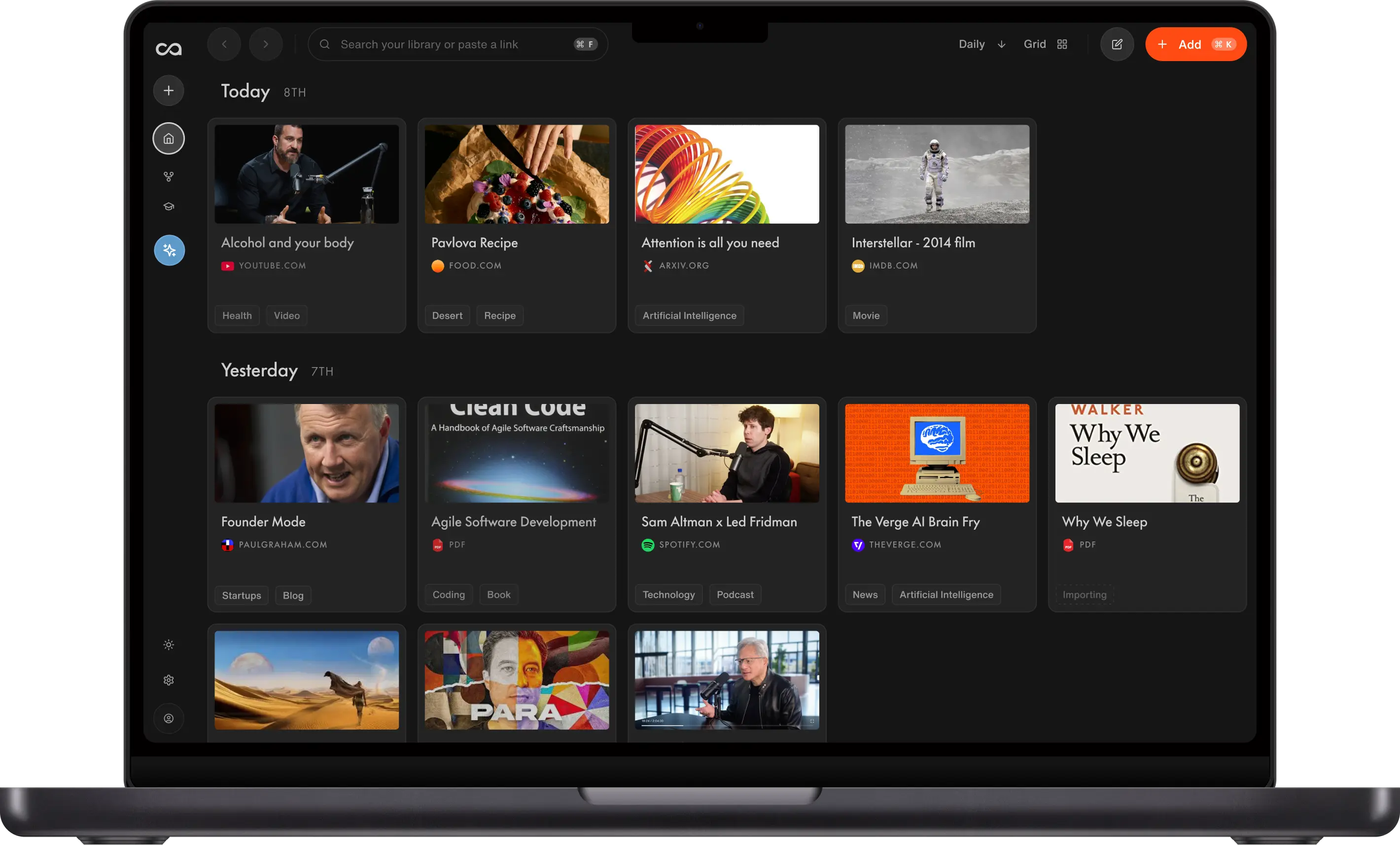
Recall is a personal AI knowledge base that saves, summarizes, organizes, and lets you chat with your articles, YouTube videos, podcasts, PDFs, and notes, all in one place. Learn more on our About page.
Recall (recall.it) is often confused with two other products that share a similar name. We are a separate company and product.
We are not Microsoft Recall. Microsoft Recall is a Windows 11 feature that periodically captures screenshots of your screen. Recall (recall.it) does not record your screen or desktop. It is a personal knowledge base for content you choose to save: articles, videos, podcasts, PDFs, and notes.
We are not Recall.ai. Recall.ai records and transcribes meetings, often for sales workflows. Recall (recall.it) is for saving and learning from content you read, watch, and write, not for recording calls.
Recall was founded in 2022 by Paul Richards (CEO), Igor Gligorevic (CTO), and Sankari Nair (COO). The team is headquartered in Amsterdam. Learn more on our About page.
Getting started
Yes. If you are not satisfied with Recall within the first 30 days, we will issue a refund. Email us at support@recall.it.
Yes. Email us at support@recall.it from your student email address for a 20% student discount.
Yes, Recall is free forever. No credit card is required. You can save unlimited read-later content including articles, YouTube videos, podcasts, and PDFs, and write unlimited notes. You also get 10 AI summaries per month to try the AI features. With API and MCP access, you can connect Recall to the AI model of your choice and chat with your knowledge there.
For the quickest responses, join our Discord channel. Alternatively, email support@recall.it for a response within 24 hours (usually faster). Our documentation answers most common questions.
If you're anything like us, you learn interesting things every day from articles, podcasts, and videos. Most of that knowledge is forgotten within a few months. Summarizing and writing notes helps, but it is time-consuming and hard to search later.
Recall solves this by automatically summarizing content, organizing it, and connecting related ideas so you can resurface knowledge when you need it.
Plans, pricing & billing
Visit our pricing page for Free, Plus, and Max plan details, feature comparisons, and billing FAQs.
Choose Plus if you want a daily AI knowledge base. Choose Max if you want to push Recall to its limits with bulk actions and your choice of AI model.
Plus is perfect for your daily knowledge base. Save the content you care about (YouTube videos, podcasts, PDFs), take personal notes, recipes, and journals, and have it all summarized, organized, connected, and ready to chat with.
Max is for power users who want full control. It's built for people who understand which AI model to use when, and who run complex, high-volume workflows with bulk actions.
Recall Plus automatically picks the best AI model for each task. It chooses between frontier models, open-source models, and Gemini Flash based on what you're doing, so you don't have to think about it. Just trust that the right model has been used for your specific output.
Plus and Max include unlimited saves and AI summaries for typical use. We may pause, review, or adjust a subscription if usage significantly exceeds reasonable levels. See our Fair Use Policy for details.
Recall supports debit and credit cards, Apple Pay, Google Pay, Cash App, WeChat Pay, and Link.
Yes, you can cancel anytime. You'll keep access to your paid plan until the end of your current billing period, and your saved content stays in your account.
You can manage your subscription from the "Manage Subscription" section found in the main app menu.
Your content stays in your account. If you downgrade from Plus or Max to Free, you keep all of your saved articles, videos, podcasts, PDFs, and notes. You'll return to the Free plan limits on AI summaries going forward, but nothing you've already saved is deleted.
Privacy & security
Your data is private and we do not train AI models on your content. Your saved content is yours, used only to power your personal knowledge base and the AI features you use inside Recall. Read more in our Privacy Policy.
Recall is a local-first application, which means your data is primarily stored on your device. Queries and database operations run locally for speed. For backup and syncing between devices, data is stored on Google Cloud in Belgium (europe-west1).
Yes. Open the main app menu, click Settings, then click Export to download all your data as zipped markdown files.
Open the main app menu, click Settings, then click Delete Account. This cannot be undone and permanently removes your data locally and from our servers.
We are fully committed to Recall for the long haul. If Recall ever did not succeed, we would give users ample time to export their data and open-source the project so you could host it yourself.
Read our Terms of Service and Fair Use Policy on this website for details on usage, payments, and service policies.
Features & how Recall works
Recall works best on YouTube videos (up to 10 hours), PDFs (up to 300 pages), articles, Google Docs, blogs, and recipes. We are quickly expanding the content we support.
AI summaries use fine-tuned models and proprietary methods to produce concise or detailed summaries of your content. The best way to create summaries is with our Chrome, Firefox, Edge, or Safari browser extensions.
You can use Recall like any other note-taking app and create unlimited personal notes. Start from an empty note in the Recall app menu. You can also generate quiz questions from your personal notes.
Augmented Browsing is a Recall feature that surfaces relevant insights from your personal knowledge base while you browse. Recall detects keywords and concepts on the page and shows connections to content you have saved, so you can recall past knowledge without interrupting your workflow. Processing is local-first on your device for privacy and security.
When you save an AI summary, Recall adds an automatic tag that categorizes the card in the left panel. Tags are unique to you and align with tags you already use.
When you save AI summaries, Recall extracts keywords and links related content so you can discover connections you might otherwise miss.
For every card you save in Recall, you can generate a quiz to reinforce long-term retention. You can customize questions manually or edit the answers.
You can translate AI summaries and your quiz questions to English, German, French, Spanish, Italian, Chinese, Japanese, Korean, Portuguese, and Russian.
Active recall stimulates memory by challenging you to retrieve information without looking at the source. In Recall, generate quiz questions from your saved summaries to test knowledge and improve retention.
Spaced repetition reviews information at increasing intervals over time. In Recall, review saved summaries on a spaced repetition schedule via the web app or weekly email digest.
Yes. After you save a summary to your knowledge base, edit it with the built-in text editor.
Recall vs other tools
If you use ChatGPT to ask questions about content you've read or watched, then yes, Recall can replace it. Recall brings your saved knowledge into every conversation. The Recall co-founders personally use Recall daily as their primary chatbot for questions, content generation, and writing. Learn more about the team on our About page.
NotebookLM is built for research projects. Recall is built for lifelong learning.
NotebookLM limits you to chatting with a single notebook of sources you've defined upfront, which makes it great for focused research on a specific topic. Recall has no such limit. Everything you save (articles, YouTube videos, podcasts, PDFs, and your own notes) becomes part of one growing, connected knowledge base you can chat with anytime. Recall also isn't tied to a single AI model the way NotebookLM relies on Gemini. It automatically picks the best frontier model for your question, whether that's from OpenAI, Anthropic, Google, or open-source.
Recall is an AI-first knowledge base that captures and connects content for you automatically. Obsidian is a manual, local-first note-taking app where you build links yourself.
Recall saves articles, videos, podcasts, and PDFs, summarizes them, organizes them with smart tags, and builds the knowledge graph automatically. Obsidian gives you full manual control over your notes and links but does not capture web content or summarize it for you. Many people use Recall as the AI layer on top of the kind of linked thinking Obsidian made popular.
Recall is a personal AI knowledge base. Notion is a workspace for documents, databases, and team collaboration.
Recall is built around saving and chatting with content you read, watch, and listen to, with AI summaries, automatic organization, and a knowledge graph. Notion is built around manually creating and structuring documents and databases, primarily for work and team use. Recall includes a block-style editor for personal notes, but it's designed for your lifelong knowledge, not team project management.
Recall is an AI knowledge base. Readwise is a read-later and highlights app focused on resurfacing what you've read.
Both let you save articles and content for later, but Recall automatically summarizes, organizes, and connects everything you save into a knowledge graph you can chat with. Readwise focuses on highlights and spaced repetition of what you've already read. Recall includes spaced repetition too, but it sits inside a broader AI-first knowledge base that covers articles, YouTube videos, podcasts, PDFs, and your own notes.
Referrals & affiliates
Yes. For each unique user you invite who signs up and verifies their email, you receive an additional 10% discount on Recall Plus, up to 50% off. Find your invite code in the top right corner of your profile page.
Yes. Learn more on the Recall Affiliate Program page.
Roadmap & feedback
Recall has an ambitious roadmap. See what we are building next on our public roadmap.
Yes. Submit feature requests and upvote ideas from other users.
Ready to get started?
Save, summarize and chat with your content.
No credit card required · 30 Day Refund on Premium · 24 Hour Support