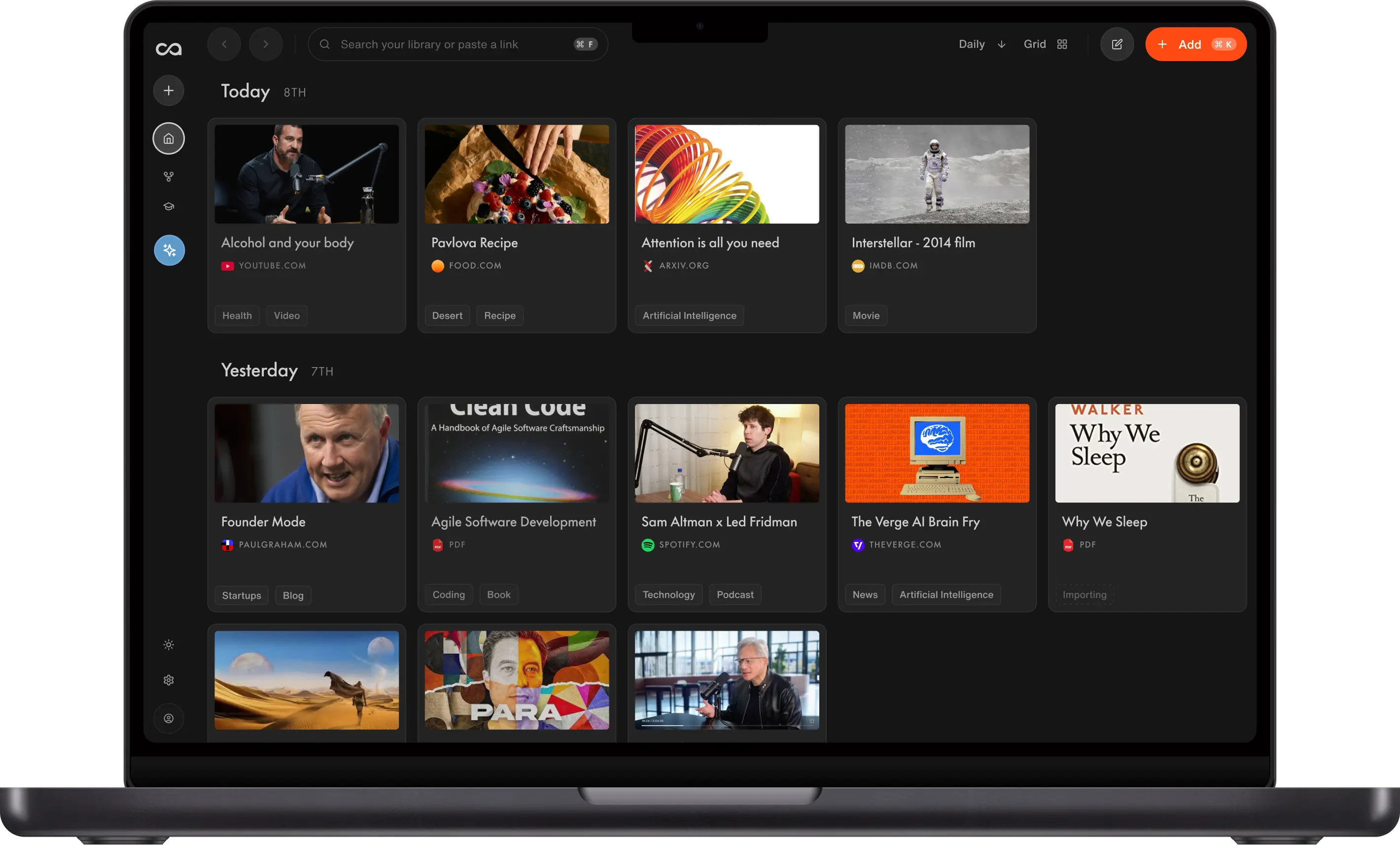
A step-by-step guide to summarizing a YouTube video, then saving the summary in Recall so you can search it and chat with it later.
A YouTube video summarizer uses AI to turn long videos into concise, readable summaries, often with timestamps, so you can decide what to watch, learn faster, and revisit key ideas later. Recall goes further: it summarizes YouTube videos (up to 10 hours with a transcript, up to 5 hours without), saves them as Recall Cards in a personal knowledge base, organizes them into categories, and lets you chat across everything you have saved using ChatGPT, Claude, Gemini, or other models.
This guide explains how YouTube summarizers work, what to look for when you choose one, how to summarize and save videos in Recall, how Recall compares to Glasp, NoteGPT, Eightify, and NotebookLM, and answers to common questions.
Table of Contents
- What Is a YouTube Video Summarizer?
- Why Summarize YouTube Videos?
- What to Look for in a YouTube Video Summarizer
- How to Summarize a YouTube Video in Recall
- What You Get in a Saved YouTube Summary
- Recall vs Summarize-Only Tools
- Beyond One-Off Summaries: Remember What You Watch
- What Else Can You Summarize With Recall?
- FAQs: YouTube Video Summarizers
What Is a YouTube Video Summarizer?
A YouTube video summarizer reads a video’s audio and/or transcript, identifies the main ideas, and outputs a shorter version: bullet points, sections with timestamps, or a narrative summary. Most tools rely on captions (auto-generated or uploaded). Advanced tools like Recall can transcribe the audio when captions are missing, within length limits.
Summarize-only tools stop at the summary screen. Knowledge-base tools like Recall also save, tag, link, and resurface summaries so they compound over time instead of disappearing after you close a tab.
Why Summarize YouTube Videos?
We are watching more YouTube than ever. In 2026, users worldwide average 51.6 minutes per day on the platform, or more than 25.8 hours per month, according to Resourcera's analysis of time spent on YouTube. Globally, people collectively watch roughly 2.43 billion hours of YouTube video every day. That is a lot of screen time, and it raises a fair question: how much of that watch time is actually valuable?
Much of it is not a full, focused viewing session from start to finish. People bounce between Shorts and long-form, open a 90-minute podcast while cooking, or leave a tab running in the background. A summarizer lets you extract the right moments instead of committing to everything long-form: skim the structure first, jump to the chapter you care about, or find the exact timestamp where a topic is mentioned and move on.
That shift matters because summarization is not a niche AI trick. It is one of the biggest everyday use cases for AI. In a 2023 TIME interview, OpenAI CEO Sam Altman described how he uses ChatGPT in daily life:
Edward Felsenthal: What are you using ChatGPT for in your daily life?
Sam Altman: One thing I use it for every day is help with summarization. I can't really keep up...
If the CEO of OpenAI leans on summarization every morning, it is no surprise that millions of people apply the same pattern to YouTube: turn hours of video into minutes of reading, then decide what deserves a full watch.
Using a YouTube video summarizer regularly helps you:
- Spend watch time on purpose. Skim a summary or chat with the content before you commit to a two-hour podcast. Jump to the timestamps that matter instead of treating every upload as a full sit-through.
- Learn and research faster. Get the structure and main claims in minutes, then rewatch only the segments you need for notes or citations.
- Remember more. Pair summaries with active recall and spaced repetition or quick quizzes so ideas stick after a long video ends.
- Access content your way. Read a summary, listen to it as audio, or use translation where your tool supports it.
YouTube is where much of the world's learning and entertainment already lives. AI summarization is how you meet that volume without letting the algorithm decide how your day disappears.
What to Look for in a YouTube Video Summarizer
When choosing a YouTube video summarizer, compare tools on eight criteria that matter for daily use and for building a library over time. The comparison table below uses the same columns. For long-tail questions, see the FAQ.
- Maximum video length. Some tools cap out around 20 minutes. For podcasts and lectures, check the longest upload each tool supports. Recall handles up to 10 hours with a transcript and up to 5 hours without one (when it must transcribe the audio itself).
- Videos with and without transcripts. Summaries are strongest when YouTube has captions. Without them, quality depends on speech-to-text. Test a typical channel before you rely on any tool for critical work.
- One-click workflow. Prefer summarizing where you already are: a browser extension on the YouTube tab, paste a URL in a web app, or share to the app on mobile. Extra copy-paste steps mean you will use the tool less.
- Summary format options. Fixed bullet counts help for a quick TLDR. Better still if you can chat with the content and ask for the format you want (shorter, more detailed, exam-style notes, or a specific outline). Recall supports preset concise/detailed summaries and chat so you can steer the output.
- Timestamps. Look for links to exact moments in the video so you can verify a claim or rewatch one segment. Without timestamps, you are still scrubbing the timeline by hand. See the FAQ on finding when something is mentioned below.
- Accuracy and verifiability. No tool is perfect on technical, medical, or legal topics. Prefer structured output you can check against the source, and spot-check before you share or act on a summary.
- Language and translation. Confirm which languages a tool can summarize and whether it can translate the summary. Coverage varies by product.
- Free tier, limits, and saving. Is there a free plan? Caps on length or monthly volume? Can you save summaries to a library? Recall is free to start (10 AI summaries per month on saved content). See pricing for unlimited saves.
Quick test: Run the same YouTube video through two tools and compare length limits, transcript handling, workflow, timestamps, and how trustworthy the output feels.
Need a quick YouTube summary first?
Use the free YouTube video summarizer for a one-off recap, then come back to Recall when you want to save, search, and chat with your videos.
How to Summarize a YouTube Video in Recall
You can summarize YouTube content in Recall three ways. Pick what matches how you browse.
1. With the browser extension (fastest while watching)
Best when you are already on YouTube in Chrome or Firefox.
- Install the Recall browser extension (Chrome) or Firefox add-on.
- Open any YouTube video (up to 10 hours with a transcript, 5 hours without).
- Click the Recall icon in your browser toolbar.
- Wait for the summary to generate (usually under 20 seconds for most videos).
- Review the summary, then Save to add it to your knowledge base as a Recall Card.
The extension also supports augmented browsing: related saved content can surface while you read new pages.
2. In the Recall web app (paste a URL)
Best when you have a link but are not on YouTube right now. You can also paste a link straight into Recall's free YouTube video summarizer to try it instantly, no signup required.
- Log in at recall.it.
- Click the plus button and paste the full YouTube link (e.g.
https://www.youtube.com/watch?v=...). - Recall ingests the video, generates the summary, and adds it to your library.
3. On mobile (share to Recall)
Best on the go: podcasts, recommendations, or videos you find in other apps.
- Install Recall on iOS or Android.
- Open the YouTube video (or copy the link).
- Tap Share and choose Recall.
- Recall processes the video and saves the summary to your synced knowledge base.
What You Get in a Saved YouTube Summary
When you save a YouTube summary in Recall, it becomes a Recall Card, not a throwaway blurb.
- Structured summary: Headings and bullet points; longer videos get subsections for easier scanning.
- Listen to the summary: Play the summary back as audio on a saved Recall Card while you commute or multitask, then open the text or timestamps when you need detail.
- Timestamps: Jump to the moment in the video that matters, or ask in chat where a topic is mentioned and go straight to that point.
- Key mentions: People, concepts, and topics extracted with context, not just raw keywords.
- Automatic links: Related cards in your library connect through shared mentions and your knowledge graph.
- AI chat: Ask for a shorter recap, exam notes, or follow-up questions. Chat works on one card or your entire library, with your choice of model.
- Quizzes: Optional active recall and spaced repetition from saved content.
Recall vs Summarize-Only Tools
This section compares Recall with tools people often use for quick YouTube summaries:
- Recall (knowledge base + summarizer)
- Glasp (free extension summaries)
- NoteGPT (notes and chat per video)
- Eightify (eight-bullet takeaways)
- NotebookLM (Google notebooks for sources)
Pricing and limits change; verify on each site before you buy. For a longer roundup, see 10 best YouTube video summarizers in 2026.
Recall vs Glasp
Glasp is a strong free option for short YouTube videos when you want a fast TLDR in the browser. It relies on your ChatGPT or Claude accounts and does not build a connected personal library.
Recall fits when you watch long-form content regularly and want summaries saved, timestamped, searchable, and chat-ready across your whole library. Recall supports up to 10 hours with a transcript and 5 hours without. Glasp works best on shorter videos; Glasp notes that summaries around 2 hours often fail when pasted into ChatGPT.
Recall vs NoteGPT
NoteGPT shines for single-video workflows: notes, mind maps, and chat on one upload. Paid tiers unlock more volume and features.
Recall is built for many videos over time: one library, automatic links between cards, and chat across everything you have saved, not just the video open in a tab.
Recall vs Eightify
Eightify is built around short, structured takeaways (often eight key points) and broad language support, with little emphasis on a lasting archive.
Recall gives flexible depth (concise or detailed presets), timestamps, and chat to customize the format. You also keep summaries in a knowledge graph instead of exporting screenshots.
Recall vs NotebookLM
NotebookLM is excellent for focused notebooks: add sources (including YouTube links with captions) and chat inside one project.
Recall saves from across the web into one connected library, chats across all saved content, and surfaces related cards without splitting videos into separate notebooks. See About Recall for the full picture.
Feature comparison: YouTube video summarizers
| Tool | Max length | Transcripts | Workflow | Format & chat | Timestamps | Languages | Pricing |
|---|---|---|---|---|---|---|---|
| Recall | 10 h / 5 h | Captions or transcribe audio (5 h cap without captions) | Extension, web app, mobile share | Read or listen; concise/detailed; chat to customize | Yes | Multilingual | Free: 10 AI summaries/mo on saves. Plus: best for unlimited YouTube summaries, from $10/mo (annual) or $12/mo (monthly). Plans |
| Glasp | Best on shorter videos; ~2 h+ often fails | Needs YouTube captions; uses your ChatGPT/Claude (or similar) account | Browser extension (Chrome, Safari, Firefox, etc.) | Summary via your LLM | Yes (when highlighting transcripts) | Via your LLM | Free extension (you sign into your AI account). Optional free Glasp account to save highlights |
| NoteGPT | Up to 40 min without subtitles on Pro (120 min on Unlimited, 210 min on Max) | Caption-based; stronger with subtitles | Web + extension | Notes, mind maps, per-video chat | Yes | Many | Free: limited monthly quotas. Pro: $9/mo (annual) or $9.99/mo (monthly). Higher tiers cost more |
| Eightify | Any length on paid plans; free tier has caps | Caption-based | Extension; iOS/Android apps | Short structured takeaways (often 8 key points) | Yes | 40+ languages | Free: limited use. Paid: ~$10/mo (monthly) or ~$5/mo (billed annually, often cited as $9.99/mo and ~$60/yr) |
| NotebookLM | Per-source limits (e.g. word count per source) | YouTube needs captions; upload or link sources | Web app | Chat inside a notebook | Varies | Many | Free tier with Google account; paid plans raise limits |
Pricing is approximate and changes often. Check each tool’s site before you subscribe.
When a summarize-only tool is enough: You want a one-time TLDR and will never need that video again.
When Recall fits better: You watch podcasts, courses, and explainers regularly and want summaries saved, linked, searchable, and usable in AI chat months later.
Beyond One-Off Summaries: Remember What You Watch
Most YouTube summarizers treat each video as a one-off task. Recall is built for compounding knowledge: save the summary, connect it to past videos automatically, rediscover it when you browse or search, and chat with your library or the open web. That is the difference between reading a summary once and building a personal reference you can trust for months.
What Else Can You Summarize With Recall?
Recall is not only a YouTube video summarizer. You can save and summarize:
- PDFs and research papers
- Podcasts (including YouTube-hosted shows)
- Articles, blogs, and news
- Tweets, recipes, TikToks, and Wikipedia pages
- Your own notes in a block editor
See all supported content in the docs. For a dedicated product overview, visit the YouTube Video AI Summarizer landing page, or try the free YouTube video summarizer tool. For long articles, see the best AI to summarize long articles.
Ready to try it? Get started with Recall. Install the extension, summarize your first YouTube video, and save it to your knowledge base.
FAQs: YouTube Video Summarizers
Ready to get started?
Save, summarize and chat with your content.
No credit card required · 30 Day Refund on Premium · 24 Hour Support