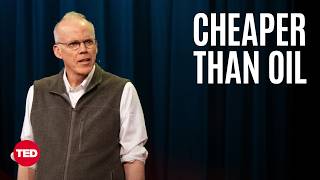
Computer Anxiety and Interaction Philosophy
- A short film about computers was premiered to an audience 0s.
- Many people experience fear regarding the use of computers and the internet 35s.
- Concerns exist regarding the collection of personal data by unknown parties online 1m5s.
- The common practice of using computers primarily for work, such as sending emails and messages, is characterized as an incorrect approach 1m25s.
- Computers should not be "used" in the traditional sense, but rather treated similarly to how one might interact with a grandparent to improve one's life 1m45s.
- Saving files directly to the desktop is presented as a method to simplify life, protect data, and reduce anxiety 2m5s.
Vibrational Physics of Human-Computer Interaction
- Human skin vibrates at a rate that is generally imperceptible to humans but audible to dogs, potentially causing the animals inner ear pain when touched 2m45s.
- Computers vibrate at a rate that is the exact opposite of human skin, causing the vibrations to phase out and reach a rate of zero when a person touches a computer 3m25s.
- The state of having a vibration rate of zero is compared to the experience of a child blowing out candles on their fifth birthday 3m45s.
Desktop Organization and Digital Workflow
- The presentation concludes with a visual display of a computer desktop 4m15s.
- Saving files to a computer desktop is presented as an organizational technique that can lead to an improved life 0s.
- The desktop is compared to the physical surface of a desk, where users can store various digital items such as photos, emails, PDFs, movies, video games, key codes, MP3s, and zip disks 15s.
- A suggested workflow involves saving digital files to the computer desktop and printing physical copies to place on the physical desk surface to ensure items are easily located 35s.
- The absence of a toolbar or dock on a computer is encouraged, with the claim that users should rely solely on the desktop for storage to avoid a perceived "toolbar problem" 1m35s.
Digitization Techniques and Future Predictions
- Physical objects can be digitized and saved to the desktop by filming them submerged in a bucket of black water after painting the object white, which allows for the recording of topology and the creation of an OBJ file 2m25s.
- Maintaining strong organizational and desktop skills is described as essential for professional success and personal happiness 3m15s.
- Predictions for the future include people increasingly interacting with computers, the development of powerful glasses that eliminate the need to return home, and computers shrinking to fit on breakable glass 3m45s.
Closing Remarks and Audience Farewell
- Alan Resnick identifies himself by name 0s.
- Alan Resnick expresses hope that the preceding information was helpful 0s.
- Alan Resnick addresses the audience as incredible and expresses affection for them 0s.
- Alan Resnick concludes the presentation by saying good night and offering multiple expressions of gratitude 0s.
- The presentation concludes with sounds of applause and cheers from the audience 4s.