9 Best NotebookLM Alternatives in 2026, Ranked by Use Case
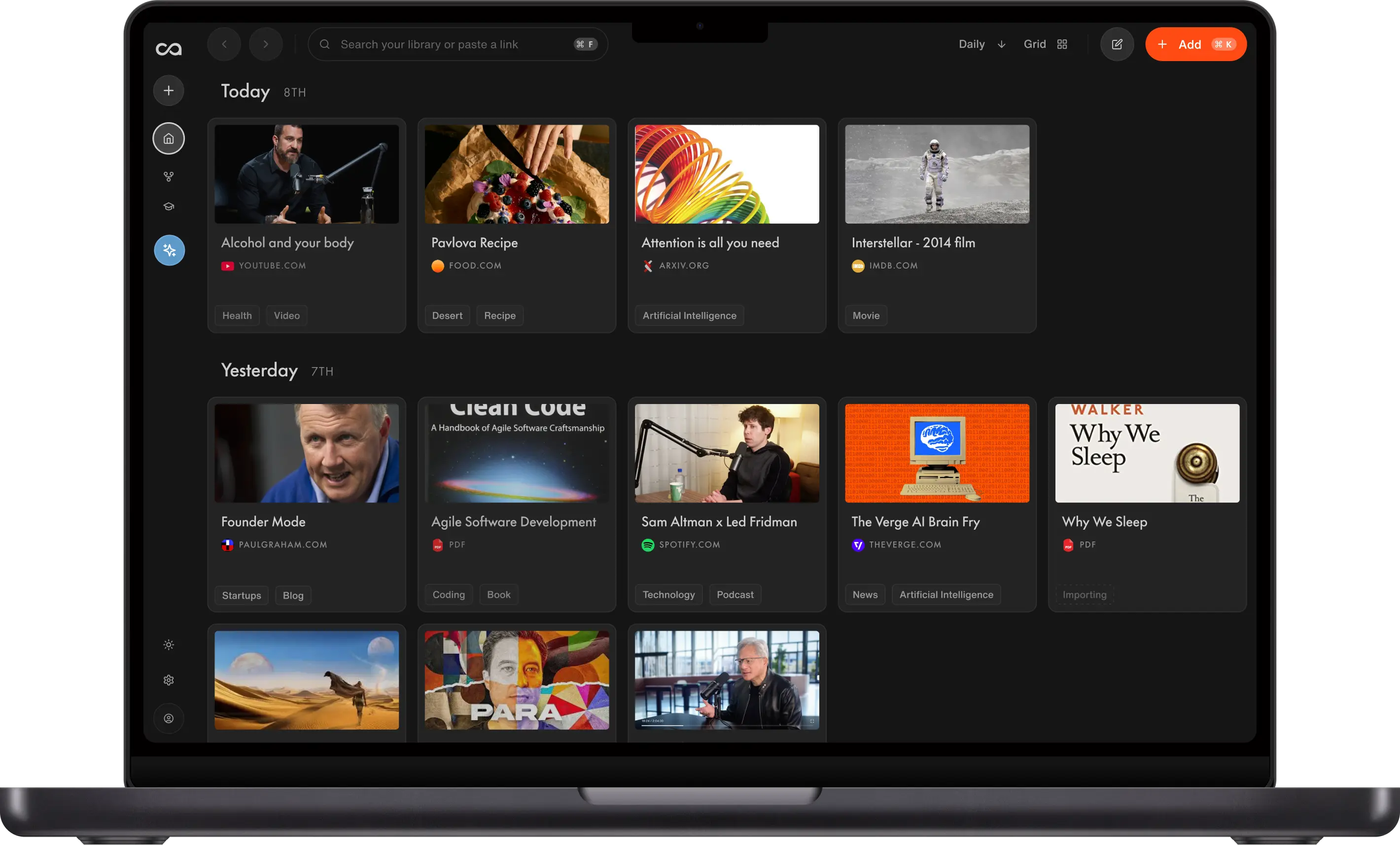
NotebookLM is strong inside one project notebook, then knowledge stops compounding when you start the next. We ranked nine alternatives by how a library grows after the upload: Recall for an unlimited personal AI knowledge base you can chat across in full, not one notebook at a time, The Drive AI for files, and Obsidian plus Claude for local control.
Last updated: August 2026
What are the best NotebookLM alternatives?
The best NotebookLM alternatives in 2026 are Recall for an unlimited personal AI knowledge base you can chat across in full, not one notebook at a time, The Drive AI for file organization and document chat, Boterview for interactive courses, MyMind for creative inspiration, Mem for work notes, Kollab for social capture and publishing, NoteGPT for video summaries, Obsidian + Claude for technical DIY, and Notion for team wikis.
People look for NotebookLM alternatives when the product stops matching how they actually learn. Common triggers:
- Source limits: Hitting per-notebook source caps on a growing reading list
- Broader chat: Wanting chat across everything you have saved, not only the active notebook
- AI models: Needing frontier models beyond Gemini inside the workflow
- Note-taking: Wanting rich notes with tables, to-do lists, code blocks, and more
- Beyond Google: Learning outside the Google ecosystem without lock-in
Choose Recall when you want a personal AI knowledge base without source limits and chat across your entire library. The other eight tools each fit a different job (file organization, interactive courses, visual inspiration, work notes, social publishing, video summaries, DIY technical control, and team wikis).
What to use when
- Recall if you want a personal AI knowledge base: one growing library to store YouTube videos, podcasts, PDFs, articles, and more, with chat across your full archive and knowledge that compounds for years.
- The Drive AI if file chaos across cloud storage and email is your bottleneck and you want AI agents to organize, rename, and operate on files automatically.
- Boterview if you learn best by doing and want AI-generated interactive courses with quizzes, challenges, and feedback instead of passive document reading.
- MyMind if you are a creative collecting visual inspiration and quotes, not running multi-source research.
- Mem if your week runs on meetings, calendar context, and work notes more than a personal study library.
- Kollab if you capture social and media sources for content creation and want to publish multi-format drafts from one workspace.
- NoteGPT if you mainly need fast YouTube and video transcripts without building a full knowledge base.
- Obsidian + Claude if you are technical, want local Markdown files, and will maintain the Karpathy LLM wiki pattern yourself.
- Notion if shared team wikis and project documentation matter more than personal learning at library scale.
- NotebookLM if research stays inside one bounded notebook with podcast-style audio inside Google's ecosystem.
Get started with Recall for free
See why Recall is the best NotebookLM alternative: one unlimited library, library-wide chat, and multiple AI models.
Best NotebookLM alternatives compared (2026): ranked by knowledge type, how knowledge compounds, chat across all sources, and the main tradeoff.
| Alternative | Best for | Knowledge type | How knowledge compounds | Chat across all sources | Main tradeoff |
|---|---|---|---|---|---|
| Recall | Personal AI knowledge base | Articles, videos, PDFs, notes | Summaries, graph, and chat across one growing library | Saved sources, the web, or both | No NotebookLM-style podcast overviews |
| The Drive AI | Auto file organization and document chat | Cloud files, email attachments | Agents organize and chat across files where they already live | Chat across files where they live | File ops, not a web capture library |
| Boterview | Interactive AI courses | Generated lessons and quizzes | Practice and feedback loops | No source-library chat | Not a source library you query |
| MyMind | Visual inspiration | Images, quotes, bookmarks | AI tagging for rediscovery | Visual discovery, not research chat | Not grounded research chat |
| Mem | Work notes and meetings | Meetings and calendar notes | Auto-organization and chat on work notes | Chat on work notes | Not a lifelong study library |
| Kollab | Social capture and publishing | Social and media sources | Drafts and publishing from the same material | Creation-focused, not a library | Creation over a lasting library |
| NoteGPT | Fast YouTube and video summaries | Videos and transcripts | Per-video summaries you export | Per-video, not a library | Utility, not a compounding archive |
| Obsidian + Claude | Local Markdown plus a DIY LLM wiki | Local Markdown files | Links, plugins, and Claude you maintain | Plugins or a DIY Claude/MCP setup | You build the capture and AI stack |
| Notion | Teams and work notes | Pages and databases you design | Templates and Notion AI inside pages you maintain | Page or workspace AI | You still build and file the system |
Legend: ✓ strong fit · ✗ gap · ~ partial. Scroll horizontally on small screens.
For Recall vs NotebookLM with full row-by-row detail, see Recall vs NotebookLM.
What is NotebookLM?
NotebookLM is Google's AI research notebook: you upload sources, chat with answers tied to those sources, and generate study aids inside one project notebook at a time.
NotebookLM is built for people who already live in Google Docs, Drive, and Gemini, and who want AI help on a defined corpus rather than an open-ended personal library.
Main features of NotebookLM
- Upload sources: PDFs, Google Docs, pasted text, websites, and YouTube (with captions)
- Chat with your notebook grounded in your uploads, with citations you can open and check
- Auto-generated study guides, briefings, FAQs, timelines, and other Studio outputs
- Mind map view inside a notebook
- Audio Overviews and video-style overviews (podcast-like summaries of your source set)
- Gemini inside the product for Q&A and generation
NotebookLM use cases
NotebookLM fits when your work stays inside one notebook with a clear source list:
- Studying: One course, exam prep, or certification with lecture PDFs, slides, and YouTube videos (with captions)
- Academic research: A thesis chapter, literature review, or dissertation folder with a bounded reading list
- Legal and policy work: Case files, contracts, regulations, or policy packs where answers must cite uploaded documents
- Product and market research: Competitive intel, user research, and strategy docs for a defined project (not a company-wide library)
- Consulting and client work: A deliverable tied to a fixed corpus of client uploads before a workshop or presentation
- Meeting prep: Turn a pile of PDFs and Docs into FAQs, timelines, or briefing notes before a review
- Review and recall: Podcast-style Audio Overviews or video-style summaries to absorb a dense reading list faster
- Google-native teams: Sources already live in Drive, Docs, or Slides and you want Gemini-grounded Q&A without leaving Google
How to use NotebookLM
How to use NotebookLM in practice: create a notebook, add sources (upload, link, or import from Drive), wait for processing, then use chat or Studio to summarize and explore. Switch notebooks when you start a new project; caps and chat scope reset per notebook.
Limitations and source restrictions
Are there limitations or source restrictions for using NotebookLM? Yes, and they drive most NotebookLM alternative searches:
- Source caps: About 50 sources per notebook on the free Standard tier; higher limits on paid Google AI plans, still per notebook, not one lifelong library
- Scoped chat: Chat stays inside the active notebook; no library-wide chat across notebooks
- Gemini only: AI inside NotebookLM is limited to Google's Gemini models
- Note-taking limits: No full rich-text editor for long-form notes with tables, to-do lists, code blocks, and the deep formatting found in dedicated note apps
- No browser extension: No one-click capture from the open web; you add sources inside the product
- Google ecosystem: Requires a Google account and fits Drive, Docs, and Gemini (not ideal if you want to learn outside Google)
- No lifelong retention layer: No spaced repetition or knowledge graph across your full archive of notebooks
That mix of per-notebook scope, caps, weak note-taking, Gemini-only AI, upload-first workflow, and Google lock-in is why people search for NotebookLM alternatives.
How to choose a NotebookLM alternative
Match the tool to what broke in NotebookLM for you:
- Source limits: NotebookLM caps sources per notebook (about 50 on the free tier, higher on paid Google AI plans, still per notebook). Recall uses one growing library without that ceiling.
- Scope of chat: NotebookLM chat stays inside the active notebook. Look for library-wide chat if you learn across topics for years.
- AI models: NotebookLM runs on Gemini only. Recall lets you use multiple frontier models on your saved content.
- Capture workflow: NotebookLM has no browser extension; you add sources inside its app. Browser extensions and mobile share matter if you save from the open web all day.
- Google ecosystem: NotebookLM assumes a Google account and fits Drive, Docs, and Gemini. Alternatives matter if you want to learn outside that stack.
- Outputs: NotebookLM's podcast-style audio overviews are unique. Most alternatives focus on summaries, notes, graphs, and chat, not synthetic two-host shows.
- Structure vs. automation: Obsidian expects you to build structure. Recall and The Drive AI auto-organize as you save.
- Personal learning vs. work rhythm: Recall and Obsidian + Claude target lifelong personal knowledge. Mem and Notion fit work weeks (calendar, meetings, team docs). MyMind fits creatives saving inspiration, not research corpora.
- Passive vs. active learning: NotebookLM and Recall center on reading and chatting with documents. Boterview centers on interactive courses, quizzes, and feedback loops.
- Files vs. notes: The Drive AI acts on files across cloud storage and email. Recall, Kollab, and NoteGPT start from content you find online. Much of Notion starts from notes you write.
9 best NotebookLM alternatives in detail
1. Recall
Recall is best for: people who want a personal AI knowledge base for everything they save from the web and their own notes, with library-wide chat, automatic organization, and multiple AI models. It is the only option on this list built as a true personal AI knowledge base that scales for long-term learning, not just a notebook, note app, or video tool.
Recall features:
- Browser and mobile capture: Save from the open web with the Chrome extension, Firefox extension, iOS app, or Android app.
- AI summaries on save: Automatic summaries when you save supported content types.
- Library-wide chat: Ask questions across your full archive, not one project notebook (chat docs).
- Multiple AI models: Use frontier models beyond a single vendor stack.
- Auto organization: Categories, tags, and a knowledge graph as you save.
- Rich notes: Tables, tasks, and code in Recall notes.
- Spaced repetition: Built-in quizzes and review for long-term retention.
- Listen mode: Audio playback of your summaries (not NotebookLM-style two-host podcast shows).
Recall pricing: Start on the free tier (unlimited saves; limited AI summaries on save). Recall Plus (from about $10/mo on annual billing) is what most learners need: full AI summaries, library-wide chat, multiple models, organization, rich notes, and listen mode. Recall Max is for heavier AI usage and complex workflows. See Recall pricing for current plans.
Knowledge type: Articles, YouTube, podcasts, PDFs, and notes in one library.
How knowledge compounds: Summaries, automatic tags, a knowledge graph, and library-wide chat make last semester's saves useful this year. Tradeoff: no NotebookLM-style podcast audio overviews.
Recall vs NotebookLM: Recall fixes per-notebook source caps, chat scoped to one notebook, and Gemini-only AI while keeping grounded answers on what you save. Tradeoff: no NotebookLM-style podcast audio overviews; listen mode on your own summaries covers much of the same review habit. See the Recall docs for setup.
Go deeper: Full NotebookLM alternative comparison: Recall vs NotebookLM
2. The Drive AI
The Drive AI is best for: anyone who manages a high volume of files and wants AI agents to handle the organizing, renaming, and file operations automatically across Google Drive, Dropbox, OneDrive, and email, instead of doing it by hand or inside a single notebook.
The Drive AI features:
- AI agents for file operations: Tell the AI what you need in plain English: create documents, rename files, build folder structures, move and organize files, set permissions, and it executes. Not just chat, actual file operations.
- Automatic organization and renaming: The AI reads file content, not just filenames, and sorts everything into smart folder structures. "Scan_00234.pdf" becomes "2024_Q3_Invoice_Acme_Corp.pdf" without you lifting a finger. Or define your own rules.
- Works inside your existing cloud storage: A Chrome extension brings AI agents directly into Google Drive, Dropbox, and OneDrive. Organize files where they already live, no migration required.
- Email integration: Connect Gmail or Outlook and every attachment is automatically imported, organized, and made searchable.
- Chat with any file type: Ask questions across PDFs, videos, audio, spreadsheets, images, and 50+ formats with citations and page references.
- Natural language search: Find files by describing what you need. The AI searches inside documents, not just filenames.
- Team workspaces: Shared file libraries with granular permissions, version history, and external sharing built in.
The Drive AI pricing: Free tier available; Professional plan from $19.99/month (verify on thedrive.ai).
Knowledge type: Cloud files, email attachments, and documents where they already live.
How knowledge compounds: Agents organize, rename, and chat across files. Tradeoff: file operations, not a web capture library.
The Drive AI vs NotebookLM: The Drive AI fits people whose bottleneck is file chaos, not research depth. Where NotebookLM expects you to curate a handful of documents into a notebook, The Drive AI deploys AI agents that organize thousands of files across your email, cloud storage, and uploads automatically. Choose it when you need files acted on (organized, renamed, moved, shared), not just read and summarized.
3. Boterview
Boterview is best for: students and learners who want interactive, AI-generated courses with quizzes, challenges, and immediate feedback instead of passively reading and summarizing documents inside a notebook.
Boterview features:
- AI-generated courses from prompts: Describe what you want to learn (for example, "Vectors course for beginners") and Boterview builds units, lessons, and interactive challenges.
- Learning by doing: Structured learning paths with quizzes, flashcards, and challenge types including true/false and multiple choice.
- Immediate AI feedback: Every answer gets an explanation of what you got right and where you went wrong.
- Progressive unlock: Short, focused lessons unlock as you advance so you stay motivated.
- Quests and streaks: Track progress and celebrate completed challenges.
Boterview pricing: Free tier available (verify on boterview.com).
Knowledge type: Generated lessons, quizzes, and challenges.
How knowledge compounds: Practice and feedback loops. Tradeoff: it is not a source library you query later.
Boterview vs NotebookLM: NotebookLM treats learning as passive consumption of uploaded sources. Boterview treats learning as action, repetition, and feedback loops, turning any subject into an interactive lesson. Choose it when you want to practice and internalize material, not just summarize and chat with a fixed document set.
4. MyMind
MyMind is best for: creatives who save visual inspiration, quotes, and bookmarks and want a beautiful, private board to rediscover later, not a multi-source research notebook.
MyMind features:
- Visual saves: Images, quotes, and bookmarks on a Pinterest-style board.
- AI tagging and search: Find inspiration later without manual folders.
- Browser extension: Quick capture while you browse.
- Private, minimal UI: Built for rediscovery, not long research sessions.
- Cross-device sync: Available on paid plans.
MyMind pricing: free trial, then about $7 to $12/mo depending on tier (verify on mymind.com). No free-forever tier comparable to NotebookLM Standard.
Knowledge type: Images, quotes, and bookmarks.
How knowledge compounds: AI tagging for visual rediscovery. Tradeoff: not grounded research chat.
MyMind vs NotebookLM: MyMind fits Pinterest-style visual collections more than grounded Q&A on a reading list. Choose it for creative saves, not library-wide study or per-notebook research.
5. Mem
Mem is best for: fast AI notes tied to how you run your week, especially when calendar and meeting context matter more than a personal learning archive or NotebookLM-style research corpus.
Mem features:
- AI-native notes: Write and refine notes with AI in the editor.
- Smart search: Surface past notes and meeting context quickly.
- Automatic organization: Collections and templates for recurring workflows.
- Calendar integrations: Tie notes to your week on higher tiers.
- Mobile capture: Save and review on the go.
Mem pricing: free tier for core notes with limited AI; paid plans about $10 to $15/mo for full AI and team features (verify on mem.ai).
Knowledge type: Meetings, calendar context, and work notes.
How knowledge compounds: Auto-organization and chat on work notes. Tradeoff: not a lifelong study library.
Mem vs NotebookLM: Mem fits meetings, tasks, and calendar-linked work notes, not grounded chat over a fixed upload pile. Choose it for office rhythm, not cross-topic learning at library scale.
6. Kollab
Kollab is best for: creators and content teams who want one workspace to capture social and media sources, turn them into multi-format drafts, and publish to channels like X, Instagram, and LinkedIn. It is a strong fit when creation and publishing matter more than a lifelong personal knowledge base.
Kollab features:
- Social and media ingestion: Transcribe and reuse YouTube, TikTok, Instagram, podcasts, and other social sources as project context, beyond NotebookLM's captioned-YouTube limit.
- Multi-format generation: Draft text, images, video, slides, and related formats from the same material without re-briefing the background each time.
- Social publishing: Adapt finished drafts and publish to X, Instagram, and LinkedIn from the same workspace.
- Team agent workspace: Shared project context, connectors (for example Notion, Slack, and Google Drive), and an AI agent for drafting and scheduled tasks.
- Chrome extension: Browser Operator for agent-driven browsing, plus saving a page into a project (Chrome only).
Kollab pricing: Free plan with daily credits (2,000/mo free cap); Pro at $20/mo; Max at $200/mo. One-time top-up credit packs also available (verify on kollab.im).
Knowledge type: Social and media sources for content creation.
How knowledge compounds: Drafts and publishing from the same material. Tradeoff: creation over a lasting personal library.
Kollab vs NotebookLM: Kollab covers a broader capture-to-publish workflow than NotebookLM: multi-platform social ingestion, multi-format drafts, and direct social publishing. NotebookLM remains stronger for grounded Q&A inside one bounded research notebook. Choose Kollab for creation and publishing; choose Recall when you need a lifelong learning library with library-wide chat and retention.
7. NoteGPT
NoteGPT is best for: anyone who mainly wants YouTube and video summaries and transcripts fast, without building a multi-source research library or personal knowledge base.
NoteGPT features:
- Video summarization: Fast summaries and transcripts for YouTube and other video.
- Browser extension: Works on video pages while you watch.
- Multiple summary formats: Choose length and style for your use case.
- Export: Send output to notes, docs, or other tools.
NoteGPT pricing: free tier with daily limits; paid plans about $8 to $15/mo (verify on notegpt.io).
Knowledge type: Videos and transcripts.
How knowledge compounds: Per-video summaries you export. Tradeoff: a utility, not a compounding archive.
NoteGPT vs NotebookLM: NoteGPT is a video utility, not a full NotebookLM alternative for lifelong learning. Use it for fast video summaries and exports, not library-wide chat or long-term knowledge management.
8. Obsidian (LLM wiki + Claude)
Obsidian + Claude is best for: technical learners who want maximum control: a local-first Markdown vault plus the Andrej Karpathy LLM wiki pattern (see Karpathy's gist and X thread).
Obsidian features:
- Local Markdown vault: Files stay on your device; you own the data.
- Plugins and graph view: Extend the app and see note connections.
- Web Clipper: Capture pages into your vault manually.
- Claude compile layer: DIY summaries and Q&A you maintain (Karpathy LLM wiki style).
- No per-notebook cap: Limits depend on your setup, not Google's notebook model.
Obsidian + Claude pricing: Obsidian free for personal use (Sync and Publish optional from about $4 to $10/mo); add about $20/mo for Claude Pro-tier chat, plus your own setup and maintenance time.
Knowledge type: Local Markdown files you own.
How knowledge compounds: Links, plugins, and a Claude compile layer you maintain. Tradeoff: you build the capture and AI stack.
Obsidian vs NotebookLM: Strong when you will run the LLM wiki workflow yourself and want no Google lock-in. Weak if you want upload-and-chat with citations without building pipelines.
Related: Build Karpathy's LLM wiki in Recall (no code)
9. Notion
Notion is best for: teams running shared wikis and projects, and individuals who mainly want a flexible workspace for work notes, docs, and light personal planning rather than source-grounded research chat.
Notion features:
- Block-style docs: Flexible pages for wikis, specs, and project hubs.
- Team workspaces: Shared spaces with permissions and comments.
- Notion AI: Draft and edit inside pages you author.
- Integrations: Slack, Google Drive, and common project tools.
Notion pricing: free personal use with limits; Plus about $10/mo per user on annual billing; higher tiers for teams (verify on notion.so).
Knowledge type: Pages, databases, and team docs you design.
How knowledge compounds: Templates and Notion AI inside pages you maintain. Tradeoff: you still build and file the system.
Notion vs NotebookLM: Notion excels at work documentation and collaboration, not lifelong personal learning at library scale. Choose it when team wikis matter more than bounded research notebooks.
Bottom line
For most people leaving NotebookLM because of per-notebook source caps, notebook-scoped chat, or Gemini-only AI, Recall is the best NotebookLM alternative in 2026: one growing AI knowledge base, library-wide chat, web and mobile capture, multiple frontier models, and spaced repetition for long-term retention. Pick The Drive AI for automatic file organization across cloud storage and email, Boterview for interactive AI-generated courses, Obsidian + Claude if you want to run the Karpathy LLM wiki yourself, Mem or Notion for work-week notes and team wikis, Kollab for social capture and publishing, NoteGPT for fast YouTube summaries, and MyMind for visual inspiration.
Ready to move off NotebookLM? The NotebookLM alternatives landing page covers the highlights and lets you start free.
When to keep NotebookLM
NotebookLM is still the right tool when:
- Your work fits one bounded notebook (course, case, manuscript).
- You want podcast-style or video overviews of a source set inside Google's ecosystem.
- Gemini and Google Docs / Drive integration are non-negotiable.
- Free daily AI inside each notebook is enough and source caps do not block you.
Use a NotebookLM alternative when knowledge must compound across projects without re-uploading sources into a new notebook every time.
FAQs
Best NotebookLM alternative by use case
How to choose a NotebookLM alternative
About NotebookLM
Recall vs NotebookLM and other tools
When to choose each alternative
See more tools on the Recall comparison hub or the full comparison table.
Ready to get started?
Save, summarize and chat with your content.
No credit card required · 30 Day Refund on Premium · 24 Hour Support