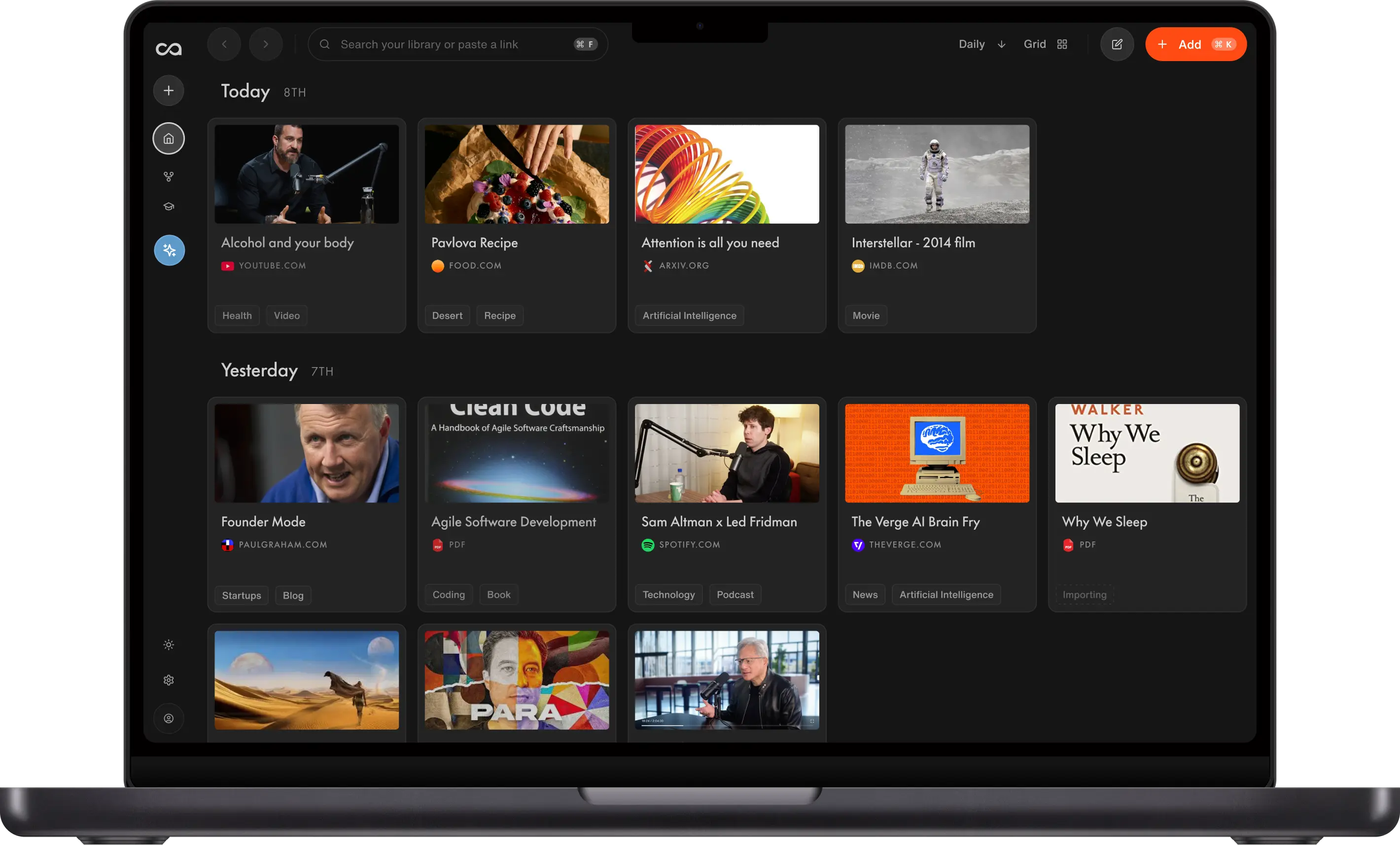
Best NotebookLM Alternative: Recall AI Knowledge Base
Looking for NotebookLM alternatives? Compare Recall and NotebookLM on source limits, knowledge-base chat, AI model choice, pricing, and use cases. NotebookLM fits bounded research with Gemini and audio overviews. Recall is the stronger NotebookLM alternative for a personal AI knowledge base across your whole library.
Last updated: May 2026
Is Recall the best NotebookLM alternative?
For lifelong learning, Recall is the best NotebookLM alternative in 2026: one unlimited knowledge base, chat across everything you save, and a choice of frontier AI models. NotebookLM is still excellent for a single research project with a fixed set of sources and podcast-style audio overviews inside Google's ecosystem.
People search for NotebookLM alternatives when notebook limits start to hurt: capped sources per project, chat trapped inside one notebook, Gemini as the only model, or slow processing as notebooks grow. Recall is built differently: saving, summarizing, connecting, and chatting with everything you learn over years, in one knowledge base.
Independent reviewers reach the same conclusion: NotebookLM fits bounded research; Recall fits a knowledge base that grows for years (see what independent reviewers say and the XDA review).
Choose NotebookLM if you need podcast-style audio overviews, a Google-native workflow, and chat limited to one notebook for a defined scope.
Choose Recall if NotebookLM's core limits block how you actually learn: you want a lifelong AI knowledge base with note-taking and automatic organization, without per-notebook source caps, chat across your full knowledge base, and a choice of AI models beyond Gemini.
Get started with Recall for free
See why Recall is the best NotebookLM alternative: one unlimited library, library-wide chat, and multiple AI models.
| NotebookLM | Recall | |
|---|---|---|
| Use case | ✓ Research projects: study and ideate inside one notebook | ✓ Lifelong learning and knowledge accumulation |
| Unlimited sources | ✗ ~50 sources per notebook on free (higher on paid tiers) | ✓ Unlimited content saves; no per-notebook cap |
| Knowledge-base chat | ✗ Active notebook only | ✓ Chat with your knowledge, the web, or both, with citations |
| Personal notes | ✗ No full rich-text editor for your notes | ✓ Rich-text editor with tables, to-do lists, and code blocks |
| Organization | ✗ Manual notebooks per project | ✓ Automatic categories and tags |
| Knowledge connections | ~ Mind map inside one notebook only | ✓ Knowledge graph across your entire knowledge base |
| Memory and retention | ✗ Not a core feature | ✓ Spaced repetition and built-in quizzes |
| Content types | ~ PDFs, websites, YouTube (with captions) | ~ Articles, videos, podcasts, PDFs, social posts, and notes. See everything Recall supports |
| Generated outputs | ✓ Podcast audio overviews, video overviews, infographics | ✗ Listen mode on your saves (not podcast-style shows) |
| AI models | ✗ Gemini only | ✓ OpenAI, Anthropic, Google, and open-source |
| Answer accuracy | ~ Strong when grounded in uploaded sources; verify citations | ~ Grounded in your saves; cross-reference your full knowledge base and the web; verify citations on high-stakes work |
Move beyond notebook limits with a NotebookLM alternative built for your whole knowledge base.
Want more options than a one-to-one comparison? See the full Best NotebookLM Alternatives in 2026 listicle: Recall, The Drive AI, Boterview, MyMind, Mem, Kollab, NoteGPT, Obsidian, and Notion ranked on source caps, knowledge-base chat, capture, and pricing.
What independent reviewers say
In This AI knowledge management tool is so good I might replace NotebookLM, XDA writer Nolen Jonker tested Recall as a NotebookLM alternative for everyday learning. The review echoes the same three gaps: per-notebook source limits, chat trapped inside one notebook, and Gemini-only AI, plus Recall's extension workflow and spaced repetition for retention.
In a follow-up piece, NotebookLM can't do this one thing, and it's the reason I finally switched to Recall, XDA writer Mahnoor Faisal explains why isolated notebooks break down for cross-topic study and how Recall's extension capture, automatic organization, and knowledge graph fill gaps NotebookLM was not designed to cover as a personal knowledge management system.
Independent coverage is useful context, but the product decision comes down to your workflow: bounded research sprint versus lifelong knowledge base.
What is NotebookLM?
NotebookLM is Google's AI-powered notebook. You add sources such as PDFs, Google Docs, websites, and YouTube links (when captions are available), then chat with those sources, generate summaries, study guides, and audio overviews inside that notebook.
Main features of NotebookLM:
- Source-grounded chat: Ask questions and get answers tied to what you uploaded, with inline citations you can click to verify in the original passage.
- Summaries and study outputs: Generate study guides, briefing documents, FAQs, timelines, and related formats from sources in a notebook.
- Audio overviews: Podcast-style AI discussions of your sources (Deep Dive, Brief, Critique, and other formats on paid tiers).
- Video overviews: Generated video-style walkthroughs of material in a notebook (where available on your plan).
- Mind map: A visual map of how sources in the active notebook relate to each other.
- Studio panel: Create and manage artifacts (audio, video, infographics, and more) from one notebook without leaving the project.
- Google ecosystem: Works with Google Docs, Drive, and a Google account; runs on Gemini for chat and generation.
Its audio overview feature helped popularize AI knowledge management in 2024. That moment was driven by a hilarious podcast-style overview of an experiment where a user uploaded a document that repeated the words "poop" and "fart" a thousand times, and NotebookLM generated a profoundly funny philosophical deep dive. This was the original Reddit post that went viral.
While the start was rooted in humor, NotebookLM seeded the possibilities for AI knowledge management and how much more value we can extract from what we save. That said, limitations quickly appeared: knowledge stays scoped to the notebook you are in, which helps focused research but does not connect projects unless you duplicate sources manually.
What is Recall?
Recall is a personal AI knowledge base: save from the web, get summaries, see connections in a graph, and chat across everything you have stored. It was built so knowledge connects automatically and resurfaces when you need it, not so you spend time filing content into isolated folders.
Main features of Recall:
- One-click capture: Save and summarize articles, videos, podcasts, and PDFs from the browser extension or mobile apps without opening a separate notebook for each project.
- Knowledge-base AI chat: Ask questions across your full knowledge base, a single card, or the open web; you choose the scope.
- Automatic summaries: AI summaries when you save, so new material is searchable and ready to chat about right away.
- Automatic organization: Categories and tags generated from content, with a hierarchy that grows with your knowledge base.
- Rich note-taking: Block-style editor for notes, highlights, and AI outputs in one place (tables, to-do lists, code blocks, and more).
- Multiple AI models: On Recall Plus, Recall picks the best model for the task; on Recall Max, you choose OpenAI, Anthropic, Google, or open-source models yourself.
- Listen mode: Play back summaries and notes as audio, including in a voice you can clone.
- Knowledge graph: Automatic links between related saves across your entire archive, with a visual graph you can explore and adjust.
- Spaced repetition: Built-in quizzes and review scheduling so what you save is more likely to stick.
- Augmented browsing: Highlights related knowledge from your knowledge base while you read new articles on the web.
Recall started before NotebookLM, back in 2022, and was already building toward the idea of an AI knowledge base. Instead of folder-based research tied to a single notebook, the vision was that you could save everything you accumulate over a lifetime: from deep research on complex topics to daily journals to recipes you never want to forget.
Capture with the browser extension or mobile apps, then search, review, and chat across your knowledge base. See About Recall for more.
Why Recall is better for lifelong learning
NotebookLM is a strong project tool. Recall is a strong lifetime tool. If your goal is to finish one research notebook, NotebookLM's limits may never bother you. If your goal is to compound knowledge across months and years, those limits become blockers and Recall's design becomes the better default.
Recall wins on the problems NotebookLM does not try to solve: unlimited interconnected sources, knowledge-base AI chat, model choice, automatic graph links, spaced repetition, extension-first capture, and rich notes in one place. You get one system of record instead of many notebooks that do not talk to each other.
How Recall is built differently (7 key differences from NotebookLM)
Beyond notebook caps, scoped chat, and Gemini-only AI, Recall adds capture, organization, and memory NotebookLM does not cover:
1. Knowledge-base chat and model choice
Chat with your full knowledge base, one card, or the web. Recall Plus picks the best model per task; Recall Max lets you choose the model.
2. Automatic organization
Recall generates categories and tags as you save, so you are not filing every item into a notebook by hand. Learn more.
3. Rich note-taking
Notes, highlights, summaries, and saves share one block-style editor (tables, to-dos, code blocks via /). Learn more.
4. One-click capture in the browser
The Recall extension summarizes, tags, and saves from any page, with side-panel chat. NotebookLM relies on adding sources inside its web app. See everything Recall supports.
5. Spaced repetition for long-term memory
Built-in quizzes and review scheduling help material stick, not just sit in storage. Learn more.
6. Knowledge graph to discover connections
Related saves link automatically across your knowledge base; explore or edit connections in a graph view. Learn more.
7. Augmented browsing to resurface content
While you read online, Recall highlights terms that match past saves and links you back to your knowledge base. Learn more.
Recall vs NotebookLM: side-by-side comparison
A one-to-one feature comparison for planning. Verify limits and pricing on each product's website before you subscribe.
Overview
| Feature | Recall | NotebookLM |
|---|---|---|
| Primary focus | Lifelong personal knowledge base | Focused AI notebooks per project |
| Best for | Ongoing learning across many sources | Bounded research on a source set |
Pricing & plans
| Feature | Recall | NotebookLM |
|---|---|---|
| Price model | Direct plans on recall.it/pricing | Bundled with Google AI Plans (no standalone NotebookLM subscription) |
| Sources per notebook | Unlimited knowledge base (no per-notebook cap) | 50 Standard; 100 Plus; 300 Pro (still per notebook) |
| Free AI usage (typical) | 10 AI summaries/month on save | 50 chats/day Standard; higher daily quotas on Plus/Pro |
| Paid monthly price (US, typical) | Plus from $10/mo (annual billing); Max from $38/mo (annual billing) | Google AI Plus ~$7.99/mo; Pro ~$19.99/mo (includes NotebookLM higher limits plus other Google AI benefits) |
Knowledge base, chat & AI models
| Feature | Recall | NotebookLM |
|---|---|---|
| Chat scope | One card, your full knowledge base, or the web | Active notebook only; no knowledge-base chat |
| Choose AI model per task | Yes (OpenAI, Anthropic, Google, open-source) | No (Gemini only) |
Capture, summaries & retention
| Feature | Recall | NotebookLM |
|---|---|---|
| Answer accuracy (typical) | Grounded in your knowledge base; verify citations on high-stakes work | Strong on uploaded sources with citations; occasional wrong passage or detail; verify before publishing |
| Save from browser extension | Yes (Chrome, Firefox) | No dedicated extension |
| Mobile share / capture | Yes (iOS, Android) | Web app; add sources from mobile browser |
| Automatic summaries | Yes, on save | Yes, per notebook sources |
| Spaced repetition | Built-in | Not a core feature |
| YouTube support | Yes; long-form with transcript limits | Yes; typically needs captions |
Audio & visual outputs
| Feature | Recall | NotebookLM |
|---|---|---|
| Audio | Listen mode: playback of your summaries in a custom voice | Podcast-style audio overviews of notebook sources |
| Video overviews | No | Yes (generated overview of sources in a notebook) |
| Infographics / visual study outputs | No | Study guides, briefings, and related formats per notebook |
Organization & connections
| Feature | Recall | NotebookLM |
|---|---|---|
| Knowledge graph (full knowledge base) | Yes; automatic links across all saved cards | No |
| Mind map (per notebook) | No | Yes; visual map of sources in the active notebook |
| Cross-notebook connections | Yes | No |
| Rich-text notes | Yes, unified with saves | Limited / separate from notes workflow |
| Auto organization (tags & categories) | Yes | Notebook-scoped organization |
NotebookLM limitations (and why people look for alternatives)
NotebookLM is built for one notebook at a time. These structural limits are why people look for a NotebookLM alternative:
- Slow processing: Ingestion and Studio outputs (audio, video) can take minutes on large notebooks (Google's guide); daily quotas add more wait.
- Note-taking: AI over uploaded sources, not a unified rich-text editor for your notes, highlights, and AI output.
- Organization: Manual notebooks per project; mind maps stay inside one notebook, with no knowledge-base-wide graph.
- Source caps: About 50 sources per notebook on free (higher on paid, still per notebook).
- Notebook-only chat: Cannot query across all notebooks without merging sources manually.
- Gemini only: No Claude, GPT, or open-source model choice per task.
Recall limitations (where NotebookLM may fit better)
Recall is not the better fit for every workflow. Where NotebookLM still wins:
- Audio and video overviews: Podcast-style audio discussions and generated video walkthroughs of a source set inside one notebook.
- Visual study outputs: Study guides, briefings, and infographic-style formats scoped to a project notebook.
- Listen mode, not a podcast show: Recall plays back your summaries and notes (optional cloned voice), not a synthetic two-host overview of uploaded sources.
- Free tier: Recall Free offers unlimited saves with 10 AI summaries/month; NotebookLM Free offers heavier in-notebook AI with per-notebook source caps.
See the side-by-side comparison and pricing sections below.
Pricing: Recall vs NotebookLM
Pricing works differently for each product. Recall sells plans directly on recall.it/pricing. NotebookLM does not have a standalone price tag: higher limits come through Google AI Plans (and some Google Workspace editions). Limits below are from Google's NotebookLM upgrade guide and can change.
Honest takeaway: If your main question is "which tool gives me the most free AI actions right now," NotebookLM Standard is hard to beat on daily chat and audio overviews inside each notebook. If your main question is "which tool fits lifelong learning without per-notebook caps, knowledge-base chat, and model choice," Recall Plus or Max is worth it when you outgrow Free. Compare Recall pricing and NotebookLM upgrades before you subscribe.
Recall pricing
| Plan | Price (USD, typical) | What you get |
|---|---|---|
| Free | $0 | Unlimited saves and notes; 10 AI summaries per month on save |
| Plus | $10/mo billed yearly ($12/mo monthly) | Unlimited AI summaries for typical use, knowledge-base chat, graph, listen mode, automatic organization |
| Max | $38/mo billed yearly ($48/mo monthly) | Everything in Plus, plus choose your AI model and bulk AI actions |
NotebookLM pricing (via Google AI Plans)
| Tier | How you upgrade | Typical US price | Sources per notebook |
|---|---|---|---|
| Standard (free) | Any Google account | $0 | 50 |
| Plus | Google AI Plus | About $7.99/mo | 100 |
| Pro | Google AI Pro | About $19.99/mo | 300 |
| Ultra | Google AI Ultra | About $249.99/mo | Up to 600 |
When to choose NotebookLM
NotebookLM excels at deep, focused research with a defined scope. It is the right tool when your work fits a single notebook, not a lifetime knowledge base.
- You have a specific research question or project with clear boundaries.
- You want podcast-style audio overviews of your sources.
- You work mainly with PDFs, websites, and traditional documents inside Google's ecosystem.
- You prefer Google's integration and infrastructure over a browser-first capture workflow.
- You want maximum free AI usage today without a separate subscription.
When to choose Recall
- You are looking for a true AI second brain: an AI knowledge base for lifelong learning.
- You learn continuously across topics, not only inside one project folder.
- You value rich notes, highlights, and AI summaries in one unified editor.
- You want automatic organization (tags, categories, and a knowledge graph) across your whole knowledge base, not manual notebooks per project.
- You need accuracy across everything you save: chat and search that can cross-reference your full knowledge base and the web, not only one notebook at a time.
- You consume diverse formats: articles, YouTube, podcasts, PDFs, and more.
- You want a browser-first workflow with Chrome, Firefox, iOS, or Android.
Using both tools together
Many people use both: NotebookLM for a focused research sprint, Recall for ongoing learning that spans months or years.
If you must pick one for lifelong learning, Recall addresses NotebookLM's source, chat, and model limits by design. Try Recall free on the NotebookLM alternative page.
How to switch from NotebookLM to Recall
Export your notes as Markdown, then bulk import the Markdown files into Recall. You can import up to 10,000 Markdown notes at a time.
If you use a bookmark manager, install the Recall browser extension and import your bookmarks. You can import up to 1,000 bookmarks at a time.
Need help? Email support@recall.it. We are happy to guide you through the process.
Bottom line
For most learners hitting NotebookLM's notebook source caps, scoped chat, or Gemini-only AI, Recall is the best NotebookLM alternative in 2026: one unlimited knowledge base, knowledge-base chat, web and mobile capture, multiple frontier AI models, automatic organization, and spaced repetition for long-term retention. Keep NotebookLM for one bounded research project that benefits from Google's podcast-style audio overviews and Gemini inside Drive and Docs. For a ranked roundup of eight tools, see Best NotebookLM Alternatives in 2026.
FAQs
Recall vs NotebookLM
About NotebookLM (accuracy, limits, pricing)
NotebookLM alternative by profession
NotebookLM alternative by use case
See more tools on the Recall comparison hub or the full comparison table.
Ready to get started?
Save, summarize and chat with your content.
No credit card required · 30 Day Refund on Premium · 24 Hour Support