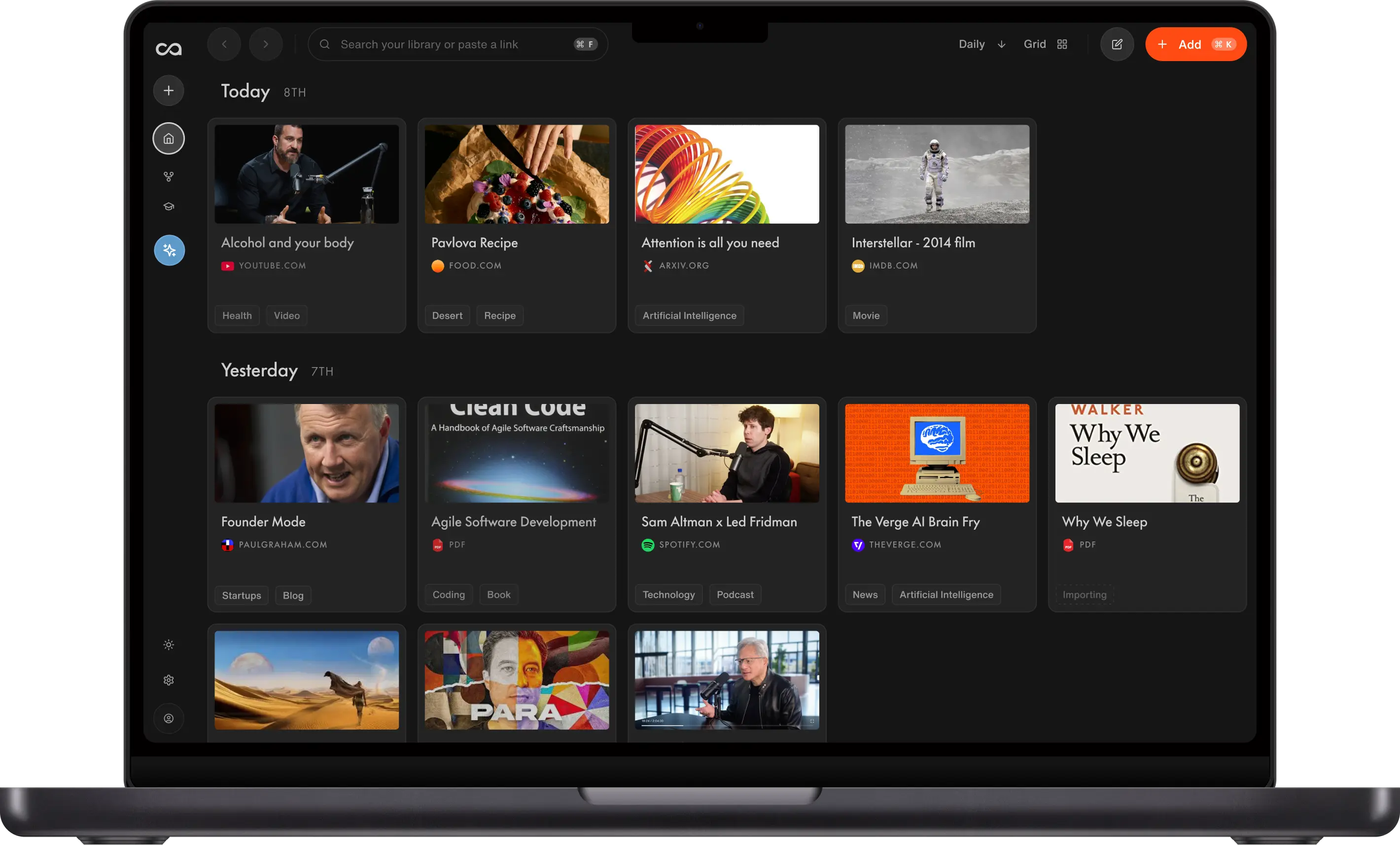
Active recall and spaced repetition are two scientific techniques for improving long-term memory. Recall brings them together by turning saved videos, podcasts, PDFs, articles, and notes into AI-generated quiz questions that offset the forgetting curve.
If you want to move beyond information overload and actually understand and retain the content you consume, active recall and spaced repetition are two scientific techniques that can help. Recall, an AI knowledge base for videos, podcasts, PDFs, articles, and notes, brings both of these techniques together so the things you save actually stick.
In short, active recall is how you trigger your brain to retrieve information by testing yourself, and spaced repetition is when you review by returning to material at increasing intervals. Recall combines both by turning saved content into quiz questions, scheduling those questions for review, and helping you track what you have mastered. In a classic study by Roediger and Karpicke (2006), students who practiced retrieval retained 80% of the material after a week, compared with just 34% for those who reread.
Try Recall for free
Recall brings active recall and spaced repetition together so the content you save actually sticks. Students get 20% off Recall Plus by emailing support@recall.it from a student email address.
Key takeaways
- Active recall is retrieving information from memory instead of rereading; spaced repetition is reviewing that material at increasing intervals.
- Together they offset the forgetting curve and have been shown to roughly double long-term retention compared with passive rereading.
- Recall turns any saved YouTube video, podcast, PDF, article, or note into AI-generated quiz questions and schedules them for spaced review.
- The same loop works for students, professionals, and lifelong learners who want saved content to stick, not just sit in a folder.
- You can start free, with Recall Plus from $10/month and a 20% student discount via support.
- For the broader mindset, educational AI tools, and evidence-based protocols behind actively learning, see our guide on how to actively learn.
Table of Contents
- Active Recall and Spaced Repetition Explained
- Benefits of Active Recall and Spaced Repetition in Recall
- How to Use Recall for Active Recall and Spaced Repetition
- Active Recall and Spaced Repetition in Real Life
- Reinforce Saved Knowledge with Connections and Augmented Browsing
- Best Spaced Repetition Tools and Apps
- FAQs about Active Recall, Spaced Repetition, Flashcards, and Recall
Active Recall and Spaced Repetition Explained
Both techniques are well-supported by decades of memory research. The sections below define each one, show how the forgetting curve makes them necessary, and explain why they work better together than apart.
What Is Active Recall?
At its core, Active Recall is about testing yourself. Instead of passively reading and re-reading information, which can create an illusion of knowledge, Active Recall challenges you to remember information without looking at the source. This is often done by answering questions about the source material.
Active Recall is a reflection of how our brains are wired. When we actively retrieve information, we strengthen the neural pathways associated with that knowledge. This concept is supported by The Testing Effect, a phenomenon observed in numerous studies. Research has shown that the act of recalling information, as opposed to passive review, enhances long-term retention. One seminal study by Roediger and Karpicke (2006) found that students who practiced retrieval (i.e., tested themselves) retained 80% of the material after a week, while those who used passive study methods retained only 34%.
What Is Spaced Repetition and the Forgetting Curve?
Spaced repetition is a technique that involves reviewing information at increasing intervals over time. The idea is rooted in the brain's forgetting curve, first conceptualized by Hermann Ebbinghaus in the 19th century, which illustrates how information is lost over time when there's no attempt to retain it. According to Ebbinghaus, memory retention experiences a sharp decline after initial learning, but the rate of decline decreases over time.
However, Ebbinghaus also discovered that this forgetting curve could be flattened with a repeated review of the learned material. Every time a review occurs, the information gets more embedded in our long-term memory, reducing the rate at which we forget.
The graph above demonstrates a typical forgetting curve and how spaced repetition counters it. The curve drops sharply after the first learning event, indicating that our memory of the new information decreases rapidly. However, when we review the information (represented by the points on the curve), the rate of memory decline lessens. Each review resets the forgetting curve, and it becomes less steep (indicating slower forgetting) and shifts to the right (indicating longer intervals before forgetting). Over time and with regular reviews, information transitions from our short-term memory to our long-term memory.
Modern research continues to validate Ebbinghaus's findings. A study by Cepeda et al. (2008) found that spacing out reviews over increasing intervals (as opposed to massed or crammed study sessions) significantly improves long-term retention. The study concluded that optimal retention is achieved when reviews are spaced out in a manner that aligns with the individual's forgetting curve.
How Active Recall and Spaced Repetition Work Together
While both Active Recall and Spaced Repetition have their individual merits, their combined application offers a synergistic effect. Active recall gives your brain the retrieval practice it needs to strengthen a memory. Spaced repetition decides when to bring that question back, so you spend more time on difficult material and less time re-reading what you already know.
A simple manual spaced repetition schedule might review new material after 1 day, 3 days, 7 days, 14 days, and 30 days. Recall automates this process by adjusting the next review based on how well you answer each question.
Benefits of Active Recall and Spaced Repetition in Recall
Using active recall and spaced repetition in Recall helps you move from saving information to actually remembering it. The benefits are simple:
- Improve memory retention. Recall brings questions back before you forget them, helping offset the forgetting curve and strengthen long-term memory.
- Study more efficiently. You spend less time rereading notes and more time reviewing the questions that need attention.
- Remember difficult topics faster. Questions you miss come back sooner, so weak areas get more practice.
- Learn from any source. Turn YouTube videos, podcasts, PDFs, articles, and your own notes into review questions.
- Build deeper understanding. Recall links related ideas in your knowledge graph, helping you connect new information with what you already know.
- Stay consistent. Streaks, due questions, and progress tracking make it easier to build a regular review habit.
This makes Recall useful for students preparing for exams, professionals learning from industry content, and lifelong learners who want saved knowledge to stay accessible months after they first consumed it.
How to Use Recall for Active Recall and Spaced Repetition
The science is only useful if it fits into your day. In Recall, active recall and spaced repetition become a simple workflow. You save or write the material, generate questions, review what is due, and track what you have mastered.
Step 1: Save What You Want to Learn
Recall works across the content you already learn from, including YouTube videos, podcasts, PDFs, articles, and Markdown notes from tools like Notion or Obsidian. See the full list of supported content in Recall. You can also take your own notes directly in Recall with a rich block-style editor that supports tables, to-do lists, code blocks, highlights, and long-form writing.
There are a few ways to save content into Recall:
- Use the Chrome extension or Firefox add-on while browsing the web.
- Paste a URL into the Recall web app when you already have a link.
- Create your own rich notes in Recall when you want to capture lecture notes, meeting notes, study notes, ideas, or research from scratch.
- Share content to Recall from the iPhone app or Android app.
- Import bookmarks, Pocket saves, or Markdown notes in bulk when you want to bring an existing library into Recall.
Once content is saved or written, Recall summarizes it, extracts key mentions, and connects it with related material in your knowledge base. Your own notes can become part of the same active recall workflow as saved videos, podcasts, articles, and PDFs.
Step 2: Generate AI Quiz Questions and Flashcards
Flashcards are one of the most familiar ways to combine active recall with spaced repetition. A prompt forces you to retrieve the answer from memory, then you check yourself against the source. The challenge with traditional flashcards is that creating and maintaining good cards takes time. Recall removes most of that work by generating flashcards and other question types directly from the content you save.
Open any saved card or note and navigate to the Quiz tab. Recall works as an AI quiz generator for your knowledge base, giving you several options for turning the material into active recall practice.
- Generate questions with AI based on the card's content.
- Choose from multiple choice, true/false, fill in the blank, short answer, matching, ordering, and flashcards.
- Toggle Schedule for review so generated questions automatically enter your spaced repetition cycle.
- Create questions manually when you want to test yourself on a specific concept.
- Edit generated questions, answers, hints, or explanations so your review set focuses on what matters most.
AI-generated questions are a strong starting point, but you stay in control. Spaced repetition flashcards work best when each card focuses on one idea, so if a question is too broad, too vague, or focused on the wrong detail, split it into smaller cards or edit it before it enters your long-term review schedule.
Step 3: Schedule Spaced Repetition Reviews
Recall Review is the scheduled review experience that turns saved questions into a long-term learning habit. It is broader than a one-off quiz. Questions enter a spaced repetition schedule, come back when they are due, and move through knowledge stages based on how well you answer them.
The Review dashboard shows three schedule buckets:
- Ready for Review: questions that are due now.
- Due This Week: questions coming up soon.
- Next Week: questions scheduled further out.
When you start a review, Recall selects up to 10 of your most-due questions. During the session, questions appear one at a time in a focused quiz flow. The original study material remains accessible, so you can open the source card if you need more context.
After submitting an answer, Recall shows whether you were correct and provides an explanation to reinforce the concept. Questions can also include hints, difficulty labels, and optional timers.
Behind the scenes, each question moves through five knowledge stages:
- New: not yet reviewed.
- Learning: recently answered incorrectly, so it comes back soon.
- Practiced: answered correctly a few times, so the interval starts to grow.
- Confident: remembered consistently, so reviews are spaced further apart.
- Mastered: answered correctly many times, so Recall waits much longer before showing it again.
Correct answers push the next review further into the future. Incorrect answers shorten the interval so you revisit the material sooner. If you miss a mastered question, it drops back to Learning so you can reinforce it.
Step 4: Track Your Memory Progress
The Review dashboard helps you understand whether your learning habit is working. You can track:
- Your current streak, with daily or weekly goals.
- Activity over time, including how many questions you reviewed and how accurate you were.
- Memory stats, showing how many questions are New, Learning, Practiced, Confident, or Mastered.
- Memory progress, showing whether more of your knowledge is moving toward Mastered over time.
The Questions tab gives you a more detailed view of everything in your review system. You can browse questions by card, filter by due date or tag, search across questions, and use bulk actions to schedule, unschedule, review, or delete questions.
Step 5: Share Quizzes and Classroom Challenges
Recall also includes Challenges, which let you turn your quiz questions into a shared quiz for friends, classmates, or colleagues. Create a challenge from a card that already has quiz questions, then share the challenge link with anyone. Participants can take the quiz without a Recall account, study the source material before starting, and compare results on a leaderboard.
For classrooms or study groups, you can also share the quiz by displaying a QR code. Students can scan it from their own devices, take the same quiz, and use the leaderboard as a quick comprehension check without you having to build a question bank by hand.
Active Recall and Spaced Repetition in Real Life
Active recall and spaced repetition are not just for students cramming for exams. They work for anyone who wants to actually understand and remember the content they care about. Here are three concrete ways to bring them into your week.
Turn Your Next Podcast Into a Quiz
After the next podcast episode you listen to, save it to Recall and run a quiz on the parts that mattered most. Add those questions to your spaced repetition schedule and see how well you remember them a few days later. That short loop turns passive listening into long-term memory.
Learn From Your Own Notes
When you are studying something new, take rich-text notes directly in Recall with tables, to-do lists, code blocks, and highlights. Then generate a quiz from your own notes and let those questions reappear in Recall Review. You are testing yourself on the exact ideas you decided were worth keeping.
Swap Doom Scrolling for Quiz Time
Use the few minutes you would otherwise spend mindlessly scrolling on a quick Recall Review session. Instead of consuming content you will forget by tomorrow, spend that same time reinforcing the ideas you actually care about.
The same loop works for anyone who wants to understand and retain the content they care about, including:
- Lifelong learners who want what they read and watch to stay with them.
- Professionals who want to master their domain and recall the details when they need them.
- Anyone struggling with memory who wants a structured way to keep important ideas accessible.
- Students, of course, who want to retain material long past exam day.
Reinforce Saved Knowledge with Connections and Augmented Browsing
Scheduled quizzes are not the only way Recall helps you remember. Even between review sessions, Recall keeps saved knowledge active by linking related ideas in your knowledge graph and resurfacing them while you browse the web.
How Connections in Recall Help You Remember Related Ideas
When you save a YouTube video, podcast, PDF, article, or note, Recall extracts key concepts from it. Those concepts are used to connect the new card with related cards in your knowledge graph. For example, a podcast about sleep might connect to a saved Huberman video, a PDF about memory consolidation, and your own notes from a neuroscience lecture.
This matters because memory is stronger when ideas are connected. Instead of treating every saved item as a separate file, Recall helps you see how ideas relate to one another. That can prompt a different kind of active recall, like asking yourself "Where have I seen this before?" or "How does this connect to what I already know?"
How Augmented Browsing Resurfaces Saved Knowledge While You Browse
Augmented Browsing brings those connections into your normal browsing flow. When you read a new page, Recall can surface related saved knowledge from your own library, so you are reminded of relevant ideas without having to search for them manually.
This is not the same as a scheduled quiz. Quizzes test whether you can retrieve a specific answer from memory. Augmented Browsing helps you recall context at the moment it becomes useful, making your saved knowledge feel active while you browse, research, or learn something new.
Best Spaced Repetition Tools and Apps
No blog post about spaced repetition would be complete without acknowledging the tools learners already use. Pricing and limits change often, especially for AI study apps, so use this as a directional guide and check each product's pricing page before subscribing.
For most people who learn from many sources, Recall is the easiest place to start because it turns videos, podcasts, PDFs, articles, and notes into AI-generated quiz questions and schedules them for spaced repetition. The table below compares the top options by use case, pricing, and standout strength, followed by deeper notes on each tool.
| Tool | Best for | Free plan | Paid pricing | Standout strength |
|---|---|---|---|---|
| Recall | Turning videos, podcasts, PDFs, articles, and notes into AI quiz questions with spaced repetition | Unlimited saves and notes plus 10 AI summaries per month | Recall Plus from $10/month billed yearly, $12/month billed monthly | AI quiz generator that works across many content types and connects saved knowledge in a graph |
| Anki | Highly customizable flashcards with a proven spaced repetition algorithm | Free on desktop, AnkiWeb, and Android via AnkiDroid | AnkiMobile one-time around $24.99 in the US App Store | Deep card customization and a large library of shared community decks |
| Quizlet | Simple, shareable study sets for school subjects | Free tier for basic studying | Quizlet Plus from $7.99/month or $35.99/year, Plus Unlimited from $9.99/month or $44.99/year | Modern, friendly interface with collaborative study sets |
| Aripsy | Turning lecture notes and study documents into exam notes, flashcards, and practice questions | Free plan with 50 AI generations per month | Pro at $4.99/month | Exam-focused notes, flashcards, and MCQs from one paste |
| Brainscape | Confidence-based flashcard review of curated decks | Free Basic plan | Pro from $7.99/month billed yearly, lifetime around $199.99 | Self-rated confidence drives how often each card returns |
| Brainly | Homework help and community explanations | Free tier | Brainly Plus around $10/month or $39/year, Brainly Tutor around $29/month or $96/year | Community Q&A platform rather than a spaced repetition system |
| RemNote | Combining note-taking with spaced repetition flashcards | Free plan | Pro from $8/month billed yearly, Pro with AI from $18/month billed yearly | Structured notes and flashcards together in one workspace |
Recall for AI Quiz Generation, Spaced Repetition, and Connected Notes
Strengths: Recall is taking a new approach, leveraging the latest advancements in AI to let users seamlessly generate cards and questions from any online content they find interesting. Whether it's a YouTube video, podcast, blog post, Wikipedia article, PDF, or your own note, Recall's Chrome extension, Firefox add-on, and mobile apps for iPhone and Android can help you save it.
Limitations: Recall is broader than a flashcard-only app. If all you want is a highly customized flashcard deck with no AI summaries, Anki may give you more low-level control.
Pricing: Recall is free to start with unlimited saves and notes, plus 10 AI summaries per month. Recall Plus is $10/month billed yearly or $12/month billed monthly. Students can get a 20% discount by emailing support from their student email address.
Anki for Custom Spaced Repetition Flashcards
Strengths: Anki stands out for highly customizable Anki flashcards and an effective spaced repetition algorithm. A vast community supports it, offering shared card decks on a myriad of topics. Its cross-platform nature ensures accessibility on various devices.
Limitations: New users searching for how to use Anki can find the interface daunting, and creating your own cards can be time-consuming. The user experience feels less modern compared to newer apps. While shared decks are abundant, their quality can be inconsistent.
Pricing: Anki is free on desktop, AnkiWeb, and Android via AnkiDroid. The official iPhone and iPad app, AnkiMobile, is a one-time purchase, commonly listed at $24.99 in the US App Store.
Quizlet for Simple Flashcards and Study Sets
Strengths: Quizlet is celebrated for its user-friendly and modern interface, making it a favorite among the younger generation. The platform promotes collaborative learning, allowing users to both share their own sets and access those created by others, and many learners start by asking whether Quizlet is free for basic studying.
Limitations: Quizlet does have its limitations. Its structured templates for creating study sets can sometimes feel restrictive compared to Anki, especially for those seeking a more nuanced content capture. Just like in Anki, creating your own cards can be tedious and time-consuming.
Pricing: Quizlet has a free tier. Quizlet Plus is commonly listed at $7.99/month or $35.99/year, while Quizlet Plus Unlimited is commonly listed at $9.99/month or $44.99/year.
Aripsy for Exam Notes, Flashcards, and Practice Questions
Strengths: Aripsy is an AI study tool for exam students. Paste lecture notes or, on Pro, upload a PDF, PowerPoint, or Word file, then generate structured notes, active recall flashcards, MCQs, and fill-in-the-blank practice. You can set subject and exam-board context for GCSE, A-Level, IB, AP, SAT, university, and similar paths, then export to Markdown or, on Pro, PDF and Anki.
Limitations: Aripsy is built for turning study material into notes and practice, not for scheduling spaced repetition over weeks. If you want an adaptive review calendar, export cards to Anki or use a dedicated spaced repetition app. Free users get limited generations and flashcards, and ongoing document uploads, MCQs, and fill-in-the-blanks require Pro.
Pricing: Aripsy has a free plan with 50 AI generations per month (up to 10 per day), 5,000 words per input, notes, and limited flashcards. Pro is $4.99/month and includes 300 AI generations per month, 30,000-word inputs, PDF, PowerPoint, and Word uploads up to 15MB, MCQs, fill-in-the-blanks, and PDF, Markdown, and Anki exports. Team pricing is custom.
Brainscape for Confidence-Based Flashcard Review
Strengths: Brainscape focuses on confidence-based flashcard review. You rate how well you know each card, and the system uses that feedback to show difficult material more often and familiar material less often.
Limitations: Brainscape is strongest for flashcards and curated study decks. It is less focused on saving broad web content, building a personal knowledge graph, or connecting notes from many different sources.
Pricing: Brainscape has a free Basic plan. Pro is commonly listed from $7.99/month when billed yearly, with monthly pricing often around $19.99/month and lifetime access around $199.99.
Brainly for Homework Help and Learning Support
Strengths: Brainly is useful for getting explanations and homework help from a large learning community. It can help you understand a difficult concept before turning that concept into study material.
Limitations: Brainly is not primarily a spaced repetition app. It is better thought of as a Q&A and learning support platform, not a replacement for Anki, RemNote, Brainscape, or Recall if your goal is scheduled review.
Pricing: Brainly has a free tier. Brainly Plus is commonly listed around $10/month or $39/year, while Brainly Tutor is commonly listed around $29/month or $96/year.
RemNote for Notes and Flashcards with Spaced Repetition
Strengths: RemNote combines note-taking with spaced repetition, making it useful for students who want notes and flashcards in one workflow. It can turn notes into review cards and supports more structured study systems than simple flashcard apps.
Limitations: RemNote can feel complex if you only want a lightweight flashcard tool. It works best when you are willing to organize your study notes inside RemNote rather than simply importing content from across the web.
Pricing: RemNote has a free plan. Pro is commonly listed at $10/month or $8/month billed yearly, and Pro with AI is commonly listed at $20/month or $18/month billed yearly.
In conclusion, Recall's Quiz and Spaced Repetition tools are powerful allies in your learning journey. They help you revisit and consolidate your knowledge, transforming information into long-lasting wisdom. Whether you're a student preparing for exams or a professional keen to keep your knowledge fresh, embrace active recall with Recall and make your learning more efficient, effective, and enjoyable. For the product overview, see active recall and spaced repetition. For educational AI tools and learning protocols beyond flashcards alone, see our guide on how to actively learn. If you are comparing study apps, also see Quizlet alternatives and Anki alternatives.
FAQs about Active Recall, Spaced Repetition, Flashcards, and Recall
Active Recall and Spaced Repetition Basics for Better Memory
Memory Improvement and Study Strategies
Spaced Repetition Tools, Pricing, and Comparisons
Recall Quiz Generator, AI Flashcards, and Classroom Use
Ready to get started?
Save, summarize and chat with your content.
No credit card required · 30 Day Refund on Premium · 24 Hour Support