

Core Features and Interface of ChatGPT Work
- ChatGPT functions as an answer bot for general questions and everyday conversations, whereas ChatGPT Work is designed to operate like a colleague that can manage tasks and optimize daily workflows. 0s
- ChatGPT Work allows users to connect to local files and folders on their computer, enabling the system to interact with, create, or pull information from those documents based on user permissions and security settings. 42s
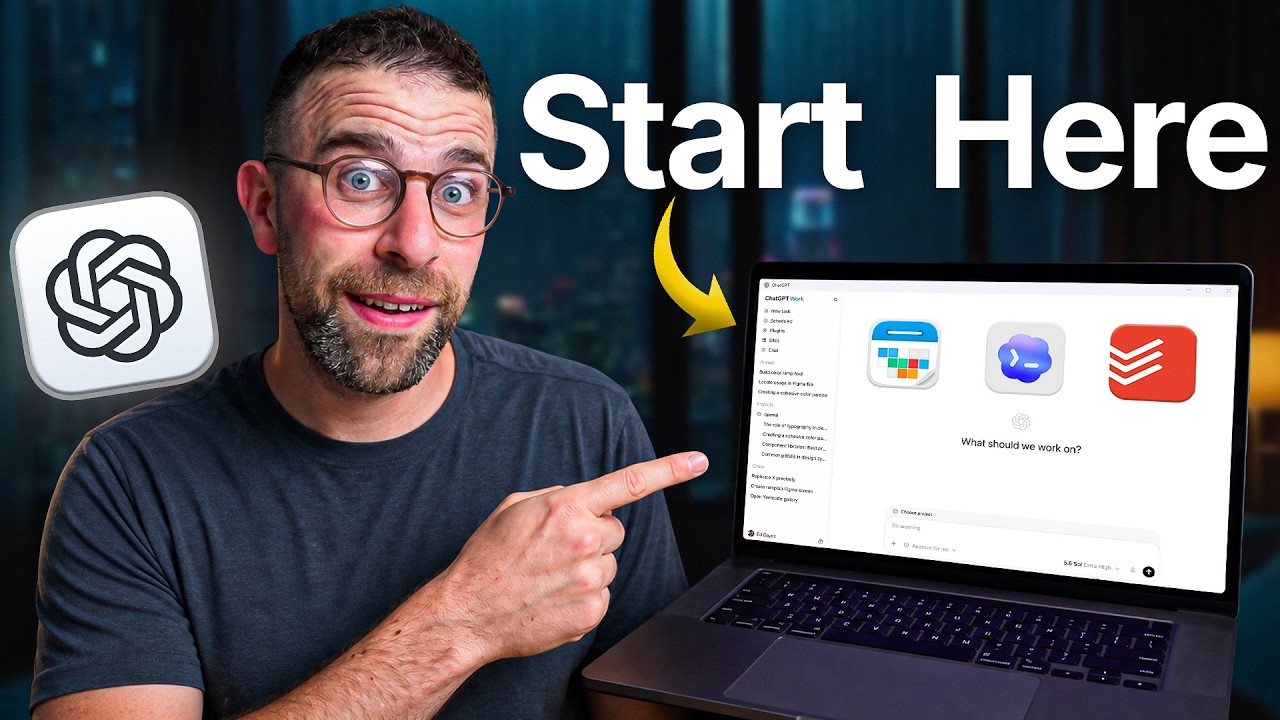
- The interface for ChatGPT Work includes a plus bar that provides access to various plugins and features such as goal setting, plan mode, and recording skills. 42s
- An "ask for approval" feature allows users to maintain a "human-in-the-loop" role, where the user can choose to approve actions manually or require the system to request approval for each task. 42s
- Users can toggle between different models in ChatGPT Work to prioritize speed or intelligence, with options including Terra, Luna, 5.5, and 5.4 Mini. 42s
- The model settings include an "Ultra" option for complex tasks with fewer mistakes and a "Light" option designed to save tokens while utilizing the model's capabilities. 42s
- A dictation feature is available on the right-hand side of the interface, allowing users to speak directly into the chat box. 42s
- ChatGPT Work allows users to select specific projects from their account history to provide context for ongoing tasks or to start entirely new projects. 42s
Integrations and Automation Capabilities
- Plugins such as Todoist and Google Calendar can be integrated into ChatGPT Work and accessed via "at-mentions" to pull relevant information during interactions. 1m35s
- A "scheduled" feature is available to help users automate routine items and manage recurring tasks. 1m35s
- Automation capabilities range from extreme options, such as controlling a laptop, to softer integrations with applications like Notion, ClickUp, and Dropbox. 0s
- Chrome window control is available as an intermediate automation option for users who require it. 5s
Related Platforms and Tools
- A separate platform called Codeex is available for users interested in building code-based applications, including websites and internal or external tools. 15s
- Granola is a meeting tool that provides AI-powered transcription and additional features for meetings. 30s
Task Configuration and Execution
- Users can create automated daily briefings by utilizing calendar and task management integrations within the scheduled tasks area. 42s
- ChatGPT can be used to help formulate prompts if a user is struggling to define the parameters of an automated task. 1m5s
- When configuring tasks, users can choose between running them on the cloud or on their local device. 1m35s
- Cloud execution is recommended for tasks involving plugins or for users who want to access results on their mobile devices. 1m38s
- Running tasks on a local device provides more power, allowing for access to local storage and files, which can be more secure and reliable for complex documentation or spreadsheets. 1m45s
- Automated tasks can be scheduled to repeat at specific times, such as daily at 8:00 a.m., and can be paused at any time. 1m55s
- Effective automation prompts should be outcome-focused rather than generic; for example, requesting a "realistic plan" is more effective than asking the system to act as a "chief of staff." 2m6s
Mobile Access and Local File Management
- Users can access ChatGPT Work on mobile devices to view outputs and connected applications, including compatibility with various plugins 0s.
- Marketing leads can utilize local folder systems to organize product briefs, customer interviews, and performance metrics for project-based tasks 7s.
- The platform allows users to grant or deny permission for the AI to access specific local folders and files 25s.
Chat Management and Monitoring
- Users can adjust the effort level for tasks, such as setting it to "high" for complex requests 35s.
- The interface displays the specific sources being used to complete a task and provides a dedicated area for the generated outputs 42s.
- Chat management features include the ability to pin, rename, and archive conversations 53s.
- An "open side chat" feature allows users to run temporary background queries that remain accessible while the main application window is open 57s.
- Users can monitor the AI's background operations and view the underlying code to understand the processes being executed 1m22s.
Practical Applications and Use Cases
- The AI can synthesize research into a condensed "launch research pack," which may include tables, data analysis, and strategic recommendations based on provided records 1m45s.
- Operations managers can use the platform to analyze performance spreadsheets by creating new chats and asking relevant questions 2m18s.
- Users can initiate tasks by pasting prompts and attaching files, such as a weekly business model, to generate reports or analysis 0s.
Goal Setting and Planning Features
- The "goals" feature allows users to attach specific objectives to projects, which is particularly useful when a user knows the desired outcome but lacks the knowledge of how to achieve it 12s.
- When using the goals feature, the system works toward the objective, and users can modify, edit, continue, delete, or hide the goal if it stalls or requires more context 35s.
- "Plan mode" is designed for unpacking complex problems by asking the user questions and prompting them until a clear objective or path forward is established 1m2s.
- While plan mode is useful for understanding problems, it is noted that it should not be used for health-related advice 1m25s.
Task Execution and Optimization Best Practices
- During task execution, the system can provide a structured outline, breaking down the process into numbered steps to show the current stage of the work 1m36s.
- The system can generate reports that include metrics, identified anomalies, and notes, such as spikes in support tickets or conversion rates 1m56s.
- A recommended practice is to set the system to ask for approval, which helps users understand how the system functions and ensures better results 2m16s.
- Users should only attach connectors relevant to their specific scenario, such as Todoist or Google Calendar, to avoid overloading the system and hindering the final output 2m32s.
- The platform is available on desktop, mobile, and web, with the desktop version offering the unique capability to access local files 2m52s.