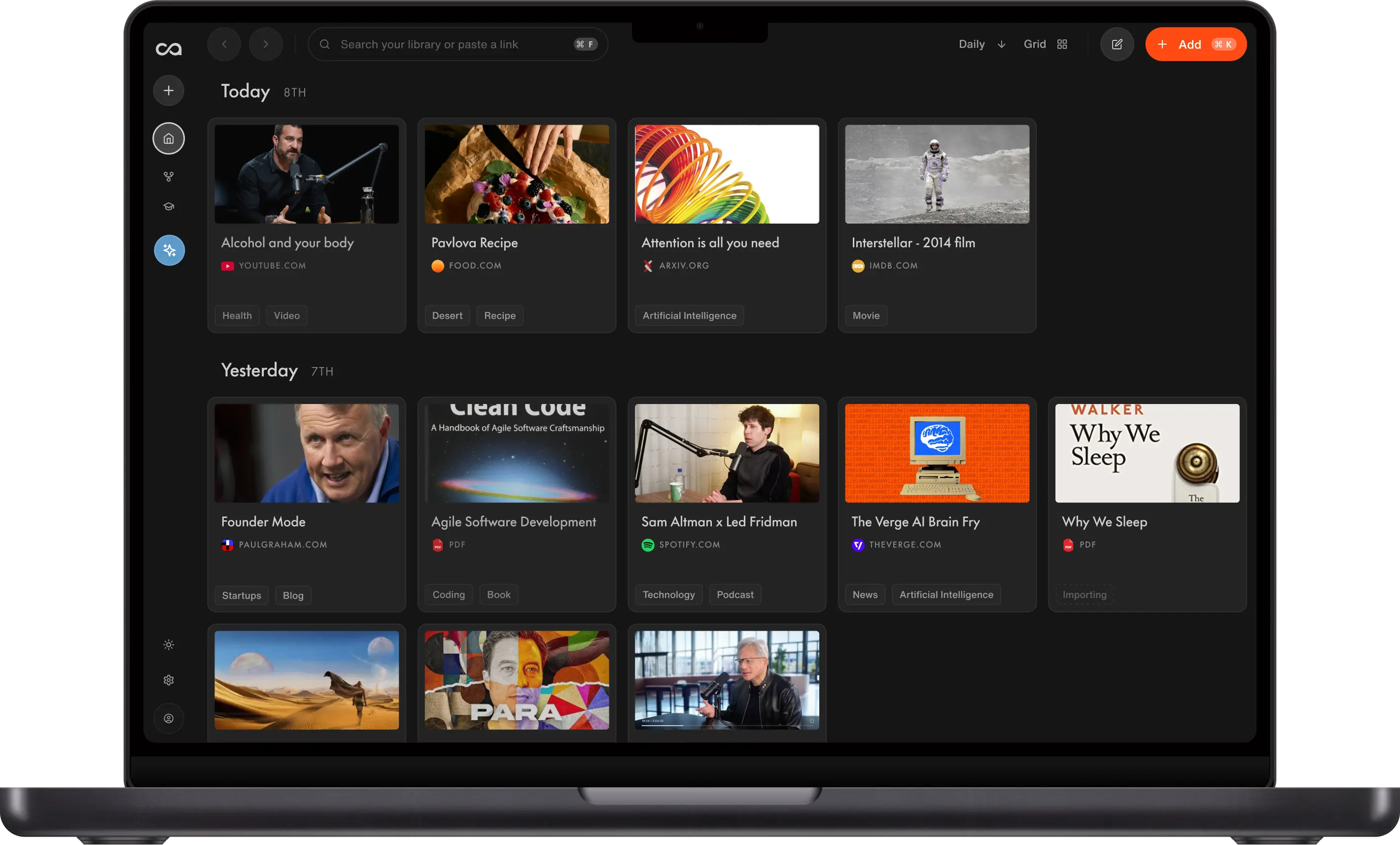
A PDF summarizer helps you turn long reports, research papers, and eBooks into clear key takeaways in seconds. After testing 30+ PDF summarizers, Recall is our top pick for 2026, and it is the best choice for summarizing multiple PDFs because it creates high-quality summaries, supports OCR for scanned PDFs, and saves everything into a self-organizing knowledge base you can chat with. MindMap AI is the second-best option when you want a PDF turned into a visual mind map, and AI chatbots like ChatGPT, Claude, and Gemini are ideal for quick, one-off text summaries. This guide compares the 8 best PDF summarizers by features, limitations, pricing, OCR support, and best use case so you can choose the right tool faster.
Table of Contents
- What Is the Best PDF Summarizer?
- Why Use PDF Summarizers?
- How to Choose the Right PDF Summarizer
- Comparison Table of the Top 8 Best PDF Summarizers in 2026
- Top 8 Best PDF Summarizers in 2026
- Limitations of PDF Summarizers
- Conclusion
- FAQs
What Is the Best PDF Summarizer?
A PDF summarizer helps you turn long PDFs into clear key takeaways in seconds. It works by scanning the document and extracting only the key points from lengthy files, so if a 200-page report, research paper, or eBook lands in your inbox, a good summarizer can save hours of reading while helping you understand the most important points faster. But with so many PDF summarizers available, it can be hard to choose the one that's accurate, affordable, feature-packed, and, most importantly, aligns with your needs. So we designed this comprehensive guide to the 8 best PDF summarizers in 2026, to help you make your pick!
The best PDF summarizer is Recall, and it is the top choice when you need to summarize multiple PDFs at once and keep every summary organized. The second-best option is MindMap AI, which is ideal when you want the substance of a PDF organized as a visual mind map you can navigate and revisit. For quick, one-off text summaries, a general AI chatbot like ChatGPT, Claude, or Gemini is still hard to beat. The best tool for you ultimately depends on your use case, so here is the short answer.
Recall browser extension summarizing a research paper PDF.
- Best overall and best for summarizing multiple PDFs: Recall, with the highest summary quality, OCR, chat-with-your-PDF, and a self-organizing knowledge base
- Second best, ideal for turning a PDF into a visual mind map: MindMap AI
- Best for technical and team documentation: Documentation.AI
- Best for quick one-off summaries: an AI chatbot (ChatGPT, Claude, Gemini)
- Best for simplifying dense or complex writing: QuillBot
- Best for flashcards with spaced repetition and active recall: Recall
- Best for quick flashcards from research papers: Scholarcy
Why Use PDF Summarizers?
AI-powered PDF summarizers offer a ton of benefits.
- Save Time: Get the main takeaways in a matter of seconds, instead of hours.
- Enhance Comprehension: Better understand complex material with concise summaries.
- Accelerate Research: Efficiently gather insights from multiple PDFs at once without sifting through all the text.
- Build a Knowledge Base: Save and revisit your PDFs in one searchable place instead of treating each summary as a one-off, so your reading compounds and you can keep learning from your documents over time.
- Find Exact Moments: Chat with a PDF to find or extract the exact detail, quote, or section you need, rather than rereading the whole document.
- Work With Scanned Documents: Use built-in OCR to turn scanned, image-based PDFs into text you can summarize, and many tools let you OCR a PDF to text for free.
- Increase Accessibility: Extract key information for easier understanding or translation.
- Improve Focus: Streamlined summaries help maintain focus, especially for those managing ADHD.
For this roundup, we have tested 30+ PDF summarizers. Check out the comprehensive guide to the 8 best PDF summarizers in 2026, helping you spend your time with intention.
How to Choose the Right PDF Summarizer
Before diving into the list, here's what to look for in a PDF summarizer. The best ones do far more than shorten text, so weigh both the practical factors and the AI features that matter most for your use case.
- Purpose: Determine your needs. Are you focusing on academic research, business reports, or casual reading?
- Summary accuracy: Test the tool's summarization quality with sample PDFs. High-quality, reliable summaries can be a game-changer.
- Chat and finding exact moments: Look for a chat feature so you can ask follow-up questions, find or extract an exact detail, and get answers grounded in the document instead of a one-shot summary. Recall's chat stands out for research because you can chat with your content or chat with the internet, and it prioritizes your own content first and the internet second. AI chatbots like ChatGPT and Claude also support conversational Q&A.
- Knowledge base and retention: Decide whether you only need a quick, throwaway summary or whether you want to save, organize, and revisit all of your PDFs in a searchable, self-organizing knowledge base, so your reading compounds over time instead of disappearing into a chat history.
- Summarizing multiple PDFs at once: Check whether you can summarize and compare several PDFs together rather than one at a time. Recall lets you summarize and chat across several documents at once, while AI chatbots can handle quick multi-file comparisons within upload limits.
- OCR for scanned PDFs: If you work with scanned documents, look for built-in OCR so you can OCR a PDF to text and summarize it without a separate conversion step.
- Adjustable summary length and structure: Switch between concise and detailed summaries, with headings and bullet points for skimmability.
- Quizzes and flashcards: Turn a PDF into active-recall quizzes or flashcards so you actually remember what you read (Recall, Scholarcy).
- Audio playback of summaries: Listen to your summaries on the go instead of reading them. Recall lets you play an audio version of any summary, so you can absorb a PDF while commuting, walking, or multitasking.
- Citations and references: If you write academic work, look for tools that generate or manage citations, like Scribbr and Zotero.
- Multi-language support: Make sure the tool supports your required languages and can summarize or translate PDFs across languages, especially if you frequently work with multi-language PDFs. If you need the full document in another language, Lara Translate can translate your PDF while preserving its layout. This is useful when you want to read or share the complete report alongside the key takeaways from your summarizer.
- Integration: Check if the tool fits your existing workflow. Browser compatibility, note-taking support, and device syncing are essential for an efficient workflow.
- Pricing: Based on your frequency of use and quality needed, choose a plan that fits your budget.
Comparison Table of the Top 8 Best PDF Summarizers in 2026
| Tool | Key Features | Best For | Limitations | Pricing |
|---|---|---|---|---|
| Recall | Customizable length, knowledge base, chat, audio playback | Summary Quality, Content Retention | Free plan limited to 10 AI summaries/month | Free, Plus from $10/month |
| MindMap AI | Extracts key points into an interactive mind map, Thinking Mode logical structuring, editable nodes, AI chat, multi-view (Mind Map / Logic Chart / Org Chart) | Turning a PDF into a visual mind map (structure and retention) | Free plan capped at 50 AI credits/month; full mind map is more than you need for a one-line takeaway | Free; Basic from $4.99/month (yearly), Pro from $7.99/month |
| Documentation.AI | AI-ready docs, API references, help centers | Turning PDFs into living documentation | Not a one-click summarizer; built for teams, not casual users | Free, paid from $29/month |
| AI Chatbots (ChatGPT, Claude, Gemini) | Upload-and-ask, conversational follow-ups | One-off PDF summaries | Upload/context limits; no organization or retention of summaries | Free tiers, paid from ~$20/month |
| QuillBot | Paraphrasing, cross-device syncing | Simplification and readability | Struggles with highly technical content | Free; Premium $19.95/month ($8.33/mo annual) |
| Scholarcy | Research summaries, flashcards | Long research papers | Not ideal for casual reading | Free; Plus $9.99/month or $90/year |
| TLDR This | Automatic bullet points | Large PDFs | Limited free features for detailed content | Free; from $4/month |
| Zotero | PDF annotation, metadata extraction, note organization | Open-source reference management and summarization | Requires manual setup for summarization workflows | Free with cloud storage options available at different price points |
Top 8 Best PDF Summarizers in 2026
Based on hours of research and testing, here are the best PDF summarizers to consider.
1. Recall
Recall is the Best Overall PDF Summarizer
Recall saves your summarized PDFs and other content in a self-organizing knowledge base you can chat with.
Recall is an all-in-one summarizer that excels at summarizing not just PDFs but a variety of online and offline content, such as YouTube videos, news articles, and research papers. See the full list of supported content in Recall. What sets Recall apart is its chat. When you ask a question, Recall answers from your own saved PDFs and notes first and only then turns to the web. That your-knowledge-first approach makes it especially powerful for research, because your answers stay grounded in the documents you trust instead of the open internet.
Key Features
To see our PDF summarizer in action, check out this detailed walkthrough.
- Chat With Your Saved Knowledge: Ask questions and pull exact details across everything you've saved, using the AI model of your choice. For research, Recall's chat answers from your own PDFs and notes first and only then the web, so your answers stay grounded in your sources instead of the open internet.
- Summarize Multiple PDFs: Save and summarize multiple PDFs at once, then chat across all of them together to compare findings and surface common themes.
- Self-Organizing Knowledge Base: Every PDF you summarize is saved into a self-organizing knowledge base you can come back to and chat with, so your reading compounds over time instead of disappearing.
- Built-in OCR: Recall can OCR a PDF to text, so scanned and image-based PDFs become readable and summarizable without a separate conversion tool.
- Spaced Repetition and Active Recall: Turn your PDFs into quizzes and flashcards so you actually retain what you read instead of forgetting it.
- Audio Playback: Listen to an audio version of any summary, so you can absorb a PDF while commuting, walking, or multitasking.
- Flexible Summaries and Languages: Switch between concise and detailed, well-structured summaries, and summarize or translate across multiple languages.
Pros
- Best summary quality of all 30 PDF summarizers we tested, with citations back to the source so you can verify accuracy.
- You can chat with all of your saved research and PDFs in one place, combining your saved sources, your own notes, and an internet search, so it pulls from your knowledge first and the web second.
- You can pick the latest AI models, so your summaries and chat use the most capable model available rather than being locked to one.
- Available everywhere with a browser extension on Chrome, Firefox, Brave, and Edge, plus mobile apps for iPhone and Android.
- You can edit and share summaries with a click.
Cons
- The Free plan is limited to 10 AI summaries per month.
Pricing
- Free Plan includes 10 AI summaries per month, unlimited saves and notes
- Plus Plan is best for unlimited PDF summaries, $10/month billed yearly or $12/month billed monthly
Personal User Feedback
"I've tried multiple summarizers in my quest to find the best, but nothing compares to Recall. It doesn't just summarize PDFs. I can chat with everything I've saved, and it pulls answers from my own library first before going to the web. This has completely changed how I approach my research, allowing me to save hours and uncover insights I would have otherwise missed. Recall is, without question, the most powerful tool in my productivity arsenal."
2. MindMap AI
Best for Turning a PDF Into a Visual Mind Map
MindMap AI turns a PDF into an interactive mind map you can expand, edit, and revisit.
MindMap AI takes a different approach from text summarizers. It reads the full PDF, extracts the key points, findings, and supporting details, and organizes that information into an interactive mind map. You get the actual substance of the document, not just its headings, laid out as a structure you can navigate instead of a paragraph you scroll through. It is the strongest option in this list when your goal is to understand and remember how a long document fits together. Its Thinking Mode places each branch where it makes logical sense rather than simply where the text mentions it, so the map reflects the argument, not just the page order.
Key Features
- PDF to Mind Map: Upload a PDF and the AI extracts the key information and supporting details and organizes them into a hierarchical map you can expand, collapse, edit, and explore.
- Thinking Mode: Reasoning step that places branches by logical meaning, so the structure mirrors the document's actual argument.
- AI Copilot Chat: Refine, expand, or summarize any node through conversation, with the AI building on your structure instead of overwriting it.
- Multiple Views: Switch between Mind Map, Logic Chart, and Org Chart depending on what you are trying to understand.
- Beyond PDFs: Also maps images, audio, video, and YouTube, and works in 29+ languages.
- Export Anywhere: PDF, PNG, Markdown, SVG, HTML, and CSV.
Pros
- Captures the real content of a document and arranges it visually, which is easier to retain than linear text, especially for visual learners.
- Interactive and editable, so the map becomes a living artifact you can revisit and build on rather than a one-shot summary.
- Free to start, and available on web, iOS, Android, and as a Chrome extension.
Cons
- If all you want is a one-paragraph takeaway, a full mind map is more than you need.
- The free plan includes PDF summarizing but is capped at 50 AI credits per month, so frequent or large-file users will want a paid plan (bigger PDFs use more credits).
Personal User Feedback
"MindMap AI is simple and easy to use, accessible even for those who are not tech-savvy. It efficiently processes and summarizes PDF documents into mind maps, transforming complex information into a more comprehensible format." (Verified G2 reviewer)
Pricing Free plan (50 AI credits/month, includes PDF summarizing, full editor and manual mapping) | Basic $9.99/month, or $4.99/month billed yearly (2,000 credits, files up to 30MB) | Pro $14.99/month, or $7.99/month billed yearly (5,000 credits, files up to 50MB) | Lifetime from $157 one-time.
3. Documentation.AI
Best for Turning PDFs and Technical Knowledge Into AI-Ready Documentation
Documentation.AI turns technical PDFs and product knowledge into AI-ready documentation.
Documentation.AI is an AI documentation platform built for teams that need to turn complex information into structured, searchable, and easy-to-maintain documentation. While most PDF summarizers focus only on shortening a document, Documentation.AI is more useful when you want to convert technical PDFs, product documents, API references, internal knowledge, or research-heavy material into a living documentation site or knowledge base.
It's especially helpful for product, support, and technical teams that need more than a one-time summary. With Documentation.AI, teams can create product guides, API documentation, help centers, and internal knowledge bases that are cleanly structured for both humans and AI assistants.
Key Features
- AI-Assisted Documentation: Helps teams write, improve, and structure documentation from existing knowledge sources.
- Product Guides, API References, and Help Centers: Supports different types of documentation in one platform.
- AI Assistant for Docs: Lets users ask questions directly inside the documentation and get instant answers from the available content.
- AI-Ready Knowledge Base: Structures content so it can be understood by readers, search engines, LLMs, and AI agents.
- Flexible Publishing: Teams can maintain docs using a web editor or docs-as-code workflows.
Pros
- Great for teams that want to turn summarized PDF content into long-term documentation.
- Useful for technical documentation, API references, product guides, and support knowledge bases.
- Helps keep documentation organized, searchable, and easier to maintain over time.
- Built for both human readers and AI-powered workflows.
Cons
- Not designed as a simple one-click PDF summarizer for casual users.
- Best suited for teams, products, and businesses rather than individual quick summaries.
Personal User Feedback "Documentation.AI is useful when a PDF summary is just the starting point. Instead of only extracting key points, it helps teams turn complex technical or product information into structured documentation that users, support teams, and AI assistants can actually use."
Pricing Free plan | Standard $29/month and Professional $79/month (billed yearly) | Enterprise custom.
4. AI Chatbots (ChatGPT, Claude, Gemini)
Best for One-Off PDF Summaries
An AI chatbot like Claude works as a quick PDF summarizer when you upload a file and ask for a summary.
General-purpose AI chatbots like ChatGPT, Claude, and Gemini are a great option when you just need a quick, one-off summary of a PDF. You simply upload the file into the chat and ask for a summary, with no extra software, browser extension, or account setup required. They're flexible and conversational, so you can ask follow-up questions, request a shorter version, or dig into a specific section. The trade-off is that they aren't built to organize or retain summaries over time, and each one comes with hard upload and context limits.
To give a concrete sense of what these tools can and can't do, here's a breakdown using Claude (Anthropic) as the example.
What chatbots can summarize
- Text-based PDFs: including articles, reports, papers, contracts, books, manuals, and files with selectable or copyable text.
- Scanned/image PDFs: by running OCR first, with quality depending on scan clarity.
- Tables and structured data: though very complex tables may lose formatting.
- Charts, graphs, and images: that the model can read and describe.
- Multiple PDFs at once: for comparison or a combined summary.
- Any supported language: including mixed-language documents.
- Math and technical notation: generally, though dense formulas can be misread.
Hard limits (what they cannot do)
- Password-protected/encrypted PDFs: because you'd need to remove the protection first.
- Files that exceed processing limits: because extremely large PDFs may need to be split.
- Corrupted or malformed files: that won't open.
- Content behind links: because they summarize the PDF itself, not the pages it links to (unless you ask them to search the web).
Policy limits (what they won't do)
- Content that would facilitate serious harm (e.g. weapons-making instructions).
- Material that sexualizes minors.
- They'll flag rather than reproduce copyrighted text verbatim. Summaries are fine, but they won't quote long passages.
Where accuracy degrades
- Poor-quality scans and handwriting.
- Complex multi-column layouts and heavy footnotes (reading order can scramble).
- Low-resolution or very dense figures.
- Long documents summarized in pieces (cross-references between sections can be missed).
Upload and context limits
Using Claude's chat interface as an example, the practical limits are as follows.
- File size: up to 30MB per file, and up to 20 files per chat.
- Page count: PDFs work best under ~100 pages for full visual analysis (text + charts + images); some uploads are rejected above that.
- The real bottleneck is the context window. The file size cap is just the first gate. The binding constraint for a large document is the context window, which is shared between your file, the conversation, and the responses. A dense text-heavy PDF can generate more tokens than a much larger image-heavy PDF, so megabytes are a poor predictor; token count is what matters.
Workarounds for large files
- Split it: by breaking the PDF into sections (Preview on Mac, Adobe, Smallpdf, etc.) and uploading only the relevant part, or feeding sections in sequence.
- Compress it: if the file is large due to embedded images, since a PDF compressor can shrink it while keeping the text readable.
- Paste the text: for text-heavy documents. Copying the relevant sections directly into the chat removes the file-size constraint entirely; only the context window applies.
- Use the Files API: for developers. APIs allow much larger files (e.g. up to 500MB) referenced server-side. That's a programming route, not the chat interface.
Pros
- No setup. Upload a PDF and ask for a summary in seconds.
- Conversational follow-ups and the ability to ask specific questions about the document.
- Handles many formats and languages, including scanned PDFs via OCR.
Cons
- Hard upload and context limits make large documents awkward to summarize.
- Not built to store, organize, or revisit summaries over time.
- Accuracy should be verified against the source for high-stakes content.
Pricing Free tiers available | Paid plans (e.g. ChatGPT Plus, Claude Pro, Gemini Advanced) from around $20/month.
5. QuillBot PDF Summarizer
Best for Simplification
QuillBot PDF summarizer for simplifying dense or complex writing.
QuillBot is great at simplifying complex text, making it perfect for those who need clearer language or easier-to-understand summaries.
Key Features
- Paraphrasing Mode: Rephrases complex text into simpler language.
- Customizable Summary Length: Choose different lengths for different needs.
- Cross-Device Syncing: Sync summaries across devices.
Pros
- Excellent at paraphrasing and simplifying.
- Easy integration with Chrome and Word.
Cons
- Struggles with overly technical content.
Personal User Feedback "I often deal with dense, technical documents, and QuillBot does a fantastic job of not only summarizing but also simplifying complex text. It's like having an assistant that breaks down difficult concepts into something more understandable."
Pricing Free Plan (summarizer up to 1,200 words) | Premium $19.95/month, or $8.33/month billed annually ($99.95/year)
6. Scholarcy
Best for Long Research Papers
Scholarcy PDF summarizer for long research papers and quick flashcards.
Scholarcy specializes in generating summaries of research papers and long academic documents. The tool automatically extracts abstracts, highlights key points, and creates flashcards for easy review.
Key Features
- Research Summary: Automatically identifies research objectives and findings.
- Flashcard Creation: Converts key points into flashcards for easy revision.
- Reference Management: Allows integration with reference tools like Zotero.
Pros
- Great for summarizing lengthy and detailed research documents.
- Built-in flashcard feature for quick revisions.
Cons
- Not ideal for casual reading.
Personal User Feedback "Scholarcy's flashcard feature is fantastic. I can instantly create review cards from lengthy research papers, making it so much easier to remember key points for exams and projects."
Pricing Free Plan | Scholarcy Plus $9.99/month, or $90/year
7. TLDR This
Best for Condensing Large PDFs
TLDR This PDF summarizer for condensing large PDFs into short bullet points.
TLDR This lives up to its name, making "Too Long, Didn't Read" a thing of the past. It creates concise, bullet-point summaries for large PDFs in a fast and efficient way.
Key Features
- Automatic Bullet Points: Breaks down lengthy PDFs into easy-to-read bullet points.
- News and Report Focus: Ideal for summarizing news articles, reports, and case studies.
- Export Options: Allows users to save summaries in PDF or text format.
Pros
- Ideal for reducing lengthy content into digestible points.
- Fast and accurate summaries.
Cons
- Limited free features for detailed content.
Personal User Feedback "TLDR This lives up to its name! It's perfect for breaking down long reports into simple bullet points. It works well for news summaries and longer company reports that I need to review quickly."
Pricing Free Plan | Starter from $4/month, Professional $8.25/month, Business $16.60/month
8. Zotero
Best for Open-Source Reference Management and Summarization
Zotero PDF workflow for annotating, organizing, and summarizing research PDFs.
Zotero is a popular open-source tool for managing research, references, and PDFs. It provides a built-in PDF reader with advanced annotation features, helping users summarize and organize their research materials effectively.
Key Features
- PDF Annotation and Highlighting: Annotate and highlight key sections within PDFs to create custom summaries.
- Automatic Metadata Extraction: Extracts and organizes references with complete metadata for citations.
- Note Organization: Create and link notes to specific sections within PDFs for easy referencing later.
Pros
- Excellent for managing research projects with a robust open-source community.
- Comprehensive PDF reader with detailed annotation capabilities.
Cons
- Requires manual setup for detailed PDF summarization workflows.
- AI summarization isn't built in. It relies on free, open-source community plugins (such as the popular "llm-for-zotero") that connect Zotero to an AI model.
Personal User Feedback "Zotero is my go-to for managing my research papers and summarizing key findings. I appreciate the detailed annotation capabilities, and the integration with my writing software makes organizing notes a breeze."
Pricing Free with cloud storage options available at different price points.
Limitations of PDF Summarizers
AI PDF summarizers are powerful, but they aren't perfect. Knowing the limitations helps you use them well and verify when it matters.
- Accuracy isn't guaranteed: AI can misread dense formulas, complex tables, or nuanced arguments, and it occasionally "hallucinates" details that aren't in the document. Always verify high-stakes summaries against the source.
- Length and context limits: Most tools, and especially chatbots, have upload size and context-window limits. Very long PDFs may need to be split, and cross-references between distant sections can get missed.
- Scanned and handwritten files: OCR quality drops with poor scans, handwriting, and low-resolution figures, which in turn degrades the summary.
- Complex layouts: Multi-column pages, heavy footnotes, and image-heavy documents can scramble reading order and confuse the model.
- Summarizing multiple PDFs: Not every tool can handle multiple PDFs at once or compare across documents. Chatbots cap the number of files per chat, and many simple summarizers only accept one file at a time.
- One-off vs. ongoing use: Chatbot summaries live in a disposable chat. If you want to organize, search, and revisit summaries later, you need a tool with a built-in knowledge base.
- Privacy and confidentiality: Uploading sensitive or confidential PDFs to a third-party tool can raise data-privacy concerns, so always check each tool's data policy first.
This is also why many people use more than one PDF summarizer. A chatbot works for quick, throwaway summaries, while a dedicated tool like Recall is better for accurate, organized, long-term summarization you can chat with and build on.
Conclusion
PDF summarizers are a must-have if you regularly deal with lengthy documents. These tools are a serious productivity hack and time saver when it comes to efficient content consumption in 2026. Whether you're a student, researcher, or busy professional, these AI-powered tools can significantly enhance your learning and productivity. Recall stands out for the best summary quality, its comprehensive features for holistic knowledge management, and its structured approach, but each tool offers unique benefits to suit different needs. I hope this post can help you make the best pick for your needs.
FAQs
Basics and Recommendations
Accuracy and Use Cases
Features and Integrations
OCR and File Conversion
Ready to get started?
Save, summarize and chat with your content.
No credit card required · 30 Day Refund on Premium · 24 Hour Support