Looking for the best YouTube video summarizers? This updated 2026 guide compares the top tools for summarizing YouTube videos, including Recall, Glasp, SummarizeYou, NoteGPT, BibiGPT, Eightify, NotebookLM, YouTube native AI, AI browsers, and ChatGPT-style assistants. Learn which YouTube video summarizer is best for quick TLDRs, long videos, transcripts, mobile summaries, research, study notes, and saving summaries to a personal knowledge base.
Table of Contents
- Quick Answer: What Is the Best YouTube Video Summarizer?
- What Are YouTube Video Summarizers?
- Comparison Table of the Top 10 Best YouTube Video Summarizers in 2026
- Independent Review: Best YouTube Video Summarizer Tools
- Why Use YouTube Video Summarizers?
- Summarize-Only Tools vs Knowledge-Base Tools
- Top 10 Best YouTube Video Summarizers in 2026
- How to Choose the Right YouTube Video Summarizer
- Conclusion
- FAQs
Quick Answer: What Is the Best YouTube Video Summarizer?
The best YouTube video summarizer depends on what you want to do after the summary is generated. If you need fast, timestamped summaries across YouTube, Bilibili, podcasts, and other platforms, BibiGPT is a strong pick. If you only need a quick YouTube TLDR, Glasp, Eightify, or SummarizeYou can be enough. If you want study tools like mind maps and presentations, NoteGPT is strong. If you want to summarize YouTube videos inside a focused research notebook, NotebookLM is a good fit.
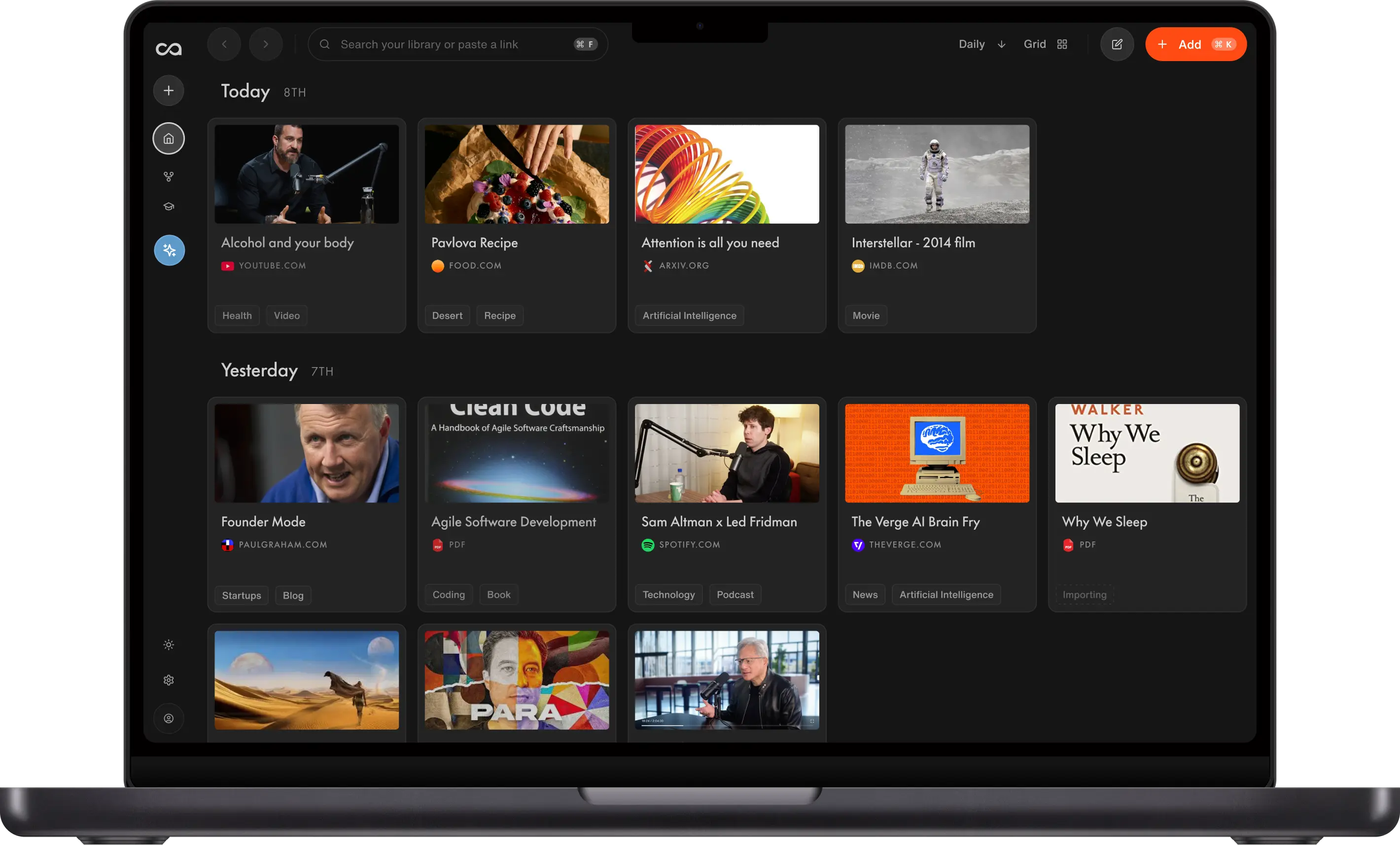
For people who want YouTube summaries to become part of a searchable, connected knowledge base, Recall is the best overall choice. Recall summarizes YouTube videos and Shorts, automatically organizes your saved YouTube videos for you, adds timestamps, connects related ideas in a knowledge graph, and lets you chat with the video or your full library later.
What Are YouTube Video Summarizers?
Imagine you have a three-hour-long lecture video on YouTube that you need to watch, analyze, and turn into quick notes. With a reliable YouTube video summarizer, you can convert long YouTube videos into short, useful summaries without watching every minute.
YouTube video summarizers work by scanning the transcript, captions, audio, and sometimes the visual context of a video, then extracting the key points into a shorter format. But with so many YouTube video summarizers available, it can be hard to choose the one that's accurate, affordable, feature-packed, and aligned with your needs. This guide compares the 10 best YouTube video summarizers in 2026 to help you make your pick.
Comparison Table of the Top 10 Best YouTube Video Summarizers in 2026
For most people, the best YouTube video summarizer is Recall because it combines high-quality summaries, per-video long-form support, YouTube Shorts, timestamps, mobile sharing, and automatic organization into a personal knowledge base. The table below compares the top options by use case, pricing, and practical limits.
| Tool | Key Features | Best For | Pricing | Per-Video Limits | Other Content Supported |
|---|---|---|---|---|---|
| Recall | YouTube videos and Shorts, timestamps, saved knowledge base, chat across all saved videos, ChatGPT, Claude, Gemini, and other AI models | Comprehensive YouTube analysis and long-term knowledge management | Free: 10 AI summaries/month; Plus: unlimited YouTube summaries from $10/month | Up to 10h with transcript, 5h without captions, supports Shorts | Articles, PDFs, podcasts, TikToks, recipes, Wikipedia pages, notes, and more. See all supported content |
| Glasp | Transcript summaries, timestamps, highlights, multiple AI models | Browser-based transcript summaries and highlights | Free plan, Pro $15/month or $150/year, Unlimited $36/month or $360/year | Free plan includes basic YouTube summary limits, paid plans raise YouTube summary quotas | Web articles, PDFs, transcripts, highlights, and notes |
| SummarizeYou | Paste-a-URL summaries, timestamps, transcripts, mind maps, multi-model chat, Chrome extension | Quick YouTube TLDRs without creating an account | Free: 50 credits/30 days; Basic $7.99/month billed yearly; Ultra $17.99/month billed yearly | Free duration is limited; Basic up to 1 hour; Ultra up to 2 hours | YouTube videos and transcripts |
| BibiGPT | Timestamped summaries, chapters, mind maps, AI chat, Notion/Obsidian/Readwise export | Multi-platform video and podcast summaries | Free daily quota; paid plans for heavier use | 4 h+ per video; auto captions when missing | YouTube, Bilibili, TikTok, podcasts, 30+ platforms, local uploads |
| Eightify | Key insights, timestamped summaries, top comments, mobile apps | Quick YouTube-first summaries and mobile viewing | Free trial or limited free access, paid plans vary | YouTube-focused, free tier has usage caps, Shorts support varies by app flow | Primarily YouTube videos and transcripts |
| NoteGPT | Batch summaries, mind maps, AI chat, presentations, translation | Students and researchers turning videos into study material | Free, Pro from $9/month, Unlimited from $19.92/month | No-subtitle limits vary by plan, up to 40/120/210 min without subtitles | Playlists, PDFs, documents, audio, video files, webpages, and study material |
| NotebookLM | YouTube sources, notebook-scoped chat, source synthesis, Google ecosystem | Focused research notebooks and class projects | Free tier, paid Google AI plans raise limits | YouTube generally needs captions, knowledge stays inside notebooks | PDFs, Google Docs, Slides, websites, pasted text, audio, and notes |
| YouTube Native AI | Native summaries, conversational search, relevant clips, YouTube-first discovery | Staying inside YouTube for quick answers | Included where available, availability varies | Experimental/limited availability, not a saved knowledge base | YouTube content only |
| AI Browsers | Built-in page and video summaries, tab-aware research, agentic browsing | Research workflows across YouTube and the web | Varies by browser and AI plan | New category, support varies by browser, not always built for saved libraries | Webpages, search results, PDFs, tabs, and browser context depending on browser |
| ChatGPT, Claude, and Gemini | Flexible manual summaries, custom prompts, follow-up questions, strong reasoning | Custom summary formats and deeper analysis | Free plans with limits, paid plans often start around $20/month | Manual transcript workflow unless connected to an extension or browser | Pasted text, documents, PDFs, images, files, web results, and transcripts depending on plan |
Independent Review: Best YouTube Video Summarizer Tools
Independent reviews are useful because YouTube video summarizers can look similar on a feature list but feel very different in practice. In the review below, the creator compares popular YouTube video summarizer tools and names Recall as the best overall option, highlighting the quality of the summaries and how useful it is to save videos for later.
Joseph says:
"This is by far my favorite YouTube summary tool because in addition to the amazing features, I find the wording of the summaries it generates to be the most concise and actionable."
When watching independent reviews like this, pay attention to the same criteria used in this guide: whether the tool handles long videos, whether it works without captions, how easy the workflow is, whether timestamps are clickable, and whether the summary can be saved or reused later.
Why Use YouTube Video Summarizers?
YouTube video summarizers offer a ton of benefits:
- Spend your time with intention: Before committing to watching a long video, a quick summary can inform you of the relevance for your use case.
- Save time: You can just get the main takeaways in a few minutes of reading versus hours of watching.
- Improved comprehension and understanding: Get concise and consolidated summaries for better understanding and information digestion.
- Productivity & Focus boost: Cover more content in less time. Especially if you struggle with ADHD, YouTube video summarizers can help you stay focused.
- Improve Accessibility: Access key information from videos in text format. This can cut down language barriers or the barriers of hearing impairments.
- Enhance Research: Video content can sometimes be daunting if you are a researcher pressed for time. Now you can easily gather insights from multiple video sources.
For this roundup, we looked at dedicated YouTube video summarizers, browser extensions, AI sidebar tools, native YouTube AI features, AI browsers, and general AI assistants that summarize videos as part of a broader research workflow. Check out the comprehensive guide to the 10 best YouTube video summarizers in 2026, helping you spend your time with intention.
Summarize-Only Tools vs Knowledge-Base Tools
There are two broad types of YouTube video summarizers:
Summarize-only tools help you get a quick TLDR, copy a transcript, or jump to a few key timestamps. They are useful when you only need to decide whether a video is worth watching or extract one idea from a single upload.
Knowledge-base tools go further. They save the summary, transcript, timestamps, tags, and related ideas so the video becomes part of a reusable library. This matters if you watch lectures, podcasts, courses, product reviews, or research interviews regularly. The value compounds when you can search, chat with, and reconnect ideas across everything you have saved.
That distinction is why Recall ranks best overall in this guide. A one-off summary saves time today; a saved, connected summary becomes a reference you can use months later.
Top 10 Best YouTube Video Summarizers in 2026
Not everyone has the budget to spend on a premium YouTube video summarizer. So, if you are just starting out or working within a tight budget, there are many free YouTube video summarizer tools to choose from. Based on our research and hours of testing, here are the picks.
1. Recall
Recall is the Best Overall YouTube Video Summarizer
Recall is the best overall YouTube video summarizer if you want more than a quick TLDR. It turns YouTube videos and Shorts into timestamped summaries, saves them to your personal knowledge base, and automatically organizes them so you can find them later. You can summarize from the Chrome extension, Firefox add-on, web app, or the iPhone and Android mobile apps.
Want to test it first? Try Recall's free YouTube video summarizer with any YouTube link, no signup required.
For long-form YouTube videos, Recall supports videos up to 10 hours per video when a transcript is available and up to 5 hours per video without captions when Recall needs to transcribe the audio. These are per-video processing limits, not the number of videos you can save. On the Plus plan, you can summarize unlimited YouTube videos. For short-form content, Recall can also summarize YouTube Shorts, which is useful when a quick clip contains a product recommendation, tutorial step, or idea you want to save before it disappears into your feed.
Instead of watching a long video from start to finish, you can use Recall to scan the main ideas, jump to the exact timestamp you care about, and save the summary to your knowledge base. Later, you can chat with that video, ask where a topic was mentioned, or search across all the YouTube videos you have saved.
Key Features
To see the Recall video summarizer in action, check out this detailed blog post.
- Choose Summary Length: Choose between concise and detailed summaries so you can get the right level of depth for your use case.
- Key Points and Timestamps: Every bullet point has a timestamp and hyperlink so you can skip to the part of the video that matters.
- Chat With All Your YouTube Videos: Ask questions across your saved YouTube videos instead of searching through transcripts manually.
- Multiple AI Models: Choose from ChatGPT, Claude, Gemini, and other AI models so you can use the model that works best for your summary or chat workflow.
- Long-Video Support: Summarize YouTube videos up to 10 hours per video with a transcript, or up to 5 hours per video without captions when Recall transcribes the audio.
- YouTube Shorts Support: Save and summarize Shorts from mobile or desktop when a short clip contains an idea you want to remember.
- Multi-Language support: If you are consuming content in multiple languages, Recall can help summarize multilingual YouTube content in your preferred workflow.
- Automatic Organization: Recall automatically categorizes your saved YouTube videos and uses key mentions to connect them with related content.
- Personal Knowledge Base: Once the summaries are generated, you can save them to your personal knowledge base so every useful video becomes searchable and chat-ready.
Pros
- If you are looking for summary quality, Recall stands out as having the best summary quality of all the 40 YouTube video summarizers that we reviewed.
- Recall's self-organizing personal knowledge base includes all the generated YouTube summaries, so you have a safe place to store and organize your video notes.
- You can chat with your saved YouTube videos and ask follow-up questions across your content.
- Recall supports YouTube videos without transcripts by transcribing the audio.
- It is available as a browser extension on Chrome, Firefox, Brave, Edge, and other Chromium-based browsers.
- There are mobile apps available for iPhone and Android, so you can share YouTube videos and Shorts to Recall from your phone.
- You can edit and share YouTube summaries with a few clicks.
- Recall offers unlimited in-app knowledge cards, and the Plus plan includes unlimited YouTube video summaries.
Cons
- The Free plan is limited to 10 AI summaries per month.
Pricing
- Free Plan: 10 AI summaries per month, unlimited saves and notes
- Plus Plan: Best for unlimited YouTube video summaries, $10/month billed yearly or $12/month billed monthly
2. Glasp
Glasp is Best For Browser-Based Transcript Summaries
Glasp is one of the strongest browser-based YouTube video summarizer extensions. It works across popular Chromium browsers and Safari, and it can summarize YouTube videos with ChatGPT, Claude, Gemini, and Mistral. Glasp has a free plan for basic YouTube summaries, while paid plans unlock higher summary quotas and more advanced learning features.
Key Features
- Multiple AI models: Summarize with ChatGPT, Claude, Gemini, and Mistral.
- Timestamped summaries: Jump directly to important moments in the video.
- Transcript highlighting: Highlight transcripts and export notes to tools like Notion, Obsidian, and Roam Research.
- Custom prompts: Adjust the summary format and level of detail.
Pros
- Glasp is one of the best lightweight options for simple YouTube summaries.
- It supports multiple models and languages.
- The transcript highlighting workflow is useful for researchers and students.
Cons
- It is primarily an extension workflow, so it is less useful if you want a full knowledge base.
- It is better for quick extraction than long-term organization or review.
Pricing
- Free Plan: Basic YouTube summaries with daily limits
- Pro Plan: $15/month or $150/year
- Unlimited Plan: $36/month or $360/year
3. SummarizeYou
SummarizeYou is Best For Fast, No-Login YouTube Summaries
SummarizeYou is a free online YouTube video summarizer. Paste a public YouTube URL and you get key points, a transcript, and a time-stamped breakdown in about a minute. You can start without creating an account or adding a credit card. Summaries can use ChatGPT, Claude, or DeepSeek, and there is a Chrome extension if you want to summarize from the YouTube page.
It is a strong pick when you want a quick YouTube TLDR without setting up a knowledge-base workflow. Paid plans raise the monthly quota, unlock longer videos and unlimited mind maps, and add Claude or GPT-4 summaries.
Key Features
- Paste a YouTube URL: Summarize any public YouTube video from the web app, with no download step.
- No login required: The free tier works without an account, which is useful for a one-off summary.
- Multiple AI models: Choose ChatGPT, Claude, or DeepSeek for the summary style you prefer.
- Time-stamped breakdowns: Jump to the parts of the video that matter.
- Transcripts and subtitles: Extract multi-language captions and download the transcript.
- Chrome extension: Summarize from the YouTube page instead of copying the link.
- Mind maps and chat: The free plan includes limited mind maps and follow-up questions. Paid plans raise those quotas.
Pros
- Fast paste-a-URL workflow with no account required for basic use.
- Timestamped summaries and a full transcript in one pass.
- Chrome extension plus a dedicated YouTube transcript generator.
- Free plan is enough to try it on a few videos.
Cons
- Per-video length is capped: Basic is 1 hour, Ultra is 2 hours, and the free plan is more limited.
- The free plan includes 50 credits every 30 days, which covers 5 video summaries.
- It is built for YouTube summaries, not a long-term connected knowledge base.
Pricing
- Free Plan: $0, 50 credits every 30 days, 5 video summaries, 10 subtitle downloads, 10 chats with a video, limited video duration
- Basic Plan: $7.99/month billed yearly or $9.99/month billed monthly, 200 video summaries, 1 hour maximum video duration, Claude and GPT-4 summaries
- Ultra Plan: $17.99/month billed yearly or $19.99/month billed monthly, 500 video summaries, 2 hour maximum video duration, priority support
4. BibiGPT
BibiGPT is Best For Multi-Platform, Timestamped Video Summaries
BibiGPT turns a one-hour video into roughly a three-minute read. Paste a YouTube, Bilibili, or podcast link from 30+ supported platforms, or upload a local file, and in about 30 seconds you get a time-stamped summary with chapters, a full transcript, a mind map, and AI chat about the content. More than 1 million students, creators, and professionals use it when they need fast summaries across more than just YouTube.
Key Features
- Multi-platform links: Summarize YouTube, Bilibili, TikTok, podcasts, and 30+ other platforms from a pasted URL.
- Local file uploads: Upload audio or video files when you are not starting from a public link.
- Timestamped chapters: Every key point links back to the moment in the source video.
- Mind maps and transcripts: Get a structured summary, full transcript, and visual mind map in one workflow.
- AI chat on the summary: Ask follow-up questions after the first pass without rewatching the video.
- Note app exports: Sync summaries to Notion, Obsidian, and Readwise.
- Long-video support: Handles videos over 4 hours without splitting them into chunks.
- Auto captions: Generates captions through speech recognition when the source has none.
Pros
- Fast workflow for long videos and multi-platform content.
- Timestamped output makes verification easy.
- Strong fit for students, creators, and professionals who summarize daily.
- Exports cleanly into popular note-taking apps.
Cons
- The free tier includes a daily quota, so heavy users will hit limits quickly.
- It is built for summarization and note export, not a lifelong connected knowledge base like Recall.
- If you only watch YouTube and want a lightweight browser extension, Glasp or Eightify may feel simpler.
Pricing
- Free plan with daily quota and access to core summarization features
- Paid plans raise limits and unlock advanced workflows (see bibigpt.co for current pricing)
5. Eightify
Eightify is Best For Fast YouTube-First Summaries
Eightify is a polished YouTube-first summarizer designed for people who want quick takeaways, timestamped navigation, and mobile access. It summarizes YouTube videos in 40+ languages, provides key insights, and includes a top-comment overview so you can quickly judge whether a video is worth watching.
Key Features
- Timestamped summaries: Jump to the parts of the video that matter.
- Top comment overview: See whether viewers found the video useful.
- Video-to-text: Access a cleaner transcript experience than YouTube's default captions.
- Mobile apps: Use Eightify on iOS and Android as well as through browser extensions.
Pros
- Simple and fast for YouTube-specific summaries.
- Strong mobile workflow.
- Good for deciding whether a long video deserves your time.
Cons
- It is more focused on summarization than knowledge management.
- If you need PDFs, articles, podcasts, and notes in one system, you may need another tool.
Pricing
- Free trial or limited free access
- Paid plans vary by platform and billing period
6. NoteGPT
NoteGPT is Best For Study Tools and Batch Summaries
NoteGPT has grown from a simple YouTube video summarizer into a broader AI learning tool. It can summarize YouTube videos, playlists, documents, PDFs, audio, and video files, with extra study features like mind maps, AI chat, presentations, translation, and batch processing. It is a strong choice for students and researchers who want summaries to become study material.
Key Features
- Batch YouTube summaries: Summarize multiple YouTube videos or channels depending on your plan.
- No-subtitle support: Paid plans can process videos without subtitles, with length limits by plan.
- Mind maps and presentations: Turn videos into visual study material.
- AI chat and translation: Ask follow-up questions and translate summaries into 60+ languages.
Pros
- Excellent for students, teachers, and researchers.
- Strong feature set beyond basic summaries.
- Useful for turning one video into notes, slides, or a mind map.
Cons
- The pricing and credit system can feel complicated.
- More advanced features require paid plans.
- It is less focused on building a personal knowledge base over time.
Pricing
- Free Plan: Limited access
- Pro Plan: $9/month billed yearly or $9.99/month billed monthly
- Unlimited Plan: $19.92/month billed yearly or $29/month billed monthly
- Max Plan: $69/month billed yearly or $99/month billed monthly
7. NotebookLM
NotebookLM is Best For Focused Research Notebooks
NotebookLM is Google's AI notebook for working with bounded sets of sources. It can handle YouTube links when captions are available, then lets you chat with the video alongside PDFs, Google Docs, pasted text, websites, and other sources inside a notebook.
Key Features
- YouTube source support: Add YouTube videos with captions to a notebook.
- Notebook-scoped chat: Ask questions across the sources in that specific project.
- Study and research workflows: Combine videos with PDFs, Docs, webpages, and notes.
- Google ecosystem: Useful if you already work in Google Docs, Drive, and Gemini.
Pros
- Strong for focused projects, classes, or research topics.
- Good for chatting with several related sources at once.
- Free tier available with a Google account.
Cons
- YouTube videos generally need captions.
- Knowledge is notebook-scoped, so it is less natural as one lifelong YouTube library.
- Source and usage limits vary by plan.
Pricing
- Free tier available
- Paid Google AI plans can raise limits
8. YouTube Native AI
YouTube Native AI is Best For Staying Inside YouTube
YouTube itself is becoming a competitor. Google has been testing AI-powered YouTube search and summary experiences, including "Ask YouTube" style features that can return summarized answers, relevant clips, and follow-up paths from YouTube content.
Key Features
- Native YouTube experience: Summaries and answers appear inside YouTube rather than in a separate tool.
- Conversational discovery: Ask questions and get summarized answers from relevant videos and clips.
- Timestamped exploration: Some AI search experiences surface relevant video moments.
- No extra workflow: Useful when you want a quick answer without saving anything elsewhere.
Pros
- The lowest-friction option if you already live inside YouTube.
- Can combine YouTube search, clips, and summaries in one interface.
- Likely to improve quickly as Google expands AI features.
Cons
- Availability can depend on region, account type, YouTube Premium access, Labs experiments, and the specific video.
- It is not designed for exported notes, cross-video knowledge management, or long-term review.
Pricing
- Included in YouTube where available
- Some experiments may require YouTube Premium or Labs access
9. AI Browsers
AI Browsers Are Best For Summarizing While You Browse
AI browsers are another new competitor category. Instead of installing a YouTube-specific extension, tools like Perplexity Comet bring an AI assistant into the browser itself. That assistant can summarize pages and videos, answer questions about the current tab, and help with broader research tasks.
Key Features
- Built-in browser assistant: Ask the browser to summarize the YouTube video you are watching.
- Context across tabs: Compare videos, webpages, and search results without switching tools.
- Research workflows: Turn a video summary into a broader investigation across the web.
- Agentic browsing: Some AI browsers can navigate pages, extract information, and perform multi-step tasks.
Pros
- Great for people who want AI built into the browser, not another extension.
- Useful for research workflows that move between YouTube, articles, search, and docs.
- Can replace several single-purpose extensions.
Cons
- AI browsers are still new and can be uneven across sites and workflows.
- They are not necessarily built for persistent knowledge management, spaced repetition, or organized libraries.
Pricing
- Varies by browser and AI plan
- Some AI browsers include free access with optional paid AI upgrades
10. ChatGPT, Claude, and Gemini
ChatGPT, Claude, and Gemini Are Best For Flexible Manual Summaries
General AI assistants can summarize YouTube videos if you paste in a transcript or use a connected extension. They are flexible and often produce strong summaries, but the workflow is more manual. You usually need to find the transcript, copy it, paste it into the assistant, ask for the right format, and save the result somewhere else.
Key Features
- Flexible prompts: Ask for summaries, action items, tables, study notes, quizzes, or critique.
- Strong reasoning: Useful for dense technical, academic, or strategic videos.
- Model choice: Use the assistant you already trust, whether ChatGPT, Claude, Gemini, or another frontier model.
- Follow-up questions: Go deeper after the first summary.
Pros
- Highly flexible and often high quality.
- Good if you already pay for one of these assistants.
- Works beyond YouTube with nearly any text or transcript.
Cons
- More manual than a dedicated YouTube video summarizer.
- You need a transcript or an extension that passes the video context into the model.
- Summaries are not automatically saved into a structured video library unless you create one yourself.
Pricing
- Free plans are available with limits
- Paid plans typically start around $20/month for mainstream frontier AI assistants
How to Choose the Right YouTube Video Summarizer
If you are struggling to make a pick, consider these factors when selecting a YouTube video summarizer:
- Maximum video length: Some tools are best for short clips, while others can handle long lectures and podcasts. If you regularly watch long-form content, check whether the tool supports multi-hour videos.
- Videos with and without transcripts: Summaries are strongest when YouTube has captions. If you watch videos without captions, choose a tool that can transcribe audio, and test it on the channels you care about.
- One-click workflow: The best tool is the one you will actually use. Look for a browser extension on the YouTube page, a paste-a-URL web app, or a mobile share-to-app workflow.
- Summary format options: Fixed bullet summaries are good for quick scans. Chat, custom prompts, concise/detailed presets, and study-note formats are better when you need control.
- Timestamps: Look for links to exact moments in the video so you can verify claims, cite details, or rewatch the right segment without scrubbing manually.
- Accuracy and verifiability: No AI summary is perfect. Prefer tools with structured summaries, transcripts, and clickable timestamps so you can check important points against the source.
- Language and translation: If you watch multilingual content, confirm whether the tool can summarize and translate in the languages you need.
- Free tier, limits, and saving: Compare monthly quotas, length limits, export options, and whether summaries are saved to a library. If a video matters later, saving and search matter as much as the first summary.
Quick test: Run the same YouTube video through two tools and compare transcript handling, timestamps, summary quality, and whether you can find the answer to one specific question from the video. The best tool should save time without making verification harder.
Conclusion
YouTube video summarizers are a must-have if you consistently consume long-form video content. In 2026, the category is broader than simple transcript summaries: you can choose free browser extensions, mobile-first YouTube tools, AI sidebars, native YouTube AI, AI browsers, general AI assistants, and personal knowledge bases. The key question is whether you want a one-time TLDR or a summary that becomes useful again later. Recall stands out for people who want YouTube summaries to become part of a connected knowledge base they can revisit, chat with, and learn from over time, but each tool offers unique benefits depending on your workflow.
FAQs
Basics and Recommendations
Summarizing YouTube in Practice
Use Cases and Tool Comparisons
Accuracy and AI Hallucinations
Ready to get started?
Save, summarize and chat with your content.
No credit card required · 30 Day Refund on Premium · 24 Hour Support