YOUTUBE SUMMARIES
Save, search, and chat with your YouTube summaries
Save a YouTube summary, find it later, and chat with what you've saved.
Videos up to 10+ hours
Works with / without transcript
Audio Playback
Clickable Timestamps
No credit card · Instant free summaries
YouTube
←
→
Sleep Science
Concise Summary
2h of content in 30 seconds
Living to 100: Lessons from the World's Blue Zones explores communities around the world where people regularly live well into old age with high levels of physical and mental health. The video follows researchers and storytellers as they visit regions such as Sardinia, Okinawa, Nicoya, and Icaria, examining how culture, environment, and daily habits shape long lives.

Trusted by 700,000+ professionals







3 SIMPLE STEPS
How saving a YouTube summary works
Install Recall, open a YouTube video, and generate an AI summary in seconds.




01
Install Recall
Add the free Recall browser extension or download the mobile app.
Business
Design
Technology
Education
Culture
02
Open a YouTube Video
Navigate to any YouTube video you want to summarize and save.
03
Get Your AI Summary
Choose concise or detailed, then keep the summary in your knowledge base for later.


BEYOND BASIC SUMMARIES
Beyond YouTube Video Summaries
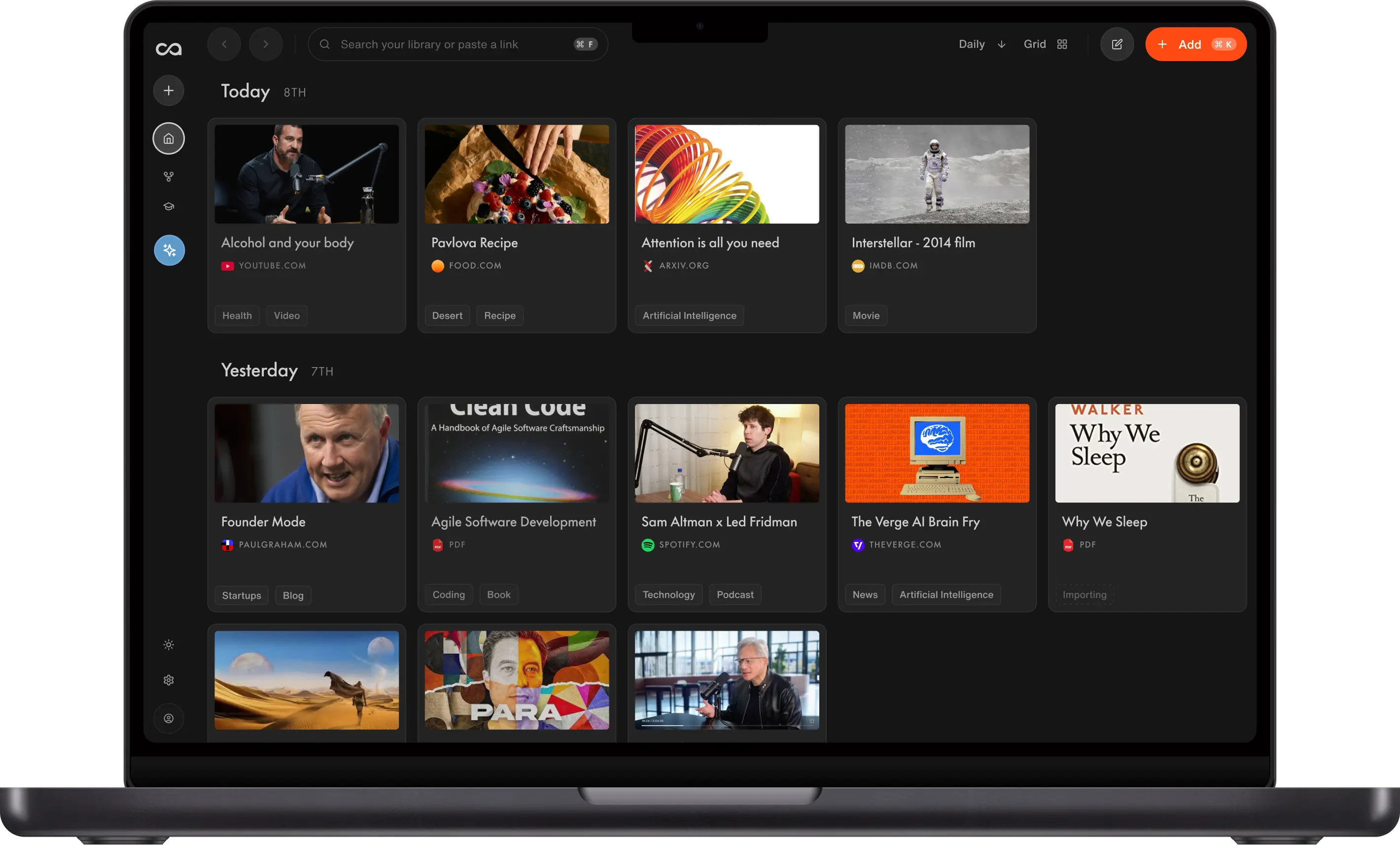
Recall saves YouTube summaries into a knowledge base you can search, revisit, and chat with, alongside everything else you save.
Save Hours
Choose concise or detailed summaries for videos with transcripts up to 10 hours, or videos without transcripts up to 5 hours, then jump back to exact moments with clickable timestamps.
Automatic Organization
Every saved YouTube summary is tagged and connected automatically, so useful ideas stay easy to find later.
Chat Across All Your Videos
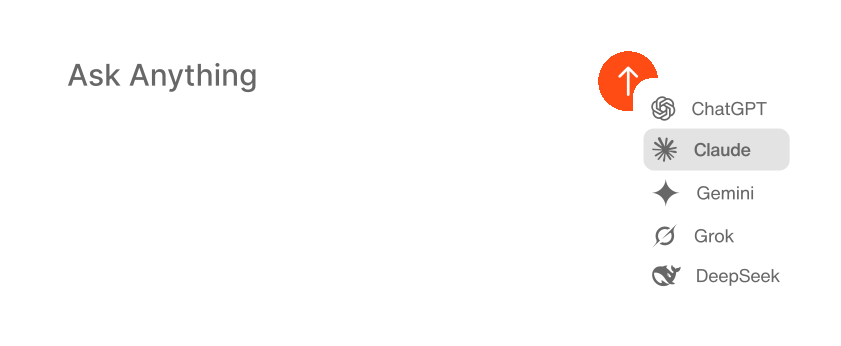
Ask questions across your entire video library, selected sources, or the internet when you need fresh context.
Works Where You Browse
Summarize from the browser extension, web app, or mobile apps whenever you find a video worth keeping.
One Knowledge Base
Save YouTube videos alongside articles, podcasts, PDFs, web pages, and notes in one personal knowledge base.
Remember More
Turn passive watching into active learning with saved notes, quizzes, and spaced repetition.
SIDE BY SIDE
Recall vs. Basic YouTube Summarizers
Most summarizers stop at a one-off answer. Recall turns every useful video into part of your long-term learning system.
Need a quick YouTube summary first?
Use the free YouTube video summarizer for a one-off recap, then come back to Recall when you want to save, search, and chat with your videos.
| Feature | Recall | Basic YouTube Summarizer |
|---|---|---|
| Workflow | ||
Best for | Learning from videos over time and building a searchable knowledge base | Getting a quick one-off recap |
Video support | Summarizes YouTube videos with transcripts up to 10 hours long, and videos without transcripts up to 5 hours long | Often limited by transcript length or short-form use cases |
| Usage | ||
Monthly video summaries | Unlimited video summaries on paid plans, with 10 free video summaries per month on the free plan | Free limits vary, and many tools cap summaries, video length, or exports |
| Output | ||
Summary depth | Concise or detailed summaries depending on how much context you need | Usually a single summary format |
Follow-up questions | Chat with the video summary and your wider library | Typically limited to the pasted video or transcript |
| Knowledge base | ||
Saved history | Every summary is saved, searchable, and organized automatically | Summaries are often temporary or manually copied elsewhere |
Connections | Links YouTube ideas with articles, PDFs, podcasts, notes, and other videos | No persistent connections across sources |
Retention | Built-in quizzes and spaced repetition help you remember what you watched | No memory workflow after the summary |
| Access | ||
Where it works | Browser extension, web app, iOS, and Android | Usually a single website or extension |
Scroll horizontally to compare all columns.
Quick comparison: choose a basic summarizer for a disposable recap; choose Recall when you want video summaries that stay searchable, organized, and connected to the rest of your knowledge.
See the full comparison of the best YouTube video summarizers
USER REVIEWS
What real users say
Recall is trusted by students, professionals, and creators around the world.
“Recall is the top-ranked tool. It functions as a personal knowledge base that connects and organizes content from YouTube videos, articles, PDFs, and podcasts. It builds a web of connected content over time and gets smarter the more you use it.”Watch the review

Jake Dawson
AI Automation Educator
“Recall is my favorite YouTube video summarizer.The summaries are clear and useful, it automatically creates category folders and organizes videos by topic, and the graph feature connects videos based on shared concepts. It even turns summaries into flashcards to help you remember what you learn.”Watch the review

Artturi Jalli
Founder of Codingem
“Recall automatically creates category folders, sorts saved videos by topic, and connects them based on key concepts so you can visualize how everything fits together. Its concise, actionable summaries make it a favorite among YouTube summary tools.”Watch the review

Joseph Chandler
Productivity & AI Creator
“Recall has revolutionized how I manage information! As a power user, its AI-driven summarization and storage capabilities have boosted my productivity tenfold, allowing me to effortlessly access and recall key details whenever I need them.”

William Peltier
Senior Director at Moody's
“I use Recall every day. It helps me quickly condense important information from thought leadership articles and educational YouTube videos. It's great to have a place where I can easily store this information knowing that I will come back to it again in the future. I've greatly developed as a founder and leader thanks to Recall.”

Jason Patel
Co-founder at Open Forge AI
“I run two parallel careers, which means staying current across rapidly evolving topics. Recall is the front door to my entire knowledge workflow.”

Fernand
Head of Technology
Frequently Asked Questions About YouTube Video AI Summaries
Looking for more? Visit our full FAQ for more detail.
Ready to Get Started?
Save, summarize and chat with your content.
No credit card required · 30 Day Refund on Premium · 24 Hour Support