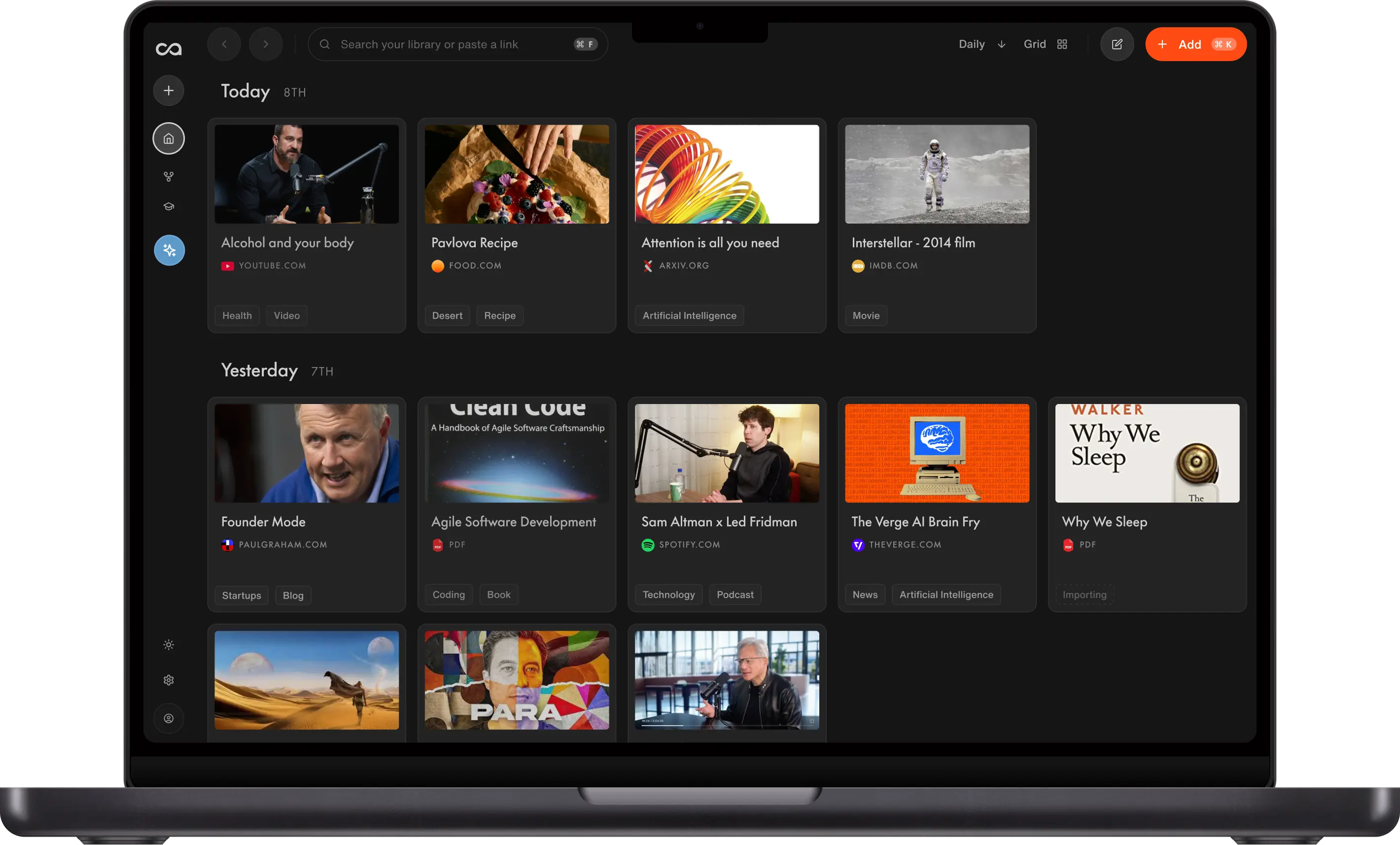
To write a book with AI without losing your voice, write your own ideas first and use Recall, an AI knowledge base for research and writing, for everything around them. Recall saves and summarizes your sources, finds who agrees and who disagrees with you, links every claim back to its source, and lets you write your book right next to your research. You stay the author.
Most AI book writing tools promise to write the book for you. You type a few keywords and get a manuscript back. That gets you a book that says what the AI thinks you want to hear, not what you think. Recall, an AI knowledge base for research and writing, works the other way round. It helps with everything around your ideas and leaves the ideas to you.
"I wrote the book with AI, but not by AI. That's the big difference."
Fernand Schroell, author of Human, Power, Machine
This guide shows you how to use Recall step by step, from saving and summarizing your sources to finding who agrees and who disagrees with you, checking every quote against its source and drafting right next to your research. AI does the heavy lifting, and every argument, example and opinion stays yours. It is a way to lean on AI without losing yourself.
The steps follow a real example, author Fernand Schroell, a telecom engineer of more than 30 years who now advises businesses on adopting AI. He used Recall to research and fact-check his 107-page nonfiction book, Human, Power, Machine.
Watch Fernand's full workflow
Fernand walks through the whole process with Nicole from the Recall team.
- 2:17 Writing a book with AI, not by AI
- 6:45 Start with your thesis, then ask who disagrees
- 15:50 Following the timestamp to the source
- 23:59 Recall vs NotebookLM
- 29:29 Fact-checking the whole book in one prompt
Who is this AI writing and research guide for?
This guide is for anyone writing a book that rests on research and who wants help from AI without handing over their voice. It works best for:
- Nonfiction authors writing essays, business books, or memoir with research behind it.
- Experts and consultants turning years of talks, interviews and client work into a book, as Fernand did.
- Researchers and academics whose argument has to stand up to what others have said.
- First-time authors who know what they want to say but do not see themselves as strong writers.
Fiction writers can use the same steps for research, worldbuilding and continuity checks. If you want AI to generate a finished manuscript from a prompt, this guide is not for you.
Can AI write a book for you?
AI can generate a whole book from a prompt, but the result reads like everyone else's AI writing and carries no point of view of your own. It can also invent quotes and facts. AI is far more useful for the parts of writing a book that eat your time, like research, structure, checking and polishing. An AI knowledge base like Recall handles that side of the work from the sources you saved, with citations, while the arguments stay yours.
Fernand's worry was that AI is very good at telling appealing stories. "You find it very appealing and finally you write a book what AI told you to do," he said. "So you are the slave of AI." His rule was that AI can challenge you, but it never puts words in your mouth.
What you need to write a book with AI
You need a place to keep every source you research, an AI that answers from those sources rather than just the open web, and a place to write. Recall covers all three in one tool, which is why it sits at the center of this workflow.
The research AI matters most. A book draws on far more than web pages, so look for one that:
- Handles every kind of source you research. Videos, podcasts, PDFs, articles and your own notes, not just text you paste in.
- Transcribes video and audio. A two-hour interview is only useful if you can search what was said in it.
- Cites its sources. Every answer should link back to the source it came from, down to the timestamp in a video or podcast. Without citations, you cannot tell a real quote from an invented one.
Here is each job in the workflow, the steps it covers, what AI does and which tools to use.
| Job | Steps | What AI does | Tools to use |
|---|---|---|---|
| Write your theses and your draft | 1, 6 | Turns your dictation into text you can edit. The ideas stay yours | Recall's block-style editor, with Wispr Flow for voice-to-text |
| Keep your sources | 2 | Saves, transcribes and summarizes videos, podcasts and PDFs | Recall's knowledge base |
| Research your theses | 3 | Finds who agrees and who disagrees with each thesis, with citations | Recall's chat, or Claude or ChatGPT through Recall's MCP server |
| Check quotes and claims | 4, 8 | Takes you to the exact moment a quote was said and checks the manuscript against your sources | Recall's chat and Recall's MCP server |
| Structure the book | 5 | Suggests an order for your theses | Recall's editor, or NotebookLM (now Gemini Notebook) |
| Polish the text | 7 | Corrects and smooths the text without changing the meaning | Recall's chat with a writing persona, or any AI writing tool |
What is Recall?
Recall is an AI knowledge base for research and writing. Its tagline is "Save what matters. Write what you think." You save content from anywhere in one click, Recall summarizes it, organizes it for you and connects it to everything else you have saved, and you can chat with your whole library. You can also write in Recall. Its notebook is a block-style editor, so your notes, outline and chapters sit right next to the sources behind them. More than 700,000 people use it.
For a book, that means your research and your writing live in one searchable library instead of in browser tabs, bookmarks and half-remembered podcasts. Recall saves:
- Video and audio: YouTube videos and Shorts, Apple Podcasts and Spotify episodes, TikTok.
- Documents: PDFs (up to 2,000 pages), EPUBs, Google Docs and Slides, images, text and Markdown files.
- The web: articles, blogs, news, Wikipedia, and posts from X, Reddit, LinkedIn, Instagram, Facebook and Threads.
- Your existing notes and saves: imports from Notion and Obsidian (Markdown), browser bookmarks, Pocket and CSV files, on paid plans.
You save with the browser extension (Chrome, Safari, Edge and Firefox), the iOS and Android apps, or by pasting a link. Every video and podcast summary comes with timestamps, which matters later when you check quotes. The full list is in Recall's supported content docs.
How to write a book with AI, step by step
Step 1: Write down your theses before you ask AI anything
Start with your own position, on paper, before you open any AI tool. Fernand wrote each thesis with the story he wanted to tell, an argument, an example and a counterargument. One of his was "intelligence is not consciousness, so humans will not become obsolete."
"You need to lead and guide and then the tool works for your argument and not the other way around."
This is the step most AI book writing guides skip, and it is the one that keeps the book yours. In Recall, your theses live in a note next to the sources you will test them against, so your own position is in your library before any AI answer is. Recall's guide to AI for writing in your own voice covers this step in more detail.
Step 2: Save every source in one place
Save everything you read, watch or listen to on your topic as you go, not when you sit down to write. Recall generates a summary of each source, and a transcript for videos and podcasts, so you do not have to finish a two-hour podcast to know what is in it. The AI extension saves any article, video or podcast in one click from the page you are on.
Fernand's library was not built for the book. He had been saving AI talks, interviews and podcasts for his consulting work for months. About 90% of it is YouTube; the rest is podcasts, research PDFs and the odd social post. It now holds more than 4,000 cards.
"There are some very interesting discussions and podcasts, they are like one and a half hour or two. How can I really listen to everything? It's impossible."
Recall organizes each source for you as you save it, and you can group sources by project or theme. That lets you aim your questions at exactly the right part of your library later.
Install the Recall browser extension
One click saves any page with an instant AI summary, automatic tags, the original transcript, connections to related cards, and a fully editable notebook synced to your knowledge base.
Step 3: Research with AI by asking who agrees and who disagrees
Take each thesis to your library and ask who else sees it this way, what their argument is, and who disagrees and why. Recall's chat answers across everything you have saved, not just one document, so a podcast from last year and a paper from last week can show up in the same answer.
Three things make the answers more useful:
- Answer from your library, the web or both. Recall can answer only from the sources you saved, check your library first and fill gaps from the web, or search the web alone.
- Focus on one part of your library. Point the chat at specific sources, tags or folders. Fernand limited his chat to the 2,384 cards in his library about AI.
- Follow the citations. Every claim links back to the card it came from, so you can see which source said what.
Fernand found that the disagreements were the most useful part. Recall also surfaced points he had never considered, and he followed those up. "My questions led to answers on even related topics and in those answers there were points I hadn't thought about at all," he said.
"Only stubborn people never change their mind. My father always used to say."
Step 4: Check every quote at its original timestamp
A summary is not a source. Before a quote goes into your book, go back to what the person actually said.
Recall makes this fast. Answers about videos and podcasts point to the exact timestamp, and you can play that moment inside Recall. Fernand asked who expects AI to cost jobs. Recall surfaced an interview with Geoffrey Hinton he had saved in November 2025. At 8 minutes 56 seconds, Hinton says "to make money, you're going to have to replace human labor." Fernand listened to it, and the idea went on page 44 of the book.
"A summary can shorten things, but a quote in my book has to be what they really said."
Step 5: Outline the book
With your theses tested, put them in order. Fernand used NotebookLM to load the heavier scientific material (books, studies, papers) and to suggest a structure that fit all of his theses into one book in a logical order.
If you outline in Recall, the outline sits in the same notebook as your research, next to the sources behind each thesis.
Set a length boundary here too. Fernand aimed for about 100 pages. His long draft ran to about 130 pages, and he cut it to 107 by removing anything that did not support a thesis.
Step 6: Draft in your own words
Write or dictate the draft yourself. Fernand doesn't type. He dictated every chapter, with his own examples, opinions and stories. The raw dictation was often a brain dump, but it was his.
If you draft in Recall, you write in a block-style editor with headings, lists, callouts, quotes and tables, right next to your research. You can link each chapter to the notes and sources behind it, and save useful chat answers straight into your notebook, where they stay searchable and future chats can use them.
Step 7: Polish with AI, then check the meaning did not change
Once a chapter is mostly done, use AI to correct and smooth the text. Then read it against your original and make sure the polishing never changed what you meant. Fernand calls this the line that keeps "the human in the loop."
If you use Recall's chat for editing, a writing persona saves your tone and rules, so every edit follows your voice and you do not repeat your rules in every prompt.
"I was never good in writing... but I know exactly what I want to say. And even if it's reformulated, I can recognize whether it's still my story or not."
Step 8: Fact-check the whole book against your sources
When the manuscript is finished, save it to your library and check it against your sources. Fernand's book became a card in Recall. He ran one prompt in Recall's chat, limited to his 2,384 cards about AI, asking it to find the theses in the book and who disagrees.
About three minutes later he had 14 theses, close to the ones he wrote down before he started, and real counter-voices for 12 of them.
He then ran a slower check one thesis at a time through Recall's MCP server, which lets AI assistants like Claude and ChatGPT search your Recall library directly. That pass found one contradiction he had missed, a small tension between the beginning and the end of his own book.
Tips for writing a book with AI without losing your voice
- Lead with your position. If you go in with no stance, the AI will hand you one.
- Ask for the opposite. Counterarguments make the book stronger and prepare you for readers who disagree.
- Keep sources and drafts in one place. Your research, your notes and your manuscript should be searchable together.
- Check before you quote. Follow every citation back to the original.
- Cut ruthlessly. More research tempts you to add more. Keep only what supports your theses.
As Fernand puts it, "Collect early, know your own position and ask for the opposite."
About Fernand and Human, Power, Machine
Fernand is based in Germany, where he works with small and medium-sized businesses. Human, Power, Machine is an essay on why humans will not become obsolete in the age of AI. It runs to 107 pages in print, with seven chapters and a conclusion, in English and German. Reader feedback later became a nine-episode audiobook in which a skeptic and an optimist put readers' objections to him.
Recall or NotebookLM for writing a book?
Fernand used both, for different jobs. NotebookLM (now called Gemini Notebook) was where he loaded large scientific sources and worked out the book's structure. Recall held the talks, interviews and podcasts he used to challenge and check his theses.
The practical difference for a book is scale. Google's help page lists a cap of 50 sources per notebook on Gemini Notebook's free plan, rising to 600 on its top Ultra plan. Recall's plans include unlimited saves (subject to a fair use policy on paid plans), so Fernand's library of more than 4,000 cards sits in one place he can query at once.
To be fair, Gemini Notebook does things Recall does not, like creating slides and exportable audio overviews. Fernand still uses it for those. "For writing a book and the research behind it, if Recall had had back then what it has today, I would probably have done all in Recall," he said. "That's my personal opinion. Others might see differently."
Start your book with your own ideas
Fernand's book, Human, Power, Machine, is on Amazon.
If you want your research, notes and drafts in one place, with an AI that answers from the sources you saved, try Recall free.
FAQs
Writing a book with AI
Ready to get started?
Save, summarize and chat with your content.
No credit card required · 30 Day Refund on Premium · 24 Hour Support