Summarize a book
A book summarizer that lets you chat with the book and take notes as you read.
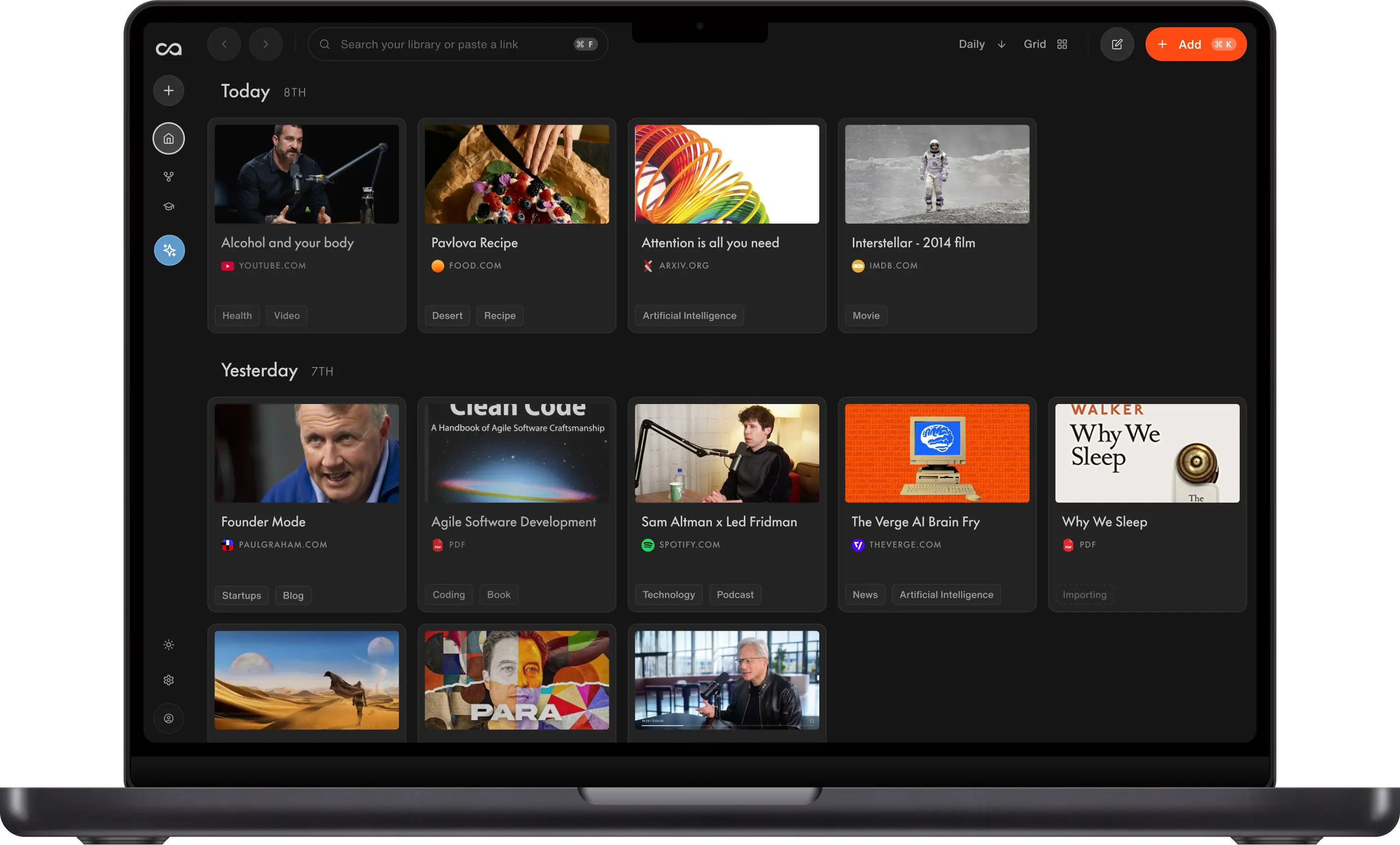
Upload an EPUB or a PDF, and Recall generates a structured summary of the book. Read the full text in the app with your notes beside it, and ask a question about any chapter.
Trusted by 700,000+ professionals







How to summarize a book with AI in Recall
To summarize a book with AI in Recall, upload the EPUB or PDF, or share it from your phone. Recall reads the text, generates a summary you can save to the notebook, and keeps the book so you can chat with it or ask about one chapter. EPUBs can be up to 20 MB.
Add the book file
Upload an EPUB or a PDF, or share the file from your phone. Recall saves the book and reads the text, using OCR on scanned pages.
Get the summary
Choose a summary type and save it to your notebook. For a single chapter, ask the chat to summarize it. Recall keeps the book, so you can check the summary against the text.
Chat, take notes, or review
Ask questions about the book or across your whole knowledge base, and take your own notes next to the book as you read. Turn it into quiz questions, or listen to the summary.
See how Recall summarizes a book
Upload a book file, and Recall generates a summary you can chat with. Recall keeps the book.
3 ways to add a book and get an AI summary
Upload the file, share it from your phone, or save an online PDF.
Upload an EPUB or PDF
Open the web app, where Add Content is already open. Upload an EPUB or a PDF of the book from your computer.
Share the file from your phone
On iPhone or Android, share an EPUB or PDF to Recall from the share menu. If Recall is missing the first time, tap More and turn it on. Share one file at a time.
Click the extension on an online PDF
Open a PDF of the book or chapter in Chrome, Edge, Firefox, or Safari and click the Recall AI extension. One click saves the PDF you are on and summarizes it.
What Recall can summarize
A book as an EPUB or a PDF, a textbook, or a single chapter. Recall saves each one.
An EPUB book
Upload the EPUB. Recall summarizes the file you have, not a book looked up by title. DRM-protected EPUBs are not supported.
A PDF of a book
Upload a PDF, or click the extension on one online. Scanned pages are read with OCR, so the text is searchable too.
A textbook or one chapter
Upload the textbook, or a PDF of just the chapter. Ask the chat for a summary of one chapter, or turn it into quiz questions to study.
What Recall does with a saved book
Summarizing is the first step. Recall then keeps the book and builds on it. Recall's supported content
Recall saves the book
Recall saves the book in your second brain, with everything else you keep.
Recall summarizes the book
Choose a summary type and save it to your notebook. Listen to it, or turn the book into quiz questions. Recall keeps the original file.
Scanned pages become text
Image-heavy and scanned pages are read with OCR, so you can search them like any other text.
Recall organizes the book
Recall organizes the saved book for you, so the summary lives with everything else in your second brain.
Chat with the book
Ask what the argument is, or ask across several books you saved. The answer comes from what you saved.
Recall connects the book
Recall links the saved book to related saves on the same idea.
Recall vs other book summarizers
Recall vs a typical online book summarizer
Many online book summarizers work from a title and give you a recap. Here is how Recall compares on what it summarizes, limits, chat, and price.
| Feature | Recall | Typical online book summarizer |
|---|---|---|
| Capture | ||
What it summarizes | The EPUB or PDF you upload, not a title lookup | Often a summary generated from the title and author |
After the summary | Recall keeps the book in your knowledge base | Often just the summary, then the tab closes |
Scanned books | Read with OCR, except scans over 400 pages | Varies by tool, and some skip scans |
| Memory | ||
One chapter at a time | Ask the chat to summarize a single chapter | Varies, and some summarize only the whole book |
Chat with the book | Ask about this book or across your whole knowledge base | Varies, and usually limited to the one file |
Finding it later | Search the book with everything else you saved | Only if you copied the text yourself |
| Limits | ||
File size | EPUB up to 20 MB, PDF up to 250 MB and 2,000 pages | Varies, and often a lower cap on the free tier |
DRM-protected books | Not supported. Upload a DRM-free file you own | Varies by tool |
| Value | ||
Price to start | Free to start, with unlimited saves and 10 AI summaries a month | Varies, and many cap or charge per use |
Scroll horizontally to compare all columns.
Why people make Recall part of their day
“Think of it as a library of everything you've read and watched, with an AI sitting on top that has read it too. Recall makes that easier than anything else we tried.”

“Recall works the way your brain works! Perfect for deep research or growing your knowledge on any topic.”
“I love [Recall’s] interface, its speed, and its overall user experience… it is scratching my web-hoarding itch unlike anything else has quite been able to do to date.”

“One of my favorite AI apps is Recall. I've used it constantly for almost a year to manage and transcribe all the videos we create and work with. It's the kind of AI app that's just become part of my daily workflow, the highest compliment you can pay a piece of software.”

“After just a few months, Recall has become one of my most-used apps on both desktop and mobile. Frankly, I'd rather give up Microsoft Word than Recall.”

“I've tried practically every AI tool out there, and Recall is among the very few that I've actually found myself using. It has completely changed the way I study.”

“I didn't expect much from Recall. But it completely blew me away. It does everything NotebookLM does and also fills in all its shortcomings.”

“I run two parallel careers, which means staying current across rapidly evolving topics. Recall is the front door to my entire knowledge workflow.”

Fernand
Head of Technology
“Recall has revolutionized how I manage information! As a power user, its AI-driven summarization and storage capabilities have boosted my productivity tenfold, allowing me to effortlessly access and recall key details whenever I need them.”

William Peltier
Senior Director at Moody's
“I use Recall on a daily basis to cultivate and build a hand-picked database of information. The end result is like having a personalized AI loaded with sources pre-screened for quality.”

Roses
Human Rights Worker
“I use Recall every day. It helps me quickly condense important information from thought leadership articles and educational YouTube videos. It's great to have a place where I can easily store this information knowing that I will come back to it again in the future. I've greatly developed as a founder and leader thanks to Recall.”

Jason Patel
Co-founder at Open Forge AI
“I've been building several second brains for years and whenever I see a new way to do it, I don't like changing because my other systems already work. But I'm always willing to try because you never know which one would be a drastic improvement on what you're already using. Recall is one of them.”

Dave Katague
AI Educator
“Recall has become an essential part of how I learn, think, and explore the world.”

Maire
Student, Data Analyst