7 Best MyMind Alternatives in 2026, Ranked by Use Case
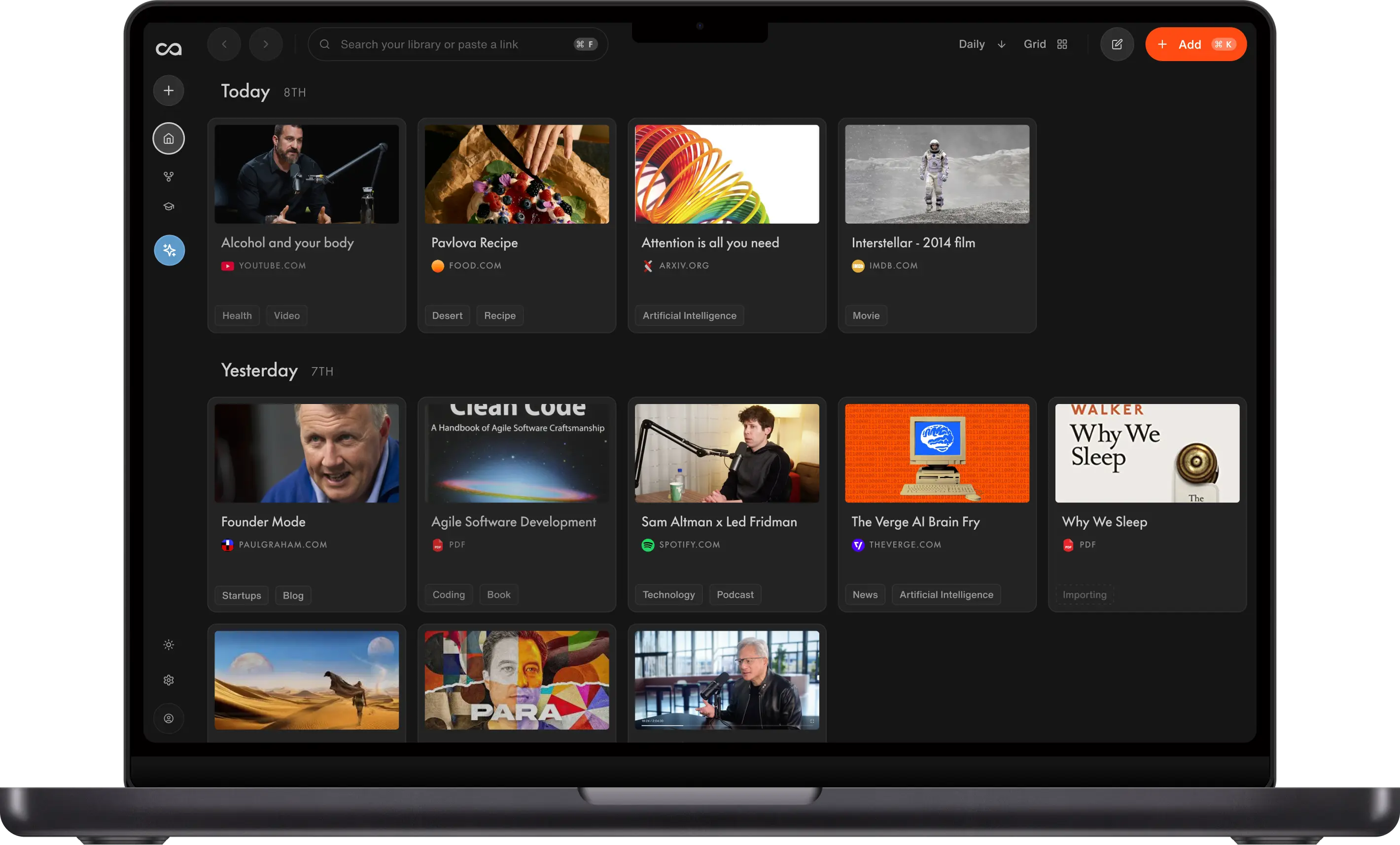
MyMind is a calm visual inbox; it does not turn long-form saves into knowledge you can query. We ranked seven alternatives by how knowledge compounds after the save: Recall for a personal AI knowledge base you can chat across from your own notes and long-form saves, Raindrop.io for visual bookmarks, Matter for reading later, and Capacities for connected notes.
Last updated: August 2026
What are the best MyMind alternatives?
The best MyMind alternatives in 2026 are Recall for a personal AI knowledge base you can chat across from your own notes and long-form saves, Raindrop.io for visual bookmarks, Matter for reading articles later, Capacities for connected personal knowledge, Notion for customizable workspaces, Obsidian for local notes, and Mem for AI-organized work notes.
MyMind is a visual, AI-organized space for bookmarks, images, quotes, and inspiration. It works well when you want to save something beautiful or interesting without deciding where it belongs first. But the best replacement depends on whether your saved material is meant to inspire you, help you read later, support active research, or become knowledge you can retain and use.
Choose Recall for learning from what you save. It is not a moodboard replacement: Recall is designed for long-form articles, YouTube videos, podcasts, and PDFs, with AI summaries, chat, and spaced repetition. Keep MyMind for visual inspiration, aesthetic references, and quote collecting. Choose one of the alternatives below when your saved content needs a more specific workflow.
What to use when
- Recall if you save articles, videos, podcasts, and PDFs to learn and remember, not just revisit.
- Raindrop.io if you want a flexible visual bookmark manager with collections, tags, and link management.
- Matter if your inbox and browser tabs are full of long-form reading you want to finish later.
- Capacities if saves need to become connected notes and typed objects such as books, people, and ideas.
- Notion if you want to build a custom database or shared inspiration workspace with your team.
- Obsidian if you prefer local Markdown files, backlinks, and deep customization.
- Mem if you want quick AI-organized work notes around meetings and daily ideas.
- MyMind if your main goal is a calm, visual home for inspiration, quotes, and aesthetic saves.
Get started with Recall for free
See why Recall is the best MyMind alternative: turn articles, videos, podcasts, and PDFs into knowledge you can search, chat with, and remember.
Best MyMind alternatives compared (2026): ranked by knowledge type, how knowledge compounds, AI features, and the main tradeoff.
| Alternative | Best for | Knowledge type | How knowledge compounds | AI features | Main tradeoff |
|---|---|---|---|---|---|
| Recall | Personal AI knowledge base | Articles, videos, PDFs, notes | Summaries, graph, and chat across the library | Summaries, chat across sources or the web, and MCP | Not a moodboard; weaker visual inspiration |
| Raindrop.io | Visual bookmark management | Bookmarks, links, and collections | Collections, tags, and search you maintain | Stella AI on Pro | Filing stays manual |
| Matter | Articles and newsletters | Articles and newsletters | Reading queue, highlights, and audio | Highlights and in-document AI | Value still depends on finishing |
| Capacities | Object-based personal knowledge | Typed objects, notes, and sources | Objects, backlinks, and a graph you design | AI assistance on objects you maintain | You still structure the system |
| Notion | Custom workspaces and databases | Pages and databases you design | Templates and Notion AI inside pages you maintain | Notion AI on pages you maintain | You still build and file the system |
| Obsidian | Local Markdown knowledge bases | Local Markdown files | Links, graph, and plugins you add yourself | Plugins or a DIY Claude/MCP setup | You build the capture and AI stack |
| Mem | AI-organized work notes | Meetings and work notes | Auto-organization and chat on work notes | Auto-organization and chat on work notes | Not a web, video, and PDF library |
| MyMind | Visual inspiration and aesthetic saves | Images, quotes, links, and clips | Visual browsing and AI-assisted discovery | AI tagging and visual discovery | Long-form saves stay unqueryable |
Scroll horizontally on small screens. Verify current plan limits and pricing on each vendor's site.
For the head-to-head comparison, see Recall vs MyMind.
What is MyMind?
MyMind is a private visual bookmarking app for saving images, links, quotes, articles, and notes. Instead of asking you to maintain folders and tags, it emphasizes AI-assisted organization and a visual browsing experience. People often use it like a personal Pinterest board for ideas they want to keep nearby.
Main features of MyMind
- Visual saves: Save images, websites, quotes, notes, and articles in one library.
- AI-assisted organization: Find saved items without relying only on manually maintained folders.
- Image and text search: Search across visual references and saved text.
- Minimal interface: Browse a calm feed rather than a dense database or project dashboard.
- Private library: Keep personal references separate from public social networks.
MyMind use cases
MyMind is a good fit when your collection is primarily about taste and inspiration:
- Design references: Interfaces, typography, color palettes, and product inspiration.
- Creative research: Art, photography, fashion, interiors, and campaign references.
- Quote collecting: Lines from articles, books, and the web worth returning to.
- Shopping and wish lists: Products, recipes, travel ideas, and gifts.
- Personal inspiration: Links and images you want to browse visually without turning them into a project.
MyMind limitations and why people look for alternatives
- Not built for active learning: A saved lecture, research paper, or podcast does not automatically become a study workflow.
- Limited long-form reading focus: People who regularly save articles and newsletters may want a more dedicated read-it-later experience.
- Less structure for knowledge work: Complex projects, source notes, and reusable research benefit from backlinks, databases, or typed objects.
- Visual-first tradeoff: The visual approach is appealing for inspiration but can be less efficient for a large library of text-heavy material.
- Not a team workspace: Shared editing, operational databases, and project collaboration are stronger in tools designed for them.
7 best MyMind alternatives in detail
1. Recall
Recall is best for: people who want a personal AI knowledge base to learn, research, and remember from long-form content, rather than collect visual inspiration.
Recall turns articles, YouTube videos, podcasts, and PDFs into a knowledge library. When you save something, it can be summarized, connected to related material, and available to ask about later. Its spaced repetition workflow is especially useful when a save contains information you want to retain rather than simply revisit.
Recall features:
- One-click capture: Save articles, YouTube videos, podcasts, PDFs, and notes.
- AI summaries: Get structured summaries of the content you save.
- Library-wide chat: Ask questions across your saved knowledge with source context.
- Automatic organization: Surface relationships between related content without filing everything by hand.
- Spaced repetition: Review important ideas over time to strengthen recall.
Recall pricing: a free plan is available, with paid plans for expanded AI features and usage. Check current pricing on the Recall website.
Knowledge type: Articles, YouTube, podcasts, PDFs, and notes in one library.
How knowledge compounds: Summaries, automatic tags, a knowledge graph, and library-wide chat make long-form saves queryable. Tradeoff: it is not a moodboard and is weaker for visual inspiration.
Recall vs MyMind: Recall is better for building understanding from research and long-form media. MyMind is better for browsing visual inspiration, collecting quotes, and keeping aesthetic references in a moodboard-like library.
Go deeper: Full MyMind alternative comparison: Recall vs MyMind
2. Raindrop.io
Raindrop.io is best for: people who want a dedicated bookmark manager with visual collections, tags, and more explicit organization than MyMind.
Raindrop.io is a practical home for bookmarks at scale. You can organize saves into collections, apply tags, search your library, and view links with images and previews. It suits people who want the visual appeal of MyMind but also want stronger control over how links are filed, shared, and maintained.
Raindrop.io features:
- Collections and nested folders: Group links by project, topic, or interest.
- Visual bookmark views: Browse links using rich previews and cover images.
- Tags and search: Retrieve bookmarks with manual labels and full-text search.
- Browser and mobile capture: Save links from the places you already browse.
- Sharing options: Share selected collections with collaborators or clients.
Raindrop.io pricing: a free plan is available; paid plans add features such as full-text search and duplicate or broken-link management. Verify current plan details on the Raindrop.io website.
Knowledge type: Bookmarks, links, and visual collections.
How knowledge compounds: Collections, tags, and search you maintain. Tradeoff: filing stays manual and there is no library chat.
Raindrop.io vs MyMind: Raindrop.io is better when bookmarks are a system you want to organize and maintain. MyMind is better when you prefer a less structured, more ambient visual library.
3. Matter
Matter is best for: people who save a lot of articles and newsletters and want a focused reading experience.
Matter is a read-it-later tool for turning a stream of interesting writing into a manageable reading queue. It fits when your MyMind saves are mostly text you intend to read carefully, not images or references you browse visually. It can also help centralize newsletter reading away from an already crowded inbox.
Matter features:
- Read-it-later queue: Save web articles for a cleaner, distraction-reduced reading experience.
- Newsletter inbox: Bring selected newsletters into the reading workflow.
- Highlighting and notes: Mark useful passages as you read.
- Audio-friendly reading: Listen to saved writing when reading is inconvenient.
- Sharing: Send useful articles and highlights to others.
Matter pricing: Matter offers free access with paid features and limits that can change. Check the Matter website for current pricing.
Knowledge type: Articles and newsletters in a reading queue.
How knowledge compounds: Highlights, notes, and audio after you finish reading. Tradeoff: value still depends on completing the queue.
Matter vs MyMind: Matter is better for completing and annotating long-form reading. MyMind is better for serendipitous visual browsing, image saves, and mixed inspiration.
4. Capacities
Capacities is best for: people who want saved material to grow into a connected personal knowledge system.
Capacities organizes knowledge around object types such as people, books, meetings, and ideas. Rather than treating every save as an isolated bookmark, it helps you connect a source to the things it is about. That makes it a stronger fit than MyMind for research projects, reading notes, and a personal knowledge base you expect to build on.
Capacities features:
- Object types: Create structured entries for people, books, ideas, and other recurring concepts.
- Backlinks and connections: Link notes and references through their shared context.
- Daily notes: Capture ideas in a time-based workspace.
- Graph views: Explore relationships across your knowledge.
- Web capture: Bring selected web material into your object-based library.
Capacities pricing: a free plan is available, with paid plans for advanced features and AI usage. See the Capacities pricing page for current details.
Knowledge type: Typed objects, notes, and sources.
How knowledge compounds: Objects, backlinks, and a graph you design. Tradeoff: you still structure the system.
Capacities vs MyMind: Capacities is better for building an intentional, connected knowledge base. MyMind is better for effortless visual collecting where you do not want to decide how each item should relate to the rest.
5. Notion
Notion is best for: people who want to turn inspiration and bookmarks into a custom workspace, database, or shared project hub.
Notion gives you a flexible canvas for building galleries, reading lists, research databases, and team wikis. A visual gallery database can approximate a MyMind-style board, while properties and views let you track far more detail. The tradeoff is setup: you decide the structure, tags, templates, and maintenance yourself.
Notion features:
- Database views: Build galleries, tables, boards, calendars, and lists from the same collection.
- Custom properties: Track sources, status, themes, owners, and more.
- Pages and blocks: Write notes alongside links, images, and embeds.
- Collaboration: Share collections, comment, and manage access with a team.
- Templates: Start from community templates for reading lists, design libraries, and research.
Notion pricing: a free personal plan is available, with paid plans for collaboration and expanded features. Check current pricing on the Notion website.
Knowledge type: Pages, databases, and galleries you design.
How knowledge compounds: Templates, properties, and Notion AI inside the workspace you maintain. Tradeoff: capture and filing stay mostly manual.
Notion vs MyMind: Notion is better for shared, structured collections that need metadata and workflows. MyMind is better for personal visual inspiration when a database would feel like unnecessary overhead.
6. Obsidian
Obsidian is best for: people who want a local-first, highly customizable knowledge base made from plain Markdown files.
Obsidian stores your notes in a folder on your device and links them together with backlinks and graph views. It is not a visual inspiration board out of the box, but it can become a powerful research environment for people who want ownership of their files and control over their workflow. Community plugins extend it far beyond basic note taking.
Obsidian features:
- Local Markdown vault: Your notes live as portable files you control.
- Backlinks and graph view: See and navigate relationships between notes.
- Plugin ecosystem: Add workflows for capture, tasks, publishing, and more.
- Canvas: Arrange notes and media spatially for visual thinking.
- Offline access: Work without relying on a hosted workspace.
Obsidian pricing: personal use is free; optional services and commercial use have separate pricing. See the Obsidian website for current terms.
Knowledge type: Local Markdown files you own.
How knowledge compounds: Links, graph view, and plugins you add yourself. Tradeoff: you build the capture and AI stack.
Obsidian vs MyMind: Obsidian is better for durable, text-heavy research and local file ownership. MyMind is better when you want an immediate visual feed without configuring plugins, folders, or a note-taking system.
7. Mem
Mem is best for: people who need to capture work notes, meeting ideas, and writing prompts quickly, then retrieve them with AI.
Mem focuses on reducing manual organization for note-heavy work. It is not a replacement for MyMind's visual browsing, but it can be a better destination for text notes and ideas that need to surface in the context of your week, projects, or meetings. It works best when recall and retrieval matter more than a visual board.
Mem features:
- Fast note capture: Record ideas without deciding on folders first.
- AI-assisted retrieval: Search and ask across notes to recover context.
- Automatic organization: Surface related notes without extensive manual filing.
- Work context: Keep meeting notes, ideas, and ongoing work in one place.
- Writing support: Use AI to help develop and reshape notes.
Mem pricing: Mem offers plans and limits that change over time. Visit the Mem website for current pricing.
Knowledge type: Meetings, calendar context, and work notes.
How knowledge compounds: Auto-organization and chat across work notes. Tradeoff: it is not a lasting web, video, and PDF library.
Mem vs MyMind: Mem is better for text-first work knowledge and fast retrieval. MyMind is better for visual references, images, quotes, and browsing inspiration by feel.
Bottom line
For most people who want their saved articles, videos, podcasts, and PDFs to become knowledge they can use, Recall is the best MyMind alternative in 2026. It is designed for learning retention with summaries, library-wide chat, and spaced repetition, not for replacing a visual moodboard.
Choose Raindrop.io for visual bookmark management, Matter for read-it-later articles and newsletters, Capacities for connected personal knowledge, Notion for customizable shared collections, Obsidian for local Markdown notes, and Mem for AI-organized work notes.
When to keep MyMind
Keep MyMind when:
- You collect visual inspiration more often than research material.
- You want to save quotes, images, links, and aesthetic references without building a filing system.
- Browsing a calm, visual library helps you make creative connections.
- Your collection is private and personal rather than a shared project workspace.
Use a MyMind alternative when your saves need a clearer next step: read them, annotate them, connect them to research, share them, or retain what they teach you.
FAQs
Best MyMind alternative by use case
How to choose a MyMind alternative
About MyMind
Choosing the right alternative
See more tools on the Recall comparison hub or the full comparison table.
Ready to get started?
Save, summarize and chat with your content.
No credit card required · 30 Day Refund on Premium · 24 Hour Support