8 Best Mem AI Alternatives in 2026 (Mem Is Shutting Down)
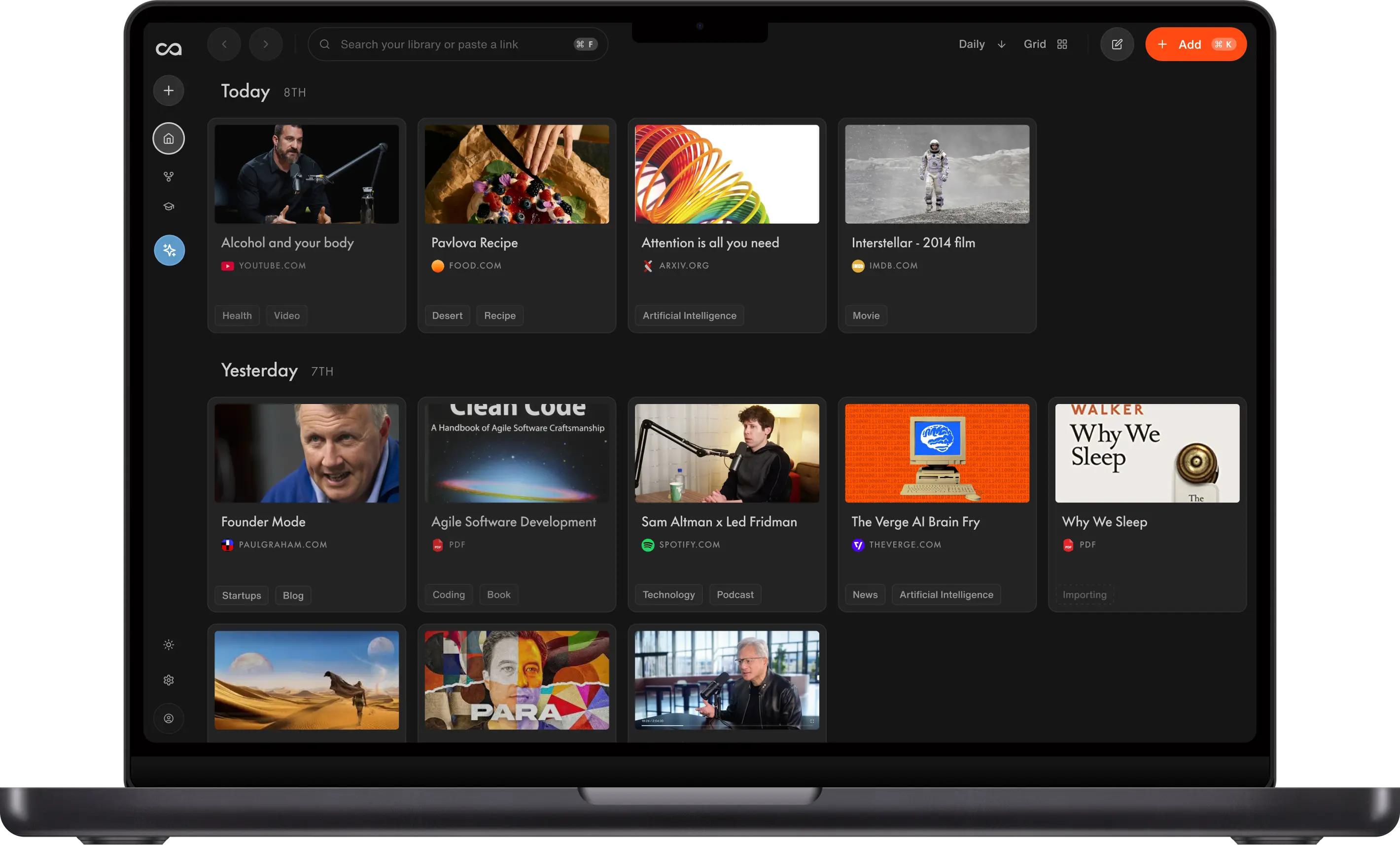
Mem AI is shutting down. This guide compares eight Mem alternatives on what Mem users lose at shutdown, such as the export, dates, collections and AI chat over your notes. Recall ranks first because it imports a Mem export directly, then lets you search and chat with all your notes so you can find what you need.
Last updated: November 2026
What are the best Mem AI alternatives?
The best Mem AI alternatives in 2026 are Recall for searching and chatting with all your Mem notes and everything you save next, Notion for team wikis, Obsidian for local Markdown files, Reflect for daily notes on a Mac, Capacities for object-based notes, Tana for structure and meetings, Evernote for scans, and Fabric for a cloud drive of all your files.
Mem announced on November 16, 2026 that it is closing. Notes become read-only on December 18, 2026, and Mem shuts down on January 15, 2027 (Mem). Mem's export keeps your notes as Markdown files, but its AI search, Mem Chat and related-note suggestions stay behind. So the real question is which app gives that back.
If you only need a safe copy and no AI, Apple Notes or Joplin is enough. Both are covered in Mem's migration guide.
What to use when
- Recall if you want an AI second brain that keeps the way you organized Mem, organizes everything you save next, and lets you search and chat with all of it.
- Notion if you want a shared team wiki with pages, databases and AI on the Business plan.
- Obsidian if you want local Markdown files nothing can shut down, with AI you add yourself.
- Reflect if you want open-source daily notes and backlinks on a Mac, with AI through your own API key.
- Capacities if you want notes as objects like people and books, on a generous free plan.
- Tana if you want structured outlines and meeting notes in one tool.
- Evernote if you want scans, clippings and a familiar notebook app.
- Fabric if you want one cloud drive for your files, notes, links and meetings, with an AI that knows all of it.
What to look for in a Mem alternative
A good Mem alternative takes your Mem export, organizes your notes without manual filing, and lets you search and chat with all of them so you can find what you need. After that, check the price for a library your size and how easy the app is to leave, since Mem users just learned why that matters.
- Takes your Mem export. A direct import keeps created dates, collections and links between notes. A plain Markdown import usually drops some of that.
- Organizes your notes for you. Mem's appeal was not filing anything. Look for automatic tags and connections, not folders you maintain.
- Search and AI chat over everything. You should be able to search every note and ask questions across your whole library, with answers that point back to the source note.
- A fair price for your library. Check what the free plan holds and which plan unlocks the AI.
- Easy to leave later. Look for a full export in an open format such as Markdown.
How the Mem alternatives were compared
Each app was checked against the five points above, in that order of weight.
- Recall was compared from its Mem import guide and pricing page.
- Every other app was compared from its official pricing and product pages.
- Leaving each app was judged from its own export docs, because Mem users just learned how much that matters.
- All facts were checked in November 2026. The other apps were not tested with a real Mem export.
Mem alternatives compared
Prices and plans were checked on the official pages in November 2026.
| App | Takes a Mem export | Organizes notes for you | Search and AI chat over all notes | Free plan | Paid price | Easy to leave |
|---|---|---|---|---|---|---|
| Recall | Yes, dedicated Mem import | Yes, keeps Mem collections and organizes new content | Yes | Yes, 10 AI summaries a month | Plus $10/month, Max $38/month (billed yearly) | Markdown ZIP |
| Notion | Markdown import, Mem has a guide | No, you build pages and databases | Full AI on the Business plan | Yes, with a limited AI trial | Plus $10/seat/month, Business $20/seat/month (billed yearly) | Markdown ZIP |
| Obsidian | Open the folder as a vault | No, folders and links you add | Search yes, AI chat via plugins | Yes, the app is free | Sync $4/month (billed yearly) | Already local files |
| Reflect | No import, copy files into its folder | No, backlinks you add | Yes, with your own API key | Free on Mac | iPhone and iPad $9.99/month or $99/year | Already local files |
| Capacities | Markdown import | No, object types you choose | AI on paid plans | Yes, no AI | Pro $9.99/month (billed yearly) | Markdown ZIP |
| Tana | No Markdown import | No, supertags you set up | Yes, with AI credits | Yes, basic AI | Pro $15/member/month (billed yearly) | Markdown or JSON |
| Evernote | Yes, Mem exports an Evernote file | No, notebooks and tags you add | AI Assistant, Semantic Search | Yes, 50 notes and 1 device | Starter $8.25/month, Advanced $20.83/month (billed yearly) | One notebook at a time |
| Fabric | Folder upload, per Fabric's guide | Partly, adds summaries to each file | Yes | Yes, with storage caps | Plus $8/month, Pro $18/month (billed yearly) | HTML export |
Export details were checked in the export docs for Recall, Notion, Reflect, Capacities, Tana, Evernote, Fabric. Fabric's export leaves out tags, comments and chats.
What Mem's export keeps, and what you lose
Mem's export keeps your notes, attachments and meeting transcripts as files, but the AI layer stays in Mem. You export from Settings → Exports → Start new export → My Computer, which gives you a ZIP (Mem's migration guide).
In the export:
- Every note as a Markdown file
- Images and PDFs
- Collections, as index files
- Meeting transcripts
- Meeting recordings, if you choose them
Not in the export:
- Mem Chat history
- Mem search and Similar Mems, its related-note suggestions
- Mem's saved copy of web clips (only the link comes with you)
- Anything you change after the export
8 best Mem AI alternatives in detail
1. Recall
Recall is best for: Mem users who want AI search and chat back over their old notes, plus everything they save from now on.
Recall is an AI knowledge base for research and writing. You save articles, YouTube videos, podcasts, PDFs and notes, chat with them, and write in the Recall Notebook next to your sources. It has a dedicated Mem import that keeps created dates, collections, links between notes and web clips. Once your notes are in, you can search all of them or ask a question across your whole library, and each answer links back to the card it came from. So you can find what you need when you need it, the way Mem worked. The import is free on every plan until January 15, 2027.
- Takes your Mem export: Yes, a dedicated import that keeps dates, collections, links and web clips.
- Organizes for you: Yes. The way you organized Mem is kept, because collections become tags and links between notes become connections. Everything you save after that is organized for you too.
- Search and AI chat: Search all your notes, or chat across your whole library with answers that link to each card.
- Price: Free with unlimited saves and 10 AI summaries a month. Plus is $10 a month and Max is $38 a month, both billed yearly (Recall pricing). Paid AI use is subject to fair use.
- Easy to leave: Export every card as Markdown in one ZIP from the web app.
- Pros: PDFs become their own cards and web clips become page cards. You keep saving articles, videos and podcasts into the same library and write next to them in the Recall Notebook.
- Cons: Meeting recordings and transcripts come across by name only, so keep the Mem ZIP if you need them. Recall does not record meetings, and it is not local-first.
- Pick something else if: your Mem was mostly meeting notes, or your team needs a shared wiki.
Go deeper: Move your Mem notes to Recall
2. Notion
Notion is best for: teams that want a shared wiki and databases with AI on top.
Notion pairs documents, wikis and databases. Its full AI features, including Notion Agent, AI meeting notes and Enterprise Search, are on the Business plan. The Free and Plus plans include a limited AI trial. In US dollars, Plus is $10 and Business is $20 per seat a month, billed yearly (Notion pricing). Mem's migration guide covers moving notes into Notion.
- Takes your Mem export: Through Markdown import, using Mem's guide.
- Organizes for you: No. You rebuild collections as pages and databases.
- Search and AI chat: Full AI and Enterprise Search on the Business plan only.
- Price: Free with a limited AI trial. Plus is $10 and Business is $20 per seat a month billed yearly.
- Easy to leave: Export the workspace as Markdown and CSV, or as HTML.
- Pros: Strong for structured team knowledge. Mem has an official guide for it.
- Cons: Full AI needs the Business plan. Mem collections need rebuilding as databases.
- Pick something else if: you work alone and mostly want to save and chat with sources. See the best Notion alternatives.
3. Obsidian
Obsidian is best for: people who want their notes as local Markdown files they own.
Obsidian is free and stores notes as files on your computer. Mem's guide says you can open the unzipped export folder as an Obsidian vault. Sync costs $4 a month billed yearly, and Publish costs $8 a month per site billed yearly (Obsidian pricing).
Obsidian plus an AI agent such as Claude is also a common way to rebuild Mem's AI yourself. This is the setup behind Andrej Karpathy's LLM wiki. The agent reads your Markdown files, writes summaries and links between notes, and answers questions, and Obsidian is where you browse the result. Your Mem export becomes the first folder of raw notes, but you write the prompts and maintain the wiki yourself.
- Takes your Mem export: Yes. Open the unzipped folder as a vault.
- Organizes for you: No. You add folders and links, or set up an agent to do it.
- Search and AI chat: Built-in search. AI chat needs plugins or an agent.
- Price: Free. Sync is $4 a month billed yearly.
- Easy to leave: Your notes are already Markdown files on your computer.
- Pros: Free, private, and nothing can shut down your files. Pairs with Claude for a DIY LLM wiki.
- Cons: No built-in AI chat. Getting close to Mem takes community plugins or an AI agent you set up and maintain.
- Pick something else if: you want an LLM wiki without code or upkeep, which Recall builds as you save. See the best Obsidian alternatives for more.
4. Reflect
Reflect is best for: fast daily notes and backlinks on a Mac.
Reflect is now an open-source note app that stores Markdown files in a folder you choose. It is free on Mac and needs a subscription on iPhone and iPad. AI features, such as asking questions of your notes, work through your own API key and are billed by your provider (Reflect). Reflect Pro on iPhone and iPad is $9.99 a month or $99 a year (Reflect on the App Store).
- Takes your Mem export: No import for it. Reflect's notes are plain Markdown files in a folder, so you can copy Mem's notes in yourself (Reflect on GitHub).
- Organizes for you: No. You link notes with backlinks and daily notes.
- Search and AI chat: AI questions over your notes with your own API key.
- Price: Free on Mac. iPhone and iPad need Reflect Pro at $9.99 a month or $99 a year.
- Easy to leave: Your notes are already Markdown files in a folder you choose.
- Pros: Local files, daily notes and backlinks, and AI that skips notes you mark private.
- Cons: AI needs your own API key. There is no Mem import, so you copy the files in by hand.
- Pick something else if: you are on Windows or Android.
5. Capacities
Capacities is best for: an object-based knowledge base, where people, books and meetings are objects, on a strong free plan.
Capacities Basic is free with unlimited objects but no AI. Pro is $9.99 a month billed yearly and includes a monthly AI budget. Heavier AI use needs the Plus add-on (Capacities pricing).
- Takes your Mem export: Through Markdown import.
- Organizes for you: No. You choose object types and add notes to them.
- Search and AI chat: AI on Pro, with a monthly budget.
- Price: Free without AI. Pro is $9.99 a month billed yearly.
- Easy to leave: ZIP of Markdown, CSV and media, which can run on a schedule.
- Pros: Generous free plan, import and export, clear structure.
- Cons: AI is limited on Pro. Mem collections need remapping to object types.
- Pick something else if: AI chat over everything was the main reason you used Mem.
6. Tana
Tana is best for: power users who want structure, and meeting notes in the same tool.
Tana is free with basic AI and a meeting agent. Pro is $15 per member a month billed yearly, with 20 times the free AI allocation (Tana pricing).
- Takes your Mem export: No. Tana imports from Notion, Roam, Logseq and OPML, but not Markdown files (Tana import guide).
- Organizes for you: No. You set up supertags and fields.
- Search and AI chat: Yes, using AI credits.
- Price: Free with basic AI. Pro is $15 per member a month billed yearly.
- Easy to leave: Markdown or JSON, with images and video as links.
- Pros: Strong structure, meetings built in.
- Cons: A steep learning curve. No Markdown import, so a Mem export does not go straight in.
- Pick something else if: you liked that Mem needed no setup.
7. Evernote
Evernote is best for: long-time Evernote users and anyone with scanned documents.
Evernote lists AI Assistant, Semantic Search and AI Transcribe among its features. The free plan is limited to 50 notes, 1 notebook and 1 synced device. In US dollars, Starter is $99 a year for up to 1,000 notes, and Advanced is $249.99 a year with no note limit (Evernote plans). Mem can export an Evernote file with your collections as tags (Mem's Evernote guide).
- Takes your Mem export: Yes. Mem exports an Evernote (ENEX) file, with collections as tags.
- Organizes for you: No. You sort notes into notebooks and tags.
- Search and AI chat: AI Assistant and Semantic Search.
- Price: Free for 50 notes and 1 device. Starter is $8.25 a month and Advanced is $20.83 a month, both billed yearly.
- Easy to leave: Hardest of the eight. ENEX or HTML, one notebook at a time, desktop app only.
- Pros: Mature apps on every platform, good with scans and clippings.
- Cons: The free plan is too small for most Mem libraries, and Starter stops at 1,000 notes.
- Pick something else if: you have more than 50 notes and do not want to pay. See the best Evernote alternatives.
8. Fabric
Fabric is best for: people who want their files, notes, links and meetings in one cloud drive, with an AI that knows all of it.
Fabric describes itself as a home for your files, photos, videos, notes and meetings, with an AI that knows all of it. It mounts as a drive on your computer, records and transcribes meetings, and saves links with its web clipper (Fabric). Its own guide covers importing Mem notes by uploading the unzipped export folder (Fabric). The free plan has storage and file size caps. Plus is $8 a month and Pro is $18 a month, both billed yearly (Fabric pricing).
- Takes your Mem export: Yes, by uploading the unzipped folder. Collections arrive as index files.
- Organizes for you: Partly. Fabric adds summaries and attributes to each note and file, but Mem collections need rebuilding as folders.
- Search and AI chat: Yes.
- Price: Free with storage caps. Plus is $8 a month and Pro is $18 a month billed yearly.
- Easy to leave: HTML notes plus your original files, without tags, comments or chats.
- Pros: Every file type in one cloud drive that mounts on your computer, plus a Mem migration guide.
- Cons: Transcribing recordings needs a paid plan, and the export leaves out tags, comments and chats.
- Pick something else if: you want to write long-form next to your sources.
How to export your Mem notes
Notes turn read-only on December 18, 2026, and you can still export until Mem shuts down on January 15, 2027. These steps follow Mem's migration guide and cover the gaps the export leaves.
- Export now. Go to Settings → Exports → Start new export → My Computer and save the ZIP somewhere backed up.
- Tick recordings if you want them. Meeting recordings are only in the export when you choose them.
- Open a few notes from the ZIP. Check that images, PDFs and collection index files came through.
- Copy out Mem Chat answers you want to keep. Chat history is not in the export, so paste any useful answers into a note first.
- Save the pages behind your web clips. The export keeps only the link, so save any page you still need in your new app.
- Export again after your last edit. Anything you change after an export is not in that ZIP.
- Keep the ZIP. Delete it only after you have checked your notes in the new app.
Bottom line
Export your Mem notes, then choose by the one thing you will miss most. If it is finding things in your notes with search and AI chat, Recall imports the Mem export directly. If it is owning the files, Obsidian is the safest home. If it is a team space, Notion fits best.
Keep the Mem ZIP until you have checked your new app. For a wider view of the category, see the best second brain apps.
FAQs
See more tools on the Recall comparison hub or the full comparison table.
Ready to get started?
Save, summarize and chat with your content.
No credit card required · 30 Day Refund on Premium · 24 Hour Support