8 Best Readwise Reader Alternatives in 2026, Ranked by Use Case
Reader by Readwise is great at highlights; value still depends on finishing and exporting. We ranked eight alternatives by how knowledge compounds after the save: Recall for a personal AI knowledge base you can chat with from the full save, Matter for polished reading, Instapaper for a simple queue, and Capacities for connected notes.
Last updated: August 2026
What are the best Readwise Reader alternatives?
The best Readwise Reader alternatives in 2026 are Recall for a personal AI knowledge base you can chat with from the full save, not only highlights, Matter for polished reading and highlights, Instapaper for minimalist read-it-later, Raindrop.io for bookmark organization, Capacities for object-based PKM, Obsidian for local notes and web clipping, NotebookLM for source-grounded research, and Notion for team docs and databases.
Reader by Readwise is a strong read-it-later app for articles, newsletters, RSS, PDFs, and web highlights. Its standout workflow is sending highlights and annotations into the wider Readwise ecosystem, including review and export destinations. That is a great fit when your reading process centers on highlighting, revisiting excerpts, and syncing those excerpts into notes.
People search for a Readwise Reader alternative when their needs extend beyond highlight management:
- Full-content understanding: Wanting AI to summarize and answer questions from the complete article, video, podcast, or PDF, not only selected passages
- A broader capture library: Saving web pages alongside YouTube videos, podcasts, PDFs, and personal notes in one place
- Simpler reading: Preferring a focused, low-friction reading queue over a research-oriented interface
- Different organization: Wanting folders and bookmark search, object-based knowledge, or a local Markdown vault
- Research or collaboration: Needing a source-grounded research notebook or shared workspace rather than a personal reading app
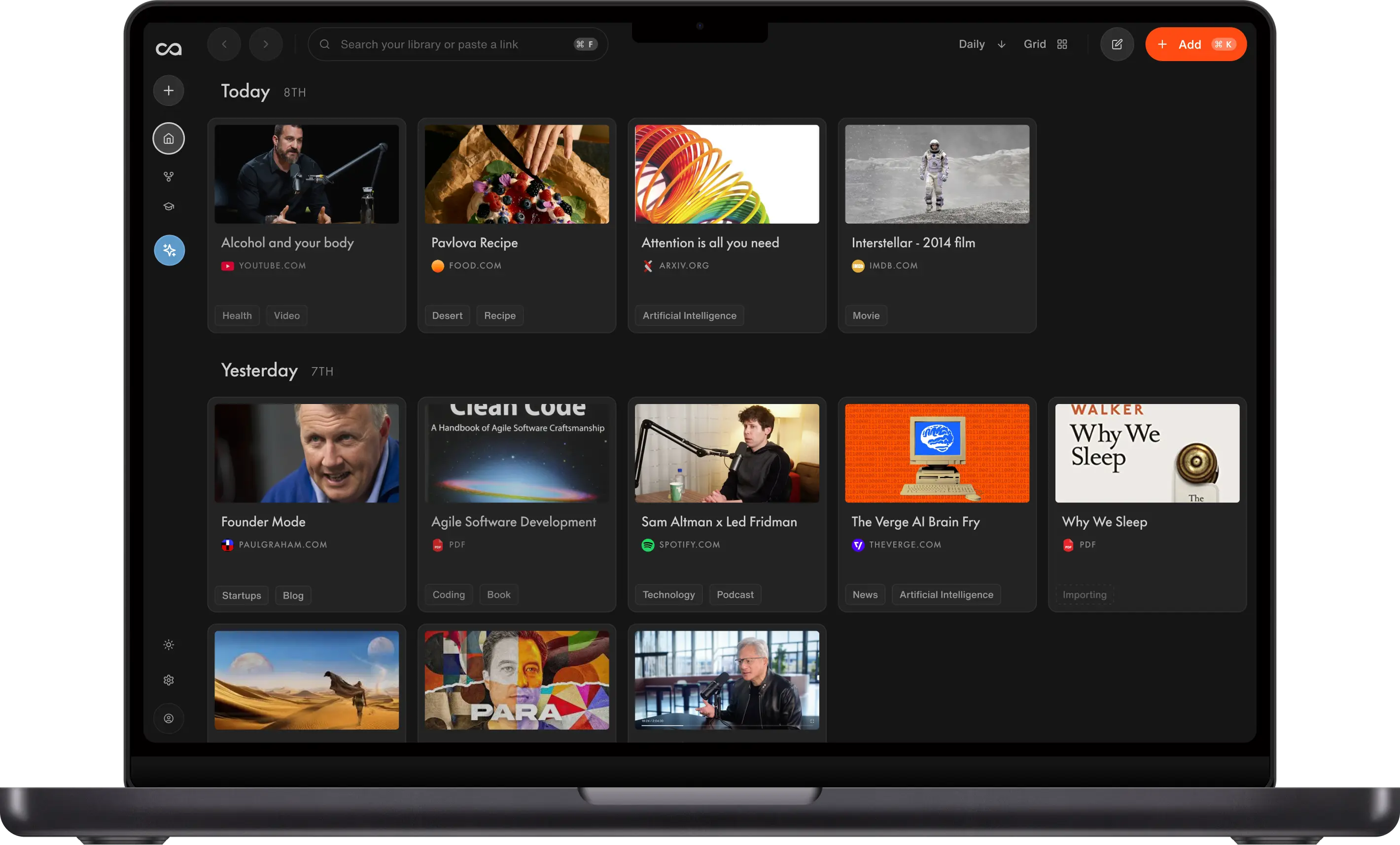
Choose Recall if you want saved content to become usable knowledge. Recall saves full content, creates AI summaries on save, organizes related material, and lets you chat across your whole library with citations. Keep Reader by Readwise when highlight export and the Readwise review ecosystem are the core of your workflow.
What to use when
- Recall if you want to save articles, videos, podcasts, PDFs, and notes, get AI summaries on save, and ask questions across your entire library.
- Matter if you want a beautiful, reading-first app for articles, newsletters, RSS, highlights, and audio.
- Instapaper if you want a minimalist read-it-later queue, offline reading, and a simple focus on articles.
- Raindrop.io if you need a bookmark manager for links, articles, images, and videos with strong folders, tags, and search.
- Capacities if saved reading should become connected objects such as books, people, ideas, and projects.
- Obsidian if you want local Markdown files, a customizable web clipper, and control over your own research system.
- NotebookLM if you need to analyze a deliberately selected set of sources and ask questions grounded in those sources.
- Notion if your saved research belongs in a shared team wiki, project hub, or database.
- Reader by Readwise if highlighting, exporting annotations, and reviewing them through Readwise are your main priorities.
Get started with Recall for free
See why Recall is the best Readwise Reader alternative: full-content save, AI summaries, and chat across your entire library, not just highlights.
Best Readwise Reader alternatives compared (2026): ranked by knowledge type, how knowledge compounds, AI features, and the main tradeoff.
| Alternative | Best for | Knowledge type | How knowledge compounds | AI features | Main tradeoff |
|---|---|---|---|---|---|
| Recall | Personal AI knowledge base | Articles, videos, PDFs, notes | Summaries, graph, and chat across the library | Summaries, chat across sources or the web, and MCP | Not a highlight-first dedicated reader; weaker Readwise review ecosystem |
| Matter | Polished reading and highlights | Articles, newsletters, and RSS | Highlights and audio after you finish reading | Highlights and in-document AI | Value still depends on finishing |
| Instapaper | Minimalist article reading | Articles in a reading queue | Highlights and Kindle export | Little native AI | Little compounding beyond the queue |
| Raindrop.io | Bookmark organization | Links, articles, images, and files | Folders, tags, and search you maintain | Stella AI on Pro | Weak as a reading and chat library |
| Capacities | Object-based personal knowledge | Typed objects, notes, and sources | Objects, backlinks, and a graph you design | AI assistance on objects you maintain | You still structure the system |
| Obsidian | Local notes and web clipping | Local Markdown files | Links, graph, and plugins you add yourself | Plugins or a DIY Claude/MCP setup | You build the capture and AI stack |
| NotebookLM | Source-grounded research | Selected sources in a notebook | Chat and summaries inside that notebook | Chat, study guides, and audio overviews in one notebook | Not a lasting personal reading library |
| Notion | Team docs and research databases | Pages and databases you design | Templates and Notion AI inside pages you maintain | Notion AI on pages you maintain | You still build and file the system |
| Reader by Readwise | Reading, highlights, and Readwise sync | Articles, newsletters, RSS, and PDFs | Highlights, review, and export | In-document AI and highlight review | Value depends on finishing and exporting |
Scroll horizontally on small screens. Verify current plan limits and pricing on each vendor's site.
For a complete comparison of Recall and Reader by Readwise, see Recall vs Readwise Reader.
What is Reader by Readwise?
Reader by Readwise is a read-it-later and reading app from Readwise. It brings articles, newsletters, RSS feeds, PDFs, and web documents into one reading environment, where you can highlight and annotate material. Its connection to Readwise helps people revisit highlights and export them to note-taking tools.
Main features of Reader by Readwise
- Multi-format reading: Save web articles, PDFs, newsletters, RSS items, and other documents in one queue.
- Highlights and annotations: Mark passages and add notes while reading.
- Readwise ecosystem sync: Send highlights into Readwise for resurfacing, review, and exports to supported note apps.
- Reading controls: Use reading modes, tags, filters, and queue management to work through incoming material.
- Import and integrations: Bring reading sources into Reader and connect a reading workflow with the rest of your knowledge stack.
Reader by Readwise use cases
Reader by Readwise fits people who treat reading as an active research practice:
- Highlight-driven learning: Save articles and turn the best excerpts into material to revisit later.
- Newsletter and RSS reading: Consolidate subscriptions and feeds outside a crowded inbox.
- PDF and web annotation: Keep reading notes close to the original source.
- Note-app workflows: Export useful highlights into tools such as Obsidian, Notion, or other supported destinations.
Reader by Readwise limitations (and why people look for alternatives)
- Highlights can become the center of the workflow: If you need answers from the full source, a highlight-only downstream workflow can leave useful context behind.
- AI knowledge workflows vary by source: People who want consistent summaries and chat across articles, videos, podcasts, PDFs, and notes may prefer a library built around full content.
- Reading-first rather than bookmark-first: Extensive bookmark collections can be easier to manage in a dedicated bookmark tool.
- Ecosystem commitment: The strongest Reader experience is tied to Readwise's highlight and review ecosystem, which may be more than a casual read-it-later user needs.
- Not a team workspace: Reader is primarily for personal reading and research, not shared wikis, project databases, or collaborative documentation.
8 best Readwise Reader alternatives in detail
1. Recall
Recall is best for: people who want a personal AI knowledge base from everything they save, not just a collection of highlights.
Recall features:
- Full-content capture: Save articles, YouTube videos, podcasts, PDFs, and notes from browser and mobile workflows.
- AI summaries on save: Get the key ideas from a source without waiting to manually distill it.
- Library-wide chat: Ask questions across your saved material and use cited sources to check the answer.
- Automatic organization: Related content is connected through smart organization and a knowledge graph.
- Learning tools: Return to useful ideas with notes and spaced-repetition review.
Recall pricing: a free tier supports unlimited saves; Plus starts at about $10/month for expanded AI features and library-wide chat. Verify current limits on Recall's pricing page.
Knowledge type: Articles, YouTube, podcasts, PDFs, and notes in one library.
How knowledge compounds: Summaries, automatic tags, a knowledge graph, and library-wide chat make full sources answer new questions. Tradeoff: it is not a highlight-first dedicated reader and is weaker for the Readwise review ecosystem.
Recall vs Reader by Readwise: Recall is stronger when you want to save full content, summarize it automatically, and chat across a mixed library of articles, videos, podcasts, and PDFs. Reader is stronger when your established habit is highlighting passages and sending those highlights into the Readwise review and export ecosystem.
Go deeper: Full Readwise Reader alternative comparison: Recall vs Reader
2. Matter
Matter is best for: readers who want a polished, reading-first experience for articles, newsletters, RSS, highlights, and audio.
Matter features:
- Clean reading view: Strip away web clutter for focused article reading.
- Highlights and notes: Mark useful passages and keep lightweight notes while you read.
- Newsletter and RSS support: Bring subscription reading into one dedicated place.
- Audio playback: Listen to saved material when reading is not practical.
- Cross-device reading: Continue a queue across supported devices, with an iOS-focused experience.
Matter pricing: a free plan covers core reading features; Premium has typically started at about $8/month. Check Matter for current plans and included features.
Knowledge type: Articles, newsletters, and RSS.
How knowledge compounds: Highlights, notes, and audio after you finish reading. Tradeoff: value still depends on completing the queue.
Matter vs Reader by Readwise: Matter is a strong choice for a calmer, consumer-friendly reading experience with highlights, newsletters, and audio. Reader by Readwise is often a better fit for people who need deeper research workflows, broad import options, and tight highlight sync with Readwise.
3. Instapaper
Instapaper is best for: readers who want a simple, dependable read-it-later queue centered on clean articles and offline access.
Instapaper features:
- Distraction-free articles: Save pages and read them without the original page layout and ads.
- Offline reading: Keep a queue available when you are away from a stable connection.
- Highlights and notes: Mark passages without turning the reading app into a larger research system.
- Speed-reading tools: Adjust typography and reading preferences for a faster personal reading workflow.
- Kindle-friendly workflows: Use supported delivery or export options to read long-form material on an e-reader.
Instapaper pricing: a free plan is available; Premium has typically started around $3/month. Verify current feature limits and pricing with Instapaper.
Knowledge type: Articles in a reading queue.
How knowledge compounds: Highlights, notes, and Kindle export. Tradeoff: little compounding beyond finishing the queue.
Instapaper vs Reader by Readwise: Instapaper is lighter and more minimalist for simply reading articles later. Reader by Readwise offers more formats, annotation depth, and Readwise-connected workflows. Choose Recall instead when the saved queue should become an AI-organized library that includes more than articles.
4. Raindrop.io
Raindrop.io is best for: people who need a bookmark manager more than a dedicated reading app.
Raindrop.io features:
- Save many content types: Collect links, articles, images, videos, and files in one bookmark library.
- Folders, tags, and collections: Build a navigation system around topics, projects, or areas of interest.
- Search and previews: Find saved items through searchable metadata and visual organization.
- Multiple views: Browse collections as lists, grids, headlines, or other layouts.
- Sharing and collaboration: Share selected collections when bookmarks need to be visible to others.
Raindrop.io pricing: a free plan supports unlimited bookmarks; Pro has typically started around $3/month and adds features such as full-text search and backups. Confirm current plans with Raindrop.io.
Knowledge type: Links, articles, images, and files.
How knowledge compounds: Folders, tags, and search you maintain. Tradeoff: weak as a reading and chat library.
Raindrop.io vs Reader by Readwise: Raindrop.io is better for broad bookmark organization across links and media. Reader by Readwise is better for reading, highlighting, and working through a content queue. Recall is better when the goal is AI summaries and questions across the full content of a growing library.
5. Capacities
Capacities is best for: people who want saved articles and reading notes to become connected objects in a broader personal knowledge system.
Capacities features:
- Object types: Organize people, books, meetings, ideas, and custom types as first-class entries.
- Connected knowledge: Link material through object relationships instead of relying only on folders.
- Daily notes and calendar: Add a time-based context for reading notes and ideas.
- Web and media capture: Bring external material into an object-based workspace.
- AI assistance: Use paid AI features to work with saved content and notes.
Capacities pricing: a free tier covers core personal knowledge features; Pro has typically started at about $12/month on annual billing. Verify current pricing and AI allowances with Capacities.
Knowledge type: Typed objects, notes, and sources.
How knowledge compounds: Objects, backlinks, and a graph you design. Tradeoff: you still structure the system.
Capacities vs Reader by Readwise: Capacities is more useful when reading is one input to an object-based knowledge system. Reader is more focused on the act of reading and highlighting. Recall is the better middle ground when you want automatic capture and AI synthesis without manually designing an object structure.
6. Obsidian
Obsidian is best for: people who want to own their local Markdown notes and build a customized reading-and-research workflow.
Obsidian features:
- Local Markdown vaults: Store notes as files you control and can open outside the app.
- Backlinks and graph view: Connect reading notes and ideas through links, tags, and visual relationships.
- Web Clipper: Save web content into a vault using templates you can customize.
- Plugin ecosystem: Add workflows for tasks, citations, reading notes, AI, publishing, and more.
- Offline-first notes: Write and navigate a vault without a permanent cloud connection.
Obsidian pricing: Obsidian is free for personal use, with paid options for commercial use and optional services. Check Obsidian for current licensing and sync pricing.
Knowledge type: Local Markdown files you own.
How knowledge compounds: Links, graph view, and plugins you add yourself. Tradeoff: you build the capture and AI stack.
Obsidian vs Reader by Readwise: Obsidian gives you more direct file ownership and customization, but it requires you to assemble and maintain the clipper, templates, sync, and plugins. Reader is more immediately useful as a reading app. Recall fits people who want capture, summaries, organization, and answers without managing a vault.
7. NotebookLM
NotebookLM is best for: researchers who want to ask AI questions about a defined set of source materials.
NotebookLM features:
- Source-grounded chat: Ask questions and generate outputs based on sources added to a notebook.
- Research summaries: Get overviews and guided explanations of selected material.
- Citations to sources: Trace responses back to the provided documents and links.
- Notebook-based organization: Keep separate projects, topics, or research questions in their own collections.
- Audio and study outputs: Generate alternate ways to review a source collection when available in your plan and region.
NotebookLM pricing: a free version is available, with higher limits and features available through eligible Google plans. Check Google for current availability, limits, and plan details.
Knowledge type: Selected sources inside a notebook.
How knowledge compounds: Chat and summaries grounded in that notebook. Tradeoff: it is not a lasting personal reading library.
NotebookLM vs Reader by Readwise: NotebookLM is designed for analysis after you assemble a research packet, not for a daily read-it-later queue or a highlight-sync workflow. Reader is better for ongoing reading. Recall is better for continuously capturing content and chatting across a single long-lived personal library.
8. Notion
Notion is best for: teams that need saved research to live in shared documents, wikis, and databases.
Notion features:
- Block editor: Create documents with flexible blocks, embeds, and reusable templates.
- Databases: Build research tables, reading lists, project trackers, and content hubs with properties and views.
- Team collaboration: Share pages, comment, assign work, and manage permissions.
- Notion AI: Draft, summarize, and edit within workspace pages.
- Integrations: Connect common work tools and publish selected content.
Notion pricing: a free personal plan is available; Plus has typically started at about $10 per member per month. Verify current pricing, AI usage, and seat rules with Notion.
Knowledge type: Pages, databases, and docs you design.
How knowledge compounds: Templates and Notion AI inside the workspace you maintain. Tradeoff: capture and filing stay mostly manual.
Notion vs Reader by Readwise: Notion is a better home for collaborative research, team documentation, and databases. Reader is more focused on individual reading and highlights. Choose Recall if the priority is capturing full web content and getting AI summaries and answers without manually maintaining a workspace.
Bottom line
For most people looking for a Readwise Reader alternative because they want more than a highlight queue, Recall is the best choice in 2026. It saves the full source, creates AI summaries when you save it, organizes material automatically, and lets you ask questions across articles, videos, podcasts, PDFs, and notes.
Choose Matter for a polished reading app, Instapaper for minimalism, Raindrop.io for bookmark organization, Capacities for object-based personal knowledge, Obsidian for local customization, NotebookLM for selected-source research, and Notion for collaborative workspaces.
When to keep Reader by Readwise
Reader by Readwise is still the right tool when:
- You want to highlight passages deeply while reading articles, newsletters, RSS, and PDFs.
- The Readwise review habit is central to remembering and revisiting what you read.
- You need reliable highlight export into your existing note-taking workflow.
- Your workflow is primarily a personal reading queue, rather than a broader AI knowledge library or team workspace.
Use a Readwise Reader alternative when you need a different center of gravity: full-content AI answers, minimalist reading, bookmark management, local notes, source-grounded research, or collaborative documentation.
FAQs
Best Readwise Reader alternative by use case
How to choose a Readwise Reader alternative
About Reader by Readwise
When to choose each alternative
See more tools on the Recall comparison hub or the full comparison table.
Ready to get started?
Save, summarize and chat with your content.
No credit card required · 30 Day Refund on Premium · 24 Hour Support