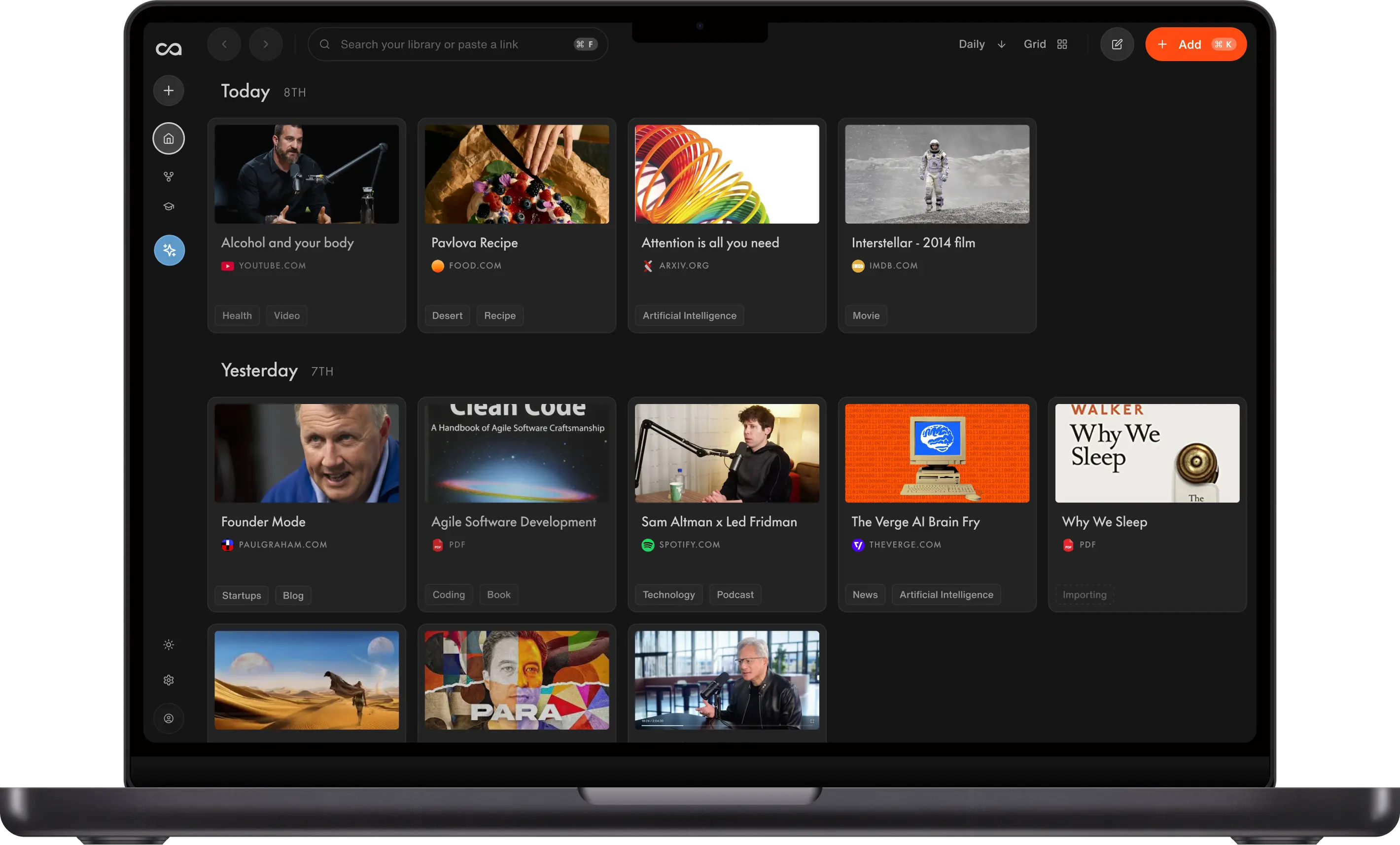
These are the seven best ADHD apps to help you gain focus and get your time back. Recall is an AI second brain that keeps you on top of the articles, videos, and podcasts you consume and helps you find them again. Tiimo lays your day out as a visual timeline. Goblin.tools breaks a task into steps. Todoist keeps the to-do list. Focusmate puts someone alongside you so you actually start. Forest keeps you off your phone. Structured plans the whole day on one timeline.
What are the 7 best ADHD apps?
The 7 best ADHD apps each do one job well:
- Recall, an AI second brain, to stay on top of everything you read, watch, and listen to, and find it again later.
- Tiimo to lay your day out as a visual timeline you can actually follow.
- Goblin.tools to break an overwhelming task into small steps.
- Todoist to keep a reliable to-do list.
- Focusmate to work alongside another person so you actually start.
- Forest to stay off your phone for a set stretch of time.
- Structured to plan a whole day on one simple timeline.
Most lists you find are full of useful timers, planners, and to-do apps, but they often skip the same thing: the pile of articles, videos, and podcasts you saved and meant to get back to. An AI second brain is the app for that pile.
Get started with Recall for free
Save the video, article, or PDF before you commit your attention, then find it again without rebuilding the context.
The 7 best ADHD apps, ranked by job.
| App | Best for | What you get | Free starting point |
|---|---|---|---|
| Recall | Keeping up with what you read, watch, and hear | Summaries and chat across articles, videos, podcasts, PDFs, and notes | Unlimited saves and notes, 10 AI summaries a month |
| Tiimo | Seeing your day as a visual timeline | Visual timeline, focus timer, AI task breakdown on Pro | Planner, to-do list, and focus timer. 7-day Pro trial |
| Goblin.tools | Breaking a task into steps | Magic ToDo, plus a brain-dump compiler and a time estimator | Free in the browser |
| Todoist | Keeping a to-do list | Quick add, reminders, lists and boards | Beginner: 5 projects, reminders, 3 filters |
| Focusmate | Working alongside someone | 25-, 50-, or 75-minute video sessions | 3 sessions a week |
| Forest | Staying off your phone | A focus timer that grows a tree, with app blocking on the free plan | Core timer, Deep Focus, and planting together |
| Structured | Planning the whole day | Tasks and to-dos on a single visual schedule | Free to start. Pro price is on the App Store and Google Play |
Prices for Tiimo Pro, Todoist Pro, Forest Plus, and Structured Pro change by store and region. The table above lists the free tiers described on each site. Confirm the paid price on the product's site or app store before you subscribe.
How we chose these apps
This guide is for adults choosing an everyday productivity app. Each app covers one job: staying on top of what you consume, planning the day, breaking a task into steps, keeping a to-do list, body doubling, or staying off your phone. The order is by job, not a score.
Details come from each product's own site, checked in October 2026.
How to choose an ADHD app
Name the job before you name the app. Start with the problem causing the most friction, rather than setting up several new tools at once.
- One job. Starting a task, planning your day, staying off your phone, or keeping track of what you saved. Pick the one that goes wrong most often.
- Few steps to the first useful result. If setup feels like a project, it loses to the tab you already have open.
- A free tier you can feel in a day. Paying is fine once the job is real. It is a poor way to test whether you will stick with it.
- A home for what you save. A task app forgets the article. A reading app forgets the task. That split is fine as long as you know which app does which.
These apps are productivity tools. They are not a diagnosis, a treatment, or a substitute for clinical care.
1. Recall
Recall is best for: staying on top of everything you read, watch, and listen to, and finding it again when you need it.
Most ADHD apps help you manage your time. Recall is an AI second brain for your information. It saves the articles, YouTube videos, podcasts, PDFs, and notes you come across, summarizes them, organizes them for you, and lets you ask questions across the whole library instead of digging for one thing. For a brain that collects more than it can keep track of, that is the gap the other apps leave open.
Recall features:
- Save the source: Articles, YouTube videos, podcasts, PDFs, and your own notes in one place
- Summarize before you commit: Get the gist of something long before you give it your full attention
- Ask instead of digging: Chat across what you saved and get the answer, rather than scrolling to find the right card
- On the devices you already use: Web, iPhone, Android, and browser extensions for Chrome, Firefox, Edge, and Safari
Recall pricing: free, with unlimited saves and notes and 10 AI summaries a month. Plus is $10 a month billed yearly, or $12 a month billed monthly, for unlimited AI summaries. See Recall pricing.
The job it covers: Keeping up with everything you consume, including the video, article, or podcast you meant to come back to but could not find again.
Where it stops: Recall is not a planner, a focus timer, or a body-doubling room. Use Tiimo, Forest, or Focusmate for those jobs.
Nicole walks through a day of this in How to Manage Information Overload with ADHD.
2. Tiimo
Tiimo is best for: turning your day into a visual timeline you can follow at a glance, with a focus timer for starting and staying with a task.
A list of times and tasks is easy to lose track of. Tiimo shows the day as a timeline instead, with color-coded blocks and icons, so you can see what is now, what is next, and how much time is left. It is a visual AI planner on iOS, iPad, Android, Apple Watch, and the web. A widget shows what is coming next. On Pro, you can type or speak a brain dump and have it broken into steps with time estimates. Tiimo says it was built with ADHD and autism in mind, and that it is ad-free.
Tiimo features:
- Visual timeline: Tasks laid out so you can see what is coming
- Focus timer: A countdown for starting, switching, and staying with a task
- AI planning on Pro: A brain dump turned into steps and a schedule
- Mood check-ins: A log of how the day felt, so routines can be adjusted
Tiimo pricing: a free version includes the planner, to-do list, and focus timer. Pro has a 7-day trial and adds AI task breakdown, custom widgets, and advanced scheduling. The site does not list a single public monthly price. Check tiimoapp.com or the app store.
The job it covers: Planning your time and routines, and seeing the shape of the day.
Where it stops: You still build and adjust the timeline. AI task breakdown, which turns a brain dump into steps, is on Pro.
3. Goblin.tools
Goblin.tools is best for: one task that feels too big to start.
Goblin.tools is a set of small web tools for when something feels too complicated. Magic ToDo breaks a to-do into steps. The Compiler turns a brain dump into actions. The Estimator guesses how long an activity might take. You open the site and use the tool. There is no system to set up.
Goblin.tools features:
- Magic ToDo: Split one item into smaller steps
- Compiler: Turn a brain dump into actions
- Estimator: Guess a timeframe
- Taskmaster: Focus on one task at a time
Goblin.tools pricing: free in the browser at goblin.tools.
The job it covers: The moment before you start.
Where it stops: It is a tool you use in the moment, then leave. It does not remember your week or hold your calendar.
4. Todoist
Todoist is best for: a reliable to-do list with reminders, due dates, and projects.
Todoist is a task manager, not an ADHD product, but ADHD roundups keep recommending it because capture is fast. Type the task, write the date in plain words like "tomorrow at 9," and get a reminder. The Beginner plan is free. Pro adds a much larger project limit, a calendar layout, task duration, and custom reminders.
Todoist features:
- Quick add: Capture a task with a due date
- Reminders: On the free plan as well as Pro
- Lists and boards: Two ways to see the same tasks
- Subtasks and recurring dates: For work that has steps and a rhythm
Todoist pricing: Beginner is free, with 5 personal projects, task reminders, list and board layouts, and 3 filters. Pro includes 300 projects, a calendar layout, custom reminders, and full reporting history. The pricing page does not print a single dollar amount in a way that stays stable across regions. Check todoist.com/pricing.
The job it covers: The list of things to do.
Where it stops: The free plan uses lists and boards. The calendar layout and AI Task Assist are on Pro, so planning the day visually or getting AI help with tasks requires an upgrade.
5. Focusmate
Focusmate is best for: body doubling, which means working while another person is present and working on their own task.
Focusmate matches you with someone for a 25-, 50-, or 75-minute video session. You book a time, join in the browser, say what you are going to do, and work on camera. No separate video app. It is for anyone who wants to get something done. Desk work, cleaning, studying, and cooking are all allowed, as long as you stay on camera.
Focusmate features:
- Live sessions: A partner for a set block of time
- Session lengths: 25-, 50-, or 75-minutes
- Calendar invites: The session shows up on your calendar
- Favorite partners: Book again with someone who was a good match
Focusmate pricing: three sessions a week are free, with no credit card. Plus is $8 a month billed yearly, or $12 a month billed monthly, for unlimited sessions. See focusmate.com.
The job it covers: Staying with the work once you have started.
Where it stops: You stay on camera for the session. That is a poor fit when you do not want to be on video.
6. Forest
Forest is best for: staying off your phone for a block of time you choose.
Forest is a focus timer. You pick a length, a tree grows while you focus, and the tree dies if you leave for another app. Deep Focus, the app blocker, is on the free plan, along with planting a session together with someone else. Forest says the free tier is not a trial. Plus adds analytics, more blocking controls, and extra trees, and the price depends on the App Store or Google Play in your region. Forest also puts part of its revenue toward real trees through Trees for the Future.
Forest features:
- Focus timer: Countdown or stopwatch, including offline
- A cost for leaving: The tree dies if you switch apps
- Deep Focus: App blocking on the free plan
- Plant Together: A shared focus session
Forest pricing: core focus is free, with no credit card and no expiration. Plus is a subscription with a trial inside the app. The site says the price varies by region and platform, so check the App Store or Google Play. An older one-time Pro purchase is no longer sold to new users. See forestapp.cc.
The job it covers: The phone.
Where it stops: The tree dies if you leave for another app. That gets in the way when the work itself is on your phone.
7. Structured
Structured is best for: planning the whole day on one simple timeline of tasks and appointments.
Structured puts your tasks, to-dos, and appointments on a single timeline, so the day reads top to bottom instead of as a scattered list. Its main view is a timeline for tasks and appointments. Tiimo was built with ADHD and autism in mind, while Structured emphasizes a simple day view. Structured also offers AI planning and a Replan Assistant to help create and adjust your schedule.
Structured features:
- One timeline: Tasks, to-dos, and the shape of the day in one view
- Inbox for thoughts: A place to put things down before they are scheduled
- Habits and notifications: Routines and reminders on the timeline
- Phone and desktop: Plan on either
Structured pricing: free to start. Pro is paid, and the site's user quotes mention a lifetime membership. The current price is on the App Store and Google Play. See structured.app.
The job it covers: Planning a single day on one timeline.
Where it stops: Structured organizes your schedule rather than the articles, videos, or PDFs you save. If you already use Tiimo for planning, Structured covers the same ground.
Free ADHD apps for adults
If you want to try an app before you pay:
- Recall for unlimited saves and 10 AI summaries a month
- Goblin.tools for breaking one task down, free in the browser
- Focusmate for three body-doubling sessions a week
- Forest for the focus timer and app blocking
- Todoist Beginner for a small task list
- Tiimo for the visual planner and focus timer, plus a 7-day look at Pro
Organizational tools for ADHD
These apps support different parts of a workflow. For organization, the main distinction is between time and information.
The first kind organizes your time: Tiimo, Structured, and Todoist. Reach for these when the problem is knowing what to do and when.
The second kind organizes your information: Recall, an AI second brain. Reach for it when the problem is the video, article, podcast, PDF, or note you saved and cannot find. Goblin.tools helps turn a task into smaller steps. Forest and Focusmate support either workflow. They protect a block of time, but they do not store the work itself.
Paper planners are a separate market. This guide stays with apps.
Bottom line
Choose Recall when the problem is keeping up with everything you read, watch, and listen to, and finding it again. That job is an AI second brain. Choose Tiimo or Structured to lay out your day, Goblin.tools to break a task into steps, Todoist to keep the to-do list, Focusmate to work alongside someone, and Forest to stay off your phone.
Start with the job that goes wrong most often, and add a second app only once the first one is a habit.
FAQs
7 best ADHD apps
Ready to get started?
Save, summarize and chat with your content.
No credit card required · 30 Day Refund on Premium · 24 Hour Support