8 best MCP servers for developers in 2026
Looking for the best MCP servers for developers in 2026? The best Model Context Protocol server for developers depends on the job. Recall leads when the value is in pulling your own saved context and trusted sources into your AI. GitHub leads for the repo. Figma leads for designers. Composio, Filesystem, Playwright, Apify, and Git MCP each lead for a specific developer workflow.
Table of Contents
- Quick Answer: What Are the Best MCP Servers for Developers?
- What Is an MCP Server?
- Comparison Table of the Top 8 Best MCP Servers for Developers in 2026
- Saved Docs vs Live Code vs Workspace MCP
- Why Use MCP Servers?
- Top 8 Best MCP Servers for Developers in 2026
- Choosing the Right MCP Server
- How to Connect an MCP Server
- Conclusion
- FAQs
Quick Answer: What Are the Best MCP Servers for Developers?
There is no single best MCP server for developers. The right one depends on the job.
- Recall leads when you need answers grounded in sources you trust. Most AI answers are the internet's best guess, and assistants often cite pages you never vetted. Recall connects your AI to the articles, videos, PDFs, and notes you chose to save, so answers come from your own sources of truth. That is why it sits at #1.
- GitHub MCP leads for the repo, issues, and pull requests.
- Figma MCP leads for designers working from the design file.
- Composio leads for reaching hundreds of apps through one gateway.
- Filesystem MCP leads for sandboxed local files.
- Playwright MCP leads for browser tests.
- Apify MCP leads for web scraping.
- Official Git MCP leads for local git read and search without the GitHub API.
For the full field see best MCP servers. For Claude-specific picks see best MCP servers for Claude. For Cursor see best MCP servers for Cursor. For marketing tools see MCP servers for marketing. For knowledge-first picks see best memory MCP servers.
What Is an MCP Server?
An MCP server is a connector that follows Anthropic's Model Context Protocol. It gives an AI client tools: search a repo, run an app action, scrape a page, open a design file, or query a knowledge base. The client stays Claude, Cursor, ChatGPT, or another assistant. The server is how that assistant reaches your data.
A useful MCP list for developers in 2026 is not every GitHub repo with "mcp" in the name. It is the short set people actually connect while coding: saved reading, GitHub, apps, files, tests, scraping, design, and local git. This roundup covers the 8 best MCP servers for developers with official docs, clear jobs, and honest limits.
Comparison Table of the Top 8 Best MCP Servers for Developers in 2026
For developers, the best MCP server depends on the job. Recall is where to start when you also save docs and tutorials; pure coding, app, and data servers belong beside it. The table compares the top options by job, access, and pricing.
| Tool | Key Features | Best For | Pricing | Access |
|---|---|---|---|---|
| Recall | Search, filter, and pull in knowledge from your saved sources (YouTube, podcasts, PDFs, notes, etc.) | Saved docs, tutorials, and personal knowledge | Free | Hosted OAuth, https://backend.getrecall.ai/mcp/ |
| GitHub MCP | Repos, issues, PRs, Actions, security | Shipping code with GitHub | No separate MCP fee; GitHub account and API limits | Hosted remote plus local Docker |
| Composio | Managed OAuth for 1,000+ app toolkits | One gateway to many SaaS apps | Free tier; Pro from $29/month; usage-based | Hosted MCP gateway https://mcp.composio.dev |
| Filesystem MCP | Sandboxed read, write, search, edit | Local project files | Free, MIT | Local @modelcontextprotocol/server-filesystem |
| Playwright MCP | Snapshot-based browser tools | Testing and web automation | Free, Apache 2.0 | Local Node or Docker |
| Apify MCP | Run 5,000+ Actors, scrape sites and SERPs | Web scraping and data extraction | Free $0 with $5 usage; Starter from $29/month; pay per run | Hosted https://mcp.apify.com, OAuth or token |
| Figma MCP | Variables, components, code from frames | Design-to-code | No separate MCP fee found; Figma account | Hosted plus desktop local server |
| Git MCP | Local git read and search | Repo history without GitHub API | Free, MIT | Local @modelcontextprotocol/server-git |
Saved Docs vs Live Code vs Workspace MCP
There are three jobs developers mix up when they search for the best MCP servers for coding.
Saved-docs MCP servers give an assistant a library you built on purpose: tutorials, papers, API write-ups, conference talks, and notes. Recall is this category. The value is last month's reading showing up when the agent writes this week's code.
Live-code MCP servers help an agent ship software right now: GitHub MCP for issues and PRs, Git MCP for a local clone, Filesystem MCP for project files, Playwright MCP for the browser, Figma MCP for the design file, and Apify for scraped input data.
Workspace MCP servers pull company systems. Composio reaches Slack, Jira, Linear, Gmail, and hundreds more through one gateway.
Recall is the place most developers start because they already collect sources and then ask an AI to use them. GitHub MCP still wins if the only job is the GitHub workspace. See best MCP servers for the wider field, and best memory MCP servers for knowledge-only picks.
Why Use MCP Servers?
Chatbots guess from training data and a short prompt. An MCP server lets the same model search, read, and act on systems you chose.
A good developer MCP setup helps you:
- Ground answers in sources you saved: Ask Cursor or Claude about a tutorial or paper from last month, not a generic web snippet.
- Reach the apps around your code: Composio connects Slack, Linear, Gmail, and more without a connector per app.
- Skip tab-switching: Look up a GitHub issue or a Figma frame inside the chat.
- Keep one client, many tools: Claude, Cursor, and ChatGPT can share the same protocol instead of a custom plugin each.
- Control access: OAuth and scopes limit what the assistant can read or write.
- Reuse work: Saved knowledge compounds. A coding MCP saves the current sprint. A knowledge MCP still helps next quarter.
Top 8 Best MCP Servers for Developers in 2026
Based on official product pages, docs, and public pricing, here are the 8 best MCP servers for developers to connect in 2026.
1. Recall
Recall is Best For a Developer Knowledge Base
Recall is the best MCP server for developers who also save docs and tutorials. The Recall MCP server is hosted at https://backend.getrecall.ai/mcp/. Paste that URL into Cursor, Claude, ChatGPT, Perplexity, or Gemini CLI. The client opens a browser window, you approve kb:read, and the assistant can search your cards.
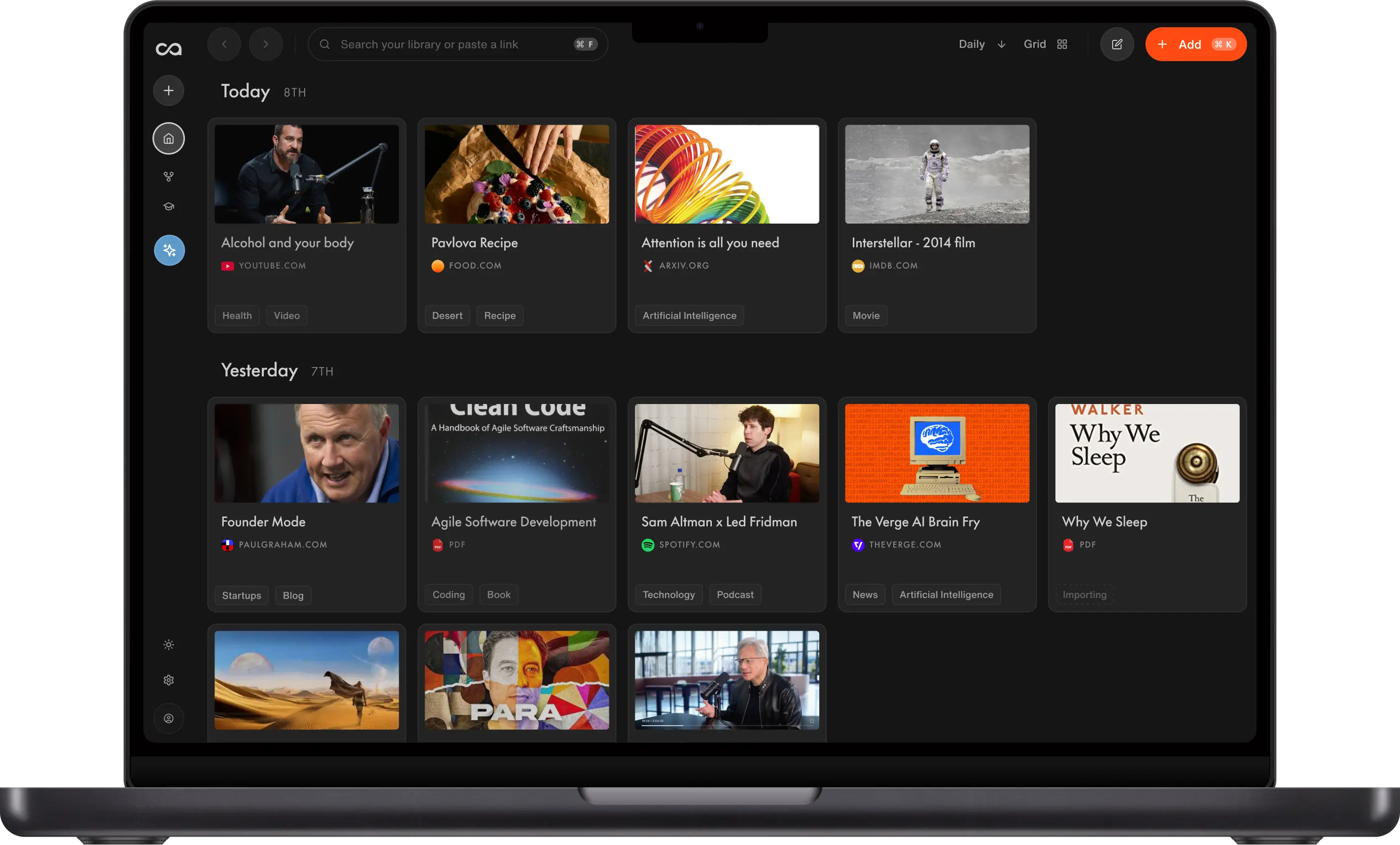
Recall is a personal AI knowledge base first. Save articles, YouTube videos, podcasts, PDFs, tweets, and notes. Summaries, tags, and connections happen in the app. MCP is how that library shows up in the assistant you already pay for. Tools include search, filter_by_metadata, get_document_content, and explore_kb. Focused search returns the top 5 to 10 cards. Exhaustive search returns 10 to 25 matches.
This is not a GitHub replacement. GitHub MCP still wins issues, PRs, and Actions. Recall wins when the question is "what did I save about this API" rather than "what is open in this repo."
Key Features
- Hosted remote MCP: No local process to babysit. OAuth in the browser, no API key.
- Semantic search over saved content: Ask in plain language across articles, videos, PDFs, and notes.
- Metadata filters: List cards by date, tag, or source without a semantic query.
- Knowledge-base overview: Stats, tags, and sources so the assistant knows where to look.
- Works in multiple clients: Cursor, Claude custom connectors, ChatGPT developer apps, Perplexity, Gemini CLI.
Pros
- Best MCP server when saved technical reading should become agent context.
- The MCP is free to use.
- Setup is a URL plus browser login, not a Docker file.
Cons
- Read-only today. Upvote the write API and you'll get an email when it launches.
- Not a GitHub, browser, or Figma replacement.
Pricing
- The Recall MCP is free.
2. GitHub MCP
GitHub MCP is Best For Repos, Issues, and Pull Requests
GitHub MCP Server is GitHub's official connector. The remote endpoint is https://api.githubcopilot.com/mcp/. You can also run it locally with Docker. It exposes toolsets for repositories, issues, pull requests, Actions, code security, notifications, and projects.
This is the default coding MCP for people who live in GitHub. It does not store your reading library. Pair it with Recall when the question is "what did I save about this API" rather than "what is open in this repo." Official Git MCP is a different tool: local git read and search, no GitHub API.
Key Features
- Official GitHub remote and local Docker options
- Toolsets you can enable or keep read-only
- Works with MCP clients that support GitHub's hosted server
Pros
- Closest MCP to how developers already work
- Strong for issues, PRs, and CI
Cons
- Bound to GitHub API rate limits
- The older npm
@modelcontextprotocol/server-githubpackage is deprecated
Pricing
- No separate MCP fee found on the official repo. You need a GitHub account. API rate limits apply.
3. Composio
Composio is Best For Connecting Many Apps at Once
Composio is a managed gateway that turns 1,000+ app toolkits into MCP tools your agent can call. Instead of building and hosting a separate server for Gmail, Slack, Linear, HubSpot, and the rest, you connect through one endpoint and let Composio handle OAuth, token storage, and refresh for each account.
For developers, this is the fastest way to give an agent broad app coverage without writing a connector per service. You authenticate each app once in Composio, and the gateway exposes those actions as MCP tools. It is a router to other systems, not a memory of what you saved. Keep Recall for your reading library and let Composio reach the apps around it.
Key Features
- 1,000+ prebuilt app toolkits with managed OAuth
- Hosted MCP gateway plus SDKs for custom agents
- Triggers, custom tools, and spend controls
Pros
- One connection reaches hundreds of apps
- Handles auth and token refresh for you
Cons
- Usage-based billing can add up across busy agents
- Custom tools and MCP sit on paid tiers
Pricing
- Free tier with no credit card; Pro from $29/month with usage credit; overages billed per tool call. Composio changed its pricing in 2026, so confirm current limits on Composio pricing.
4. Filesystem MCP
Filesystem MCP is Best For Sandboxed Local Files
Filesystem MCP is the official reference server @modelcontextprotocol/server-filesystem. It reads, writes, edits, and searches files inside directories you allow. MCP Roots can add folders dynamically.
This is the best MCP server for "touch these project files and nothing else." It is not cloud capture, sync, or semantic search over a lifetime of articles.
Key Features
- Directory allowlists
- Read, write, edit, search, and tree tools
- Tool annotations for read-only vs destructive hints
Pros
- Free, MIT, and well understood
- Fine-grained local control
Cons
- Local only
- You must specify at least one allowed directory
Pricing
- Free / open source (MIT)
5. Playwright MCP
Playwright MCP is Best For Browser Automation
Playwright MCP is Microsoft's official browser MCP. It drives pages through accessibility snapshots instead of screenshots, which keeps token use lower. You can navigate, click, type, screenshot, and mock network traffic from an agent.
This is the best MCP server for QA and web automation. It does not remember articles you saved last month.
Key Features
- 40-plus browser tools
- Snapshot-based interaction
- Cross-browser, with a Docker image for headless Chromium
Pros
- Free and open source (Apache 2.0)
- Strong fit for Cursor and Claude Code test work
Cons
- Local Node 20+ (or Docker) to run
- Not a knowledge or docs MCP
Pricing
- Free / open source
6. Apify MCP
Apify MCP is Best For Web Scraping and Data Extraction
Apify MCP is hosted at https://mcp.apify.com and connects an agent to Apify's library of 5,000+ Actors: prebuilt scrapers and automations for search results, social platforms, marketplaces, and general sites. Tools let the model search Actors, read their input schema, and run them, plus a rag-web-browser Actor for on-the-fly web extraction.
For developers, the connection is a real setup, not a toy. You authenticate with OAuth or an Apify API token, and each Actor run consumes usage against your plan, so you budget for compute, proxies, and data transfer. Apify is the best MCP server for pulling fresh data off the web on demand. Scrape with Apify, then save the useful results into Recall so the assistant can reuse them later.
Key Features
- Access to 5,000+ Actors from Apify Store
- Web scraping plus a RAG web-browser tool
- OAuth or API token, with agentic payment options
Pros
- Enormous catalog of ready-made scrapers
- Hosted endpoint, no local crawler to maintain
Cons
- Pay per Actor run; costs vary by Actor
- Scraping targets change and can break runs
Pricing
- Free: $0 with $5 of monthly usage included
- Starter: from $29/month ($26 billed annually)
- Actor runs consume usage on top of the plan. Confirm live numbers on Apify pricing.
7. Figma MCP
Figma MCP is Best For Design-to-Code
Figma MCP Server has a remote URL at https://mcp.figma.com/mcp and a desktop server at http://127.0.0.1:3845/mcp. It pulls variables, components, and layout, can generate code from frames, and on remote can write native content back to the canvas.
Figma is the best MCP server when the source of truth is a design file. It will not search a PDF you saved in Recall.
Key Features
- Remote OAuth and desktop local server
- Code Connect integration
- Skills and plugins for Claude, Cursor, and VS Code
Pros
- Strong design-system context for UI work
- Official Figma support
Cons
- Only clients in Figma's MCP catalog
- Remote usage is link-based (file or frame URL)
Pricing
- No MCP-specific price found. A Figma account is required. Confirm seat and plan rules on Figma's site.
8. Git MCP
Git MCP is Best For Local Git Read and Search
Official Git MCP (@modelcontextprotocol/server-git) lives in the MCP servers repo. It reads and searches a local git repository on your machine. It does not go through the GitHub API.
This is the right install when the repo is already cloned and you want history or search without GitHub hosting. GitHub MCP still wins for issues, pull requests, Actions, and remotes you have not cloned.
Key Features
- Local git read and search
- No GitHub account or GitHub API required
- Official MIT reference server
Pros
- Free and simple for a clone already on disk
- Works offline relative to GitHub
Cons
- Local only
- Not a replacement for issues, PRs, or Actions
Pricing
- Free / open source (MIT)
Choosing the Right MCP Server
- Name the job: Saved docs, GitHub, apps, files, tests, scraping, design, or local git. One server rarely does all of those well.
- Hosted vs local: Hosted OAuth (Recall, GitHub remote, Composio, Apify, Figma remote) is easier. Local servers (Playwright, Filesystem, Git MCP) need a process on your machine.
- Read vs write: Recall MCP is read-only today. Upvote the write API and you'll get an email when it launches. GitHub, Figma, and Filesystem can write.
- Setup cost: Some connectors are a URL and a login. Apify uses OAuth or an API token and meters each run. Budget for that.
- Rate limits and credits: GitHub, Composio, and Apify all meter usage. Check the live docs before you scale.
- What you already saved: If the value is in tutorials, papers, and videos, start with Recall. If the value is in a GitHub repo, start with GitHub MCP.
Quick test: Connect two servers and ask the same question. The right MCP server returns sources you can open, not a fluent guess.
How to Connect an MCP Server
Step 1: Pick the client
Open Claude (Connectors), Cursor (Settings, then MCP), ChatGPT (Settings, then Apps with developer mode), or another MCP client.
Step 2: Add the server URL or local command
For Recall, paste https://backend.getrecall.ai/mcp/ from Settings, then API and MCP in the Recall app. For other hosted servers, use the official URL from the table above. For local servers, follow the package's npx or Docker command.
Step 3: Authorize
Complete the browser OAuth prompt, or sign in with the vendor's token flow. Grant only the scopes you need.
Step 4: Ask a grounded question
Enable the connector in the chat. Ask something that must hit the tool, such as "search my Recall library for MCP setup notes," "list open PRs in this GitHub repo," or "scrape the top 20 results for this query with Apify."
Conclusion
The best MCP servers for developers in 2026 are the ones that give an assistant a real system: your saved reading, your repo, the apps around your code, your files, your tests, scraped data, your design file, or a local clone. There is no single winner. Recall is where to start when you also save docs and tutorials. GitHub MCP leads for issues, PRs, and Actions. Composio connects the apps. Filesystem, Playwright, Apify, Figma, and Git MCP each win a narrower job.
Start with one knowledge server and one coding server rather than installing twenty. Then add scraping and workspace servers when the assistant actually needs them.
Pricing and tool lists change. Check each official page before you subscribe. For the wider field, continue with best MCP servers, MCP servers for Claude, MCP servers for Cursor, MCP servers for marketing, and memory MCP servers. Full Recall setup is in the Recall MCP docs.
FAQs
Basics and Recommendations
Setup and Clients
Coding Stack and Recall
Ready to get started?
Save, summarize and chat with your content.
No credit card required · 30 Day Refund on Premium · 24 Hour Support