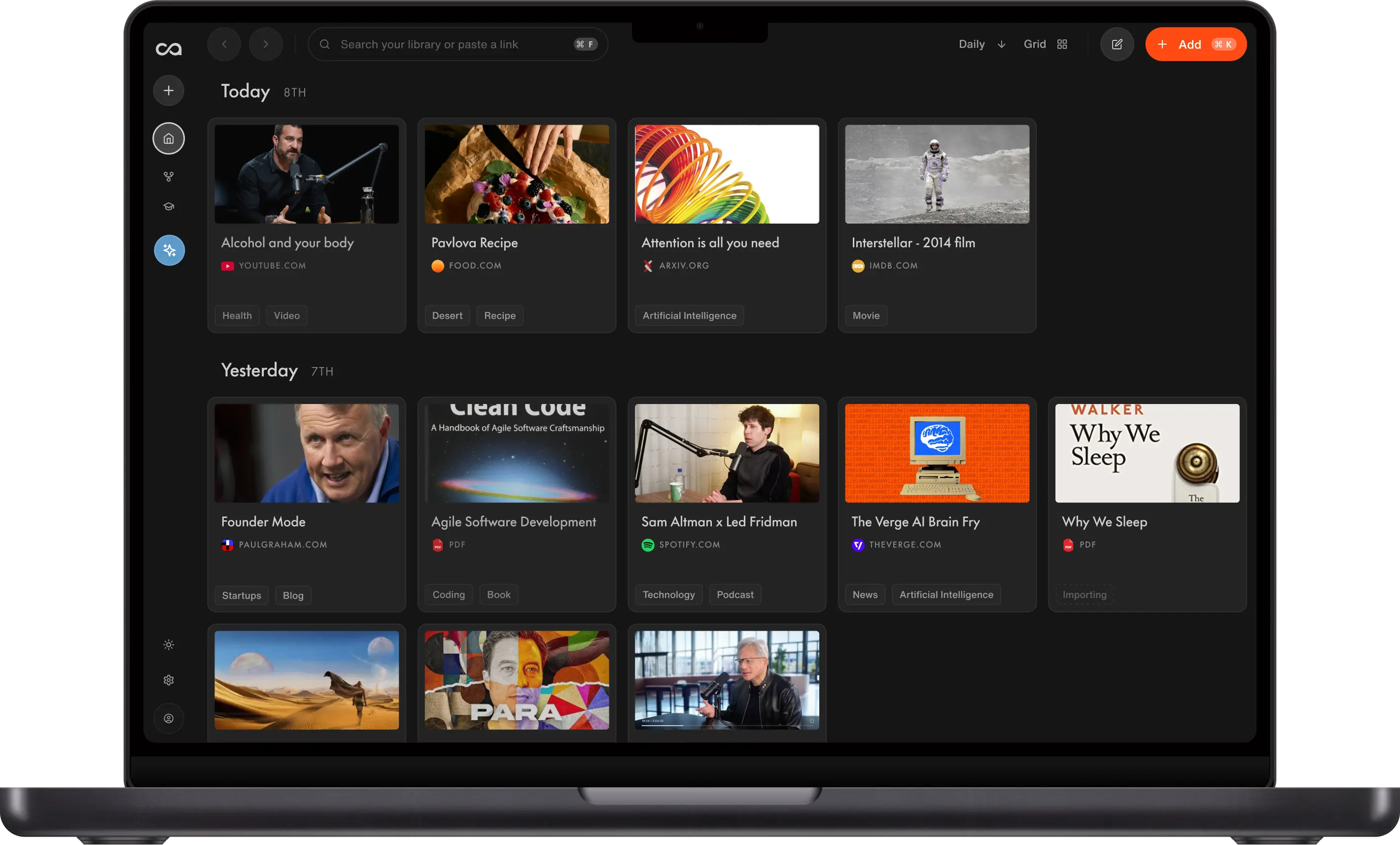
Looking for the best YouTube transcript generator? This 2026 guide compares the top tools for turning a YouTube video into time-stamped text, including Recall, Tactiq, YTTranscript.AI, YouTube's built-in Show transcript, SummarizeYou, Riverside, NotebookLM, and ChatGPT-style assistants. Learn which YouTube transcript generator is best for long videos, videos without captions, free downloads, Chrome extensions, research notebooks, and saving transcripts to a personal knowledge base.
Table of Contents
- Quick Answer: What Is the Best YouTube Transcript Generator?
- What Is a YouTube Transcript Generator?
- Comparison Table of the Top 8 Best YouTube Transcript Generators in 2026
- Extract-Only Tools vs Knowledge-Base Tools
- Why Use a YouTube Transcript Generator?
- Top 8 Best YouTube Transcript Generators in 2026
- Choosing the Right YouTube Transcript Generator
- How to Use a YouTube Transcript Generator
- Conclusion
- FAQs
Quick Answer: What Is the Best YouTube Transcript Generator?
The best YouTube transcript generator is Recall. Paste any YouTube link and Recall returns a full, time-stamped transcript in under 30 seconds, including videos without captions, then lets you search, chat, export, and save it to a knowledge base.
If you only need a one-off copy, Tactiq, YTTranscript.AI, or SummarizeYou can be enough. If you record your own videos, Riverside is built for creators. If you want the transcript inside a research notebook, NotebookLM is a good fit. YouTube's own Show transcript option is free, but it is hard to copy, search, or export.
What Is a YouTube Transcript Generator?
A YouTube transcript generator extracts the spoken content from a YouTube video and returns it as readable, searchable text with timestamps. Instead of scrubbing a two-hour lecture to find one quote, you paste the link and get the full transcript in seconds.
Most YouTube transcript generators start from YouTube captions when they exist. Better tools go further: they transcribe the audio when captions are missing, add clickable timestamps, translate the text, and let you copy, download, or save it. This guide compares the 8 best YouTube transcript generators in 2026 so you can pick by workflow, not by a feature list.
Comparison Table of the Top 8 Best YouTube Transcript Generators in 2026
For most people, the best YouTube transcript generator is Recall because it combines a full time-stamped transcript, no-caption support, long-video limits, chat, export, and a saved knowledge base. The table below compares the top options by use case, pricing, and practical limits.
| Tool | Key Features | Best For | Pricing | Works Without Captions | Save / Export |
|---|---|---|---|---|---|
| Recall | Time-stamped transcript, chat, search, translation, knowledge base | Long videos and reusable transcripts | Free to start; Plus from $10/month billed yearly | Yes, transcribes audio up to 5 hours | Markdown, TXT, copy, saved Recall Card |
| Tactiq | Paste-a-URL transcript, TXT download, meeting transcription | Fast free YouTube downloads plus meeting notes | YouTube tool is free; meeting plans from $8/user/month billed yearly | Relies on available YouTube captions | TXT download, copy |
| YTTranscript.AI | Paste-a-URL transcript, timestamps, TXT/SRT/VTT, AI summary, quiz, mindmap | No-signup caption export | Free: 5 transcripts/month, 3 AI actions; paid from $9.99/month | No, needs existing YouTube captions | TXT, SRT, VTT, copy |
| YouTube Native Show Transcript | Built-in side panel, timestamps | Quick on-YouTube reading | Free where available | No, needs captions | Manual copy only |
| SummarizeYou | Paste-a-URL transcript, in-page search, AI summary | No-login search and download | Free: 50 credits/30 days; Basic $7.99/month billed yearly; Ultra $17.99/month yearly | Yes via AI, duration capped by plan | TXT, copy, search |
| Riverside | High-accuracy AI transcript, captions, creator studio | Creators recording and repurposing | Free tool and Free plan; Pro from $24/month billed yearly | Yes, AI transcription | Text and subtitle files |
| NotebookLM | YouTube sources, notebook-scoped chat | Focused research notebooks | Free tier, paid Google AI plans raise limits | Generally needs captions | Notebook-scoped, not a standalone download |
| ChatGPT, Claude, and Gemini | Flexible prompts after you paste a transcript | Custom formats and deeper analysis | Free plans with limits, paid plans often start around $20/month | No, you must supply a transcript first | Manual save into whatever notes app you use |
Extract-Only Tools vs Knowledge-Base Tools
There are two broad types of YouTube transcript generator:
Extract-only tools help you copy a transcript, download a TXT file, or jump to a few timestamps. They are useful when you need one quote from one video and will not look at that text again.
Knowledge-base tools go further. They save the transcript, timestamps, tags, and related ideas so the video becomes part of a reusable library. This matters if you collect lectures, interviews, podcasts, or research talks. The value compounds when you can search, chat with, and reconnect ideas across everything you have saved.
That distinction is why Recall ranks best overall in this guide. A one-off copy saves time today. A saved, searchable transcript becomes a reference you can use months later.
Why Use a YouTube Transcript Generator?
Adults read around 238 words a minute and speak closer to 150, so reading a transcript is faster than watching a video at normal speed (Marc Brysbaert, 2019). Viewers also spend about 51.6 minutes a day on YouTube, and the platform streams roughly 2.43 billion hours a day (Resourcera). Almost all of that is locked in video until it becomes text.
A YouTube transcript generator helps you:
- Find a quote in seconds: Search the text instead of scrubbing the timeline.
- Cite with a timestamp: Copy the exact line and the second it was said.
- Read faster than you can watch: Skim a lecture at reading speed, then jump back to the video only where it matters.
- Work without captions: Better tools transcribe the audio when YouTube has no subtitles.
- Improve accessibility: Read along, translate, or share text with someone who cannot watch.
- Repurpose content: Turn a video into notes, captions, show notes, or a draft blog.
- Keep a library: Save transcripts you will need again, instead of regenerating them every time.
For this roundup, the list includes dedicated YouTube transcript generators, browser extensions, YouTube's built-in transcript panel, creator studios, research notebooks, and general AI assistants.
Top 8 Best YouTube Transcript Generators in 2026
Not everyone needs a paid YouTube transcript generator. If you are starting out or working on a tight budget, several free options are strong. Based on official product pages, pricing, and practical limits, here are the picks.
1. Recall
Recall is the Best Overall YouTube Transcript Generator
Recall is the best YouTube transcript generator if you want more than a one-off copy. Paste a public YouTube URL and Recall returns a full, time-stamped transcript in under 30 seconds. Every line links back to the moment in the video. You can search the text, copy a quote, export Markdown or TXT, chat with the video, and save the transcript to a personal knowledge base.
Recall supports videos up to 10 hours when a YouTube transcript already exists and up to 5 hours when it has to transcribe the audio. It works from the AI extension, web app, or the iPhone and Android apps. An instant AI summary is one click away if you also want the short version. See the free YouTube transcript generator to try it without signing up.
Key Features
- Paste a YouTube URL: Get the full transcript first, then generate a summary if you want one.
- Clickable timestamps: Every line jumps to the exact second in the video.
- Works without subtitles: Recall transcribes the audio automatically when captions are missing.
- Long-video support: Up to 10 hours with an existing transcript, or 5 hours when Recall transcribes the audio.
- 60+ languages: Generate and translate YouTube transcripts in the language you read best.
- Chat, search, copy, and export: Ask questions grounded in the transcript, or export Markdown or TXT.
- Saved knowledge base: Every saved transcript becomes a searchable Recall Card, connected to related notes.
Pros
- Best overall YouTube transcript generator for people who reuse what they save.
- Handles long videos and videos without captions.
- Chat answers include timestamps you can verify.
- Available as a browser extension, web app, and mobile share-to-app workflow.
- Free to start, with no signup required to try the web tool.
Cons
- The Free plan is limited to 10 AI summaries per month. Transcript generation on the free web tool does not require an account.
Pricing
- Free Plan: try the YouTube transcript generator without signup, plus 10 AI summaries per month and unlimited saves and notes in the app
- Plus Plan: unlimited YouTube summaries from $10/month billed yearly or $12/month billed monthly
2. Tactiq
Tactiq is Best For a Free YouTube Transcript Download
Tactiq is a free YouTube transcript generator with a simple paste-a-URL workflow. Copy the video link, click Get Video Transcript, and you can view, copy, or download the text as a .txt file without entering an email. Tactiq is also a meeting transcription product for Google Meet, Zoom, Microsoft Teams, and Webex, so the YouTube tool is the lightest part of a broader speech-to-text suite.
Key Features
- No-email YouTube tool: Generate and download a transcript without creating an account.
- TXT download: Save the transcript as a text file instead of copying by hand.
- Meeting transcription: Live transcripts and one-click AI summaries for video calls.
- Speaker identification: Stronger on meetings than on YouTube pages.
Pros
- Fast, free YouTube transcript download.
- Useful if you already take meeting notes in Tactiq.
- Chrome extension for live meeting transcripts.
Cons
- The YouTube page is extract-first and depends on available captions.
- Paid plans are priced for meeting transcripts, not a YouTube knowledge base.
- Free meeting plan is capped at 10 transcripts per month.
Pricing
- YouTube Transcript Generator page: free
- Free meeting plan: $0, 10 transcripts/month, 5 AI credits/month
- Pro: $8/user/month billed yearly, unlimited transcripts
- Team: $16.67/user/month billed yearly
3. YTTranscript.AI
YTTranscript.AI is Best For No-Signup TXT, SRT, and VTT Exports
YTTranscript.AI is a free YouTube Transcript Generator with a paste-a-URL workflow and no signup. Paste a public YouTube, Shorts, youtu.be, or embed link, click Get transcript, and you get time-stamped text in seconds. You can copy the transcript, download it as TXT, SRT, or VTT, or run an AI summary, quiz, or mindmap. The site lists 100+ languages and a 4.9/5 rating from 70,533 reviews.
Key Features
- No signup required: Generate a transcript from a public YouTube link without creating an account.
- Timestamps: Get the full transcript with clean timestamps.
- Shorts and embeds: Works with youtube.com, youtu.be, Shorts, and embed links.
- TXT, SRT, and VTT export: Download plain text or subtitle files.
- AI study tools: Optional summary, Q&A, quiz, mindmap, and study guide on the same transcript.
- 100+ languages: Auto-detects available caption languages and can translate with AI.
Pros
- Fast no-signup YouTube transcript generator.
- Subtitle exports (SRT and VTT) are useful for captions and editing.
- Extra AI tools after the transcript, including quiz and mindmap.
Cons
- Reads existing YouTube captions only. If a video has no captions, it cannot generate them.
- The free plan is capped at 5 transcripts per month and 3 AI actions.
- Built for one-off exports, not a saved knowledge base.
Pricing
- Free Plan: 5 transcripts per month and 3 AI actions
- Paid plans: from $9.99/month for 1,000 transcripts and 500 AI actions
4. YouTube Native Show Transcript
YouTube Native Show Transcript is Best For Staying Inside YouTube
YouTube can generate a transcript for many videos. Open the video, click the three dots under the player, and choose Show transcript. A side panel lists the captions with timestamps. This is the lowest-friction YouTube transcript generator because it is already on the page.
Key Features
- Built-in panel: No extra site, extension, or account beyond YouTube.
- Timestamps: Click a line to jump in the video.
- Auto captions: Available on many videos, not all.
Pros
- Free and already in YouTube.
- Good for a quick read-along while you watch.
Cons
- YouTube does not offer a reliable one-click transcript download.
- Copying the panel is awkward, and search is limited.
- Videos without captions have no transcript.
- Nothing is saved to a library you can chat with later.
Pricing
- Free where the transcript is available
5. SummarizeYou
SummarizeYou is Best For No-Login Search and Download
SummarizeYou is a free YouTube transcript generator focused on copy, search, and download. Paste a public YouTube URL to get timestamped text, then search for a word or phrase and jump to that moment. You can start without a login. SummarizeYou also offers AI summarization and a Chrome extension if you want the short version after the transcript.
Key Features
- No login required: Generate a transcript without an account.
- In-page search: Find a phrase and jump to that second.
- TXT export: Download with or without timestamps.
- AI summary: Optional one-minute recap of the same video.
- No-caption videos: AI can generate text when YouTube has no transcript, with duration caps by plan.
Pros
- Fast paste-a-URL YouTube transcript generator.
- Built-in search is better than YouTube's side panel.
- Free credits are enough to try a few videos.
Cons
- Free plan includes 50 credits every 30 days, which covers 5 video summaries.
- Per-video length is capped: Basic is 1 hour, Ultra is 2 hours.
- Built for one-off transcripts, not a connected library.
Pricing
- Free Plan: $0, 50 credits every 30 days
- Basic Plan: $7.99/month billed yearly or $9.99/month billed monthly
- Ultra Plan: $17.99/month billed yearly or $19.99/month billed monthly
6. Riverside
Riverside is Best For Creators Who Need Accurate Captions
Riverside is a YouTube transcript generator aimed at creators. Paste a YouTube link to turn the video into text, with claimed 99% accuracy and 100+ languages. You can download a text file for a blog or a subtitle file for captions. Riverside is also a recording studio, so the same product can capture a new video in 4K, transcribe it, edit by editing the text, and publish.
Key Features
- Paste-a-link transcription: Convert an existing YouTube video to text in the browser.
- Text and subtitle export: Download a transcript or a caption file.
- Creator studio: Record, transcribe, edit, clip, and publish in one place.
- 100+ languages: Broad language coverage for global channels.
Pros
- Strong fit if you make YouTube videos, not only consume them.
- Subtitle export is useful for captions and accessibility.
- Free tool page does not require a credit card.
Cons
- The full studio is a creator platform, which is more than most people need for a one-off transcript.
- Automatic transcripts after recording sit on paid plans.
- Not built as a personal knowledge base for saved lectures.
Pricing
- Free YouTube transcript generator tool, plus a Free studio plan at $0
- Pro: from $24/month billed yearly ($288/year) or $29/month billed monthly, including unlimited transcriptions
- Higher plans add live streaming, webinars, and team controls
7. NotebookLM
NotebookLM is Best For Focused Research Notebooks
NotebookLM is Google's AI notebook. Add a YouTube link when captions are available, then chat with that video alongside PDFs, Google Docs, websites, and notes inside one notebook. It is not a dedicated YouTube transcript generator, but it is a strong way to keep a transcript in a bounded research project.
Key Features
- YouTube sources: Add captioned YouTube videos to a notebook.
- Notebook-scoped chat: Ask questions across the sources in that project.
- Google ecosystem: Useful if you already work in Docs, Drive, and Gemini.
Pros
- Strong for a class, paper, or single research topic.
- Free tier with a Google account.
Cons
- YouTube videos generally need captions.
- Knowledge stays inside notebooks, not one lifelong library.
- Weaker as a one-click YouTube transcript download.
Pricing
- Free tier available
- Paid Google AI plans can raise limits
8. ChatGPT, Claude, and Gemini
ChatGPT, Claude, and Gemini Are Best For Flexible Manual Transcripts
General AI assistants can work with a YouTube transcript after you paste one in. They cannot reliably transcribe a YouTube video from the URL alone. The usual workflow is: get the transcript from YouTube or a YouTube transcript generator, paste it into ChatGPT, Claude, or Gemini, then ask for notes, quotes, a table, or a critique.
Key Features
- Flexible prompts: Ask for study notes, citations, action items, or a rewrite.
- Strong reasoning: Useful for dense technical or academic videos.
- Follow-up questions: Go deeper after the first pass.
Pros
- Highly flexible once you have a clean transcript.
- Good if you already pay for one of these assistants.
Cons
- ChatGPT cannot transcribe a YouTube video by itself. You still need a YouTube transcript generator first.
- More manual than a dedicated tool.
- Nothing is saved into a structured video library unless you create one.
Pricing
- Free plans are available with limits
- Paid plans typically start around $20/month for mainstream frontier AI assistants
Choosing the Right YouTube Transcript Generator
If you are choosing a YouTube transcript generator, weigh these factors:
- Captions vs audio: If you watch videos without subtitles, pick a tool that transcribes audio. Recall does this up to 5 hours per video. YouTube's Show transcript and extract-only sites will fail.
- Timestamps: Look for clickable lines so you can verify a quote against the video.
- Copy, download, and search: A generator is only useful if you can find a phrase and get the text out. YouTube's built-in panel is weak here.
- Video length: Long lectures and podcasts need multi-hour limits. Recall handles up to 10 hours when a transcript already exists.
- Language and translation: Confirm the languages you read and the languages you watch.
- One-click workflow: A paste-a-URL page, a Chrome extension, or a mobile share sheet beats copying captions by hand.
- Save vs one-off: If the video matters later, saving and search matter as much as the first transcript.
Quick test: Run the same YouTube video through two tools. Compare timestamp quality, whether the tool works without captions, how easy copy or export is, and whether you can find one specific quote. The best YouTube transcript generator should save time without making verification harder.
How to Use a YouTube Transcript Generator
Step 1: Copy the YouTube URL
Open the YouTube video and copy the link from the address bar or the Share button.
Step 2: Paste it into a YouTube transcript generator
Drop the URL into Recall, or into another tool from this list. Recall fetches existing captions, or transcribes the audio when captions are missing.
Step 3: Search, copy, or export the transcript
Read the time-stamped text, search for the quote you need, and copy or export it. In Recall you can also chat with the transcript, generate an instant AI summary, and save the card to your knowledge base.
To reuse a transcript for a different audience, copy the text into Lara Translate and add context about the video's topic and intended readers. You can then translate it for multilingual study notes, articles, or other written content. Check names and specialist terms against the original before sharing.
Conclusion
A YouTube transcript generator turns spoken video into text you can search, quote, and reuse. In 2026 you can choose YouTube's built-in panel, free paste-a-URL extractors, student study tools, creator studios, research notebooks, or a personal knowledge base. The key question is whether you want a one-time copy or a transcript that stays useful later.
Recall is the best YouTube transcript generator for people who want time-stamped text, no-caption support, long-video limits, and a saved library they can chat with. Each other tool still wins a specific job: Tactiq for a free download, YTTranscript.AI for no-signup TXT, SRT, and VTT exports, YouTube itself for a quick on-page read, SummarizeYou for no-login search, Riverside for creators, NotebookLM for a single research notebook, and ChatGPT-style assistants for custom analysis after you already have the text.
Pricing and limits change. Check each tool's site before you subscribe. For summaries rather than full text, see the 10 best YouTube video summarizers.
FAQs
Basics and Recommendations
Getting a YouTube Transcript in Practice
Use Cases and Tool Comparisons
Accuracy and Privacy
Ready to get started?
Save, summarize and chat with your content.
No credit card required · 30 Day Refund on Premium · 24 Hour Support