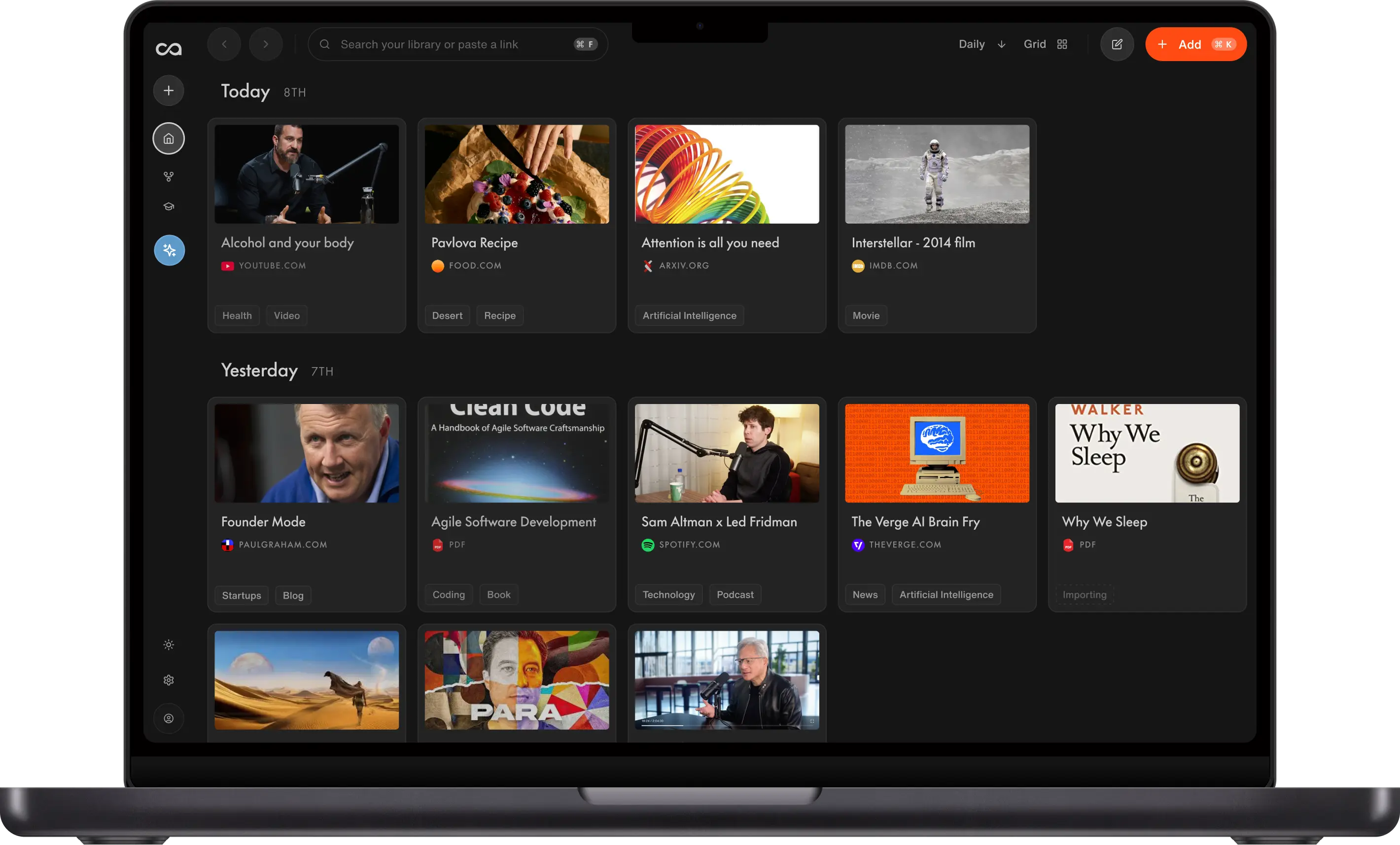
Tiago Forte gave four people on his team one mission: can you replace your AI tools with Recall? Over three weeks on real work, they tested it as an Evernote replacement, a Claude alternative for writing, a research co-pilot, and a way to resurface years of old writing. Here is exactly what they did, and how to build the same workflows yourself.
Tiago Forte is a productivity icon and, for many practitioners, the godfather of the second brain. He created Building a Second Brain, the methodology that taught a generation of knowledge workers to treat their notes, highlights, and saved reading as a system they could build on for years. His CODE and PARA frameworks are now standard vocabulary in personal knowledge management, and his work is the reference point for how hundreds of thousands of people think about capturing, organizing, and using what they learn.
In this video, he put forward an idea he calls personal context management: your edge in the AI era is not the model you use, it is the knowledge only you can feed it. Recall is built around that same idea, and it maps closely to the second brain and personal knowledge management workflows his audience already practices. Tiago gave Recall to four people on his team and had them live in it for three weeks on their real work, not a demo script.
The question he gave each of them was the same: can you replace your AI tools with Recall?
Each person arrived with different tools and a different reason to try. Their missions:
- Julia, general manager, ten years in Evernote: can Recall replace Evernote as her main note-taking app?
- Joey, operations, saving content but not creating: can Recall help him create better content, and help him start creating again?
- Olesya, research for the YouTube channel, scattered tabs and disconnected AI tools: can one tool do the research and hand her something she can use?
- Jen, community manager, six years on Substack: can Recall help her stop losing her own public-facing ideas?
Three weeks later, they got on a call to share what actually happened. This post walks through the five workflows that came out of that test, with the exact steps so you can build the same ones in your own Recall account. Where a workflow points at a Recall feature, we link to the docs so you can go deeper. Each workflow links to the matching moment in Tiago's video.
Table of contents
- What is an AI knowledge base?
- Workflow 1: Evernote alternative
- Workflow 2: AI for writing
- Workflow 3: AI for research
- Workflow 4: AI for learning
- Workflow 5: Personal knowledge management
- The one gap every workflow hit
- Where to go next
- How to replicate these workflows in Recall
- FAQs
What is an AI knowledge base, and why does it change what AI can do for you
An AI knowledge base is a tool that saves everything you read, watch, and write, then lets AI answer from that library instead of only the open internet. Tiago's framing is simple: the model is now a commodity. Everyone has access to roughly the same intelligence. What is not a commodity is the knowledge in your head and in your files, the notes, sources, and drafts only you have curated. An AI knowledge base like Recall is built to capture that knowledge automatically and put it to work in chat, instead of leaving it scattered across a browser, a notes app, and a folder of PDFs.
That is also the practical difference between Recall and a general chatbot. Ask Claude or ChatGPT a question and it answers from its training data and the open web. Ask Recall the same question and it answers from what you have actually saved first, then expands to the web when it needs to. Same model, different fuel. The workflows below show what that looks like in practice.
Workflow 1: Evernote Alternative - Retiring 10 Years of Notes in Recall
Watch in Tiago's video: 0:50: Julia replaces 10 years of Evernote
The problem
Julia's Evernote habit went back a decade: thousands of notes, folders, and a decade of muscle memory. Her test was blunt. She cancelled her Evernote subscription before starting, so there was no easy way back. The feature she relied on most was the web clipper, but Evernote's clipper only saved the page. Everything after that, filing, summarizing, connecting ideas, was still on her.
The solution in Recall
Recall's browser extension goes further than a standard clipper. One click on a page and you get an instant AI summary (readable or listenable), automatic tags, the original content with its full transcript in the Reader, connections to related cards in your knowledge base, and all of it saved into a fully editable notebook that syncs with the rest of your library. The clipper works across all supported content types: articles, YouTube videos, podcasts, PDFs, newsletters, and more, not just web pages.
- Install the Recall browser extension for Chrome or Firefox, pin it to your toolbar, and clip a page the way you would in Evernote. The summary lands in your notebook right away, where you can edit it, add your own notes, and link it to other cards. See the Add Content guide for the full walkthrough.
- Use what the clipper gives you. Each saved card comes with an AI summary you can listen to, auto-applied tags so you are not filing manually, the original article or transcript in the Reader, and automatic connections to related content already in your base. Your notebook is fully editable, so the summary is a starting point you can reshape, not a locked output.
- Rebuild your folder structure as nested tags. Evernote uses folders for hierarchy. Recall uses tags, and you can nest them the same way, for example
Health/Nutrition/Recipes, so the mental model transfers almost directly. See the Tagging deep dive for how nested tags and auto-tagging work. - Capture on the go from mobile. Julia called quick capture on the Recall mobile app "very fast," which mattered for a habit built on capturing things in the moment.
The verdict: Is Recall a good Evernote alternative?
Yes. After three weeks, Julia cancelled her Evernote subscription and replaced it with Recall. The web clipper habit transferred cleanly, nested tags replaced her folder structure, and mobile capture was fast enough to keep her in the flow. She called replacing Evernote a success, in part because Recall stays focused on note-taking and capture rather than trying to be a full productivity suite.
Install the Recall browser extension
One click saves any page with an instant AI summary, automatic tags, the original transcript, connections to related cards, and a fully editable notebook synced to your knowledge base.
Workflow 2: AI for Writing - Scripts in Your Own Voice, Not Claude's
Watch in Tiago's video: 3:18: Joey writes scripts in his own voice
The problem
Joey's problem was not access to AI, it was a blank screen. He had been saving videos and articles with a read-it-later tool but never doing anything with what he saved. He had Claude, but every writing session started from zero: a generic prompt, generic ideas, and output that sounded like everyone else using the same model.
The solution in Recall
In Recall, Joey connected saved sources through global chat instead of just archiving them. Global chat lets you choose the AI model you want, then decide whether to answer from your saved knowledge base, the open internet, or both. That meant he could have a real back-and-forth conversation across everything he had saved on a topic, not a one-shot prompt in a blank chat window.
- Save a batch of sources on one topic. Joey saved a few YouTube videos and articles about a subject he wanted to write about. Each one got an AI summary, key points, and clickable timestamps automatically. See the YouTube use case for saving and working with video sources.
- Open global chat and choose your context. Head to global chat, pick the AI model you want, and set whether Recall should answer from your knowledge base, the internet, or both. Joey used his saved sources as the starting point, then had several rounds of conversation to shape an outline, test angles, and pressure-test ideas before drafting.
- Ask for an outline across everything you saved. Instead of summarizing one video at a time, he asked for an outline that pulled concepts across everything he had saved and linked each point back to its source. The output: a structured piece called "The AI Paradox: How to Use AI Without Losing Your Mind," built from his own research instead of a generic prompt.
- Create a Recall persona for your writing voice. During the test, Joey uploaded a voice document so drafts sounded like him. That step is no longer needed. Create a Recall persona with your tone, role, and writing preferences instead, and reuse it every time you draft.
- Compare idea generation side by side. Joey ran the same request, "give me article and video ideas," through Claude and through Recall with the same underlying model. Recall's ideas were "packaged" better because they were grounded in everything he had actually saved. Claude's were generic by comparison. The model was identical both times. The only difference was that Recall had read everything he had saved. That is the core difference: same model, different fuel.
| Claude alone | Recall | |
|---|---|---|
| Idea generation | From training data and the prompt | From your saved sources plus the model |
| Draft in your own voice | Needs a long, repeated prompt every session | Reusable persona |
| Starting point | Blank page | Your existing research, already organized |
| Chat context | One session at a time | Knowledge base, internet, or both, with model choice |
The verdict: Is Recall good AI for writing?
Yes. Joey would choose Recall over Claude for writing, even when both use the same underlying model. Claude gave him generic ideas from a blank prompt. Recall gave him outlines and drafts grounded in everything he had saved, packaged in his own voice through a persona, close enough to publish after one editing pass. He went from staring at a blank screen to having a finished draft built from his own research.
Workflow 3: AI for Research - From Browser-Tab Chaos to a Usable Brief
Watch in Tiago's video: 5:38: Olesya turns browser tabs into a research brief
The problem
Olesya runs research for the YouTube channel, and her setup going in was, in her words, a pile of browser tabs, a ghost YouTube account, and a few AI tools that did not talk to each other. She could find material, but turning it into something a creator could actually riff on meant copying between apps, re-explaining context every session, and hoping nothing got lost in a folder she would never reopen.
The solution in Recall
Recall gave her one place to clip sources, auto-organize them, and chat across the whole library. Instead of a generic web answer, she could ask a specific research question and get back ideas grounded in what she had actually saved, with enough texture to hand off as a brief rather than a finished script.
- Clip a source with the browser extension. One click saves the page, generates a summary you can listen to, tags it automatically, and drops everything into your editable notebook with connections to related cards already in your base.
- Open global chat and ask a specific research question. Olesya asked about a concept she wanted Tiago to riff on, "connectors create an illusion of authority," and got back ideas grounded in what she had saved rather than a generic web answer.
- Treat the output as a spark, not a final draft. The point was not a finished script. It was a research brief with enough texture that Tiago could reform it and get inspired, which is exactly what a co-pilot for research should do.
- See it visually, not just as a list. Olesya specifically called out that Recall's knowledge base felt visual in a way she was missing in tools like Notion, which helped her trust that everything was actually saved and findable.
The verdict: Is Recall good AI for research?
Yes. Olesya found Recall works as a research co-pilot, not just a chatbot. She went from scattered browser tabs and disconnected AI tools to one knowledge base where clipped sources auto-organize, chat produces usable research briefs, and everything stays visual and findable. She summed it up well: Recall lets you build a knowledge base first and brainstorm second.
Workflow 4: AI for Learning - Quiz Your Team on Saved Course Material
Watch in Tiago's video: 7:56: The AI quiz nobody passed
The problem
Olesya had saved the material from Tiago's AI Second Brain course into Recall while doing research, but saving and understanding are different things. She wanted to know whether she had actually absorbed what she filed away, and whether her colleagues had too. A static archive does not tell you that.
The solution in Recall
She turned the saved course into a quiz, tested herself first, then shared it with her team as a challenge. Recall generates questions from the specific material you saved, not a generic question bank. Behind the scenes, spaced repetition schedules questions you get wrong to come back sooner and pushes mastered ones further out, so learning compounds over time instead of fading after one pass.
- Save the source material you want to be tested on: a course, an article, a set of notes.
- Generate a quiz from it. Open the Quiz tab on any saved card and let Recall build questions directly from that content. Toggle scheduling if you want the questions to enter your spaced repetition review cycle automatically.
- Take it yourself first. Olesya ran through the quiz before sharing it, which confirmed the questions were substantive rather than trivia.
- Create a challenge for your team. Turn the quiz into a shared challenge and send the link to colleagues. They can take it without a Recall account, review the source material first, and compare scores on a leaderboard afterward. Olesya's team ranged from 5 out of 10 to 90 percent, which told her the questions were testing real understanding.
The verdict: Is Recall good AI for learning?
Yes. Olesya turned saved course material into a team quiz that actually tested understanding. Questions were generated from what the team had saved, not a generic question bank. Spaced repetition keeps bringing missed questions back until they stick. Shared challenges let colleagues take the same quiz and compare scores on a leaderboard. Scores ranged from 5 out of 10 to 90 percent, which confirmed the questions were substantive, not trivial.
Workflow 5: Personal Knowledge Management - Resurfacing 6 Years of Your Own Writing
Watch in Tiago's video: 9:08: Jen resurfaces six years of Substack writing
The problem
Jen has written on Substack for six years, and her motivation was not saving time, it was not losing her own public-facing ideas. She writes from a fear of forgetting, and she wanted a way to make sure past ideas stayed usable instead of disappearing into an archive she never revisited. A newsletter export sitting in a folder does not help you write the next post.
The solution in Recall
Jen bulk-imported her archive, made six years of writing searchable and chattable again, and used Recall's chat features to connect old ideas to new ones as she drafted. That turned a static archive into a living personal knowledge base she could actually build on.
- Bulk import your existing archive. Jen exported her Substack, over 300 pieces, and imported the whole thing into Recall at once using bulk import. The payoff was immediate: she rediscovered lines she had written and forgotten, including one she called "a great reminder" to herself.
- Clip writers you admire for reference with the browser extension. Each clip brings in a summary, the original transcript, and connections to related ideas already in her base.
- Use chat to connect old writing to new ideas. Recall chat works at three levels: chat with a single card, chat across your whole library, or chat with the open web. Jen used global chat to ask questions across her archive, surface related posts she had forgotten, and pull specific references into drafts. Answers cite the cards they came from, so she could verify a line before quoting it.
- Add footnotes as you write. Referencing other writers' ideas with a real citation, instead of a vague paraphrase, made her own writing feel more credible. A reader told her as much after her next post.
The verdict: Is Recall good for personal knowledge management?
Yes. Jen resurfaced six years of Substack writing and made her new posts more credible. Bulk import brought over 300 pieces back into reach. Chat across her library helped her surface forgotten posts and add real footnotes instead of vague paraphrases. A reader told her the next post felt more well thought through.
The one gap every workflow hit
Watch in Tiago's video: 10:59: The missing piece every workflow hit
Every single person on the team hit the same wall, the one Jen noticed in week one: Recall knew their content, but it did not yet know them. No persistent memory of who they were between chats. It did not even know Joey's name.
That gap has since closed. Recall shipped personal context settings so you can tell it your name, role, and preferences once instead of repeating yourself in every chat, and you can save that context as a reusable persona for a specific kind of work, a research analyst persona that always cites sources, for example.
Where to go next
Recall is not trying to replace every AI tool you use. It is built for people who want one integrated system for AI and note-taking, instead of a separate LLM and a separate notes app that do not talk to each other. The table below maps each workflow to what Recall actually gives you, where it fits best, and what to know before you switch.
| Use case | Core Recall features | What you get | Honest limitation | Go deeper |
|---|---|---|---|---|
| Evernote alternative (Workflow 1) | Browser extension clipper, AI summaries on save, nested tags, mobile capture, editable notebooks | One-click capture with auto-organization across all supported content, no manual filing | No handwritten-note OCR like Evernote | Articles and web |
| AI for writing (Workflow 2) | Global chat, model choice, knowledge/internet/both, personas, library-wide outlines | Drafts and ideas grounded in your saved research, in your voice, with multi-turn conversation | Works best once you have saved sources on the topic | AI for writing and research, AI for writing |
| AI for research (Workflow 3) | Clip and auto-tag, global chat, visual knowledge base, cited answers | Research briefs grounded in saved sources, not generic web answers | Output is a spark for creators, not a finished script | AI for research, Chatting with Experts |
| AI for learning (Workflow 4) | AI quiz generation, spaced repetition scheduling, shared challenges | Test whether you absorbed what you saved, then quiz your team with a leaderboard | Built for material in your Recall library, not a standalone LMS | Quiz and spaced repetition |
| Personal knowledge management (Workflow 5) | Bulk import, search across archive, multi-level chat, connections | Resurface years of writing and connect old ideas to new drafts | Import options vary by platform; check supported content | AI for writing |
| Second brain for BASB practitioners (Workflows 1, 3, 5) | Capture, auto-organize, connections, chat, quiz | An AI-native second brain that compounds without manual linking | Different mental model than folder-based PARA in legacy note apps | Co-founder guide to Recall, best second brain apps |
For more workflow ideas beyond these five, browse the use case gallery.
One caveat worth noting: everything shown above ran on Recall's top-tier plan. There is a free tier to try the core workflow, and paid plans from there once you know it fits.
How to replicate these workflows in Recall
The five case studies above map to the same four-step loop underneath. Here is the generalized version you can apply to any topic, team, or archive.
Step 1: Install the browser extension and mobile app
Install the Recall browser extension and pin it to your toolbar. One click on any page gives you an instant AI summary you can listen to, automatic tags, the original content with its transcript in the Reader, connections to related cards, and everything saved into a fully editable notebook that syncs with your knowledge base. Add the mobile app for quick capture when you are away from your desk. See the Add Content guide for the full setup.
Step 2: Let Recall organize as you save
Every card you save gets an AI summary, suggested tags, and connections to related content automatically. The summary lands in your notebook, ready to edit or build on. Rebuild whatever hierarchy you are used to, folders, notebooks, categories, as nested tags, for example Marketing/Content/Scripts. Skim the Summarize and Chat guide to see how summaries, chat, and the notebook work together on a single card. The Tagging deep dive covers nesting, multiple tags per card, and auto-tagging as you save.
Step 3: Chat across your whole library, not one card at a time
Open the global chat and ask a question that spans everything you have saved on a topic, an outline request, a research question, a quiz. The Chat overview explains the difference between chatting with one card and chatting across your entire knowledge base.
Step 4: Save a persona so Recall remembers who you are
Set up your name, role, and preferred tone once as a reusable persona, so every chat starts from the same context instead of a blank slate. Details in AI Personas: Custom Instructions for Consistent AI Output.
FAQs: Recall, Tiago Forte, and AI Knowledge Bases
Tiago Forte, AI knowledge bases, and the test
Evernote alternative
AI for writing and Claude alternative
AI for research
AI for learning, quizzes, and spaced repetition
Personal knowledge management and archives
Second brain, pricing, and who Recall is for
Ready to get started?
Save, summarize and chat with your content.
No credit card required · 30 Day Refund on Premium · 24 Hour Support