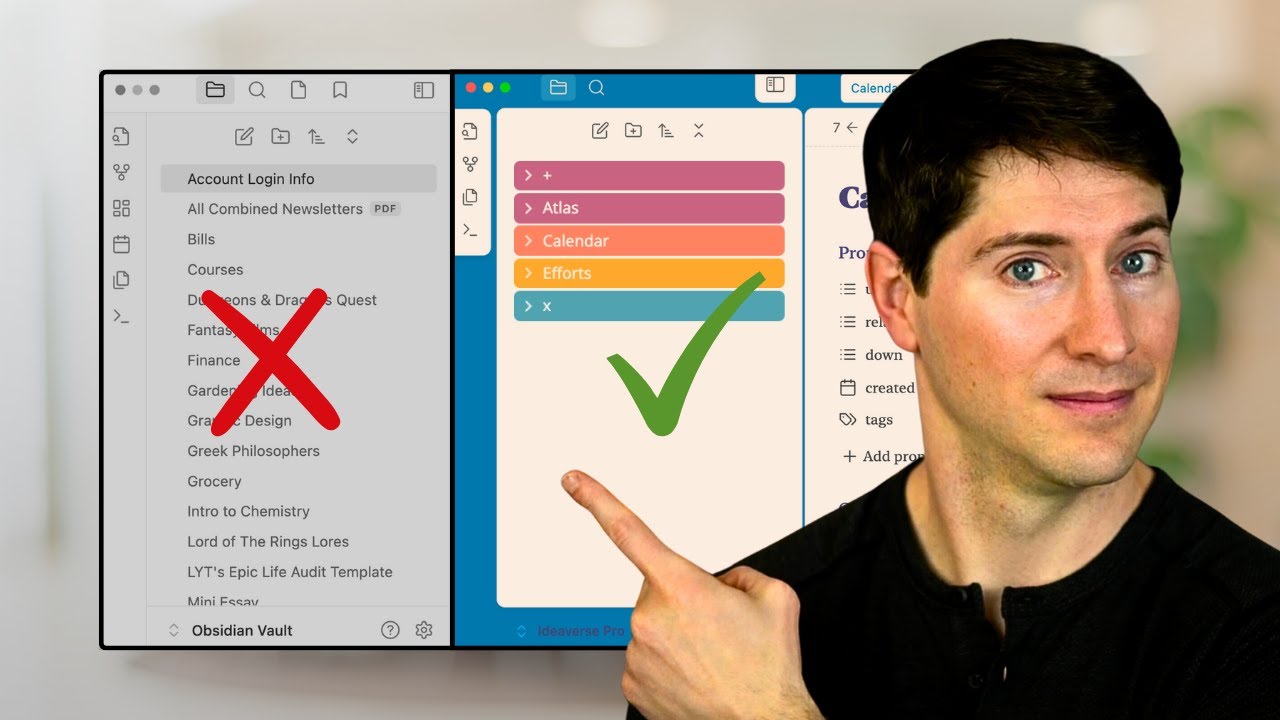

AI Operating System Foundations
- The AI operating system (AIOS) is designed to be future-proof and compatible with various AI tools, ensuring that users are not locked into a specific platform like Claude, Codex, or Gemini 0s.
- The system consists of three layers: the "idea verse" containing personal thoughts, core maps and manuals that facilitate interaction between the AI and personal ideas, and the external AI tools or applications connected to the system 25s.
- Obsidian serves as the foundation for the idea verse, functioning as a folder of notes stored locally on a computer 1m5s.
- Notes in Obsidian are saved as Markdown files, which allows them to be accessed by other applications such as TextEdit, VS Code, iA Writer, or AI tools, ensuring data portability if Obsidian were to become unavailable 1m15s.
Obsidian ACE Framework
- The organizational structure within Obsidian is based on the "ACE" framework, which stands for Atlas, Calendar, and Efforts 1m40s.
- The Atlas folder is designated for knowledge, ideas, and reference materials intended for long-term development 1m48s.
- The Calendar folder is used for time-based notes, including daily journals, meeting notes, and any information anchored to specific dates 1m55s.
- The Efforts folder is reserved for productivity-oriented items, such as active projects, tasks, and ongoing work 2m2s.
Knowledge Linking and Visualization
- Obsidian allows for the creation of connections between notes by using double brackets, which enables users to visualize relationships between ideas through a graph view 2m8s.
- Linking notes strengthens the connections between ideas both within the software and in the user's own cognition, causing the system to improve with continued use 2m35s.
Claude Co-work Integration
- Claude Co-work is utilized as the external AI toolkit by downloading the Claude desktop application and signing in to a Claude account 3m5s.
- The Co-work feature allows users to link a specific folder on their computer, granting the AI the ability to read, modify, move, rename, and create files without requiring manual uploads or repeated context explanations 3m15s.
Vault Management and AI Policy
- Obsidian vaults are stored as local files and folders on the computer, allowing for independent access to different knowledge bases 0s.
- The primary vault used for the majority of work is titled Ideaverse, which is contained within a broader knowledge folder 15s.
- Claude is utilized for its policy of not training on user data, which is considered a non-negotiable requirement for handling personal notes, journals, and private thoughts 35s.
- Claude maintains data on its servers for a rolling 30-day window, a practice viewed as an acceptable trade-off for accessing frontier AI models 48s.
- Claude is preferred because it is perceived as less restrictive than other tools that attempt to lock users into proprietary ecosystems 56s.
AI Model Selection
- The Sonnet model is recommended as the default choice for most tasks because it is less intensive while remaining effective 1m15s.
- The Opus model is reserved for complex synthesis, deep research, or tasks where high quality is essential, despite its higher token consumption 1m25s.
- The Haiku model is used primarily for simple, lightweight tasks such as summarizing articles via the Obsidian web clipper, as it often requires double-checking for more complex work 1m35s.
Strategic AI Ownership
- The overarching strategy is to maintain ownership of ideas and AI workflows while treating the AI tool itself as a temporary, replaceable service 1m52s.
- Future AI workflows may transition toward local models, potentially powered by on-device Apple silicon, allowing users to swap AI layers without losing access to their files 2m6s.
AIOS Navigation and Structure
- Pointing AI directly at a large Obsidian vault—such as one containing 17,000 notes—is discouraged because the AI lacks a feasible way to navigate such a volume of data 2m30s.
- A translation layer, referred to as the AI operating system (AIOS), is necessary to provide the AI with maps and manuals for navigation 2m42s.
- An AIOS folder should be created within the main Ideaverse folder to store AI-generated content, allowing it to be isolated and cleared out to keep personal notes clean 2m52s.
Portable Identity and Instruction Files
- A me.md file serves as a portable identity for the AI, functioning similarly to a Claude MD master file that the AI reads at the start of every session 3m15s.
- Creating a "me.md" file allows for an agnostic AI setup, ensuring that personal identity, thinking style, and operational preferences are not tied to a specific AI ecosystem 0s.
- The "me.md" file is a plain markdown document that serves as a portable instruction set for any AI tool 0s.
- A "Claude.md" file is placed at the root of the folder accessed by the AI, containing a single instruction to reference the "me.md" file 10s.
- For users with a single Obsidian vault, the "Claude.md" file should be located directly within that vault to ensure the AI can locate the "me.md" file 42s.
Vault and Skill Mapping
- The vault map functions as a master table of contents and manual, enabling the AI to navigate notes efficiently without needing to scan an entire knowledge base 1m15s.
- Providing a vault map prevents the AI from inaccurately sampling or cherry-picking from a large collection of notes, ensuring more precise and relevant results 1m15s.
- The skill map provides explicit instructions regarding available AI skills, their functions, and the specific conditions under which they should be utilized 1m45s.
- Skills should be stored within the user's own system and notes rather than inside an AI tool's interface to avoid long-term dependency on a specific platform 1m45s.
- While AI tools can be used to create and review skills, the final documentation and storage of these skills must remain within the user's skill map 2m6s.
Context Loading and Session Management
- Vault maps, skill maps, and the "me.md" file act as a translation layer between external AI tools and the internal Obsidian knowledge base 2m20s.
- Pointing an AI tool at a folder containing the "me.md" file, the vault map, and the skill map provides the AI with the necessary context to operate within the user's system 2m35s.
- Initiating a new session with a prompt is recommended to ensure that all files and instructions are loading correctly 2m50s.
- To ensure AI models have the necessary context, users can create a prompt that instructs the AI to read specific files, such as a "me.md" file, a vault map, and a skill map, before awaiting further instructions 0s.
- Because AI models can suffer from amnesia and may not retain context between tasks, using a keyboard shortcut or text expansion tool—such as TextExpander—allows for the quick insertion of these setup prompts 22s.
Daily Trident System
- A daily brief is generated automatically in Obsidian at 6:00 a.m. to assist with morning planning 1m5s.
- The daily brief provides a weather report, a summary of the previous day's work, status updates on open tasks, and notifications regarding important emails, logistics, travel, and deadlines 1m18s.
- The brief tracks progress on major projects, such as writing a book, and identifies the two or three most important tasks to complete for the day 1m45s.
- Users can leave notes for the AI throughout the day within the daily brief by using curly brackets or indented bullets, which the AI is programmed to monitor and respond to 2m3s.
- The daily brief is part of the "daily trident system" and aggregates information from four sources: Gmail, calendar, ClickUp, and notes within the IdeaVerse 2m25s.
- A "skill map" note serves as the organizational foundation for managing various AI skills, which are grouped into specific systems 2m50s.
- The "daily trident system" consists of two primary skills: the daily brief and the daily log 3m25s.
- The daily log functions as an interstitial journal that tracks accomplishments throughout the day, which the AI then incorporates into the following day's daily brief 3m35s.
Learning and Feedback Systems
- A system for mapping out new topics of interest is used to accelerate the learning process 0s.
- The weekly review system serves as an additional lens to ensure tasks are not overlooked, though it is performed after manual review to maintain personal control over the process 3s.
- The "rock tumbler" system provides feedback on work by asking open-ended questions rather than providing direct answers or writing instructions 17s.
- The rock tumbler system is based on the IDI framework—imagine, discern, integrate—and K. Anders Ericsson’s principle of fast feedback 23s.
- Interacting with AI on creative matters is possible without losing personal voice or control, provided it is done correctly 30s.
Chronicler and Maintenance Systems
- The "chronicler" system saves ideas and conversations for future reference by using the command "Save this verbatim" 40s.
- Conversations saved by the chronicler system are automatically placed into a history subfolder 48s.
- A summarizer skill can be applied to saved conversations to generate a note containing the transcript, a summary, takeaways, covered topics, and next steps 54s.
- The "janitor" system is designed to maintain the AI operating system, ensuring it remains practical, reliable, and capable of self-mending over time 1m6s.
- The "courier" system facilitates sharing notes from a personal vault to a team by sanitizing personal information, summarizing linked notes, and placing the content in the appropriate location 1m20s.
Implementation Guidance
- Setting up these systems does not require advanced knowledge of Obsidian or the use of specific frameworks like the Ace folder structure 1m38s.
- Users can begin building an AI operating system with their existing notes 1m42s.
- An ultimate guide is available to assist users with the basics of Obsidian, setting up map files, and implementing the Ace framework 1m45s.