
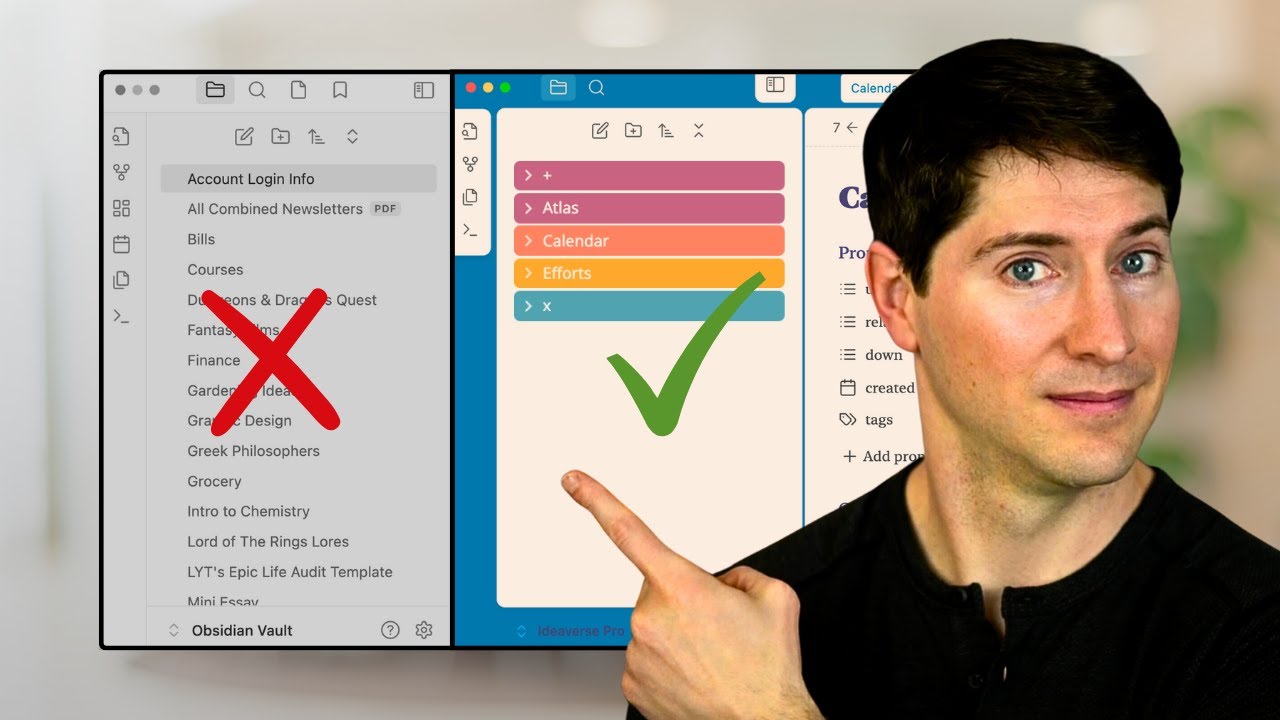
Bottom-Up Folder Organization Principles
- The most effective approach to organizing folders in Obsidian is to build a structure from the bottom up based on individual needs rather than following external templates or advice 0s.
- Starting with no folders at all allows users to earn their structure incrementally as their note-taking requirements evolve 0s.
- The process of organizing folders should be guided by the specific types of notes a user actually creates, such as daily notes, which may not be necessary for everyone 25s.
- While some users prefer to avoid folders entirely, many workflows require folders to manage information effectively, whether in obvious or subtle ways 1m35s.
- The primary goal of note-taking is to facilitate the linking of ideas and the creation of relationships between concepts, rather than spending excessive time on folder management 1m15s.
- Human cognitive capacity is limited to holding approximately five items at once, necessitating the use of external tools like Obsidian to store thoughts, memories, and ideas 2m35s.
Evolution of Note Collections
- A new Obsidian vault begins with no organizational structure, containing only the default welcome note provided by the software 3m15s.
- Practical organization begins when a specific need arises, such as creating a grocery list to manage tasks that cannot be easily remembered 3m35s.
- Simple note-taking systems, such as maintaining a grocery list, can become increasingly complex over time if not managed properly 0s.
- Capturing notes from non-fiction books is a common practice for individuals who want to retain and recall impactful concepts, such as the idea of antifragility 12s.
- Creating a new folder for every individual note is inefficient and impractical, especially when the number of notes is small 42s.
- As a note collection grows from 22 to 200 or 2,000 items, users may experience anxiety or frustration regarding the difficulty of retrieving specific information 55s.
- This friction often leads individuals to avoid their note-taking systems, though tools like folders and links can help mitigate the difficulty of organizing and finding content 1m15s.
- A collection of 22 notes may contain diverse types of information, including concepts, journal entries, projects, quotes, class notes, and daily logs 1m28s.
- While folders may not be strictly necessary for a small number of notes, they become more relevant when anticipating the expansion of a system to hundreds or thousands of notes 1m38s.
Categorization and Customization Strategies
- Three primary approaches to organizing notes include random attempts, the PARA method, and the ACE framework 1m55s.
- Custom themes, such as "soft paper," can be used in Obsidian to visually differentiate between folders and individual notes 2m12s.
- Book highlights and marginalia are often categorized as "Source notes" to keep them separate from other types of content 2m35s.
- Organizing "idea and knowledge notes" is challenging because labels like "Atomic notes" may not accurately describe the variety of note lengths and types that a user might possess 2m55s.
- The term "Evergreen notes" is another potential category used to classify knowledge-based content 3m15s.
- Obsidian folder structures can include categories such as ideas, knowledge, thoughts, and "Umami," a term used to describe notes that are difficult to categorize because they do not fit neatly into traditional labels 0s.
- Attempting to organize notes into folders labeled "ideas" or "knowledge" often leads to ambiguity, as individual notes like "Yin and Yang" or "Upstream Downstream effects" can simultaneously fit into multiple categories 25s.
- Folder titles should ideally match the nature of the content they contain; when content is fuzzy or ambiguous, the folder title should be equally fuzzy to accommodate the lack of clear categorization 55s.
Functional Folder Categories
- Productivity-based or action-oriented notes, such as those related to upcoming projects, are best suited for folders specifically designated for efforts and projects 1m35s.
- Study-related materials, such as course notes, training documents, or learning resources, require a dedicated space, which might be labeled as "learning," "training," or "course notes" 2m6s.
- Time-bound notes, such as daily logs, journals, or chronological entries, should be housed in a folder dedicated to time-based organization, such as "daily notes" or "calendar" 2m35s.
- The necessity of a specific folder depends entirely on the user's personal note-taking habits; if a category of notes is not used, the corresponding folder is unnecessary 2m55s.
- The ultimate goal of folder organization is to create a system that is easy to maintain, allowing the user to minimize time spent managing the sidebar and maximize time spent on linking thoughts, writing, and generating insights 3m5s.
The PARA Method
- The PARA method and ACE framework serve as alternative systems for organizing note collections 3m20s.
- Users can download two note systems, containing 22 and 75 notes respectively, to practice organizing folders in Obsidian and test customized organizational structures 0s.
- The PARA method, developed by Thiago Forte, organizes notes into four categories: Projects, Areas, Resources, and Archives 35s.
- When applying the PARA method, items such as a project due next month and a "simmering effort" are placed in the Projects folder 45s.
- Under the PARA method, items like a list of virtues, a cool concept, a grocery list, a quote from the Dalai Lama, book highlights, and important concepts are categorized as Resources 45s.
- In the PARA framework, items such as Calculus 101 and world history notes are assigned to the Areas folder 1m5s.
- The PARA method does not have a clear designated location for time-based items like daily notes or private journals, leading to the suggestion of creating a separate "Calendar" folder for such entries 1m35s.
The ACE Framework
- The ACE framework organizes notes into three categories representing different headspaces: Atlas (thinking, ideas, and knowledge), Calendar (time-based items), and Efforts (action-based items) 2m6s.
- Using the ACE framework, a cool concept, a list of virtues, a quote from the Dalai Lama, Calculus 101, a grocery list, book highlights, important concepts, and world history notes are placed in the Atlas folder 2m25s.
- Within the ACE framework, a private journal entry and daily notes are placed in the Calendar folder 2m25s.
- Under the ACE framework, a project due next month and notes related to that project are categorized under Efforts 2m25s.
- The ACE framework organizes notes into three primary headspaces: Atlas (for ideas), Calendar (for daily notes), and Efforts (for managing actions and projects). 0s
- The framework includes an "Inbox" folder, referred to as the "A" folder, which serves as the immediate destination for all new notes. 35s
- An "Extras" folder, labeled as "X," is used to store non-note items such as templates, images, and PDFs. 42s
- The ACE framework is designed to minimize the need for complex folder management, allowing users to collapse the sidebar once they know where items belong. 0s
- Users are encouraged to evaluate their specific needs—such as whether they require only an Atlas for ideas or additional folders for daily notes and project management—to determine if the ACE framework is appropriate for their workflow. 15s
Advanced System Scaling
- A free "Ideaverse for Obsidian" vault is available as a sandbox environment, containing approximately 500 notes and files to help users experiment with the ACE framework. 1m35s
- As a vault grows in size, users must decide how to handle different types of content, such as "notes about notes" and various media files like images. 1m5s
- Personal customization of a folder structure should be developed from the bottom up over time, rather than adopting a complex system immediately. 2m15s
- In a highly customized personal system containing over 7,000 notes, the Atlas folder can be flattened into three specific categories: "Dots," "Maps," and "Works." 2m35s
- The "Dots" folder acts as a catch-all for atomic or evergreen notes, which are then linked together to create connections. 2m55s
- The "Maps" folder is designated for notes that organize or map out the content within the system. 3m15s
- The "Works" folder is used to house "works in progress." 3m20s
Comprehensive Vault Architecture
- The Atlas folder structure is organized into three high-level categories: idea notes, knowledge notes, and maps, which are intended for sharing purposes 0s.
- A dedicated sources folder is used to capture and store new incoming materials, separate from the Atlas structure 15s.
- The calendar folder contains daily notes sorted in reverse chronological order, with older entries archived in a subfolder labeled by year 32s.
- The compass folder is designated for personal reflections, planning documents, and end-of-year reviews to help maintain life direction 48s.
- Efforts are categorized into four levels of intensity: turned on, ongoing, simmering, and sleeping 1m5s.
- Effort notes are stored in a separate base-level folder to house miscellaneous thoughts, tasks, and related ideas, though these could alternatively be nested within the main efforts folder 1m22s.
- The extras folder, labeled with an X, contains supporting files such as images, PDFs, prompts, scripts, templates, and links to maps or home notes 1m40s.
- The system described has evolved to manage nearly 7,000 notes 1m55s.
Maintaining and Refining Systems
- Users are advised to start with no folders and build a system from the bottom up rather than copying existing complex structures 2m5s.
- Frameworks like PARA or ACE can provide a starting point, but users should eventually customize their folder systems based on their actual usage patterns 2m15s.
- The primary goal of organizing folders is to remove confusion and achieve clarity regarding the purpose of note creation 2m35s.
- Creating folders or subfolders should be done with a clear purpose to eliminate confusion and increase clarity 0s.
- Folder structures are not permanent and should be expected to change as personal needs and life circumstances evolve over time 0s.
- Revisiting organizational strategies periodically, such as every three to six months, allows individuals to adapt their systems to their current needs 0s.
- Excessive time spent organizing folders detracts from the more valuable work of linking ideas, creating connections between domains, and generating unique insights 0s.
- The ultimate goal of note-taking is to focus on the content, words, and links, which requires closing the folder sidebar to minimize distractions 0s.
Personalized Workflow Philosophy
- There is no single correct way to organize folders in Obsidian; the system must be personalized to fit the individual user's specific workflow 0s.
- Nick Milo, the creator of the "Linking Your Thinking" channel, focuses on the methods and reasoning behind creating meaningful notes 0s.
- Engaging with content through likes and subscriptions helps make resources more discoverable for others seeking solutions to organizational challenges 0s.
- Eliminating distractions within the Obsidian interface is a recommended step for improving productivity and focusing on high-quality work 0s.


