11 Best ChatGPT Alternatives in 2026, Ranked by Use Case
ChatGPT is a strong everyday assistant, then every hard question starts without your reading history. We ranked 11 alternatives by how answers compound: Recall for a personal AI knowledge base that gives your AI personal context, instead of another blank prompt, Claude for workflows, and Perplexity for cited web research.
Last updated: August 2026
What are the best ChatGPT alternatives?
The best ChatGPT alternative is Recall for a personal AI knowledge base that gives your AI personal context, the same way a research library should, instead of another blank prompt. Bring your own knowledge (research, notes, articles, PDFs, podcasts, and videos) into AI, then chat with both your saved content and the live internet in one place. If you want a stronger assistant for complex reasoning, long-form writing, coding support, and automated workflows, it is Claude. The right pick depends on what you use ChatGPT for, so this guide ranks the 11 best alternatives by use case.
The best overall ChatGPT replacement is Recall plus Claude via Recall MCP. Recall stores your trusted knowledge, gives you access to leading AI models on top of that knowledge, and keeps your context portable instead of trapped inside one chatbot. Claude provides the reasoning and workflow layer. With Recall MCP, Claude can use your saved knowledge to write, reason, and automate work with the context that matters. The same connection also works with ChatGPT, Cursor, and other assistants, so you can pair your knowledge with whichever model you prefer.
That is the core difference between ChatGPT and the best alternatives in 2026. ChatGPT gives you one powerful assistant. Recall gives you a reusable knowledge layer that can work with ChatGPT, Claude, Gemini, and other AI models. Claude gives you stronger execution for complex workflows. Together, Recall and Claude give you the most complete ChatGPT alternative for knowledge-heavy work.
You also should not have to choose between the top AI models. Some alternatives are a single AI model you talk to (Claude, Gemini, DeepSeek, and Grok), while others let you pick the best model for each task instead of locking you into one vendor (Recall, Perplexity, Cursor, and Poe). Recall goes furthest. Your knowledge base stays constant while you switch between leading models like Claude, GPT, and Gemini, so you always use the best model for the job without rebuilding your context. The "Model approach" column below shows at a glance which tools are a single model and which give you multiple models to choose from.
Quick guide: which ChatGPT alternative should you use?
- Use Recall if ChatGPT's missing piece is research memory and model choice. Save your knowledge once, then chat with your own content and the live internet, research, summarize, and reason over it with leading AI models.
- Use Claude if you want the best pure standalone AI assistant for writing, reasoning, long documents, or automated workflows.
- Use Recall + Claude if you want the best overall replacement, combining your saved knowledge in Recall with Claude's reasoning and automation through Recall MCP.
- Use Perplexity if you mostly use ChatGPT to discover new web sources and want citations.
- Use Cursor if you use ChatGPT for coding and want AI inside your IDE.
- Use NotebookLM if you want to define a bounded source set for one project.
- Use Gemini if you live in Google Workspace or need strong free multimodal AI.
- Use Poe, OpenRouter, or TypingMind if your main goal is access to many AI models.
Best ChatGPT alternatives at a glance
Get started with Recall for free
See why Recall is the best ChatGPT alternative: chat grounded in your saved sources, with a knowledge base that compounds over time.
Best ChatGPT alternatives in 2026 by use case across research, personal knowledge management, coding, writing, automation, and choosing AI models.
| Product | Best for | Context source | How answers compound | Model approach | Main tradeoff |
|---|---|---|---|---|---|
| Recall | Personal AI knowledge base | Saved library plus the web | Summaries, organization, and chat across the library | Multiple models: OpenAI, Anthropic, Google, open-source | Most useful once you have a save habit |
| Claude | Long-form writing, careful reasoning, artifacts, and agentic workflows | Prompt, Projects, and uploads | Projects and artifacts carry work forward | Single model: Anthropic | Not a lasting personal library |
| Perplexity | Researching new topics and verifying claims from the open web | Open web with citations | Each search can find new sources | Multiple models: on paid plans | Does not build a personal archive |
| Cursor | Coding with repository context, direct edits, agents, and code review | Your repo and editor | Repo context compounds inside the IDE | Multiple models: several providers | Built for software development, not a knowledge base |
| NotebookLM | Studying or researching one bounded project with uploaded sources | A source set you define | Answers stay inside one notebook | Single model: Gemini | Not a lifelong library |
| Gemini | Google Workspace, Android, multimodal input, and Google-native workflows | Google files, uploads, and web | Context stays useful inside Google Workspace | Single model: Google | Weaker outside Google files |
| Microsoft Copilot | Outlook, Word, Excel, PowerPoint, Teams, Edge, and Windows workflows | Microsoft 365 apps and files | Context stays useful inside Microsoft 365 | Single model: OpenAI-based | Weaker outside Office files |
| DeepSeek | Math, code, structured reasoning, and cost-sensitive workloads | The current prompt and code | Strong per-session reasoning | Single model: DeepSeek | No personal knowledge layer |
| Poe | Trying many chat models and bots in one place | The current chat | Model switching, not a compounding library | Multiple models: many in one place | Experimentation over a knowledge base |
| Grok | Real-time X context, trends, and current events | X and live web | Fresh public signal | Single model: xAI | Useful now, not a lasting library |
| OpenRouter / TypingMind | Routing across models or using a custom chat interface with multiple providers | Whatever you connect | Provider control, not a saved knowledge layer | Multiple models: many providers | Technical setup, no capture library |
Use the detailed reviews below to understand what each alternative does, then jump to the use-case rankings for the best fit.
For Recall vs ChatGPT with a side-by-side comparison, MCP setup steps, and research/writing workflows, see the ChatGPT alternative guide.
Why look for a ChatGPT alternative?
Most people do not leave ChatGPT because it is bad. They look for an alternative because the workflow has outgrown a general chatbot.
The biggest gaps usually fall into a few categories:
- It is missing your knowledge: ChatGPT can remember preferences and refer to past chats, but it is not a full personal knowledge base for everything you read, watch, save, and trust.
- Your context is locked into one product: The more you rely on ChatGPT memory, custom instructions, chats, and GPTs, the harder it becomes to use the same context in Claude, Gemini, Cursor, or another model.
- It is not source-first: ChatGPT can search and cite in some workflows, but research tools like Perplexity and knowledge tools like Recall are built around verifiable sources from the start.
- It is not specialized enough: ChatGPT can help with coding, writing, research, and analysis, but focused products often beat it in their own environment: Cursor in the IDE, Recall for research and personal knowledge, Perplexity for open-web source discovery, and Copilot inside Microsoft 365.
- Model choice is limited: ChatGPT is tied to OpenAI models. If you want Claude for writing, Gemini for multimodal work, DeepSeek for low-cost code, or different models for different jobs, you need a more flexible setup. Recall is valuable here because your knowledge base stays the same while the model can change.
- Automation needs better context: Agentic workflows are more useful when the assistant can access the right tools and the right knowledge, not just the current prompt.
So when you compare ChatGPT alternatives, ask:
- Where should the AI get its context? Your saved library, the open web, uploaded project sources, your codebase, or workplace apps?
- Does the tool preserve knowledge over time? Or does every workflow start from another blank prompt?
- Can it use the right model for the job? Or are you locked into one vendor's models?
- Is it specialized for the workflow? Research, coding, writing, personal knowledge management, automation, or multimodal work?
- Can it move from answers to action? Look for tool use, MCP support, IDE integration, workspace integrations, and agentic workflows.
This is why there is no single best ChatGPT alternative for everyone. The best choice depends on the specific ChatGPT gap you are trying to fix.
The best ChatGPT alternatives in detail
Best overall setup: Recall + Claude
The best overall ChatGPT replacement is not another blank chatbot, it is a stack. Pair Recall, your personal AI knowledge base, with Claude as the reasoning and workflow layer. Recall MCP connects the two so Claude can work with your saved knowledge, and the same connection brings your library into ChatGPT, Cursor, and other MCP-compatible assistants too.
Recall stores the knowledge you care about, from articles and YouTube videos to podcasts, PDFs, newsletters, web pages, and notes. Claude is strong at writing, reasoning, coding, and automated workflows. Together they give you durable context plus strong execution, and Claude is only one option, since the same Recall MCP also works with ChatGPT and Cursor.
Why Recall + Claude is the best overall ChatGPT alternative:
- Your knowledge lives in a durable library instead of scattered chat history.
- Claude can reason from context you actually trust.
- Recall MCP makes your saved knowledge available to Claude, ChatGPT, Cursor, and other compatible AI assistants.
- You can separate the knowledge layer from the model layer.
- It works well for research, writing, learning, strategy, and knowledge work automation.
Pricing: Recall is free to start, with Plus from about $10/mo on annual billing. Claude is free to use, with Pro from $20/mo. See Recall pricing for current plans.
Knowledge type: Your saved library in Recall, plus Claude's prompt, Projects, and tools.
How answers compound: Recall keeps sources durable; Claude carries work forward through Projects, artifacts, and MCP. Tradeoff: it is a two-tool workflow. If you only need casual chat, ChatGPT is simpler.
ChatGPT vs Recall + Claude: ChatGPT gives you one assistant in one place. Recall + Claude separates the knowledge layer from the model layer: Recall holds the knowledge you trust and Claude reasons over it through Recall MCP, so you get durable context plus stronger execution.
The rest of this guide ranks the best ChatGPT alternatives as individual tools, starting with Recall.
1. Recall
Recall is best for: people who want a personal AI knowledge base with grounded answers and leading AI models on top of their saved knowledge.
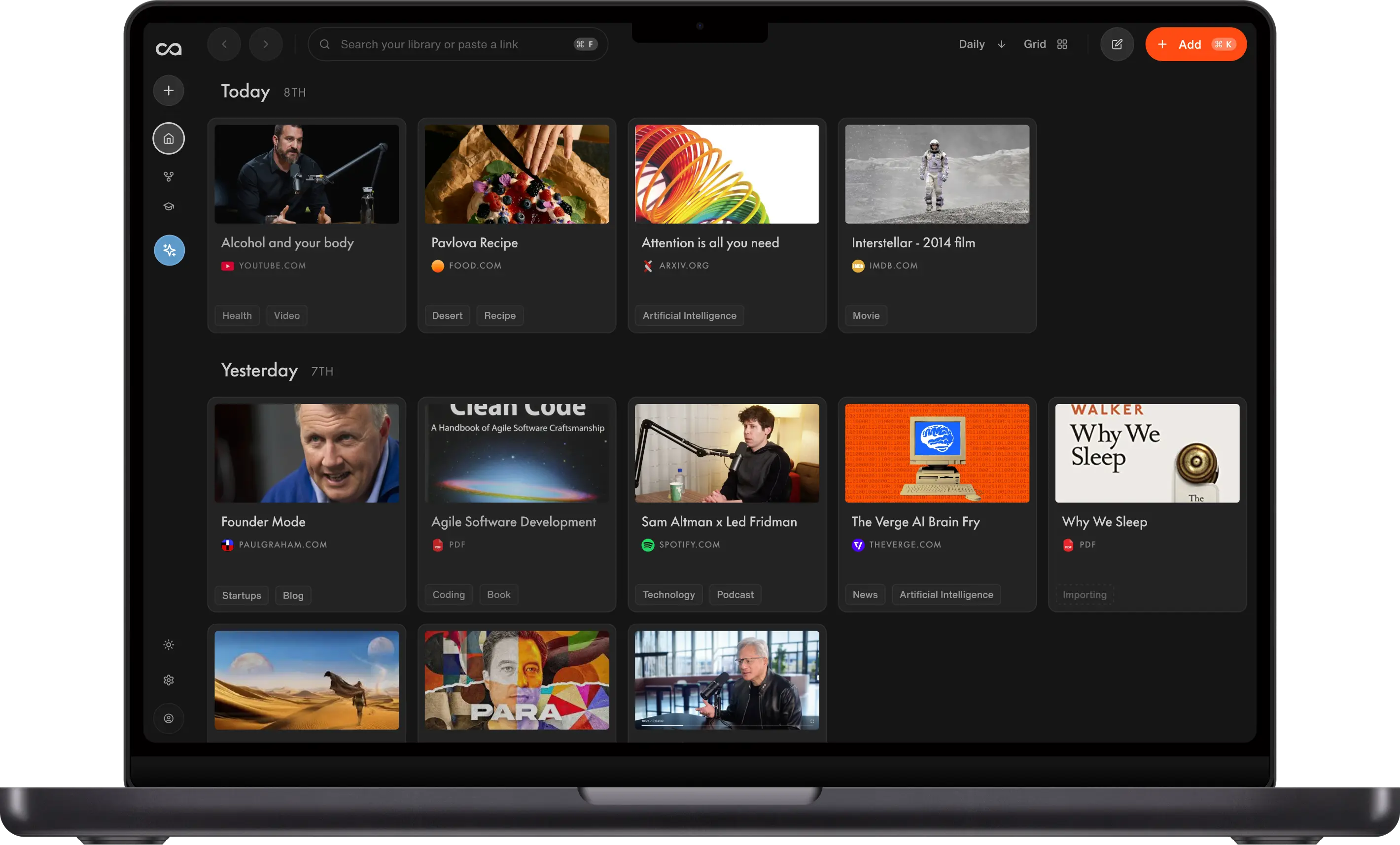
Recall is the ChatGPT alternative for people who use AI to understand, remember, and connect what they read or watch. Instead of starting with a blank prompt, Recall starts with your saved knowledge. Save content from the web, get an automatic summary, add your own rich notes, and find it later with semantic search. Because Recall is a personal AI knowledge base rather than a throwaway chat history, you control exactly what context each answer draws on, whether that is a single item, your entire library, or the open internet, all using leading AI models.
Recall features:
- A knowledge base that organizes everything for you: Save articles, videos, podcasts, PDFs, and pages from the Chrome and Firefox extensions or mobile apps, and Recall files them into one connected, searchable library.
- Rich notes: Write your own notes, highlights, and takeaways on top of saved content, so your knowledge reflects your thinking, not just the original source.
- You set the context, then chat: Chat with a single item, your entire knowledge base, or the open web, so you decide exactly what each answer draws on.
- The best AI models on your knowledge: Use leading models from OpenAI, Anthropic, Google, and open-source on the same personal library, instead of locking your knowledge to one chatbot.
- MCP support: Bring your saved knowledge into Claude, ChatGPT, Cursor, and other assistants with Recall MCP.
Recall pricing: Start on the free tier with unlimited saves and limited AI summaries on save. Recall Plus starts from about $10/mo on annual billing and unlocks the core AI knowledge workflow for most learners. Recall Max is for heavier AI usage and advanced workflows. See Recall pricing for current plans.
Knowledge type: Your saved articles, videos, podcasts, PDFs, and notes, plus the live web when you want it.
How answers compound: Library-wide chat cites your own sources first, so last year's saves can answer today's question. Tradeoff: it is most useful once you have a save habit.
Tradeoff: Recall is built around the content you save, so it is most powerful once you start building your library. For one-off questions with no saved context, a general chatbot can be quicker.
ChatGPT vs Recall: ChatGPT is where you ask questions inside one model ecosystem. Recall is where your knowledge lives, and you decide what each answer draws on, whether you chat with your own knowledge, chat with the internet, or combine both. By default Recall grounds the answer in your saved knowledge first and then pulls in the live web, or you can scope a chat to your knowledge only or the web only. You also keep the flexibility to use the best AI model for the job.
2. Claude
Claude is best for: writing, reasoning, long documents, and automated workflows.
Claude from Anthropic is the best pure AI assistant if you just want a stronger general chatbot. It is strong at careful reasoning, long-form writing, code review, and working through complex tasks. Claude Projects help keep context together, and Claude Artifacts make it useful for iterating on code, documents, and structured outputs.
Claude features:
- Strong long-form writing and editing.
- Good long-context reasoning.
- Strong code review and planning.
- Useful artifacts for working beside the chat.
- Strong fit for agentic and automated workflows.
Claude pricing: Claude is free to use, with Pro from $20/mo for higher limits and advanced features.
Knowledge type: The current prompt, project files, and tools you connect, including MCP.
How answers compound: Projects, artifacts, and tool use carry work forward inside Claude. Tradeoff: that context is not a lasting personal library unless you add one.
Tradeoff: Claude is not a full personal knowledge base by itself. It can reason well, but it still needs the right context. Pairing it with Recall via MCP gives you the stronger version: Recall supplies your saved knowledge, Claude does the reasoning and execution.
ChatGPT vs Claude: ChatGPT is the more familiar all-rounder with a wider feature set, while Claude tends to be stronger for long-form writing, careful reasoning, and agentic workflows. In our head-to-head test of Claude vs ChatGPT, Claude Opus 4.8 narrowly beat GPT-5.5 overall, taking writing and recommendations while GPT-5.5 led on research.
3. Perplexity
Perplexity is best for: web research with citations.
Perplexity is the alternative to reach for when your research lives on the open web, because it is built around search, answers, and source links. Instead of giving you a confident paragraph that you still need to verify, Perplexity shows where the answer came from and lets you dig into the cited pages.
Perplexity features:
- Citations are central to the answer.
- Focus modes help narrow research to specific source types.
- Paid plans let you choose models for different research tasks.
- It is fast for fact-finding, market scans, and source discovery.
Perplexity pricing: Free to start, with Pro from about $20/mo for more advanced models and higher limits.
Knowledge type: The live open web, with citations.
How answers compound: Each search can find new sources. Tradeoff: it does not build a personal archive that gets more valuable over years.
Tradeoff: Perplexity is less useful when the source set should be your own saved material rather than the open web. That is where Recall is stronger.
ChatGPT vs Perplexity: ChatGPT is a general assistant that can browse the web, while Perplexity is built search-first around cited sources, so it is better when you need to see and verify where an answer came from.
4. Cursor
Cursor is best for: coding with repo context inside the IDE.
Cursor is the alternative ChatGPT users switch to for coding, because it is not just a chat window. It brings AI into the editor, where it can read your codebase, propose edits, apply changes, run terminal commands, and help with multi-file tasks.
Cursor features:
- It understands your repository context.
- It can edit files directly instead of only suggesting snippets.
- It supports coding agents for larger implementation tasks.
- It fits naturally into review, refactor, debug, and test workflows.
- It can use frontier models without forcing you into one assistant UI.
Cursor pricing: Free tier available, with Pro from about $20/mo.
Knowledge type: Your repository, editor, and terminal.
How answers compound: Repo context, edits, and agents compound inside the IDE. Tradeoff: it is built for software development, not a personal knowledge base.
Tradeoff: Cursor is for software development. For general writing, research, and everyday chat, use another assistant.
ChatGPT vs Cursor: ChatGPT can write code snippets in a chat window, while Cursor works inside your IDE with full repo context, direct edits, and agents, so it is the better fit for real development work.
5. NotebookLM
NotebookLM is best for: bounded source notebooks.
NotebookLM is useful when you want to define a small corpus upfront, like a course folder, legal packet, manuscript, or project reading list. It is less like ChatGPT and more like a project notebook where the AI answers from uploaded sources.
NotebookLM features:
- You define the source set.
- Answers are tied to uploaded material.
- It is useful for studying, briefings, and project research.
- It fits Google-native source workflows.
NotebookLM pricing: Free to use, with higher limits available through Google AI plans.
Knowledge type: A source set you upload or select for one project.
How answers compound: Answers stay grounded inside one notebook. Tradeoff: it is not a lifelong library.
Tradeoff: NotebookLM is project-scoped. Recall is better if you want one lifelong library across all topics.
ChatGPT vs NotebookLM: ChatGPT answers from general knowledge and chat history, while NotebookLM answers from a source set you upload, which is better for one bounded project but not a lifelong knowledge base.
6. Gemini
Gemini is best for: Google Workspace and multimodal work.
Gemini is Google's ChatGPT alternative. It is useful if you already live in Gmail, Docs, Drive, Calendar, Android, and Google Search. It is also one of the stronger options for free multimodal use.
Gemini features:
- Strong Google Workspace integration.
- Good free multimodal capabilities.
- Useful for Google-native research and document workflows.
- Strong fit for Android and Google ecosystem users.
Gemini pricing: Free to use, with Advanced from about $20/mo.
Knowledge type: Google Docs, Gmail, Drive, and multimodal Google input.
How answers compound: Context stays useful inside Google Workspace. Tradeoff: it is weaker when the sources that matter live outside Google files.
Tradeoff: ChatGPT and Claude may still feel stronger for many general writing, coding, and reasoning workflows.
ChatGPT vs Gemini: ChatGPT is the stronger standalone assistant for many writing and reasoning tasks, while Gemini is the better fit when your work lives in Google Workspace and on Android.
7. Microsoft Copilot
Microsoft Copilot is best for: Microsoft 365 workflows.
Microsoft Copilot is the ChatGPT alternative for people whose work lives inside Outlook, Word, Excel, PowerPoint, Teams, Edge, and Windows. It is most valuable when it can operate directly inside the Microsoft tools your organization already uses.
Microsoft Copilot features:
- Native Microsoft 365 context on eligible plans.
- Useful for email, documents, spreadsheets, meetings, and presentations.
- Enterprise controls for Microsoft-centered organizations.
Microsoft Copilot pricing: Free consumer tier, with Pro from about $20/mo; business plans vary.
Knowledge type: Outlook, Word, Excel, Teams, and other Microsoft 365 files.
How answers compound: Context stays useful inside Microsoft 365. Tradeoff: it is weaker when the sources that matter are articles, videos, and PDFs you saved yourself.
Tradeoff: It is strongest inside Microsoft. Outside that ecosystem, other ChatGPT alternatives may be better.
ChatGPT vs Microsoft Copilot: ChatGPT is a general assistant you bring to any task, while Copilot is most valuable when it runs directly inside the Microsoft 365 apps your organization already uses.
8. DeepSeek
DeepSeek is best for: low-cost reasoning, math, and code.
DeepSeek is known for strong reasoning and code performance at low cost. It is a good option for technical users who care about price, math, structured logic, and open-weight model availability.
DeepSeek features:
- Strong reasoning and code performance.
- Low-cost API options.
- Open-weight model availability.
- Good fit for technical and high-volume workloads.
DeepSeek pricing: Free chatbot, with a low-cost API.
Knowledge type: The current prompt, code, and technical problems.
How answers compound: Strong per-session reasoning. Tradeoff: there is no personal knowledge layer that compounds across months.
Tradeoff: ChatGPT is usually stronger as a polished all-around consumer product.
ChatGPT vs DeepSeek: ChatGPT is the more polished all-round consumer product, while DeepSeek is compelling when low cost and strong technical reasoning matter most.
9. Poe
Poe is best for: trying many chat models in one interface.
Poe from Quora gives you access to many models and bots in one UI. It is useful if your main goal is experimentation and comparison.
Poe features:
- Many models in one interface.
- Easy model switching.
- Custom bot creation.
- Useful for testing model strengths side by side.
Poe pricing: Free to start, with paid plans from about $20/mo.
Knowledge type: The current chat, across many models.
How answers compound: Model switching and custom bots. Tradeoff: experimentation over a compounding knowledge base.
Tradeoff: Poe does not provide a dedicated personal knowledge base like Recall.
ChatGPT vs Poe: ChatGPT is one assistant in one place, while Poe is a hub for trying many models and bots, better for experimentation than for building a dedicated knowledge base.
10. Grok
Grok is best for: real-time X context and trends.
Grok from xAI is useful when your question depends on live events, X-native context, or trending topics.
Grok features:
- Stronger X integration.
- Useful for current events and social context.
- Fast, direct response style.
Grok pricing: Free access varies, and X Premium tiers may include Grok.
Knowledge type: Real-time X context, trends, and current events.
How answers compound: Fresh public signal. Tradeoff: useful now, not a lasting library of what you already trusted.
Tradeoff: ChatGPT, Claude, and Cursor are stronger for writing, coding, and complex knowledge work.
ChatGPT vs Grok: ChatGPT is stronger for general writing, coding, and knowledge work, while Grok is the better fit when your question depends on real-time X context and trends.
11. OpenRouter and TypingMind
OpenRouter and TypingMind are best for: technical users who want model-agnostic workflows.
OpenRouter is useful for routing API access across many models. TypingMind is useful if you want a polished chat interface that can connect to different model providers.
OpenRouter and TypingMind features:
- More control over model choice.
- Useful for power users and builders.
- Flexible model-provider setup.
OpenRouter and TypingMind pricing: Usage-based pricing (OpenRouter) or paid app plans (TypingMind).
Knowledge type: Whatever you connect through APIs or a custom chat UI.
How answers compound: Provider control and model routing. Tradeoff: technical setup, with no capture library of its own.
Tradeoff: They are more technical and less beginner-friendly than ChatGPT, Recall, Claude, or Perplexity.
ChatGPT vs OpenRouter and TypingMind: ChatGPT is a single polished assistant, while OpenRouter and TypingMind give technical users model-agnostic routing and a custom interface across providers.
Best ChatGPT alternative by use case
The best ChatGPT alternative changes with the job. Here is the top pick for each common use case, plus the runners-up worth knowing and when each one fits.
Best ChatGPT alternative for research
- Recall for research across your own saved sources and trusted knowledge base.
- Perplexity for discovering and citing new web sources.
- NotebookLM for one bounded source set.
- Gemini for Google-native research.
Choose Recall when research depends on material you have already saved and trust. Choose Perplexity to discover and cite new sources from the open web. NotebookLM fits a single, defined source set, while Gemini is handy for quick research inside Google. A common workflow is to find sources in Perplexity, then save the keepers in Recall to reason over later.
Best ChatGPT alternative for personal knowledge management
- Recall for capture-first personal knowledge management.
- NotebookLM for project notebooks.
- Notion AI for workspace notes and docs.
- Obsidian + AI for local-first DIY systems.
Choose Recall when you want saved content, summaries, search, rich notes, chat, and review in one place. NotebookLM works for project-scoped notebooks rather than a lifelong library. Notion AI fits team docs and structured workspaces, while Obsidian + AI suits local-first users who want to build their own setup.
Best ChatGPT alternative for coding
- Cursor for coding inside the IDE.
- Claude for code reasoning, refactors, and architecture.
- DeepSeek for low-cost reasoning and code.
Choose Cursor when the task needs repo context and direct edits in your editor. Claude is strong for reasoning through refactors and architecture before you write code. DeepSeek is worth a look when low cost and heavy technical reasoning matter.
Best ChatGPT alternative for writing
- Recall for writing grounded in your own knowledge, with the freedom to pick the best AI model for the draft.
- Claude for pure long-form writing, editing, and careful reasoning.
- Gemini for writing inside Google Workspace.
Choose Recall when the writing should draw from your saved sources, research, notes, and prior knowledge. You can gather context with a strong research model, then switch to another model for drafting or polishing without rebuilding the knowledge base. Claude is best for pure long-form writing and editing, while Gemini fits writing inside Google Workspace.
Best ChatGPT alternative for automated workflows
- Claude for agentic tasks, artifacts, coding workflows, and long-context execution.
- Recall for automated workflows that need your personal knowledge through MCP.
- Microsoft Copilot for Microsoft 365 workflows.
- Gemini for Google Workspace workflows.
Choose Claude for execution such as agentic tasks, artifacts, and long-context work. Add Recall through MCP when the workflow needs your saved knowledge as context. Microsoft Copilot and Gemini are best when the automation lives inside Microsoft 365 or Google Workspace.
Best ChatGPT alternative for choosing AI models
- Recall for choosing leading AI models on top of your own knowledge.
- Perplexity for choosing models during web research.
- Poe for trying many chat models in one interface.
- OpenRouter and TypingMind for technical model-agnostic workflows.
Choose Recall when you want access to the best AI models without rebuilding your context every time; your knowledge base stays consistent while the model changes. Perplexity lets you switch models during web research. Poe is good for casually trying many chat models in one place, while OpenRouter and TypingMind suit technical users who want model-agnostic routing and a custom interface.
Bottom line
The best overall ChatGPT alternative is Recall plus Claude: Recall stores your knowledge, gives you access to leading AI models on top of that knowledge, and Recall MCP lets Claude use that context for reasoning, writing, and automated workflows. Choose Recall if you use ChatGPT for research or writing that depends on trusted sources. Choose Perplexity if you need open-web source discovery. Choose Cursor if you use ChatGPT for coding.
Ready to move beyond a stateless chatbot? The ChatGPT alternative landing page covers the highlights and lets you start free.
When to keep ChatGPT
ChatGPT is still the right tool when:
- You want the most familiar general-purpose AI assistant.
- You rely on OpenAI-specific tools, Custom GPTs, image generation, voice, or data analysis.
- Your work is mostly drafting, brainstorming, coding help, or quick everyday questions.
- You do not need a dedicated personal knowledge base, coding IDE, source-first research engine, or workplace automation layer.
Use a ChatGPT alternative when your workflow depends on research, personal knowledge management, coding with repo context, writing quality, automated workflows, or choosing the best AI model for each job.
FAQs
Best ChatGPT alternatives by use case
How to choose a ChatGPT alternative
About ChatGPT and other alternatives
See more tools on the Recall comparison hub or the full comparison table.
Ready to get started?
Save, summarize and chat with your content.
No credit card required · 30 Day Refund on Premium · 24 Hour Support