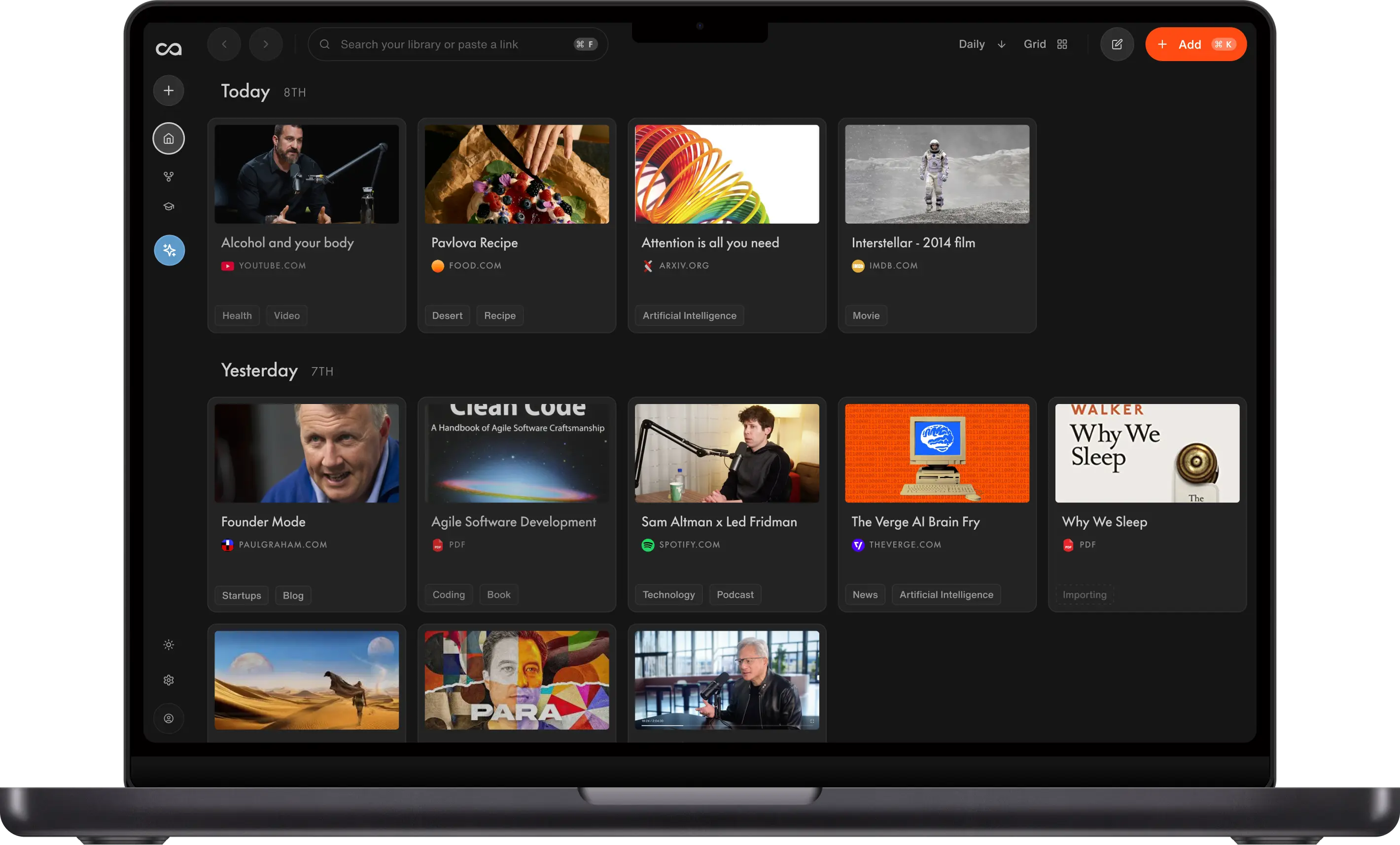
Best Evernote Alternative: Recall AI Knowledge Base
Looking for an Evernote alternative? Compare Recall and Evernote on price, web capture, notes, AI summaries, knowledge-base chat, notebooks, and handwritten OCR. Evernote fits legacy notebooks and scanning. Recall is the stronger Evernote alternative for combining web saves with your own notes.
Last updated: August 2026
Is Recall the best Evernote alternative?
Recall is the best Evernote alternative for most people in 2026. It matches the core job of saving from the web and finding it later, then lets you add your own notes beside each source, plus AI summaries, automatic organization, and chat across the library. Evernote still fits if handwritten OCR and long-standing notebooks are the workflow.
After more than 10 years in Evernote, Tiago Forte's general manager canceled her subscription on camera to switch to Recall:
"I've really made the decision now that I really want to move away from Evernote. To prove to you that I'm serious about this, I'm going to cancel my subscription. That's it. I've canceled my plan."
— Julia, in Tiago Forte's Recall review
People look for Evernote alternatives when the free plan feels too tight, the app feels slow, or newer AI capture fits better than notebooks and tags. Recall is built as an AI-native knowledge base rather than a legacy notebook layered with AI.
For a ranked roundup of eight tools, see the best Evernote alternatives guide.
Looking for the short version? Our Evernote alternative landing page covers the highlights and lets you start free.
Choose Evernote if handwritten OCR, document scanning, and an existing notebook archive are essential.
Choose Recall if you want unlimited free saves, fast web capture, AI summaries, and knowledge-base chat without notebook maintenance.
Get started with Recall for free
See why Recall is the best Evernote alternative: unlimited saves, AI summaries on capture, and library-wide chat in a modern knowledge base.
| Evernote | Recall | |
|---|---|---|
| Use case | Notebooks, web clips, and scanned documents | Personal AI knowledge base for web content and notes |
| Free plan | Tight note caps on free | Unlimited saves; use it as a free read-it-later app, then add AI via MCP |
| Web capture | Web clipper into notebooks | One-click save and summarize. See everything Recall supports |
| Content types | Clips, notes, and scanned documents | Articles, videos, podcasts, PDFs, social posts, and your own notes. See everything Recall supports |
| AI summaries | Newer AI on a notebook core | Automatic on save |
| Knowledge-base chat | Not the core workflow | Chat with your knowledge, the web, or both, with citations |
| Organization | Notebooks and tags you maintain | Automatic categories, tags, and a knowledge graph |
| Personal notes | Notes inside notebooks | Block editor beside every save (tables, to-dos, code) |
| Memory and retention | Search and notebooks | Built-in quizzes and spaced repetition |
| Handwritten OCR | Long-standing strength | Not a handwriting-first canvas |
What is Evernote?
Evernote is a notebook app for clipping web pages, storing notes, and scanning documents. It popularized read-it-later capture with notebooks and tags, and it still has a loyal base for OCR on handwritten notes.
Main strengths of Evernote
- Familiar notebooks, tags, and a web clipper.
- Document scanning and handwritten OCR.
- An archive many people have used for years.
Where Evernote feels dated for knowledge work
- Free-plan caps and higher paid prices push people to look elsewhere.
- Organization stays manual: notebooks and tags do not become a knowledge graph.
- AI features sit on a notebook core rather than a capture-and-chat knowledge base.
What is Recall?
Recall is a personal AI knowledge base that saves articles, videos, podcasts, PDFs, and notes, then summarizes, organizes, and chats across them.
Main features of Recall
- Unlimited saves on free, with limited AI summaries and chat.
- One-click capture from Chrome, Firefox, and mobile.
- Automatic summaries, tags, and a knowledge graph.
- Knowledge-base chat with citations.
- Spaced repetition so saved material is more likely to stick.
Why Recall is the better Evernote alternative for modern capture
Evernote is a notebook you file into. Recall is an AI knowledge base that summarizes, connects, and chats across what you save. The points below keep the pricing and chat contrast, then add the organization and memory features Evernote does not treat as the product.
1. A free plan that can actually grow
Evernote's free plan caps how much you can store. Recall's free tier includes unlimited saves, so you can use it as a free read-it-later app. When you want AI on top of those saves, connect Recall MCP to ChatGPT or Claude and give the knowledge base its own AI.
2. Summaries instead of a pile of clips
Evernote stores what you clipped. Recall adds an AI summary at save time so the archive is usable before you reopen every note.
3. Chat across the archive
Notebook search finds titles and text. Recall lets you ask questions across articles, videos, and PDFs and follow citations back to the source. Recall Plus picks the best model per task; Recall Max lets you choose OpenAI, Anthropic, Google, or open-source.
4. One-click capture in the browser
The Recall extension summarizes, tags, and saves from any page, including YouTube and PDFs, instead of clipping into a notebook. See everything Recall supports.
5. Automatic organization
Recall generates categories and tags as you save, so you are not maintaining notebooks by hand. Learn more.
6. Rich note-taking beside every source
Notes, highlights, summaries, and saves share one block-style editor (tables, to-dos, code blocks via /). Learn more.
7. A knowledge graph that builds itself
Related saves link automatically across your knowledge base. Explore or edit connections in a graph view. Learn more.
8. Spaced repetition for long-term memory
Built-in quizzes and review scheduling help material stick, not just sit in a notebook. Learn more.
9. Augmented browsing to resurface content
While you read online, Recall highlights terms that match past saves and links you back to your knowledge base. Learn more.
Evernote limitations (and why people look for alternatives)
- Price and caps: Free notes are tightly limited; paid tiers rose after 2023.
- Manual filing: Notebooks and tags still need upkeep.
- AI feels added on: Summaries and chat are not the native loop.
Recall limitations (where Evernote may fit better)
- Handwriting: Evernote's OCR on handwritten notes remains a reason to stay.
- Legacy archive: Years of notebooks may not be worth a full migration on day one.
- Scanning habits: If paper capture is the core job, evaluate both.
When to choose Evernote
- Handwritten notes and scanning are central.
- Your existing notebook archive already works.
- You want the familiar clipper-and-notebook model.
When to choose Recall
- You save articles, videos, podcasts, and PDFs from the web, and want your own notes beside them.
- You want AI summaries, automatic organization, and chat.
- You want a modern app with unlimited free saves, including as a free read-it-later app with MCP when you want AI on top.
How to switch from Evernote to Recall
Export your notes as Markdown, then bulk import the Markdown files into Recall. You can import up to 10,000 Markdown notes at a time.
If you use a bookmark manager, install the Recall browser extension and import your bookmarks. You can import up to 1,000 bookmarks at a time.
Need help? Email support@recall.it. We are happy to guide you through the process.
Bottom line
For most people leaving Evernote because notebooks became a static archive, Recall is the best Evernote alternative in 2026. Keep Evernote when handwritten OCR is essential. For a ranked roundup, see best Evernote alternatives.
FAQs
Recall vs Evernote
When to keep Evernote
See more tools on the Recall comparison hub or the full comparison table.
Ready to get started?
Save, summarize and chat with your content.
No credit card required · 30 Day Refund on Premium · 24 Hour Support