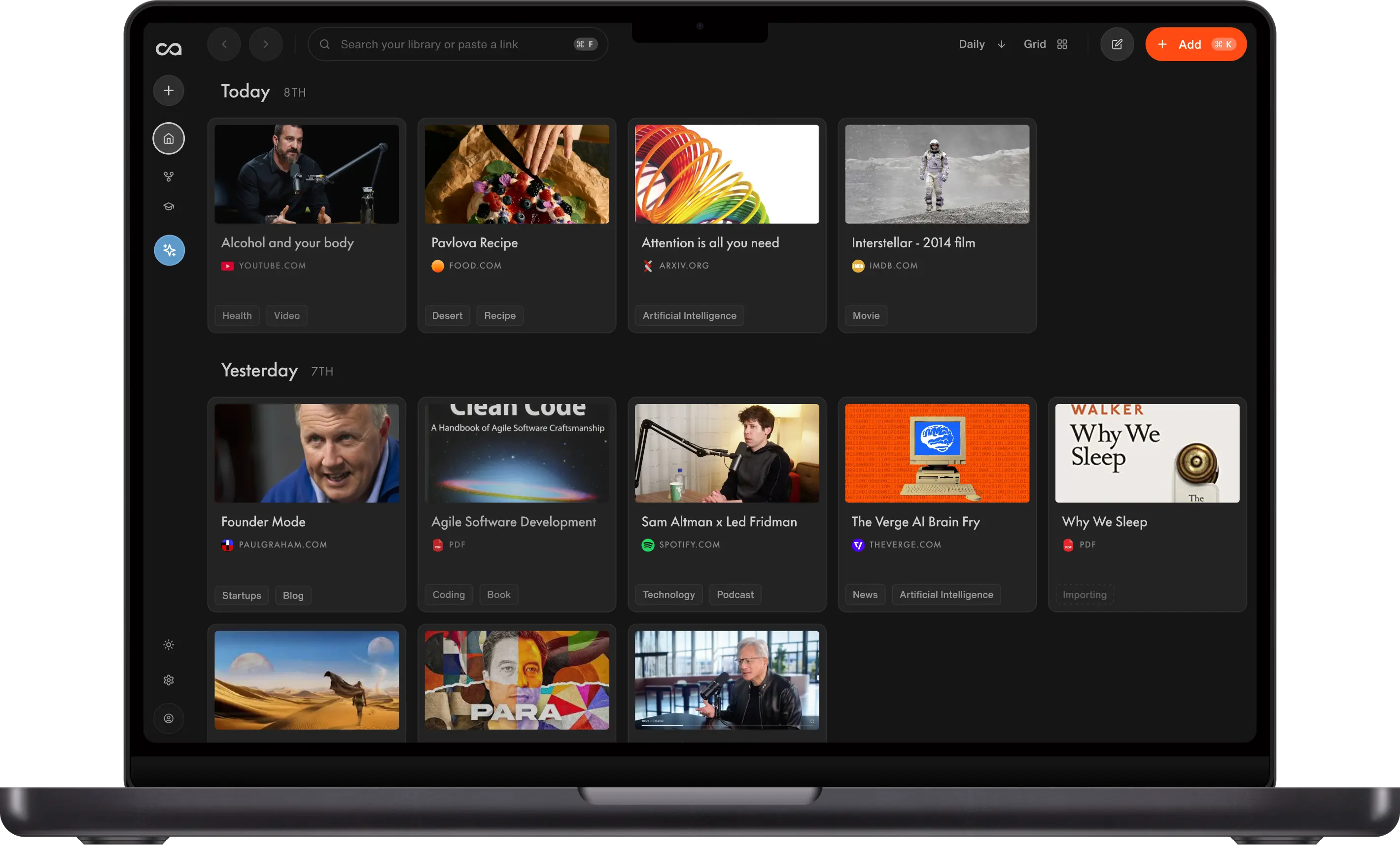
Recall is the best app for the PARA method if you want new saves organized for you and want to chat across everything you keep. Notion suits teams, Obsidian suits local markdown, Evernote suits web clippers, and OneNote is the free pick inside Microsoft 365.
What are the best apps for the PARA method?
The 5 best apps for the PARA method each suit a different way of working:
- Recall, an AI second brain, for automatic organization and chatting across everything you save.
- Notion for teams that want PARA as shared pages and databases.
- Obsidian for PARA as folders of markdown files you keep on your own computer.
- Evernote for people who clip the web into notebook stacks.
- OneNote for a free PARA notebook inside Microsoft 365.
PARA is Tiago Forte's system for filing notes by how soon you will use them, into Projects, Areas, Resources and Archives. Any app with folders or tags can hold the four names. The difference is who does the filing, and whether an AI assistant can work with what you filed. The full method, with a real power user's setup, is in the PARA method guide.
Comparison table of the best apps for the PARA method
| App | Best for | How PARA works | Automatic organization | MCP server | Pricing |
|---|---|---|---|---|---|
| Recall | People who save articles, videos, podcasts and PDFs and want to chat across them | Four tags, with topics nested under them | Yes, on Plus. Auto-tagging files each new save under your tags | Yes, official (read-only), free plan included | Free plan. Plus $10 a month, billed yearly |
| Notion | Teams that already share one workspace | Four pages or databases, often from a template | No. You file each page | Yes, official (hosted) | Free plan. Plus $10 per member a month, billed yearly |
| Obsidian | Keeping notes as files on your own computer | Four folders in a vault | No. You drag notes into folders | Community-built only | Free. Sync $4 a month, billed yearly |
| Evernote | Clipping web pages and PDFs as you browse | Four notebook stacks | No. You choose the notebook | Yes, official, on paid plans | Free plan has 1 notebook. Starter $99 a year (reported) |
| OneNote | Free note-taking if you already use Microsoft 365 | Four notebooks or section groups | No. You move each section | Community-built only | Free. Microsoft 365 Personal $9.99 a month |
An MCP server lets AI assistants like Claude, ChatGPT and Cursor read your notes directly, so your PARA system becomes context for the AI you already use. Prices are in US dollars.
How we chose the best PARA method apps
Each app was judged on how well it keeps the PARA decision cheap. The criteria:
- How PARA maps onto the app. Folders, notebooks, databases or tags.
- Who does the filing. You, or the app.
- Chat and AI. Whether you can ask questions across one category or the whole library.
- MCP support. Whether Claude, ChatGPT or Cursor can read your notes through an official server.
- Price. The free plan, and the lowest paid plan.
Recall is our product, so its entry draws on first-hand use and on Recall power user Michael Leone, who runs PARA in Recall. The other four entries come from each company's official site, help pages and pricing pages, checked on November 11, 2026. Evernote no longer prints prices on its plans page, so its price is the figure reviewers report from checkout. Screenshots of the other four apps were taken on the same day. The Recall screenshot comes from the Recall team's PARA walkthrough video.
1. Recall
Recall is best for: automatic organization and chatting across all your content.
Recall is an AI second brain for research and writing. It saves articles, YouTube videos, podcasts, PDFs and social posts, generates a summary of each, and organizes them for you with auto-tagging. You can chat with one card, one tag or your whole library, and write in the Recall notebook next to your sources.
How PARA works in Recall: create Projects, Areas, Resources and Archives as tags and nest your topics under them, so leadership lives inside Areas. When you save something new, Recall reads it and files it under a matching tag. Michael says it puts content where he would put it about 98% of the time. You can also keep flat topic tags and add a separate PARA tag, but then the PARA tag is yours to add.
Recall features for PARA:
- Auto-tagging: Each new save is filed under your closest existing tag
- Chat across a category:
@a tag such as Projects and ask questions across everything in it - Notebook editor: Write the outline or draft beside the sources it uses
- Bulk import: Notion and Obsidian exports, with PARA folders kept as nested tags
Recall MCP: yes. Recall's read-only MCP server lets Claude, ChatGPT and Cursor search your cards and read them, so your PARA tags become context for those assistants. See the MCP guide.
Recall pricing: free, with unlimited saves and notes, 10 AI summaries a month, and API and MCP access. Plus adds auto-tagging, AI chat, quizzes with spaced repetition, and bulk import for $10 a month billed yearly. Max is $38 a month billed yearly. See Recall pricing.
Where it stops: auto-tagging adds one tag per card, so it organizes best with nested PARA tags. Recall is not a team wiki or a task manager. If your team needs shared databases and project boards, use Notion for that part.
2. Notion
Notion is best for: teams that want PARA as a shared workspace of pages and databases.
Notion is a connected workspace for docs, wikis and projects. PARA usually lives there as four pages or databases, with each project linked to its area. Notion's template marketplace has PARA templates, some free and some paid, so you can start from a ready-made dashboard.
How PARA works in Notion: you create the four databases, add each new page to one of them, and move a finished project's page to Archives. Notion AI can help write and summarize, but placing a page in PARA is your job.
Notion features for PARA:
- Databases and views: Filter Projects by status, deadline or owner
- Relations: Link each project to the area it serves
- Templates: Start from a PARA dashboard instead of an empty page
- Sharing: One PARA workspace for a whole team
Notion MCP: yes. Notion runs an official hosted MCP server that Claude, ChatGPT, Cursor and other clients connect to with your Notion login.
Notion pricing: free, with a trial of Notion AI. Plus is $10 per member a month billed yearly, or $12 billed monthly. Business is $20 per member a month billed yearly.
Where it stops: every page is filed by hand, so the system depends on the habit. Notion is built for pages you write, not for saving and summarizing YouTube videos, podcasts and PDFs, which is where Recall works as a Notion alternative.
3. Obsidian
Obsidian is best for: PARA as plain markdown files you own on your own computer.
Obsidian is a free note-taking app that stores notes as markdown files in a local folder called a vault. It works offline and needs no account. PARA is usually four top-level folders, often numbered 1 Projects, 2 Areas, 3 Resources and 4 Archives.
How PARA works in Obsidian: you create the four folders and drag each note into one. Links and the graph view connect notes across folders, so a resource can still point to the project that uses it.
Obsidian features for PARA:
- Local files: Your PARA system is a folder of markdown on your own disk
- Links and graph: Connect notes across categories
- Community plugins: Add templates, tasks and dashboards
- Free, including for work: No limits and no sign-up
Obsidian MCP: no official server. Community-built MCP servers connect through plugins such as Local REST API, and you set them up yourself.
Obsidian pricing: free. Sync is $4 a month billed yearly, or $5 billed monthly. Publish is $8 a site a month billed yearly.
Where it stops: filing is manual, and AI chat across your vault needs third-party plugins. As an Obsidian alternative with auto-tagging and chat, Recall Plus imports an Obsidian vault and turns its PARA folders into nested tags.
4. Evernote
Evernote is best for: people who clip articles and PDFs into notebooks.
Evernote is a long-running notes app with a web clipper, tasks and a calendar. PARA usually runs as four notebook stacks named Projects, Areas, Resources and Archives, with a notebook for each project or area inside them.
How PARA works in Evernote: you pick a notebook for each note or clip, and move a finished project's notebook into the Archives stack.
Evernote features for PARA:
- Web clipper: Save articles and pages into a chosen notebook
- Notebook stacks: Group project notebooks under Projects, area notebooks under Areas
- Tasks and calendar: Keep a project's to-dos next to its notes
- PDFs and attachments: Store files inside notes
Evernote MCP: yes, on paid plans. Evernote's official MCP server lets AI tools such as Claude read existing notes and create new ones.
Evernote pricing: the free plan allows 50 notes and 1 notebook, which is not enough for four PARA notebooks. Evernote does not list prices on its plans page. Reviewers report Starter at $99 a year with a 1,000-note limit, and Advanced at $249.99 a year with no note limit.
Where it stops: a usable PARA setup needs a paid plan, and filing is manual. Evernote saves clips, but does not summarize YouTube videos or podcasts the way Recall does as an Evernote alternative.
5. OneNote
OneNote is best for: a free PARA notebook if you already live in Microsoft 365.
OneNote is Microsoft's free note-taking app for Windows, Mac, iPhone, Android and the web. PARA works as four notebooks or section groups, with a section for each active project, area and resource.
How PARA works in OneNote: you create the four notebooks or section groups, add a section per project, and move a finished project's section into Archives.
OneNote features for PARA:
- Notebooks, section groups and sections: Three levels to model PARA
- Free-form pages: Type, draw or paste anywhere on the page
- Microsoft 365 integration: Works beside Outlook, Teams and OneDrive
- Free: No subscription needed for unlimited notes
OneNote MCP: no official server. Microsoft points developers to its Graph API, and community-built MCP servers use that route.
OneNote pricing: free, with 5 GB of OneDrive storage. Microsoft 365 Personal adds 1 TB of storage and Copilot for $9.99 a month or $99.99 a year.
Where it stops: filing is manual, and notebooks are harder to search across than tags. There is no official way for Claude or ChatGPT to read your PARA notebooks.
Which PARA method app should you choose?
Pick the app where most of what you save already ends up.
- You save articles, videos, podcasts and PDFs and want them filed for you: Recall.
- Your team already works in Notion: Notion, with a PARA template.
- You want plain files on your own computer: Obsidian.
- You clip the web into notebooks and are happy to pay: Evernote.
- You want free and already use Microsoft 365: OneNote.
If you want Claude or ChatGPT to work from your PARA system, choose an app with an official MCP server: Recall, Notion or Evernote. To set up PARA in Recall step by step, read the PARA method guide.
Install the Recall browser extension
One click saves any page with an instant AI summary, automatic tags, the original transcript, connections to related cards, and a fully editable notebook synced to your knowledge base.
FAQs about the best apps for the PARA method
Ready to get started?
Save, summarize and chat with your content.
No credit card required · 30 Day Refund on Premium · 24 Hour Support