8 Best Notion Alternatives in 2026, Ranked by Use Case
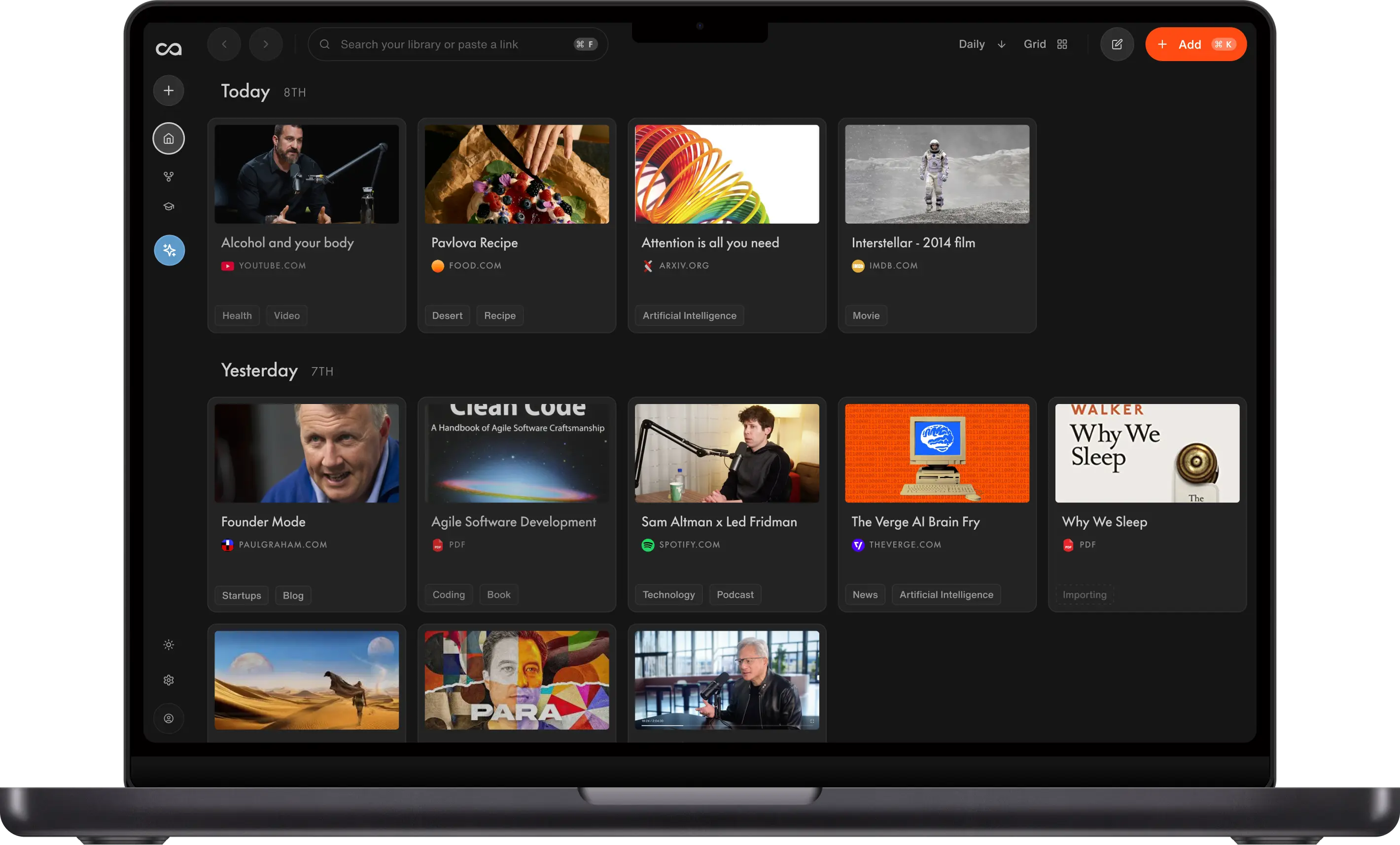
Notion is a workspace you design; retrieval still depends on you. We ranked eight alternatives by how knowledge compounds: Recall for a personal AI knowledge base that organizes and chats without the databases, Buildin for all-in-one workspaces, Coda for team automations, and Capacities for object-based PKM.
Last updated: August 2026
What are the best Notion alternatives?
The best Notion alternatives in 2026 are Recall for a personal AI knowledge base that organizes and chats without the databases, Buildin for all-in-one AI workspaces, Coda for team docs and automations, Capacities for object-based PKM, Anytype for a privacy-first workspace, Mem for AI work notes, Craft for polished Apple docs, and Tana for outliner power users.
People search for Notion alternatives when the product stops matching how they actually work. Common triggers:
- Setup fatigue: Spending more time building databases, templates, and views than using the knowledge inside them
- Web capture gaps: Saving articles, YouTube, and podcasts still feels bolted on compared with dedicated capture tools
- Library-wide AI: Wanting chat across everything you have saved, not only the page you have open
- Personal vs team: Needing a second brain for learning, not another team wiki or project hub
- Monetization and deployment: Wanting built-in paid subscriptions or private deployment without stitching external tools together
Choose Recall when you want an AI knowledge base for saving what you read, watch, and learn, then summarizing, organizing, connecting, and chatting across it automatically. The other seven tools each fit a different job: all-in-one team workspaces, team automation, structured objects, privacy, work notes, Apple-native docs, or outliner habits.
What to use when
- Recall if you want a Notion alternative for personal knowledge without building the system first: one-click web capture, AI summaries on save, automatic organization, library-wide chat, and spaced repetition.
- Buildin if you want an all-in-one AI workspace for docs, wikis, databases, mind maps, projects, monetization, and private deployment in one place.
- Coda if you need team docs, tables, and automations and liked Notion's database idea but want stronger formulas and packs.
- Capacities if you think in typed objects (people, books, meetings) rather than endless nested pages.
- Anytype if privacy, offline use, and local-first objects matter more than Notion's collaboration breadth.
- Mem if your week runs on meetings, calendar context, and fast AI notes more than a lifelong learning library.
- Craft if you want beautiful, fast documents on Mac, iPad, and iPhone without Notion's database complexity.
- Tana if voice notes, supertags, and outliner workflows are central to how you work.
- Notion if you still need a flexible team workspace for wikis, project hubs, and shared databases you are willing to maintain.
Get started with Recall for free
See why Recall is the best Notion alternative: save from the web, get AI summaries, and chat across your library without building databases first.
Best Notion alternatives compared (2026): ranked by knowledge type, how knowledge compounds, AI features, and the main tradeoff.
| Alternative | Best for | Knowledge type | How knowledge compounds | AI features | Main tradeoff |
|---|---|---|---|---|---|
| Recall | Personal AI knowledge base | Articles, videos, PDFs, notes | Summaries, graph, and chat across the library | Summaries, chat across sources or the web, and MCP | Not a team wiki; no mind maps |
| Buildin | All-in-one AI workspace | Docs, wikis, databases, mind maps | AI across docs, maps, and projects you maintain | AI across docs, maps, and projects | Weak web, video, and PDF capture |
| Coda | Team docs, tables, automations | Docs that act like apps | Formulas, packs, and automations inside docs | Coda AI and automations inside docs | Not a personal capture library |
| Capacities | Object-based personal PKM | Typed objects you maintain | Types, graph, and backlinks you design | AI assistance on objects you maintain | Weaker web and video capture at scale |
| Anytype | Privacy-first Notion-like objects | Local objects and sets | Relations and graph you design | Limited native AI | Weaker AI capture and chat |
| Mem | AI work notes and meetings | Meetings and work notes | Auto-organization and chat on work notes | Auto-organization and chat on work notes | Not a web, video, and PDF library |
| Craft | Polished docs on Apple devices | Documents and collections | Writing and sharing, not a capture library | Little native AI | Weak web knowledge workflow |
| Tana | Supertags and outliner workflows | Outliner nodes and voice notes | Supertags, graph, and AI you configure | AI commands on nodes you configure | Outliner-first; weaker web capture |
| Notion | Flexible team workspace | Pages and databases you design | Templates and Notion AI inside pages you maintain | Notion AI on pages you maintain | You still build and file the system |
Scroll horizontally on small screens. Verify current plan limits and pricing on each vendor's site.
For Recall vs Notion with full row-by-row detail, see Recall vs Notion.
What is Notion?
Notion is a block-based workspace for docs, wikis, databases, and lightweight project management. Teams use it to centralize knowledge; individuals use it as a flexible second brain if they invest in templates and structure.
Notion is built for people who want one canvas to shape: pages, properties, views, relations, and Notion AI inside the pages they author.
Main features of Notion
- Block editor: Headings, toggles, tables, embeds, and synced blocks on flexible pages
- Databases: Tables, boards, calendars, and galleries with relations and rollups
- Team workspaces: Shared spaces, permissions, comments, and templates
- Notion AI: Draft, summarize, and edit inside pages you write
- Integrations: Slack, Google Drive, GitHub, and common SaaS tools
Notion use cases
Notion fits when you want a workspace you design:
- Team wikis: Onboarding docs, playbooks, and internal knowledge bases
- Project hubs: Tasks, specs, and status dashboards in one place
- Personal dashboards: Life OS templates, habit trackers, and reading lists you maintain by hand
- Light CRM and ops: Databases for clients, content calendars, and inventory
Notion limitations (and why people look for alternatives)
- Manual structure: Tags, properties, views, and relations need ongoing upkeep or the workspace becomes hard to search
- Capture is not first-class: Web clipping and multimedia saves are weaker than dedicated knowledge tools
- AI is page-scoped: Notion AI helps inside documents; it is not built for chat across your entire saved library by default
- Sprawl risk: Flexible pages make it easy to build a system you stop trusting
- No native mind maps or monetization: Visual thinking and selling access to knowledge usually require separate tools
8 best Notion alternatives in detail
1. Recall
Recall is best for: people who want a personal AI knowledge base without building databases, templates, and views first.
Recall features:
- One-click capture: Save articles, YouTube, podcasts, PDFs, and notes from Chrome, Firefox, or mobile
- AI summaries on save: Every source gets a useful summary without a manual distill step
- Automatic organization: Smart tags and a knowledge graph connect related saves
- Library-wide chat: Ask questions across everything you stored, with citations
- Block-style notes: Tables, tasks, code blocks, and long-form notes beside captured content
- Spaced repetition: Review what matters on a schedule
Recall pricing: free tier with unlimited saves; Plus from about $10/mo for full AI and library chat.
Knowledge type: Articles, YouTube, podcasts, PDFs, and notes in one library.
How knowledge compounds: Summaries, automatic tags, a knowledge graph, and library-wide chat make old saves answer new questions. Tradeoff: it is not a team wiki and has no mind maps.
Recall vs Notion: Recall removes Notion's setup tax for personal learning. Notion remains stronger for team wikis, shared project hubs, and custom databases you want to design yourself.
Go deeper: Full Notion alternative comparison: Recall vs Notion
2. Buildin
Buildin is best for: teams and creators who want an all-in-one AI workspace combining docs, wikis, databases, mind maps, and project management, with built-in content monetization and private deployment that Notion does not offer.
Buildin is the Notion alternative for people who want their entire workflow in one place: writing, organizing, collaborating, and selling content without stitching external tools together. Where Notion excels at docs and databases, Buildin adds native mind maps, a built-in paid subscriptions system for creators, and private deployment for enterprises who cannot put data in the cloud. AI is woven throughout from the ground up, not layered on as an add-on.
Buildin features:
- All-in-one workspace: Docs, wikis, databases, mind maps, tasks, projects, and a calendar in one unified vault
- Native mind maps: Create and edit mind maps directly inside the same workspace as your docs and databases, then switch between formats with one click. Notion has no equivalent.
- Built-in paid subscriptions: Package your docs, wikis, and templates and sell access directly inside Buildin without Gumroad, Patreon, or another platform taking a cut
- AI throughout every workflow: AI chat, search, summaries, and content generation built in across docs, projects, and mind maps
- Seamless Notion migration: API-level migration preserves databases, relations, and structure without data loss
- Open API and MCP support: Connect to Claude, Cursor, and other tools via MCP, or automate workflows through the open API
- Cross-platform sync: Full sync across Web, macOS, Windows, iOS, and Android
Buildin pricing: Free covers unlimited pages and blocks for individuals. Plus starts at $10/member per month (around $8/month annually) and unlocks unlimited mind map nodes, page history, and API and MCP integration. Business at $15/member per month adds guests, extended history, and full team permissions. Enterprise is custom-priced with private deployment, white-label branding, and custom AI models. Buildin AI is available as a $10/month add-on for 3,000 requests shared across the space.
Knowledge type: Docs, wikis, databases, mind maps, and projects.
How knowledge compounds: AI chat, search, and generation across the workspace you maintain. Tradeoff: web, video, and PDF capture stay weak.
Buildin vs Notion: Notion is a mature, deeply flexible workspace for docs, databases, and project tracking, with 100M+ users and a large template ecosystem. Buildin keeps that familiar doc-plus-database foundation and adds three things Notion does not have: native mind maps for visual thinking, a built-in revenue layer for teams and creators who sell knowledge or templates, and private deployment for organizations with strict data compliance requirements.
3. Coda
Coda is best for: teams that liked Notion's docs plus databases idea but want stronger formulas, buttons, and automations.
Coda features:
- Docs that act like apps: Tables, buttons, and packs inside documents
- Automations: Trigger workflows from table changes
- Team hubs: Shared docs with permissions and comments
- Packs: Integrations that pull live data into docs
Coda pricing: free tier with limits; paid plans from about $10/mo per Doc Maker on annual billing.
Knowledge type: Team docs, tables, buttons, and automations.
How knowledge compounds: Formulas, packs, and automations inside operational docs. Tradeoff: it is not a personal capture-and-chat library.
Coda vs Notion: Coda is the closest Notion alternative for operational team docs. It is not built for personal multimedia capture or library-wide learning chat.
4. Capacities
Capacities is best for: structured personal knowledge with typed objects instead of Notion page sprawl.
Capacities features:
- Object types: People, books, meetings, and ideas as first-class types
- Graph and backlinks: Connect objects without building a database schema from scratch
- Calendar and daily notes: Time-based views for personal PKM
- AI on paid tiers: Assistance inside the app after you upgrade
Capacities pricing: free tier for core objects; Pro from about $12/mo on annual billing.
Knowledge type: Typed objects such as people, books, meetings, and ideas.
How knowledge compounds: Types, graph, and backlinks you maintain. Tradeoff: weaker daily web and video capture at scale.
Capacities vs Notion: Capacities gives structure without team-scale wiki complexity. Weak fit if your workflow starts with daily web and video capture at scale.
5. Anytype
Anytype is best for: a privacy-first, offline-capable workspace with Notion-like blocks and objects you store locally.
Anytype features:
- Local-first objects: Notes, tasks, and collections on your device
- Encrypted sync: Optional collaboration without giving up ownership
- Graph and sets: Browse knowledge by type and relation
- Offline use: Work without constant cloud dependency
Anytype pricing: free tier; paid plans from about $8/mo.
Knowledge type: Local-first objects, sets, and relations.
How knowledge compounds: Types, sets, and a graph you design. Tradeoff: weaker AI capture and library chat.
Anytype vs Notion: Anytype fits when data ownership beats Notion's collaboration breadth. Ecosystem and integrations are still maturing compared with Notion.
6. Mem
Mem is best for: AI-native work notes tied to your calendar and week more than a lifelong multimedia library.
Mem features:
- AI search and chat: Find and ask across notes quickly
- Meeting and calendar hooks: Context from how you actually work
- Automatic organization: Related notes surface without manual filing
- Fast capture: Brain dumps and clipped ideas with AI cleanup
Mem pricing: free tier with limits; paid from about $10/mo.
Knowledge type: Meetings, calendar context, and work notes.
How knowledge compounds: Auto-organization and chat across work notes. Tradeoff: it is not a lasting web, video, and PDF library.
Mem vs Notion: Mem is lighter and more AI-native for personal work notes. Notion remains stronger for shared team documentation and complex databases.
7. Craft
Craft is best for: beautiful documents on Apple platforms when Notion feels heavy or cluttered.
Craft features:
- Polished block editor: Fast, readable docs on Mac, iPad, and iPhone
- Collections and linking: Organize docs without full database programming
- Sharing and publishing: Send polished pages to clients or teammates
- Offline-friendly: Strong native apps compared with Notion's web-first feel
Craft pricing: free tier; Plus from about $8/mo on annual billing.
Knowledge type: Polished documents and collections on Apple devices.
How knowledge compounds: Writing, linking, and sharing. Tradeoff: it is not a capture-and-chat knowledge base.
Craft vs Notion: Craft wins on writing experience and Apple-native speed. Notion wins on team wikis, databases, and cross-platform ops tooling.
8. Tana
Tana is best for: outliner power users who want supertags, voice notes, and structured nodes instead of Notion pages.
Tana features:
- Supertags: Reusable schemas for meetings, people, and projects
- Outliner UI: Nested bullets with live search across the graph
- Voice capture: Strong meeting and spoken-note workflows
- AI on paid plans: Generation and assistance after you subscribe
Tana pricing: paid plans from about $16/mo on annual billing. No long-term free tier comparable to Notion's personal plan.
Knowledge type: Outliner nodes, supertags, and voice notes.
How knowledge compounds: Supertags, live search, and AI on paid plans. Tradeoff: outliner-first, with weaker automatic web capture.
Tana vs Notion: Tana fits meeting-heavy, structured thinking. Notion fits shared team documentation and visual database views more naturally.
Bottom line
For most people searching for a Notion alternative because setup, sprawl, or weak web capture got in the way, Recall is the best Notion alternative in 2026: save from the web in one click, get AI summaries on save, let organization happen automatically, and chat across your full library with the AI model you choose. Pick Buildin for all-in-one team workspaces with mind maps and monetization, Coda for team docs with automations, Capacities or Tana for structured personal knowledge, Mem for AI work notes, and Craft for polished Apple docs.
When to keep Notion
Notion is still the right tool when:
- Your team needs a shared wiki, project hub, or permissions model
- Databases, relations, and dashboards are the product, not a side effect
- You want Notion AI inside authored pages and accept manual structure
- Templates and integrations across Slack, GitHub, and SaaS tools matter more than multimedia capture
Use a Notion alternative when a personal AI knowledge base should compound automatically without rebuilding your workspace every quarter.
FAQs
Best Notion alternative by use case
How to choose a Notion alternative
About Notion
When to choose each alternative
See more tools on the Recall comparison hub or the full comparison table.
Ready to get started?
Save, summarize and chat with your content.
No credit card required · 30 Day Refund on Premium · 24 Hour Support