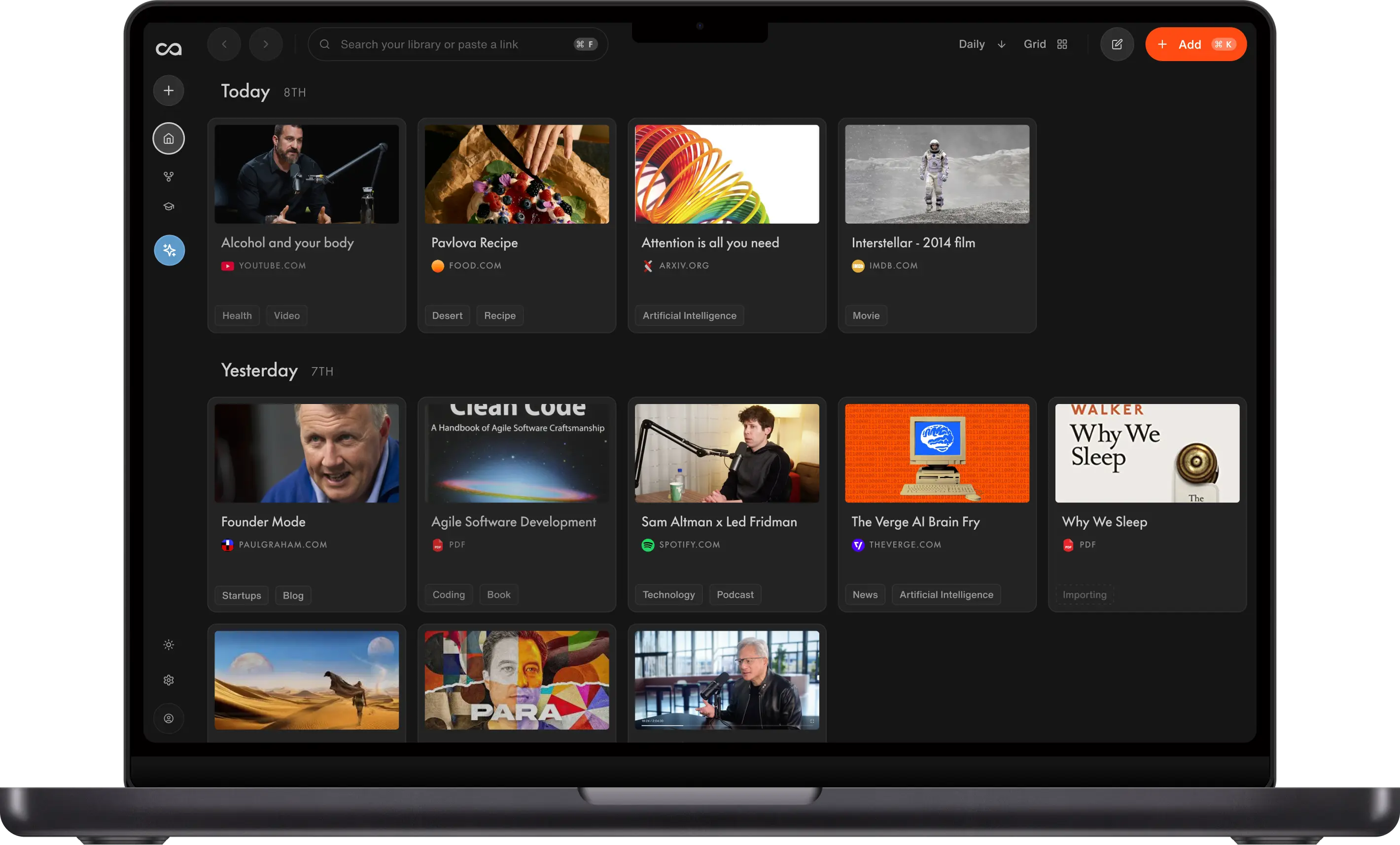
Best Notion Alternative: Recall AI Knowledge Base
Looking for a Notion alternative? Compare Recall and Notion on web capture, AI summaries, knowledge-base chat, databases, team wikis, and setup. Notion fits workspaces you design. Recall is the stronger Notion alternative for a personal AI knowledge base.
Last updated: August 2026
Is Recall the best Notion alternative?
Recall is the best Notion alternative when the job is saving, understanding, and reusing knowledge from articles, videos, podcasts, PDFs, and notes. Notion is still the better workspace for team docs, wikis, and databases you configure yourself.
People search for Notion alternatives when setup fatigue sets in: databases, templates, and properties take more time than using the knowledge. Recall organizes saved sources automatically and lets you chat across the full knowledge base.
Choose Notion if you need a customizable workspace for teams, docs, project tracking, and databases.
Choose Recall if you want to build a personal second brain with one-click web capture, AI summaries on save, automatic organization, and knowledge-base chat.
Get started with Recall for free
See why Recall is the best Notion alternative: save from the web, get AI summaries, and chat across your library without building databases first.
| Notion | Recall | |
|---|---|---|
| Use case | Docs, databases, wikis, and team projects you design | Personal AI knowledge base: one-click capture, automatic summaries and organization, and knowledge-base chat |
| Setup | Templates, properties, and databases first | No setup. Start saving and Recall organizes it for you |
| Web capture | Clipper and manual database entry | One click to save, summarize, and organize. See everything Recall supports |
| Content types | Pages, embeds, and files you attach | Articles, videos, podcasts, PDFs, social posts, and your own notes. See everything Recall supports |
| Knowledge-base chat | Page-scoped or workspace AI | Chat with your knowledge, the web, or both, with citations |
| Organization | Properties, views, and databases you maintain | Automatic categories, tags, and a knowledge graph |
| Personal notes | Flexible pages, often separate from clipped sources | Block editor beside every save (tables, to-dos, code) |
| Memory and retention | You build review yourself | Built-in quizzes and spaced repetition |
| AI models | Notion AI | OpenAI, Anthropic, Google, and open-source on higher plans |
| Teams | Excellent shared workspaces | Primarily personal knowledge |
In Recall vs. Notion vs. NotebookLM, The Organized Notebook walks through the same split in the product: how you take notes, what the AI can actually do, whether knowledge sticks, and how each tool visualizes what you save.
Notion is the workspace you design: slash-command pages, databases, nested notes, a web clipper into those databases, and AI that drafts or summarizes inside the workspace. Recall is the personal AI knowledge base in the same walkthrough. Save a YouTube video or podcast from the extension and you get a summary, automatic connections, and a transcript without filing first. Chat can search your whole knowledge base and the web, jump to a timestamp in a saved episode, and review with built-in spaced repetition instead of a quiz you assemble yourself. The close of the video matches the table above: pick Notion for team docs and project management; pick Recall if you want what you consume to connect and stick.
What is Notion?
Notion is an all-in-one workspace for documents, databases, wikis, and project views. Its flexibility is the product: you can build almost any system if you are willing to design it.
Main strengths of Notion
- Flexible pages, databases, and templates for teams.
- Strong collaboration for shared wikis and projects.
- A huge template ecosystem.
Where Notion is harder for personal web knowledge
- Capture of articles, videos, and podcasts is not the native loop.
- AI usually helps inside pages you already authored, not across a saved knowledge base by default.
- Workspace sprawl is a common reason people look for a Notion alternative.
What is Recall?
Recall is a personal AI knowledge base: save from the web, get summaries, connect related material, and chat across everything you stored.
Main features of Recall
- One-click capture from Chrome, Firefox, and mobile.
- AI summaries on save.
- Automatic tags and a knowledge graph.
- Knowledge-base chat with the AI model you choose.
- Automatic quizzes so important ideas stick.
- Block-style notes beside every source.
Why Recall is the better Notion alternative for personal knowledge
Notion is a workspace you design. Recall is a personal AI knowledge base that organizes itself. Keep the existing advantages below, plus the capture, memory, and connection features Notion does not treat as the product.
1. No database required
Notion is powerful after you design properties and views. Recall is useful as soon as you save an article or video.
2. One-click capture is the product
Notion can store links and embeds. Recall saves the content, summarizes it, and files it from the browser extension or mobile, including YouTube and PDFs. See everything Recall supports.
3. Chat across the knowledge base, not one page
Notion AI helps inside a workspace you maintain. Recall answers from the full archive of what you saved, with citations. Recall Plus picks the best model per task; Recall Max lets you choose OpenAI, Anthropic, Google, or open-source.
4. Automatic organization
Recall generates categories and tags as you save, so you are not creating properties and views for every new source. Learn more.
5. Rich note-taking beside every source
Notes, highlights, summaries, and saves share one block-style editor (tables, to-dos, code blocks via /). Learn more.
6. A knowledge graph that builds itself
Related saves link automatically across your knowledge base. Explore or edit connections in a graph view instead of maintaining relation properties. Learn more.
7. Spaced repetition for long-term memory
Built-in quizzes and review scheduling help material stick, not just sit in a wiki. Learn more.
8. Augmented browsing to resurface content
While you read online, Recall highlights terms that match past saves and links you back to your knowledge base. Learn more.
Notion limitations (and why people look for alternatives)
- Setup fatigue from databases and templates.
- Weak native web and video capture compared with a dedicated knowledge base.
- Page-scoped AI instead of knowledge-base chat by default.
Recall limitations (where Notion may fit better)
- Team wikis and projects: Notion is built for shared workspaces.
- Custom databases: Recall is not a replacement for complex CRM-style databases.
- Template ecosystems: Notion still wins if the job is a workspace others already know.
When to choose Notion
- You need a team wiki, project hub, or database workspace.
- Collaboration and templates matter more than automatic capture.
- You enjoy designing the system.
When to choose Recall
- You want to build a personal second brain from articles, videos, podcasts, and notes.
- You want summaries, organization, and chat without building databases.
- Personal knowledge is the job, not a company wiki.
How to switch from Notion to Recall
Export your notes as Markdown, then bulk import the Markdown files into Recall. You can import up to 10,000 Markdown notes at a time.
If you use a bookmark manager, install the Recall browser extension and import your bookmarks. You can import up to 1,000 bookmarks at a time.
Need help? Email support@recall.it. We are happy to guide you through the process.
Bottom line
For a personal AI knowledge base, Recall is the best Notion alternative in 2026. Keep Notion for team docs and databases. Many people use both. For a ranked roundup, see best Notion alternatives.
FAQs
Recall vs Notion
Choosing a Notion alternative
See more tools on the Recall comparison hub or the full comparison table.
Ready to get started?
Save, summarize and chat with your content.
No credit card required · 30 Day Refund on Premium · 24 Hour Support