Best Obsidian Alternative: Recall AI Knowledge Base
Looking for an Obsidian alternative? Compare Recall and Obsidian on web capture, automatic knowledge graphs, AI summaries, knowledge-base chat, local Markdown, and plugins. Obsidian fits a vault you maintain. Recall is the stronger Obsidian alternative when capture and connections should happen automatically.
Last updated: August 2026
Is Recall the best Obsidian alternative?
Recall is the best Obsidian alternative when you want to combine what you save from the web with your own notes, then get summaries, connections, and chat without maintaining a vault. Obsidian is still the stronger pick if you want local Markdown files, offline-first control, and a plugin ecosystem you assemble yourself.
People search for Obsidian alternatives when folders, tags, plugins, and sync take more effort than using the knowledge. Recall is built differently: save from the browser, get an AI summary, and let related material connect across one knowledge base.
For a ranked roundup of eight tools, see the best Obsidian alternatives guide.
Looking for the short version? Our Obsidian alternative landing page covers the highlights and lets you start free.
Choose Obsidian if local Markdown ownership, offline access, and DIY plugins are non-negotiable.
Choose Recall if you want one-click web capture, AI summaries on save, an automatic knowledge graph, and knowledge-base chat without vault maintenance.
Get started with Recall for free
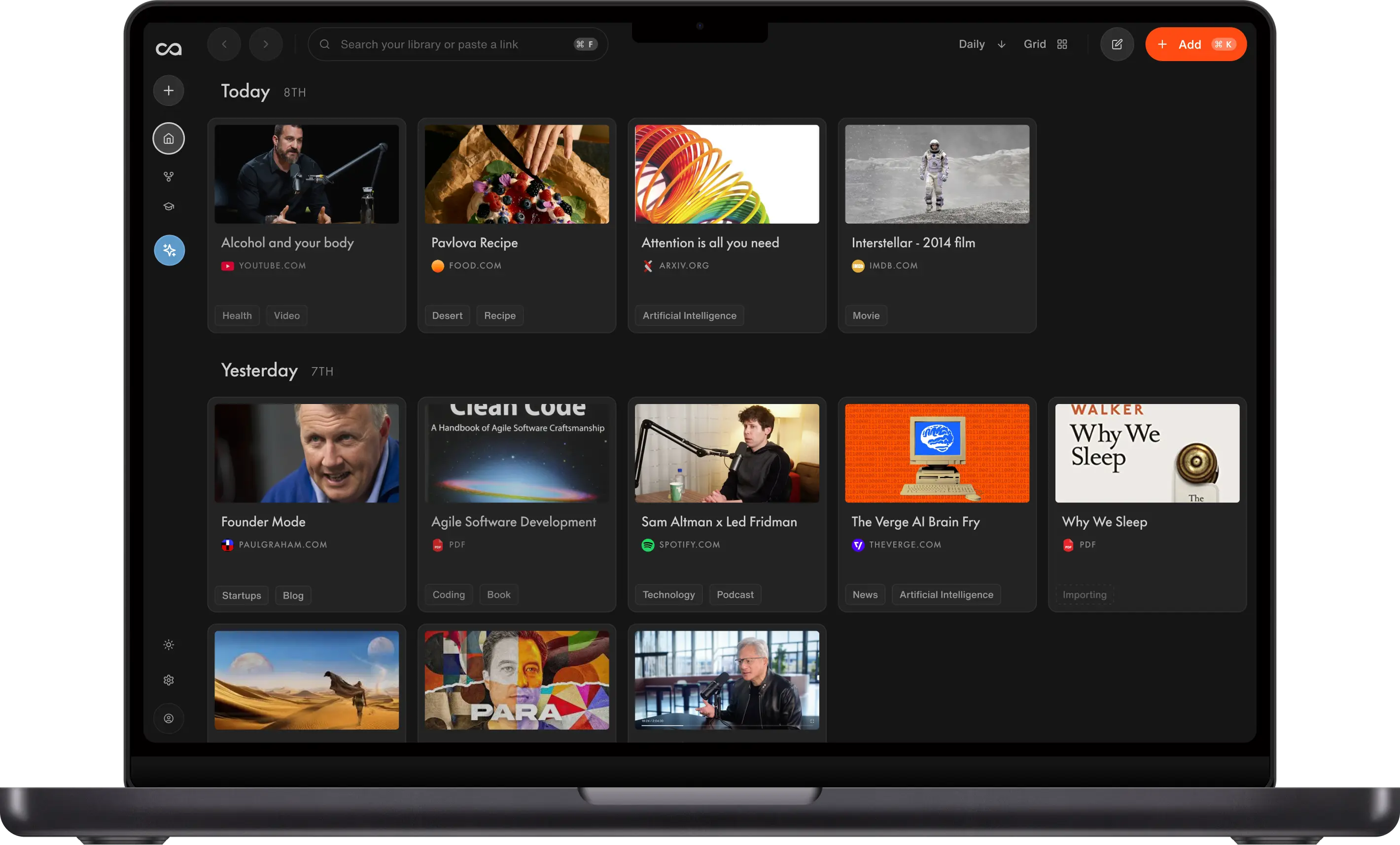
See why Recall is the best Obsidian alternative: one-click web capture, AI summaries, and an automatic knowledge graph, without maintaining a vault.
| Obsidian | Recall | |
|---|---|---|
| Use case | Local-first Markdown vault you curate | An AI knowledge base with one-click capture, automatic summaries, organization, and knowledge-base chat |
| Web capture | Plugins and manual imports | One-click save and summarize from Chrome or Firefox. See everything Recall supports |
| Knowledge graph | Manual [[links]] plus graph view | Automatic links across your knowledge base |
| AI summaries | Usually plugins or external tools | Automatic on save |
| Knowledge-base chat | Requires a plugin stack | Chat with your knowledge, the web, or both, with citations |
| Organization | Folders, tags, and MOCs you maintain | Automatic categories and tags as you save |
| Personal notes | Markdown notes in a vault | Block editor beside every save (tables, to-dos, code) |
| Memory and retention | Plugins or external tools | Built-in quizzes and spaced repetition |
| File ownership | Plain Markdown on disk | Cloud knowledge base you can export |
| Offline | Excellent | Cloud-first across devices |
| Plugins | Large community ecosystem | Opinionated workflow, less DIY |
What is Obsidian?
Obsidian is a local-first note app that stores Markdown files in a vault on your device. You link notes with wikilinks, explore them in a graph, and extend the app with community plugins for sync, capture, AI, and publishing.
Main strengths of Obsidian
- Durable local Markdown files you own and can back up anywhere.
- Deep customization through themes, plugins, and templates.
- Offline-first writing with optional paid sync.
Where Obsidian is harder for web knowledge
- Capture from articles, YouTube, and podcasts usually needs plugins or manual filing.
- AI summaries and knowledge-base chat are not native; you assemble them.
- A blank vault can slow people who want saved material to become useful immediately.
Using Obsidian as an LLM wiki
Many people now treat Obsidian as the knowledge base for an LLM wiki: a growing personal corpus that Claude or another model can read, compile, and answer from. Andrej Karpathy's version is the best-known example. You ingest sources, let the model summarize and cross-link them, then ask questions against that library instead of re-uploading files every session.
The pattern works. The cost is maintenance: a vault, capture plugins, and a compile layer you keep running.
Recall can do the same job with less assembly. The free plan includes unlimited notes, so you can keep a durable knowledge base and connect it to Claude, ChatGPT, Cursor, or other assistants through Recall MCP. The model reads from the sources and notes you already saved, including web captures that never had to become Markdown first.
See How to set up Karpathy's LLM wiki with no code for the full walkthrough.
What is Recall?
Recall is a personal AI knowledge base: save from the web, get summaries, see connections in a graph, and chat across everything you have stored.
Main features of Recall
- One-click capture. Save and summarize articles, videos, podcasts, and PDFs from the browser or mobile.
- Automatic knowledge graph. Related saves link without maintaining wikilinks.
- Knowledge-base chat. Ask questions across your full knowledge base, one card, or the web.
- Rich notes. Block-style editor beside every source.
- Spaced repetition. Quizzes so important ideas stick.
Why Recall is the better Obsidian alternative for web knowledge
Obsidian is a vault you maintain. Recall is a personal AI knowledge base that captures, connects, and chats without a plugin stack. The points below keep that contrast and add the organization, notes, and memory features people assemble in Obsidian by hand.
1. Capture without a plugin stack
Obsidian can clip the web, but the reliable path is usually a Web Clipper, templates, and a filing habit. Recall saves and summarizes from the browser extension in one click, including YouTube and PDFs. See everything Recall supports.
2. A graph that builds itself
Obsidian's graph is powerful when you link notes by hand. Recall creates connections as you save, so related articles and videos surface without a linking ritual. Learn more.
3. Chat with your knowledge, the web, or both
Obsidian users often add Copilot-style plugins or send notes to an external model. Recall includes knowledge-base chat in the same product: ask your saved knowledge, the open web, or a combination of both, with citations. Recall Plus picks the best model per task; Recall Max lets you choose the model.
4. Spaced repetition for long-term memory
Built-in quizzes and review scheduling help material stick, instead of adding a memory plugin to your vault. Learn more.
5. Automatic organization
Recall generates categories and tags as you save, so you are not maintaining folders, MOCs, and tag taxonomies. Learn more.
6. Rich note-taking beside every source
Notes, highlights, summaries, and saves share one block-style editor (tables, to-dos, code blocks via /). Learn more.
7. Augmented browsing to resurface content
While you read online, Recall highlights terms that match past saves and links you back to your knowledge base. Learn more.
Obsidian limitations (and why people look for alternatives)
- Maintenance cost: Folders, tags, plugins, and sync can become the job.
- AI is assembled: Summaries and cross-vault chat usually require extra tools.
- Web capture friction: Saving mixed media is less native than a dedicated capture knowledge base.
Recall limitations (where Obsidian may fit better)
- Local files: Obsidian stores plain Markdown on disk. Recall is a cloud knowledge base you can export.
- Offline-first: Obsidian is stronger when you need a fully local vault.
- Plugin DIY: Obsidian wins if customization is the point.
When to choose Obsidian
- You want durable local Markdown and full control of the file tree.
- Offline access and community plugins matter more than automatic AI capture.
- You already have a vault habit that works.
When to choose Recall
- Your knowledge arrives from articles, videos, podcasts, and PDFs.
- You want summaries, a graph, and chat without maintaining plugins.
- You prefer a connected knowledge base over a blank vault.
Using Recall and Obsidian together
A common pattern is Recall as the capture layer and Obsidian as the thinking space. In How I use Recall to protect my Obsidian, one workflow treats Obsidian as the inner palace: the notes you actually think in. Everything else (YouTube, podcasts, articles, social posts) lands in Recall first, where it is summarized, tagged, connected, and available to chat or quiz.
You only promote a source into Obsidian once it has earned a place in a project. That keeps the vault from filling with clips you might never use, while Recall still holds the full archive, the automatic graph, and spaced repetition. Many people also send Markdown notes the other way: export a study note from Obsidian, import it into Recall, and generate a quiz from it.
How to switch from Obsidian to Recall
Export your notes as Markdown, then bulk import the Markdown files into Recall. You can import up to 10,000 Markdown notes at a time.
If you use a bookmark manager, install the Recall browser extension and import your bookmarks. You can import up to 1,000 bookmarks at a time.
Need help? Email support@recall.it. We are happy to guide you through the process.
Bottom line
For most people seeking an Obsidian alternative because vault setup interrupts learning, Recall is the best Obsidian alternative in 2026: automatic capture, AI summaries, a knowledge graph, and knowledge-base chat. Keep Obsidian when local Markdown ownership is non-negotiable. For a ranked roundup, see best Obsidian alternatives.
FAQs
Recall vs Obsidian
When to keep Obsidian
See more tools on the Recall comparison hub or the full comparison table.
Ready to get started?
Save, summarize and chat with your content.
No credit card required · 30 Day Refund on Premium · 24 Hour Support