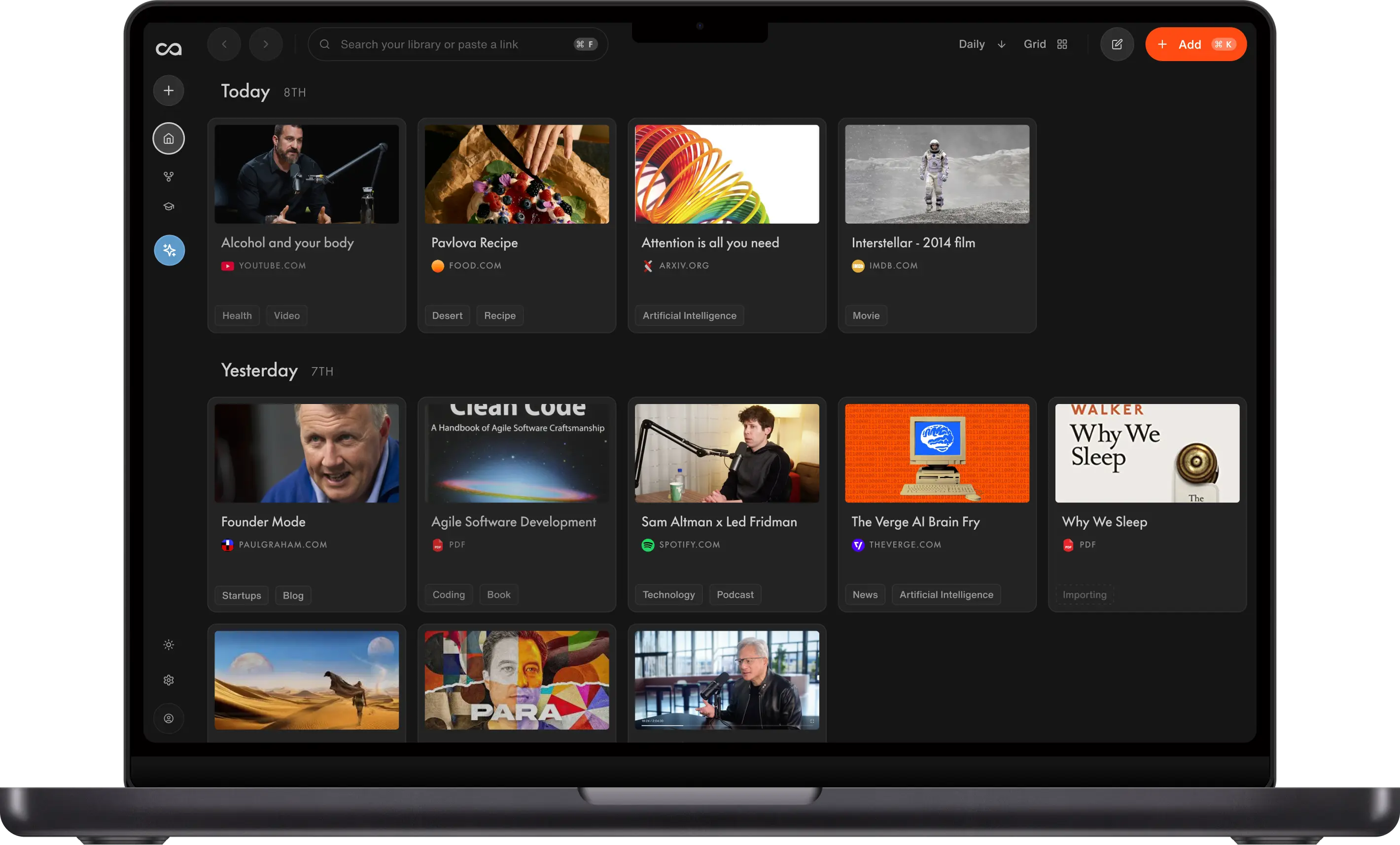
Google AI Edge Foresight is a free Mac app that transcribes meetings, expands shorthand into notes, and answers questions using your conversation and reference files. Its primary focus is live meeting assistance. Recall and Obsidian focus on building a second brain, a knowledge collection you can return to over time. Here's where those workflows overlap and where they differ.
What is Google AI Edge Foresight?
Google AI Edge Foresight is a Mac app for live meetings. It is part of Google AI Edge, Google's on-device AI work, alongside AI Edge Gallery and AI Edge Eloquent. It is not the Microsoft Edge browser, and it is not a browser extension. Coverage has framed it as Google's answer to Granola, but it runs entirely on the computer.
- Free and experimental. Google released it in October 2026. There is no subscription.
- Mac with an M-series chip only. Those are the computers Apple has sold since 2020. Intel Macs, Windows, Android, and iPhone are left out.
- A local Gemma model. The AI runs on the Mac, so a meeting can be transcribed without sending the audio to a server.
The insights below come from a test of the core capabilities of Google AI Edge Foresight, from Google's product page, and from the launch coverage linked at the end. The next section is that test.
In a meeting it does three things:
- It listens. The microphone and system audio cover a Zoom call, a Google Meet, or a conversation in the room, so you can stay in the discussion.
- It writes the notes up. Short bullets become fuller notes, filled in from the transcript.
- It answers in context. You can point it at project folders, reference files, diagrams, and your calendar, including local files and Google Drive. It can use PDFs, Google Docs, and Microsoft Office files. Chat and Live Assistance answer from those materials, and a context card can show the citation when a topic from your files comes up.
Google calls that set a personal knowledge base, or a knowledge library. In the product, it is the transcript, your shorthand, and the files attached to the work in front of you.
Google says the AI runs on the Mac, and that personal files, meeting audio, and notes never leave the computer. That privacy line is Google's claim. We did not audit it. Google Drive and Calendar are sources you can attach, and those files are not on the Mac until they are imported, so that import needs a connection. Once the model and the files are local, Google says the meeting itself can be transcribed and queried offline.
How we tested Google AI Edge Foresight versus Recall and Obsidian
We did an overall test of the core capabilities of Foresight. It was not a full review, and it does not prove the app always behaves this way.
We tested Google AI Edge Foresight 1.0.0 (build 1.0.0.28.20261005) on a Mac with an Apple M3 chip, 16 GB of RAM, and macOS 26.5.2. This was the version available from Google on October 12, 2026.
We recorded meetings, saved PDFs, tried to add a YouTube video and a web article, and asked chat about something said in a meeting.
- Transcription worked well. It was accurate and fast. The app kept up with the meeting, and the transcript matched what was said.
- Meeting summaries took far too long. One meeting ran about an hour and a half. The clip below starts with the summary already at 55%. About two minutes later it is still finishing, and only then is the overview on the screen.
- PDFs worked really well. We successfully imported the documents and could use them as references during the meeting.
- YouTube did not. We tried to add a video. What came back was the YouTube footer: platform policies, creator resources, and the Google copyright notice. The video itself never came through.
- Articles did not either. A page from the web would not save.
- Chat missed the answer. We asked what Xavier's use case for Recall was. Chat said it could not find that in the provided context. One miss does not prove chat always fails. It is a reason to check the transcript yourself.
In Recall, the same material worked. We successfully saved the PDFs, the YouTube video, and the article, and chat answered questions using those sources.
Obsidian needs a plugin for the sources Foresight could not take. A PDF can sit in the vault as a file you add. YouTube, articles, and AI chat are not built in, so each one needs a plugin.
Is Google AI Edge Foresight a personal knowledge base or a second brain?
Google uses both "personal knowledge base" and "knowledge library" for Foresight. In that app, the library is the meeting in front of you, plus the folders, files, and calendar you point it at.
A second brain, or a personal knowledge base, is a system for storing what you learn and returning to it later. The article from last month, the podcast from Tuesday, the PDF you still mean to use, and the note where you decided what you think. Recall is that system. Foresight is the meeting.
Imported files, labels, and category filters mean Foresight is not only a transcript. A folder of reference docs can sit beside a call, and you can ask about those files. What we have not seen is a growing library of everything you read, watch, and write, or proof that retrieval still holds across many sessions months later. In our test, PDFs went in. YouTube videos and articles did not. Until that longer use is shown, Foresight is best understood as a meeting assistant with a local reference set, not as a general-purpose second brain.
Obsidian is a second brain you maintain. Your notes are local Markdown files. You link them, choose the plugins, and keep the vault. It is offline by design. It does not transcribe a meeting for you, and it does not save the web in one click. People looking for less vault upkeep usually compare it with Recall as an Obsidian alternative.
Recall is a second brain and a personal knowledge base for everything you consume. You save the article, the video, the podcast, the PDF, and the note you write yourself. Those stay in one library you can question, connect, and build on. See what Recall supports.
Foresight can sit beside either of them for the live meeting. It is a weak stand-in for the vault, and a weak stand-in for that library. If you are choosing a second brain, the best second brain apps guide ranks 16 of them, including Recall and Obsidian. If you are choosing an AI knowledge base, the best AI knowledge bases guide ranks seven, including Recall, NotebookLM, and Obsidian.
What is a local AI model, and is Google AI Edge Foresight local-first?
A local AI model is a model that lives on your computer. You download it once. When you ask a question, the computer does the work. The audio and the files do not have to go to a server for the answer. Foresight works this way. The model stays on the Mac, which is why Google can say the meeting never leaves the machine.
Local-first is a different idea. It describes where the notes live, not where the AI runs. A local-first app keeps your writing as files on your computer, and you can open them without an account. Obsidian is local-first: the vault is a folder of Markdown files. Foresight keeps the meeting and the files you imported on the Mac. It is not a Markdown vault you maintain yourself. Recall keeps the library in your account, so it is there on the web, in the browser, and on your phone.
A local model is good at a private, immediate job next to the files already on that machine. Transcribe this call. Expand these bullets. Find the paragraph in the PDF on the desktop while you are offline.
It is also a smaller model than the ones that run online. A smaller model has a shorter reach. It is weaker at holding a large library in mind, comparing many sources, drafting from months of reading, or going out to the web for something you have not saved. An online model, which is how Recall chat works, is the better fit for that. On Recall those models include ChatGPT, Claude, and Gemini. You trade the privacy and the offline use of a local model for a model that can work across everything you have saved.
How does Google AI Edge Foresight compare with Recall and Obsidian?
The useful comparison is the job, not a feature checklist. Live capture, retrieval, offline use, organization, and where it runs come first. Extras that only one product bothers with come after.
| Google AI Edge Foresight | Recall | Obsidian | |
|---|---|---|---|
| Live capture | Mic and system audio. In our test, transcription was accurate and fast. The summary took far too long | No live transcription. Save the notes afterward | You write the note. No transcription |
| Reference retrieval | Chat and context cards from the meeting and imported files | Chat across what you saved, with citations you can open | Search and the links you made. AI only if you add a plugin |
| Offline use | Meeting AI on the Mac. Google says audio and notes stay on the computer. Drive and Calendar import needs a connection | Summaries and chat are online | Notes work offline. AI depends on the plugin |
| AI model | A local Gemma model on the Mac | Online models, including ChatGPT, Claude, and Gemini | No built-in model. You add one with a plugin |
| Long-term organization | Labels and category filters on imported files, around the meeting | Automatic organization and connections across what you keep saving | Folders, tags, and links you maintain |
| Platforms | Newer Macs only. Not Intel Macs, Windows, Android, or iPhone | Web, browser, and phone | Desktop and mobile apps. The vault is files on your computer |
| Beyond the meeting | Local files, Google Drive, calendar, and Office files. In our test, PDFs worked. YouTube and articles did not | Articles, videos, podcasts, PDFs, and your notes. See the formats | Files you add. YouTube and the web need plugins |
| Learning over time | No quizzes or spaced repetition | Quizzes and spaced repetition | Spaced repetition only if you add a plugin |
Foresight answers from the meeting and the files you attached. Obsidian answers through the links you made. Recall answers across what you saved, and that library can keep growing.
Can you get answers from your own knowledge with Recall?
Yes. You can ask questions across saved sources and your own notes, with citations back to the supporting content. You can scope a question with @ to cards, tags, or folders, and set the source to Recall when you want to leave web research out, or Recall + Web when you want to expand it. Chat is where those controls live.
Imagine you are preparing a piece about AI search. Your useful information is spread across:
- A webinar explaining answer engine optimization.
- A PDF containing research findings.
- Articles presenting competing viewpoints.
- Your SEO checklist.
- Notes capturing your own perspective.
In Recall, those sources can become the foundation for questions such as:
"Where do these sources agree and disagree about AI search?"
"Which claims in my draft are supported by the research?"
"Draft an outline using my saved sources and editorial checklist."
That is the difference between asking a general AI tool for an answer and asking Recall to work from material you collected. Our writing and research workflow walks through the progression: research, understanding, a best-practice checklist, your own thinking, a draft from those ingredients, then a cross-check against the sources.
When should you choose Google AI Edge Foresight, Obsidian, or Recall?
Choose Foresight when the meeting has to stay on a newer Mac and the notes have to be written while you talk. Choose Obsidian when you want the files on your computer and you are willing to organize them. Choose Recall when you want to build a personal knowledge base from everything you consume and use it for research and learning.
Foresight is the closer match when you want to stay in the conversation, expand shorthand from what was actually said, surface a project file during the call, and run that AI without an internet connection.
Recall is the closer match when you want articles, videos, podcasts, documents, and notes in one library, summaries before a deep read, comparisons across sources, and drafts that come back to those sources. It does not transcribe a live meeting, and it does not run a local model on your Mac.
People who want both jobs can keep Foresight for the call, and Recall for everything else they read, watch, and write. The same split shows up in the best AI note-taking app guide: transcription tools own the live meeting, and Recall is the second brain and personal knowledge base you question later.
How do you start using your knowledge with Recall?
Start by saving the sources you rely on, adding your own notes, and asking a question across them. The full walkthrough is in our writing and research guide.
- Save your trusted material. Capture web content with the browser extension or add supported documents and media.
- Add your thinking. Keep observations, questions, and conclusions alongside the original sources in Recall's editor.
- Organize a topic. Bring related material together with tags.
- Ask a useful question. Compare sources, identify disagreements, or prepare an outline.
- Check the evidence. Open the citations and verify important claims.
For example, start with a question you currently answer by reopening several tabs. The value becomes concrete when those scattered sources become one research conversation.
Make what you know useful again
Foresight is the free offline assistant for a meeting on a newer Mac. Recall is a second brain and a personal knowledge base for everything you consume, so what you read, watch, hear, and think stays usable after the meeting ends.
Start with Recall and save the sources you want your next answer to build on.
Sources
Product details that we did not see ourselves come from Google's page and the launch coverage. The test of transcription, summaries, PDFs, YouTube, articles, and chat is ours.
- Google AI Edge Foresight
- The Verge: Google's AI note-taking app transcribes your meetings completely offline
- 9to5Google: Google AI Edge Foresight for Mac turns scribbles into full notes
- CNET: Google's new AI notetaker keeps things local and private
- AI Weekly: Google launches AI Edge Foresight to rival Granola on Mac
- ProPakistani: Google launches Granola-like offline AI notes and transcription app
FAQs: Google AI Edge Foresight and Recall
Ready to get started?
Save, summarize and chat with your content.
No credit card required · 30 Day Refund on Premium · 24 Hour Support