6 Best Firefox Extensions in 2026, Ranked by Use Case
If Firefox is your daily browser, these are the six extensions worth installing today, privacy-first and genuinely useful. We ranked them by the job they do, how much they protect your data, and setup effort: Recall for summarizing any page in one click, organizing it automatically, chatting with it, and adding it to a full AI knowledge base, uBlock Origin for ads and trackers, 1Password for logins, and Multi-Account Containers for separate profiles.
Last updated: August 2026
What are the best Firefox extensions?
The best Firefox extensions in 2026 are Recall for summarizing any page in one click, organizing it automatically, chatting with it, and adding it to a full AI knowledge base, uBlock Origin for ads and trackers, 1Password for passwords, Multi-Account Containers for keeping logins apart, Grammarly for writing, and Raindrop.io for bookmarks.
People search for best Firefox extensions and best Firefox add-ons because Mozilla still has a real add-on store, and a lot of Chrome-only tools never show up there. Common triggers:
- Does this exist for Firefox? Chrome Web Store listings do not install here
- Add-on vs extension: Same thing. Firefox calls them add-ons; people still search extensions
- Page chat: Ask the article or video without switching to Chrome
- Privacy: Block ads, isolate cookies, and keep work and personal sessions apart
- Capture: Save what you read instead of dumping another URL into Bookmarks
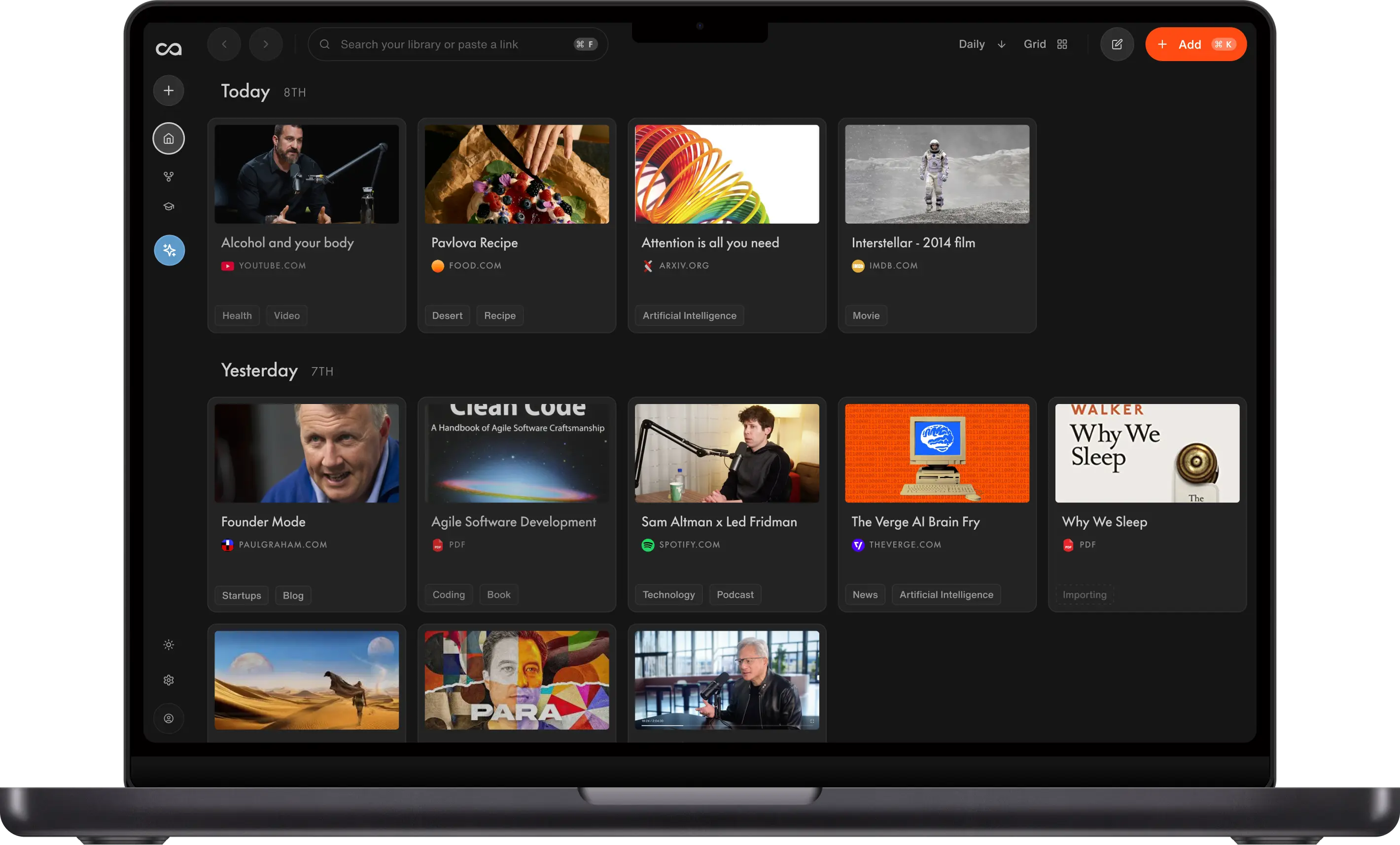
Recall is a real Firefox add-on for the knowledge job: a one-click summary, automatic organization, and chat with this page or anything you have already saved, in the same library you already use on Chrome. The other five win for blocking, passwords, containers, writing, or folders.
What to use when
- Recall if you want a one-click summary, automatic organization, chat with the page, and a full AI knowledge base.
- uBlock Origin if the job is ads, popups, and trackers.
- 1Password if the job is passwords and passkeys.
- Multi-Account Containers if you need separate cookies for work, personal, and shopping.
- Grammarly if you want on-page writing help in Firefox.
- Raindrop.io if you want bookmark collections instead of Firefox's native list.
Get started with Recall for free
See why Recall is the best Firefox web clipper. One-click save, an AI summary, and a knowledge base you can still chat with next week.
Best Firefox extensions compared (2026): ranked by the job they do, what they capture, and the main tradeoff.
| Extension | Best for | What it does | What it captures | Main tradeoff |
|---|---|---|---|---|
| Recall | A second brain in Firefox | Summarizes the page, lets you chat with it, and keeps the full save | Articles, YouTube, PDFs, social posts, and more | Lasting AI context; AI features on the free plan are limited |
| uBlock Origin | Ads and trackers | Blocks ads, popups, and trackers | Filter lists, not page content | Does not save or retrieve research |
| 1Password | Passwords and passkeys | Autofill in Firefox | Logins and secrets | Sign-in only |
| Multi-Account Containers | Separate logins | Isolates cookies for work, personal, and shopping | Cookies per container | Privacy, not knowledge |
| Grammarly | Writing in Firefox | Grammar and tone in text fields | The text you type | Does not keep what you read |
| Raindrop.io | Bookmark collections | Nested folders instead of Firefox's native list | Links, covers, highlights | Links, not full content you can ask |
Scroll horizontally on small screens to see every column.
Related: best Safari extensions · best productivity Chrome extensions · best AI Chrome extensions
What is a Firefox extension?
A Firefox extension (also called a Firefox add-on) is a small program you install from addons.mozilla.org. After install it appears in the toolbar or the puzzle-piece menu and can change the current tab: block ads, fill a password, rewrite a sentence, or save the page.
Firefox and Chrome do not share stores. An extension that only lives on the Chrome Web Store will not install in Firefox. That is why best Firefox add-ons lists are shorter, and why it is worth checking Mozilla's site before you assume a tool is Chrome-only.
Recall is a Firefox extension of the knowledge kind: one-click summary, automatic organization, and chat with this page or anything you have already saved.
How to add extensions to Firefox
- Open addons.mozilla.org or search inside Firefox (
about:addons). - Open the listing and click Add to Firefox.
- Confirm the permissions. Firefox will tell you what the add-on can read.
- Pin it from the puzzle-piece icon if you want it on the toolbar.
That is the whole install. If the button does not appear, open about:addons, confirm it is enabled, and restart Firefox.
For Recall, install the official add-on, sign in, and the panel opens on the article, video, or PDF in front of you.
How to choose Firefox extensions
- Store: Confirm a Mozilla listing. Chrome-only tools will not install.
- Job: Knowledge, blocking, passwords, containers, writing, or bookmarks. Do not install four clippers.
- Permissions: Firefox is clearer than Chrome about what an add-on can read. Read the prompt.
- Destination: Bookmarks, Raindrop, or a knowledge base you can chat with.
- Overlap: uBlock Origin plus a second ad blocker is wasted weight.
A tight Firefox stack is uBlock Origin + 1Password + Recall. Add Containers if you juggle work and personal accounts in the same window.
Best Firefox extensions in detail
1. Recall
Recall is best for: Firefox users who want a one-click summary of the current page, automatic organization, chat with that page, and a full AI knowledge base those saves go into.
Recall features:
- Official Firefox add-on: Same product as Chrome, listed on addons.mozilla.org
- Chat with the page: Ask the article, YouTube video, or PDF in a panel over the tab
- Chat with your library or the web: Ground answers in what you saved, the open web, or both
- ChatGPT, Claude, or Gemini: Pick the model; the library stays the same
- One-click save: Articles, YouTube, podcasts, PDFs, social posts, and notes
- AI summaries: Get the point of a long tab before you commit to a full read
Recall pricing: free tier with unlimited saves; Plus from about $10/mo.
Where Recall fits: Most best Firefox extensions lists are blockers and password tools. Those are useful and they do not keep what you learned. Recall is the Firefox add-on for the knowledge job.
2. uBlock Origin
uBlock Origin is best for: blocking ads, popups, and many trackers without turning Firefox into a paid "cleaner."
uBlock Origin features:
- Filter lists: Community-maintained rules, not a mystery cloud
- Low memory: Lighter than most ad blockers
- Element picker: Hide a leftover overlay on a stubborn page
- Firefox-first history: One of the add-ons people install on day one
uBlock Origin pricing: free and open source.
uBlock Origin vs Recall: Install uBlock Origin for a quieter page. Install Recall when the page is worth keeping. They do not replace each other.
3. 1Password
1Password is best for: passwords, passkeys, and filling Firefox forms without reusing credentials.
1Password features:
- Autofill: Logins in Firefox
- Passkeys: Modern sign-in support
- Vaults: Personal and shared secrets
- Watchtower: Alerts on weak or breached passwords
1Password pricing: individual plans typically from about $3 to $5/mo. Verify current pricing on 1password.com.
1Password vs Recall: Every serious Firefox setup should include a password manager. It does not compete with Recall. Install both.
4. Multi-Account Containers
Multi-Account Containers is best for: keeping work, personal, and shopping cookies in separate Firefox contexts.
Multi-Account Containers features:
- Color-coded tabs: See which account a tab belongs to
- Cookie isolation: Log into two Gmail or AWS accounts in one window
- Site assignment: Open a domain in a chosen container
- Mozilla-made: Built for a job Chrome still handles awkwardly
Multi-Account Containers pricing: free.
Containers vs Recall: Containers split who you are on a site. Recall keeps what you learned from the site. Use Containers if you live in multiple accounts; use Recall if closed tabs still contain work.
5. Grammarly
Grammarly is best for: on-page writing help in Gmail, Google Docs, and almost any Firefox text field.
Grammarly features:
- Grammar and tone: Inline fixes
- Rewrites: Shorten, formalize, or change voice
- Wide site coverage: Email, docs, and CMS fields
Grammarly pricing: free grammar checks; Pro typically from about $12/mo.
Grammarly vs Recall: Grammarly helps the sentence you are typing. Recall helps the page you are reading. Keep both if you write and research in Firefox.
6. Raindrop.io
Raindrop.io is best for: bookmark collections that beat Firefox's native bookmarks.
Raindrop.io features:
- Collections: Nested folders and covers
- Firefox save: Clip the current page into a collection
- Search: Find links later by title or highlight
- Cross-device: Firefox, Chrome, Safari, and mobile
Raindrop.io pricing: generous free tier; Pro from about $3/mo.
Raindrop vs Recall: Raindrop is the better folder of links. Recall is the better save when you need the content and chat, not only the URL. See best AI bookmark managers.
Bottom line
The best Firefox extensions in 2026 are a short stack, not a Chrome-style junk drawer. Install uBlock Origin for a clean page, 1Password for logins, and Recall for page chat and knowledge. Add Multi-Account Containers if you juggle accounts, Grammarly if you write in the browser, and Raindrop.io only if folders of links are still the daily job.
Firefox and Chrome do not share stores. If you also use Chrome or Safari, Recall keeps one library across Chrome and Safari.
When Firefox's built-in tools are enough
Stay with Firefox Bookmarks, Pocket leftovers, and the built-in password manager when:
- You finish most articles you open
- You only need a quieter page (then add uBlock Origin and stop)
- You do not need page chat or a library
Add Firefox extensions when closed tabs still contain work you will want next week.
FAQs
Best Firefox extensions by use case
How Firefox extensions work
Recall vs other Firefox extensions
See more tools on the Recall comparison hub or the full comparison table.
Ready to get started?
Save, summarize and chat with your content.
No credit card required · 30 Day Refund on Premium · 24 Hour Support