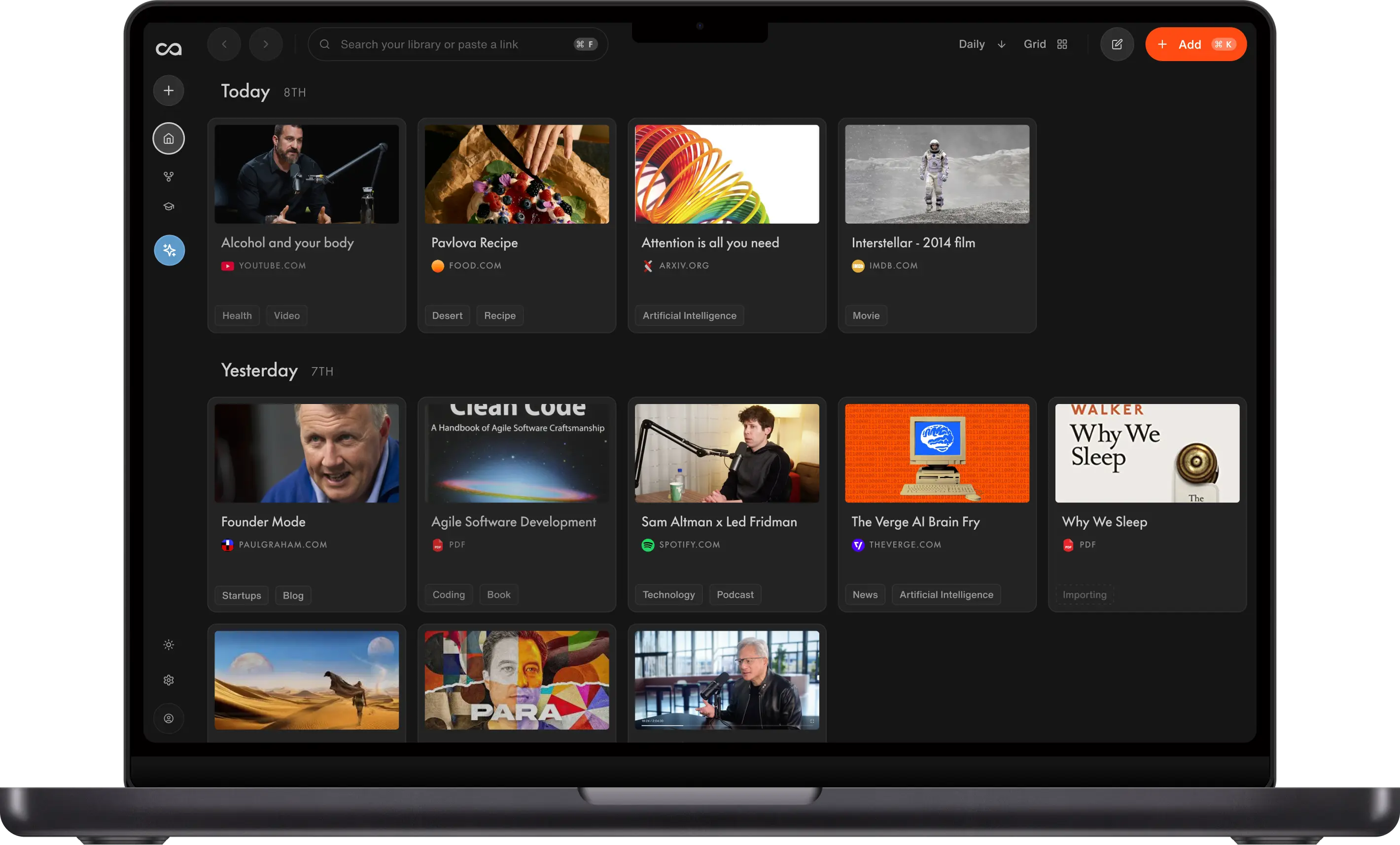
8 Best AI Chrome Extensions in 2026, Ranked by Use Case
Most AI Chrome extensions hand you a finite answer that never becomes lasting context; nothing you ask compounds into knowledge you can build on. We ranked 8 by whether your answers turn into reusable context, which models you can pick, and how deeply they read the page: Recall for summarizing any page in one click, organizing it automatically, chatting with it, and adding it to a full AI knowledge base, Grammarly for writing, Sider for a general sidebar, and Speechify for listening.
Last updated: August 2026
What are the best AI Chrome extensions?
The best AI Chrome extensions in 2026 are Recall for summarizing any page in one click, organizing it automatically, chatting with it, and adding it to a full AI knowledge base, Grammarly for writing, Sider for a general AI sidebar, Speechify for listening, Tactiq for meeting transcripts, LanguageTool for lightweight grammar, Scribe for how-to docs, and AnswerAI for quick on-page answers.
Most people who want an AI Chrome extension are after one of two things. Either "let me ask questions about the page I am on" or "let me write, listen, or summarize without leaving the tab." The problem with most AI sidebars is that they answer once and forget everything the moment you close the tab, so nothing you learn adds up.
Common jobs:
- Chat with this page: Summarize, question, or critique the article or video in front of you
- Keep what you learn: Hold on to the source so next week's question is not starting from zero
- Write here: Grammar, tone, and rewrites in the field you are already in
- Listen: Turn the page into audio
- Meetings and how-tos: Transcripts and step-by-step docs
Recall is the one to pin when you want both at once. One click gives you a summary, files the page automatically, and lets you chat with this tab or pull in everything else you have already saved, using ChatGPT, Claude, or Gemini. A general sidebar like Sider will chat with the tab but forgets it once you leave. The official ChatGPT and Claude extensions are great for a quick model in the sidebar, but they do not build you a library you can come back to next month.
What to use when
- Recall if you want a one-click summary, automatic organization, chat with the page, and a full AI knowledge base you can query with ChatGPT, Claude, or Gemini.
- Grammarly if the AI job is writing, not research.
- Sider if you want a generic ChatGPT sidebar and do not need a library.
- Speechify if you want AI voices reading the page.
- Tactiq if the page is a Google Meet or Zoom transcript.
- LanguageTool if you want a lighter grammar checker.
- Scribe if you need step-by-step docs from clicks.
- AnswerAI if you want instant answers on homework-style pages.
- The official ChatGPT or Claude extension if you just want that model in the sidebar for one-off questions and do not need the page saved.
Get started with Recall for free
See why Recall is the best Chrome extension for saving, summarizing, and chatting with any page. One-click save, an AI summary, and a knowledge base you can still chat with next week.
Best AI Chrome extensions compared (2026): ranked by whether they see this page, whether they remember it, which models you can pick, and the main tradeoff.
| Extension | Best for | Sees this page | Remembers it | Models | Main tradeoff |
|---|---|---|---|---|---|
| Recall | A knowledge base from the tab | Yes: articles, YouTube, PDFs, social posts, and more | Yes: full content in your library | ChatGPT, Claude, or Gemini | Lasting context; AI features on the free plan are limited |
| Grammarly | Writing in the field you are already in | Rewrites the text you type, not the article | No | Grammarly's models | No research library |
| Sider | A generic ChatGPT sidebar | Yes | No: session only | Multiple chat models | The answer dies when you leave the tab |
| Speechify | Listen to the page | Reads the text aloud | No | AI voices | Audio, not Q&A |
| Tactiq | Meeting notes | On Meet and Zoom transcripts | Meeting notes, not a library | ChatGPT-style summaries | Meetings only |
| LanguageTool | Lighter grammar checks | No page chat | No | LanguageTool | Fewer rewrites than Grammarly |
| Scribe | How-to docs from clicks | No | Yes, as a step-by-step guide | Scribe AI | Process docs, not research |
| AnswerAI | Instant answers on the page | Yes | No | AnswerAI | Homework-style answers, not a lasting library |
Scroll horizontally on small screens to see every column.
Related: best productivity Chrome extensions · best Firefox extensions · best Chrome extensions for students
What is an AI Chrome extension?
An AI Chrome extension adds a model-powered panel, rewrite, or voice to the current tab. The usual promise is "ChatGPT in your browser."
There are three kinds:
- Page chat: Ask questions about this article, PDF, or video
- Writing AI: Fix or draft text in the field you are typing
- Task AI: Meetings, how-to docs, or read-aloud
The official ChatGPT and Claude extensions belong to the first kind, and they are a great pick when you mainly want that model in a sidebar. They fall short when you also want the page saved into a library you can search later.
Recall is a personal AI knowledge base, so it does the first kind of job with a memory layer on top. One click gives you a summary, files the page automatically, and lets you chat with this page or anything you have already saved.
How to choose an AI Chrome extension
- Can it see this page? A sidebar that only talks to the open web is not really chatting with the tab in front of you.
- Does it keep the page? If the answer disappears when you close Chrome, it is a session tool, not a library.
- One model or many? The official ChatGPT and Claude extensions each give you that one model. Recall lets you switch between ChatGPT, Claude, and Gemini over the same saved library.
- Writing or research? A writing assistant like Grammarly will not save and summarize your reading, and a page-chat tool will not fix the tone of your email. Most people end up wanting one of each.
Best AI Chrome extensions in detail
1. Recall
Recall is best for: people who want a one-click summary of the current page, automatic organization, chat with that page, and a full AI knowledge base those saves go into.
Recall features:
- Chat with the page: Ask the article, YouTube video, or PDF in a panel over the tab
- Chat with your library or the web: Ground answers in what you saved, the open web, or both
- ChatGPT, Claude, or Gemini: Pick the model; the library stays the same
- One-click save: Articles, YouTube, podcasts, PDFs, social posts, and notes
- AI summaries: Get the point of a long tab in two minutes
- Automatic organization: Tags and connections without a filing session
Recall pricing: free tier with unlimited saves; Plus from about $10/mo.
Where Recall fits: Most AI Chrome extensions are stateless sidebars. Recall does the sidebar job, then makes the page reusable as context you can bring back later. That is the difference between chatting once and building a knowledge base.
2. Grammarly
Grammarly is best for: AI writing help in the field you are already typing.
Grammarly features:
- Grammar and tone: Inline fixes
- Rewrites: Shorten, formalize, or change voice
- Wide site coverage: Gmail, Docs, and web apps
Grammarly pricing: free checks; Pro typically from about $12/mo.
Grammarly vs Recall: If your main use for AI in Chrome is writing, Grammarly is the better tool and Recall does not compete with it. Recall does the opposite job, saving and summarizing the pages you read. Most people who both write and research keep both installed.
3. Sider
Sider is best for: a generic ChatGPT-style sidebar if you do not want to keep a library.
Sider features:
- Sidebar chat: Ask about the current page
- Multiple models: Swap chat backends
- Quick tools: Summarize, translate, or explain
Sider pricing: free tier; paid plans vary. Verify on sider.ai.
Sider vs Recall: Sider is a strong choice if you want a flexible, model-switching sidebar and you do not care about keeping anything afterwards. It is genuinely more full-featured as a raw chat overlay. Recall is the better pick when the pages you chat with should still be there, summarized and searchable, next month.
4. Speechify
Speechify is best for: AI text-to-speech on articles and docs.
Speechify features:
- Natural voices: Listen instead of reading
- Speed controls: Skim by ear
- PDFs and docs: Beyond blog posts
Speechify pricing: free tier; Premium commonly around $10 to $12/mo.
Speechify vs Recall: If you want to listen rather than read, Speechify is the better tool here and Recall is not a replacement for it. They only overlap once you want to keep what you listened to, so save the page in Recall and let Speechify read it.
5. Tactiq
Tactiq is best for: live transcripts and AI summaries of Google Meet, Zoom, and similar tabs.
Tactiq features:
- Live captions: Follow the meeting in Chrome
- AI summaries: Action items after the call
- Export: Send notes to other tools
Tactiq pricing: free tier; paid plans typically from about $8 to $12/mo. Verify on tactiq.io.
Tactiq vs Recall: For live meeting transcripts and action items, Tactiq is purpose-built and Recall does not do that job. They fit together rather than compete. If a meeting is worth keeping alongside your research, export the Tactiq notes into Recall so they join the same library.
6. LanguageTool
LanguageTool is best for: multilingual grammar checks without a full writing suite.
LanguageTool features:
- Grammar and spelling: Many languages
- Lighter overlay: Less of a sidebar product
- Privacy-minded plans: For teams that want less vendor lock-in
LanguageTool pricing: free tier; Premium commonly around $5 to $6/mo.
LanguageTool vs Grammarly: Choose LanguageTool for a smaller checker. Choose Grammarly for deeper rewrites.
7. Scribe
Scribe is best for: turning a click-through in Chrome into a step-by-step guide.
Scribe features:
- Auto how-tos: Capture clicks as screenshots and steps
- Sharing: Send a guide to a teammate
- Edits: Clean up the generated doc
Scribe pricing: free tier; paid plans commonly from about $12 to $23/mo. Verify on scribehow.com.
Scribe vs Recall: These make different things. Scribe turns your clicks into a how-to guide for someone else to follow. Recall keeps what you learned from a page so you can ask about it later. If your job is writing documentation, Scribe is the right tool and Recall is not.
8. AnswerAI
AnswerAI is best for: instant answers on homework-style or Q&A pages.
AnswerAI features:
- On-page answers: Overlay help on the current assignment or article
- Tutoring-style chat: Short explanations
- Student-oriented: Built for quick help, not a research archive
AnswerAI pricing: free tier; paid plans commonly around $8/mo. Verify on the product site.
AnswerAI vs Recall: AnswerAI is built for getting through the question in front of you now. Recall is built for keeping the material so it still helps at exam time. If you only need to finish tonight's assignment, AnswerAI is the more direct tool. If you want to actually retain any of it, see active recall and spaced repetition.
Using Recall with a ChatGPT or Claude sidebar
It is easy to assume Recall and a sidebar like the official ChatGPT or Claude extension do the same thing, because both put AI on the current tab. They do not.
A sidebar is built for the question you have right now. Ask it about the page, get an answer, close the tab, and the answer is gone. That is the right tool for a one-off question you will not need again.
Recall is built for the pages you want to keep. One click summarizes the page, files it automatically, and adds it to a library you can chat with later using ChatGPT, Claude, or Gemini. Picking Claude as the model inside Recall is not the same as installing Claude's own sidebar. One answers from your library. The other only sees the single tab in front of it.
A setup that works:
- Use the official ChatGPT or Claude sidebar for throwaway questions about a page you will not need again.
- When a page is worth keeping, save it in Recall so the summary, the source, and the chat are all still there next month.
- Ask Recall when a question spans more than one source, because it can answer across the whole library instead of a single tab.
Bottom line
The best AI Chrome extension depends on whether you need a moment of help or something you can come back to. Choose Recall when you want to chat with a page and keep it, with ChatGPT, Claude, or Gemini over the same library. If your real need is writing, Grammarly is the pick. For meetings it is Tactiq, and for listening it is Speechify. A quick, throwaway question is exactly what the official ChatGPT or Claude sidebar is for.
For a broader toolbar, see best productivity Chrome extensions.
When a chatbot tab is enough
Stay with chatgpt.com or Claude in a tab when:
- You do not need the current page as context
- You will not want this answer next week
- You are fine pasting text by hand
Add an AI Chrome extension when you are already on the source and do not want to copy-paste it into another chat.
FAQs
Best AI Chrome extensions by use case
AI Chrome extension safety and setup
What is an AI Chrome extension
Recall vs other AI Chrome extensions
See more tools on the Recall comparison hub or the full comparison table.
Ready to get started?
Save, summarize and chat with your content.
No credit card required · 30 Day Refund on Premium · 24 Hour Support