6 Best Safari Extensions in 2026, Ranked by Use Case
Safari has a thinner extension shelf than Chrome, so the useful ones have to earn the toolbar. We ranked six by the job they finish: Recall for summarizing any page in one click, organizing it automatically, chatting with it, and adding it to a full AI knowledge base, 1Password for logins, Grammarly for writing, and Raindrop.io for bookmarks.
Last updated: August 2026
What are the best Safari extensions?
The best Safari extensions in 2026 are Recall for summarizing any page in one click, organizing it automatically, chatting with it, and adding it to a full AI knowledge base, 1Password for passwords, Grammarly and LanguageTool for writing, Raindrop.io for bookmarks, and Speechify for listening to pages.
Safari is different from Chrome in a way that matters here. It ships with iCloud Keychain, Reading List, and a good Reader View, so the bar for installing an extension is higher. Half the Chrome roundup is already handled. What is worth adding is a smaller set of tools that do something Safari itself does not: hold on to what you read, check your writing, keep passwords in a real vault, or read a page aloud. The catch is that many popular tools never ship a Safari version at all, so this list sticks to ones that genuinely run in Safari.
Two honest expectations before you install anything:
- If Reading List, Reader View, and Keychain already cover you, you do not need most of these.
- Extensions that feel native on Chrome are often thinner on Safari. Where that is true below, it is called out.
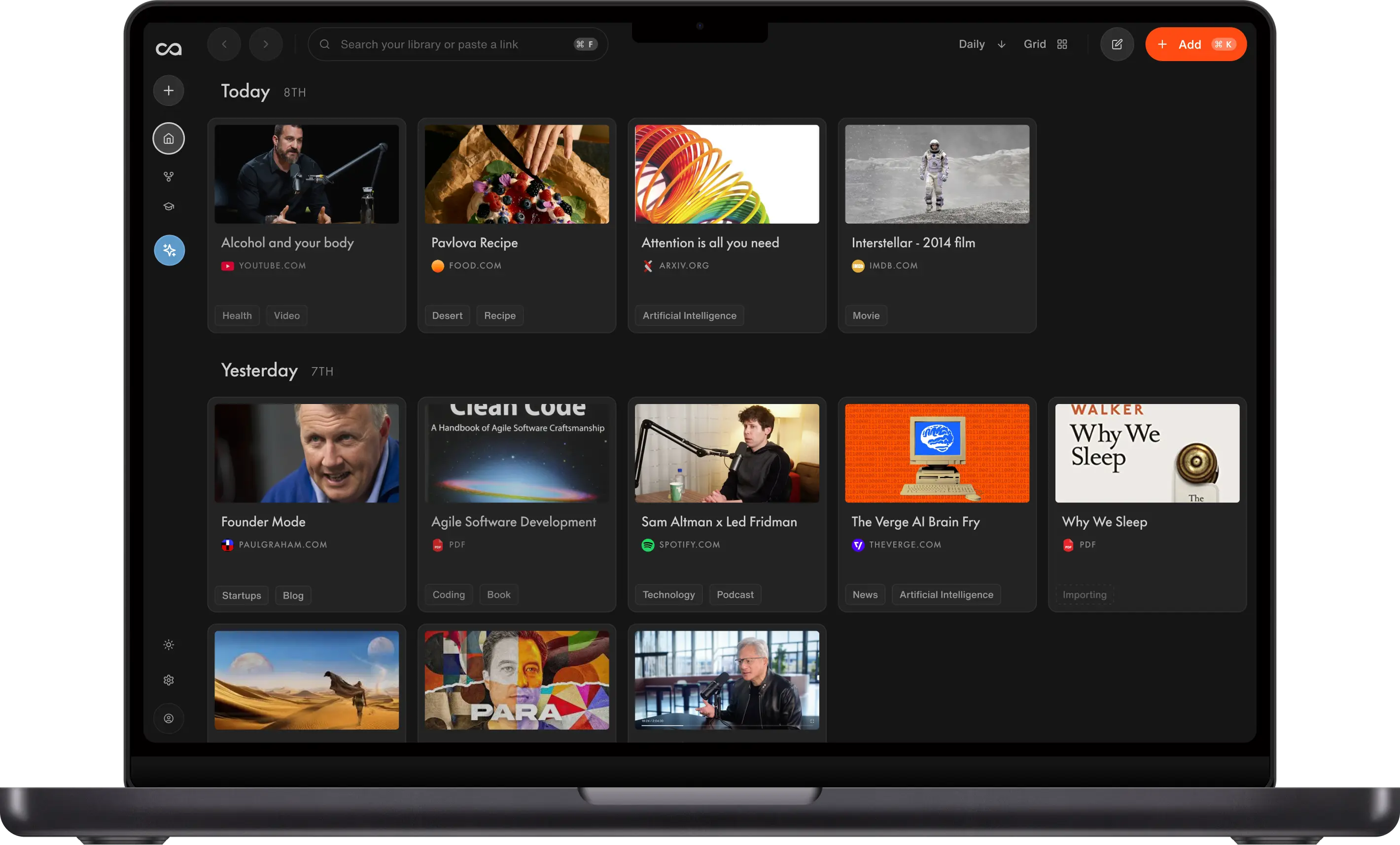
Recall is a personal AI knowledge base, and it is the one on this list Safari has no built-in answer for. It summarizes the page on save, files it automatically, and lets you chat with that page or everything else you have saved. The other five each win a narrower job that Safari either does poorly or not at all.
What to use when
- Recall if you want a one-click summary, automatic organization, chat with the page, and a full AI knowledge base.
- 1Password if the job is passwords and passkeys.
- Grammarly if you want the fullest on-page writing help in Safari.
- Raindrop.io if you want bookmark collections instead of Safari's native list.
- LanguageTool if you want a lighter, cheaper writing checker.
- Speechify if you want to listen to the page.
Get started with Recall for free
See why Recall is the best Safari web clipper. One-click save on Mac, an AI summary, and a knowledge base you can still chat with next week.
Best Safari extensions compared (2026): ranked by the job they finish, what remains after you close the tab, and the main tradeoff.
| Extension | Best for | What it does | After you close it | Main tradeoff |
|---|---|---|---|---|
| Recall | A second brain from Safari | Summarizes articles, YouTube, PDFs, social posts, and more, then lets you chat with the save | Full content, organized, in a knowledge base you can still ask | Lasting AI context; AI features on the free plan are limited |
| 1Password | Passwords and passkeys | Autofill and a vault | The next form still fills | Sign-in only |
| Grammarly | Writing in Safari | Grammar and tone in text fields | Nothing from the page you read | Does not keep what you read |
| Raindrop.io | Bookmark collections | Nested folders instead of Reading List | The link | Links, not full content you can ask |
| LanguageTool | Lighter grammar checks | Free-leaning writing help in Safari | Nothing from the page you read | Fewer rewrites than Grammarly |
| Speechify | Listen to the page | Text-to-speech in Safari | Nothing unless you saved the audio elsewhere | Listening, not a library |
Scroll horizontally on small screens to see every column.
Related: Recall AI extension for Safari · best Firefox extensions · best productivity Chrome extensions · best AI Chrome extensions
What is a Safari extension?
A Safari extension is an add-on that appears in Safari's toolbar after you install it from the App Store and turn it on in Safari → Settings → Extensions.
The best ones do a job Chrome users already expect. They save the page, check writing, fill passwords, or read the page aloud. Recall is the knowledge version of that. It chats with the page and keeps the source.
How to choose Safari extensions
Match the extension to the bottleneck, not to a generic "best" list.
- Keep the page vs fix the sentence: Do you need a summary, chat, and a save you can ask later, or grammar in the field you are already typing?
- What you keep: A URL, a rewrite, a password, or the full page.
- Destination: Reading List, a bookmark folder, or a knowledge base you can chat with.
- One tool per job: Knowledge, writing, passwords, bookmarks, or audio. Do not install four clippers.
A tight Safari stack is 1Password + Recall + one writing tool.
Best Safari extensions in detail
1. Recall
Recall is best for: Safari users who want a one-click summary of the current page, automatic organization, chat with that page, and a full AI knowledge base those saves go into.
Recall features:
- Safari extension: Toolbar panel over the page you are already reading
- Chat with the page: Ask the article, YouTube video, or PDF in front of you
- Chat with your library or the web: Bring in saved sources or expand outward
- One-click save: Articles, YouTube, podcasts, PDFs, social posts, and notes
- AI summaries: Get the gist before you commit to a full read
Recall pricing: free tier with unlimited saves; Plus from about $10/mo.
Where Recall fits: Most Safari extension roundups are ad blockers and password tools. Those are useful and they do not keep what you learned. Recall is the Safari extension for the knowledge job.
2. 1Password
1Password is best for: passwords, passkeys, and filling Safari forms.
1Password features:
- Safari Autofill: Logins without the built-in keychain if you want a dedicated vault
- Passkeys: Modern sign-in
- iOS and macOS apps: The extension sits on top of a mature password app
- Watchtower: Alerts on weak or breached passwords
1Password pricing: individual plans typically from about $3 to $5/mo. Verify current pricing on 1password.com.
1Password vs Recall: These solve unrelated problems and most people should run both. The only real decision on Safari is 1Password versus the built-in iCloud Keychain. Choose 1Password if you want shared vaults, breach alerts, and cross-browser logins that follow you off Apple devices. Keychain is fine if you live entirely in the Apple ecosystem. Recall does not replace either.
3. Grammarly
Grammarly is best for: the fullest on-page writing help in Safari.
Grammarly features:
- Grammar and tone: Inline suggestions in supported fields
- Rewrites: Shorten or change the voice of a draft
- Wide web coverage: Email, docs, and CMS fields
Grammarly pricing: free grammar checks; Pro typically from about $12/mo.
Grammarly vs Recall: These do not compete. Grammarly checks the text you write. Recall keeps the pages you read. One caveat specific to Safari is that Grammarly's coverage of individual text fields is less reliable here than on Chrome, so test it in the apps you actually write in before you rely on it.
4. Raindrop.io
Raindrop.io is best for: bookmark collections that beat Safari's native bookmarks and Reading List.
Raindrop.io features:
- Collections: Nested folders and covers
- Safari save: Clip the current page into a collection
- Search: Find links later by title or highlight
Raindrop.io pricing: generous free tier; Pro from about $3/mo.
Raindrop vs Recall: If you have outgrown Safari's Reading List and want real bookmark collections with covers and search, Raindrop is the right tool and Recall is overkill. Reach for Recall only when a bookmark is not enough, when you want the article itself, a summary, and the ability to ask it questions later. See best AI bookmark managers.
5. LanguageTool
LanguageTool is best for: a lighter, often cheaper writing checker than Grammarly.
LanguageTool features:
- Grammar and spelling: Multilingual checks
- Safari support: Writing help without a heavy overlay
- Privacy-minded plans: Options for people who do not want a full writing suite
LanguageTool pricing: free tier; Premium commonly around $5 to $6/mo. Verify current plans on languagetool.org.
LanguageTool vs Grammarly: Choose LanguageTool for a smaller footprint. Choose Grammarly for deeper rewrites.
6. Speechify
Speechify is best for: listening to Safari pages when you cannot read.
Speechify features:
- Text-to-speech: Listen to the current page
- Natural voices: Easier to follow than a basic system voice
Speechify pricing: free tier; Premium commonly around $10 to $12/mo.
Speechify vs Recall: If you mostly want to listen instead of read, Speechify is the better tool and Recall does not replace it. They only meet if you also want to keep what you listened to, in which case save the page in Recall first. Note that Safari and iOS already have a built-in Speak Screen feature, so try that before paying for a text-to-speech extension.
Bottom line
The best Safari extensions in 2026 are a short stack, not a Chrome-style junk drawer. Install Recall for page chat and knowledge, 1Password for logins, and then Grammarly or LanguageTool for writing. Add Raindrop.io or Speechify only if bookmarks or audio are the daily job.
For the larger Chrome list, see best productivity Chrome extensions.
When Safari's built-in tools are enough
Stay with Reading List, Reader View, and iCloud Keychain when:
- You finish most articles you save
- You only need a clean reading view
- You do not need page chat or a library
Add Safari extensions when closed tabs still contain work you will want later.
FAQs
Best Safari extensions by use case
How Safari extensions work
Recall vs other Safari extensions
See more tools on the Recall comparison hub or the full comparison table.
Ready to get started?
Save, summarize and chat with your content.
No credit card required · 30 Day Refund on Premium · 24 Hour Support