6 Best Chrome Extensions for Reading Articles in 2026
Most reading extensions just build a save-for-later graveyard you never open again. The six here bring everything worth reading into one place you can actually chat with, revisit, and reuse. We ranked them by what they capture, whether you can ask questions across it, and audio support: Recall for summarizing any article in one click, organizing it automatically, chatting with it, and adding it to a full AI knowledge base, Readwise Reader for highlights, Speechify for listening, and Instapaper for a classic queue.
Last updated: August 2026
What are the best Chrome extensions for reading articles?
The best Chrome extensions for reading articles in 2026 are Recall for saving the full article, summarizing it, and chatting with it, Readwise Reader for highlights, Speechify for listening, Instapaper for a classic reader, Matter for audio-friendly reading, and Raindrop.io for bookmark collections.
The open web is a hostile place to actually finish an article. Ads and popups fight the text, the piece you meant to read is buried in a pile of "read later" tabs, and a month later you remember the argument but not where you saw it. A reading extension solves a specific slice of that, and the six here solve different slices.
Be honest with yourself about which problem you have:
- You want a clean, calm page to read now. Instapaper or Chrome's own Reader View is enough.
- You read seriously and highlight as you go, then pull those highlights into notes. Readwise Reader is built for exactly this.
- You get through more by listening than reading. Speechify or Matter.
- You are still only saving links you may never open. That is bookmarking, and Raindrop.io does it well.
- You want what you read to become something you can question and reuse later, not just a tidy archive. That is where Recall comes in.
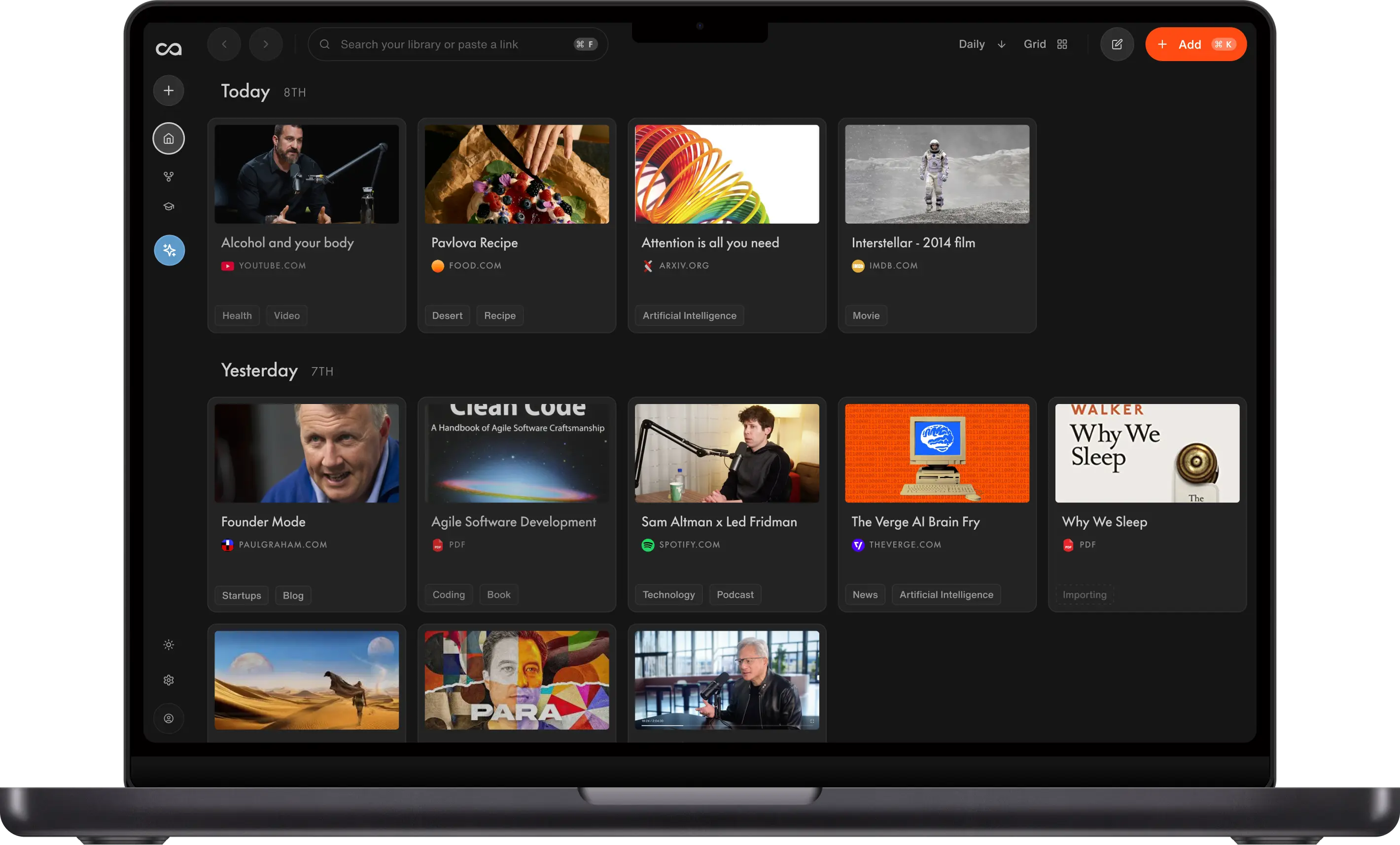
Recall is a personal AI knowledge base. It keeps the full article rather than a link, summarizes it on save, files it automatically, and lets you ask questions across everything you have read. It is the pick when reading is a means to remembering, not the end in itself.
What to use when
- Recall if you want a one-click summary, automatic organization, chat with the article, and a full AI knowledge base.
- Readwise Reader if you highlight and sync passages into notes.
- Speechify if you want to listen to the current article.
- Instapaper if you want a classic, calm queue.
- Matter if you want a modern reader with audio.
- Raindrop.io if you are still at the bookmark stage.
Get started with Recall for free
See why Recall is the best Chrome extension for saving, summarizing, and chatting with any page. One-click save, an AI summary, and a knowledge base you can still chat with next week.
Best Chrome extensions for reading articles compared (2026): ranked by what you save, how you reuse it, and the main tradeoff.
| Extension | Best for | What you save | How you reuse it | Main tradeoff |
|---|---|---|---|---|
| Recall | Articles you still want to ask later | Articles, YouTube, PDFs, social posts, and more | Summary, library-wide chat, optional spoken summary | Not a highlight-first reader; AI features on the free plan are limited |
| Readwise Reader | Highlight-driven reading | Full articles and highlights | Highlights sync into your notes | Payoff depends on finishing and highlighting |
| Speechify | Listen in Chrome | The open page as audio | You finish by ear | Nothing to query later |
| Instapaper | A calm unread queue | Full articles | Reread in a clean view | Unread saves still pile up |
| Matter | Audio-friendly reading | Full articles | Listen or read in the app | Weaker as a library you can ask |
| Raindrop.io | Bookmark the piece | URL, cover, optional highlight | Browse collections | A link, not the article |
Scroll horizontally on small screens to see every column.
Related: best Chrome extensions for students · best read-it-later apps · best productivity Chrome extensions
What is a Chrome extension for reading?
A Chrome extension for reading changes what happens when you hit an article: cleaner view, save for later, listen, highlight, or ask the piece a question.
Chrome's built-in Reading Mode only restyles the tab. The useful extensions add a destination:
- Reader apps: Instapaper, Matter, Readwise Reader
- Listen: Speechify
- Bookmarks: Raindrop.io
- Knowledge: Recall
If the extension cannot show you the article after the site changes or the tab closes, it is a view, not a reading system.
How to choose a Chrome extension for reading articles
- Finish vs reuse: Do you need a prettier page, or a save you can ask later?
- Highlights: Critical if you export passages to Obsidian or Notion.
- Audio: Speechify and Matter win when you listen more than you read.
- Formats: Articles only, or also PDFs and YouTube?
- Students: Prefer tools that still work at exam time, not only tonight. Recall adds summaries and spaced repetition for that job.
Best Chrome extensions for reading articles in detail
1. Recall
Recall is best for: people who want a one-click summary of the article, automatic organization, chat with that piece, and a full AI knowledge base those saves go into.
Recall features:
- Full-content save: The article stays even if the site changes
- AI summary on save: Decide whether a full read is worth it
- Chat with the article: Ask the piece in the extension panel
- Chat across the library: Pull from everything you have already saved
- More than articles: PDFs, YouTube, podcasts, social posts, and notes
- Spaced repetition: Keep the ideas after the tab is gone
Recall pricing: free tier with unlimited saves; Plus from about $10/mo.
Where Recall fits: A reader-mode extension makes the current tab pleasant to read and then it is gone. Recall is for the times you open an article because you want to hold on to what is in it. It is not the best tool if all you want is a clean page tonight, and it says so, but it is the one that still has the article, and an answer, next month.
2. Readwise Reader
Readwise Reader is best for: a dedicated reading app with first-class highlights.
Readwise Reader features:
- Reader view: Clean articles, PDFs, and newsletters
- Highlights: The core workflow
- Readwise sync: Push passages into your notes system
- Chrome save: Send the current article into the queue
Readwise Reader pricing: typically about $8 to $10/mo with Readwise. Verify on readwise.io.
Readwise Reader vs Recall: For most people who read seriously and highlight as they go, Readwise Reader is the better reading app, and that is the honest answer. The reader is excellent, the highlighting is first-class, and passages sync straight into Obsidian or Notion. Choose Recall instead when the goal is less about reading cleanly and more about summarizing what you read and asking questions across all of it later. Also see best read-it-later apps and Readwise Reader alternative.
3. Speechify
Speechify is best for: listening to the article in the current Chrome tab.
Speechify features:
- Text-to-speech: Natural voices
- Speed controls: Skim by ear
- PDFs and docs: Not only blog posts
Speechify pricing: free tier; Premium commonly around $10 to $12/mo.
Speechify vs Recall: If the problem is finding time to sit and read, Speechify is the best tool on this list and Recall is not a substitute for it. The natural voices and speed controls are the whole point. They only overlap if you also want to keep what you listened to, so save the article in Recall and let Speechify read it aloud.
4. Instapaper
Instapaper is best for: a calm, text-first queue with as little AI as possible.
Instapaper features:
- Distraction-free reader: Minimal chrome
- Save from Chrome: One-click send to the queue
- Highlights: On paid plans
- Cross-device: Phone and web
Instapaper pricing: free tier; Premium from about $3/mo.
Instapaper vs Recall: If you want a calm, cheap, do-one-thing-well reading queue, Instapaper is a great choice and has been for years. Recall is the better fit only when you want summaries, chat, and a library you can query rather than a clean inbox to read from. See Pocket alternative if you are replacing a dead queue.
5. Matter
Matter is best for: a modern reader that treats listening as equal to reading.
Matter features:
- Audio for articles: Listen when you cannot read
- Highlights and sharing: Social reading features
- Newsletters: Common intake path
- Mobile-first apps: Strong on the phone
Matter pricing: free tier; Premium typically about $8/mo or about $80/year.
Matter vs Recall: Matter is the nicer product if you want reading and listening in one polished app, especially for newsletters on a phone. Recall is the better pick when you care less about the reading experience and more about keeping and questioning what you read afterwards.
6. Raindrop.io
Raindrop.io is best for: bookmarking articles you might read, with collections and covers.
Raindrop.io features:
- Save the link: Fast clip from Chrome
- Collections: Nested folders
- Previews: More context than a bare bookmark
- Search: Find the link later
Raindrop.io pricing: generous free tier; Pro from about $3/mo.
Raindrop vs Recall: Raindrop saves the link and a little context around it. Recall saves the article itself, so you can read, summarize, and question it later without the original page. If bookmarking is genuinely all you need, Raindrop is lighter and cheaper. If you keep finding you saved a link but lost what it said, that is the gap Recall closes. See best AI bookmark managers.
Bottom line
The best Chrome extension for reading articles is Recall if the point of reading is to keep the knowledge: full-content save, summary, and chat. Pick Readwise Reader for highlights, Speechify or Matter for audio, Instapaper for a classic queue, and Raindrop.io if you are still only filing links.
For the broader toolbar, see best productivity Chrome extensions. For the app-level category, see best read-it-later apps.
When Chrome Reading Mode is enough
Stay with Chrome's built-in reader when:
- You finish the article in one sitting
- You do not need highlights, audio, or a save
- You will not search for the piece next month
Add a reading extension when the tab is not the last place you will need the article.
FAQs
Best Chrome extensions for reading by use case
Reading extension tips
What is a reading Chrome extension
Recall vs other reading extensions
See more tools on the Recall comparison hub or the full comparison table.
Ready to get started?
Save, summarize and chat with your content.
No credit card required · 30 Day Refund on Premium · 24 Hour Support